
Worked exampleExported from Calvance
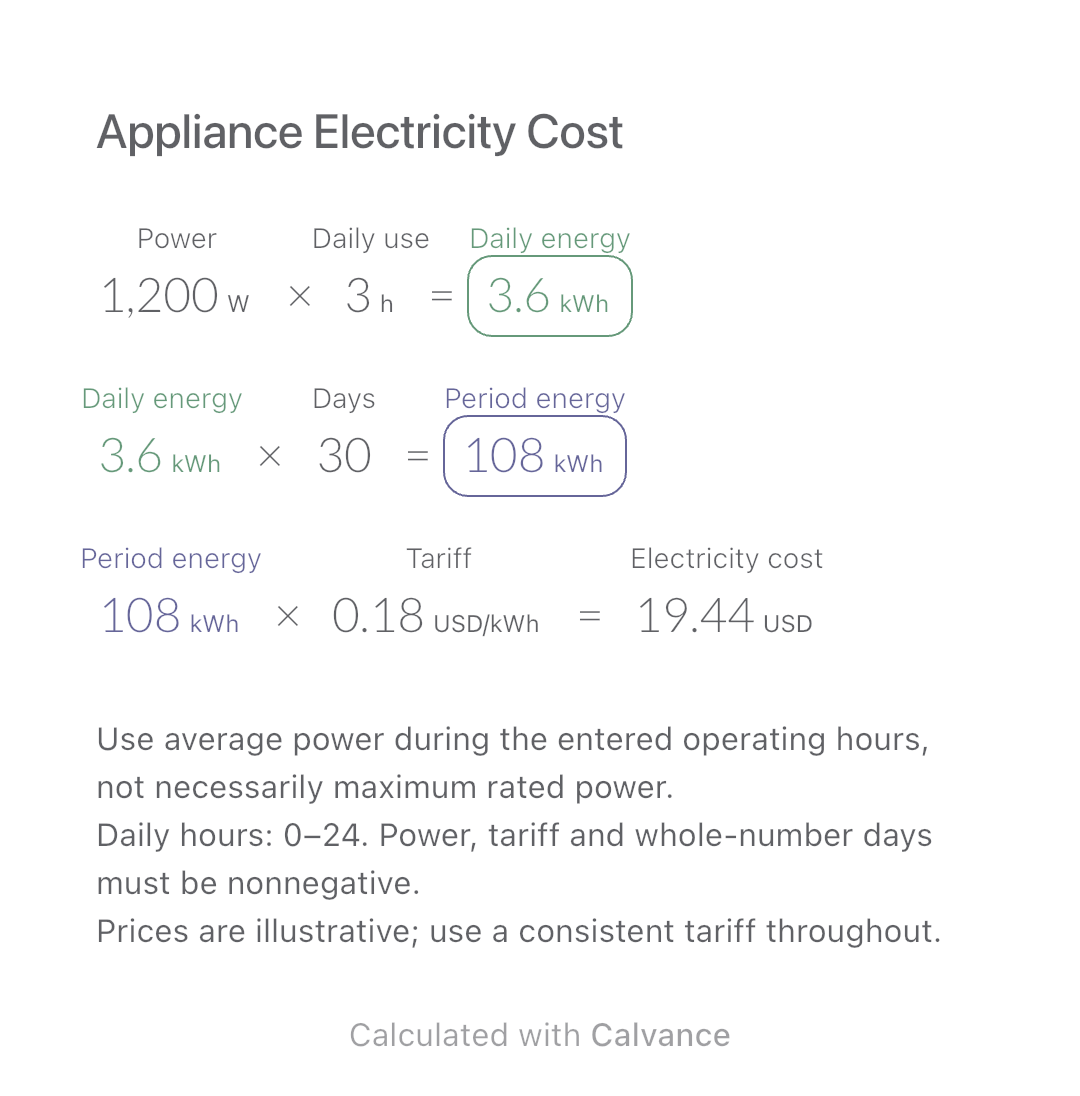
Appliance Electricity Cost
Estimate an appliance’s daily kWh, energy use over a chosen number of days and electricity cost. Change usage hours in an editable calculation canvas.
View template and methodUse filament weight and print duration from your slicer to estimate material and electricity costs separately, then add the two expenses.
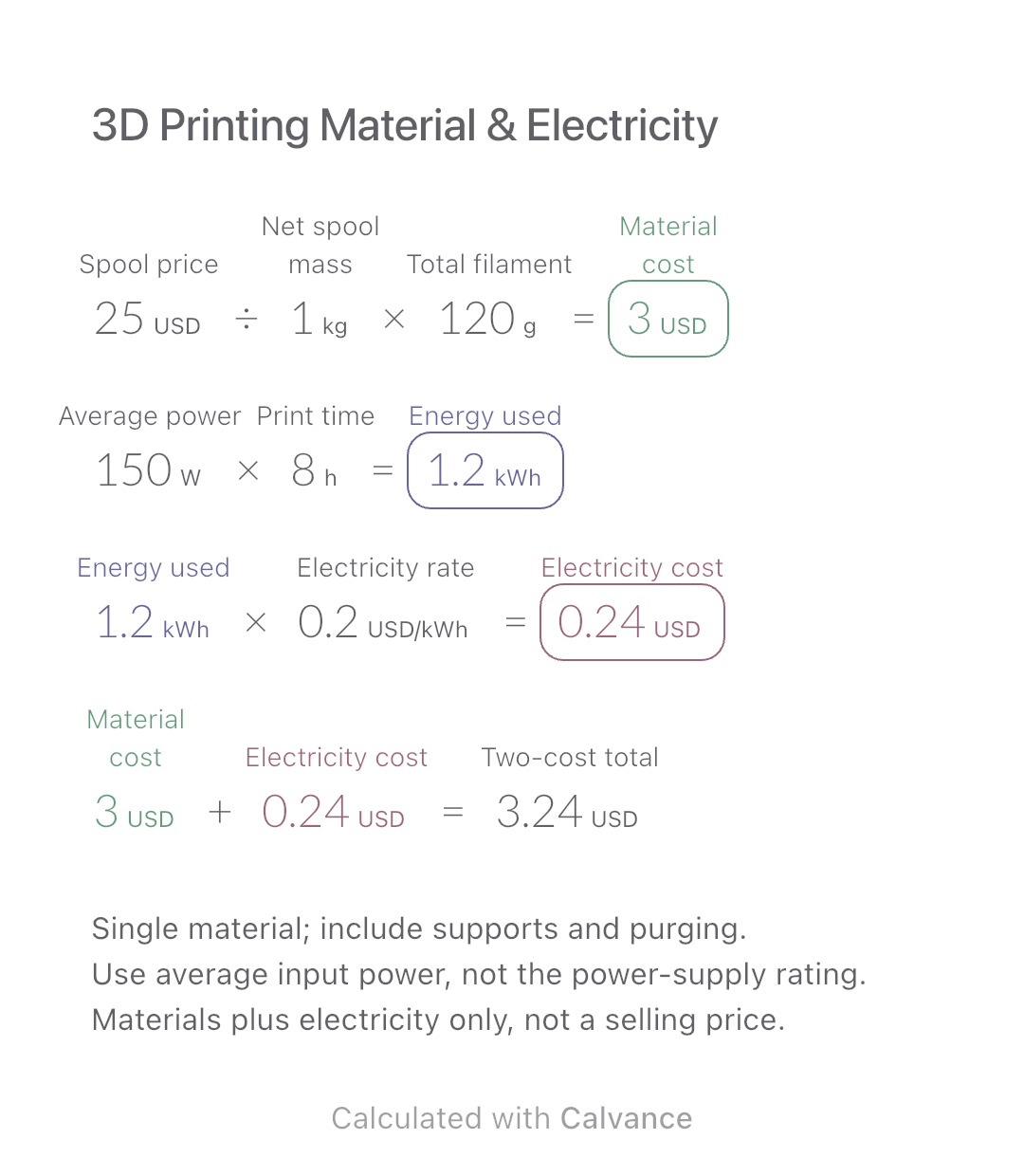
Exported by the iOS App After importing, edit the numbers in Calvance.
Estimate two expenses for one single-material FDM/FFF print. Enter the spool’s net filament weight without the spool itself. For total filament used, include the model, supports, brim and purging as applicable. The metric USD example uses simulated prices and electricity rates, not current market data.
Related calculations: Appliance Electricity Cost.
USD
| Inputs | Default |
|---|---|
| Spool price (USD) | 25 |
| Net spool mass (kg) | 1 |
| Total filament (g) | 120 |
| Average power (W) | 150 |
| Print time (h) | 8 |
| Electricity rate (USD/kWh) | 0.2 |
Material cost = spool price ÷ net spool weight × total filament used. Average input power × print duration gives energy, converted to kWh; multiply by the electricity rate. Add material and electricity costs. The example uses 120 g from a 1 kg spool: material costs USD 3; 150 W for 8 h uses 1.2 kWh, costing USD 0.24, for a USD 3.24 subtotal. Real units handle g/kg and W·h/kWh conversions, so do not add another factor of 1000.
25 [Spool price USD]/1 [Net spool mass kg] × 120 [Total filament g] → Material cost USD
150 [Average power W] × 8 [Print time h] → Energy used kWh
Energy used kWh × 0.2 [Electricity rate USD/kWh] → Electricity cost USD
Material cost USD + Electricity cost USD → Two-cost total USD
Change the spool price from USD 25 to USD 30. Material cost becomes USD 3.60 and the subtotal USD 3.84. Electricity use and cost stay unchanged.
| Result | Default | Changed |
|---|---|---|
| Material cost (USD) | 3 | 3.6 |
| Energy used (kWh) | 1.2 | 1.2 |
| Electricity cost (USD) | 0.24 | 0.24 |
| Two-cost total (USD) | 3.24 | 3.84 |
Results are displayed to at most two decimal places; later formulas use unrounded values.
Net spool mass, filament usage, average power and duration must be positive; prices and electricity rate nonnegative. Use the same currency throughout. Power and duration must describe the same job interval. Slicer estimates may differ from measured use. The total excludes labour, depreciation, maintenance, failed prints, taxes, profit, packaging and separately powered equipment. It is consumed-material cost, not the cash needed to buy whole spools. No STL/G-code analysis, resin printing, mixed-price filaments or time-of-use tariff calculation.
Prusa: components of printing cost
Download and import into Calvance to edit the numbers. The canvas does not reject every invalid input; check the stated ranges.
No. It covers only material and electricity. Labour, machine costs and other business expenses must be considered separately.
Use measured or reasonably estimated average input power over the stated print period. The power-supply rating is not a measurement of average consumption.
No. Enter your own totals after downloading and importing the canvas into Calvance.
We recommend using the latest version of Calvance.
Estimate an appliance’s daily kWh, energy use over a chosen number of days and electricity cost. Change usage hours in an editable calculation canvas.
View template and method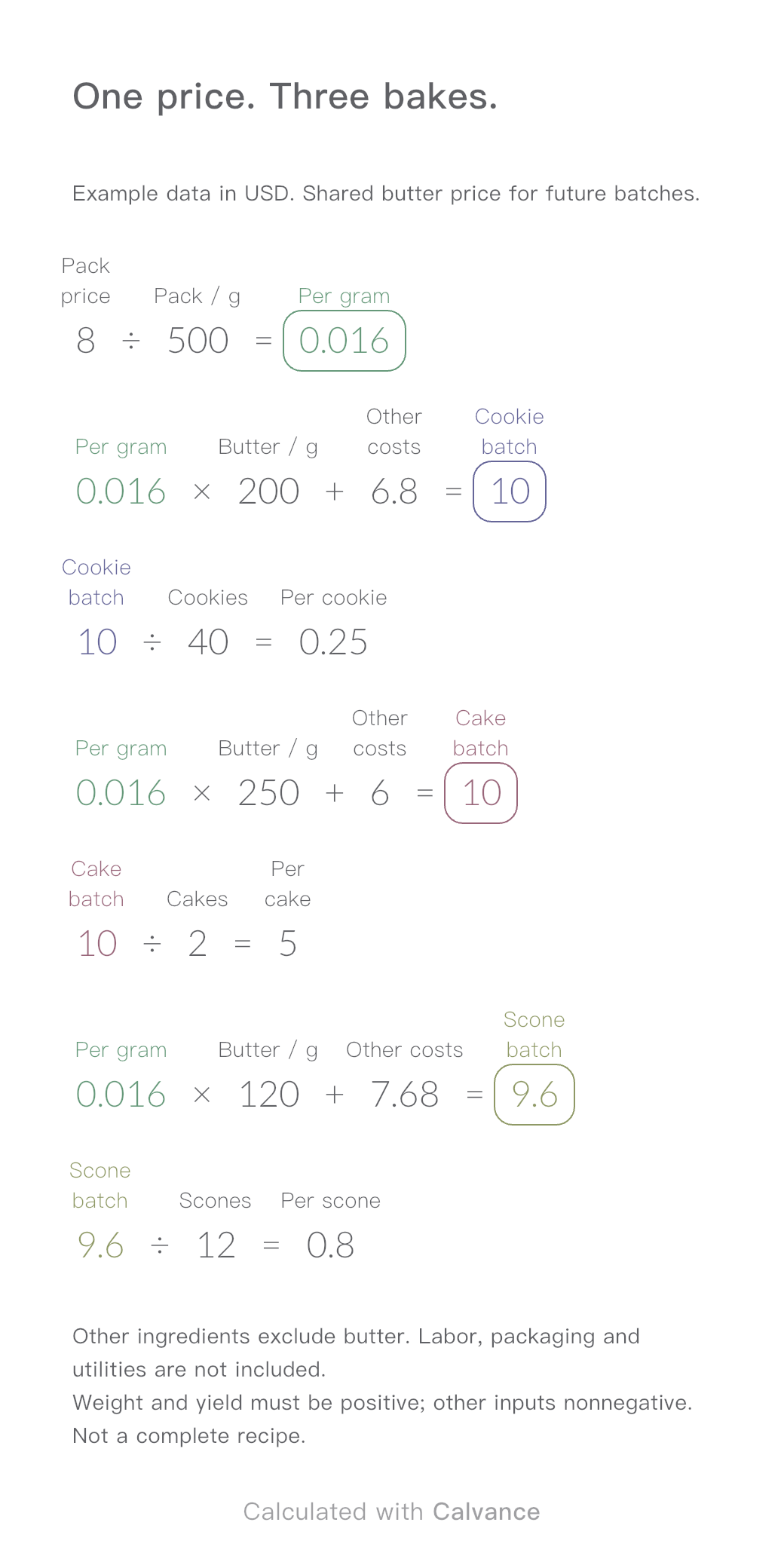
One ingredient price, three bakes. Change the butter price to update batch and per-serving costs.
View template and method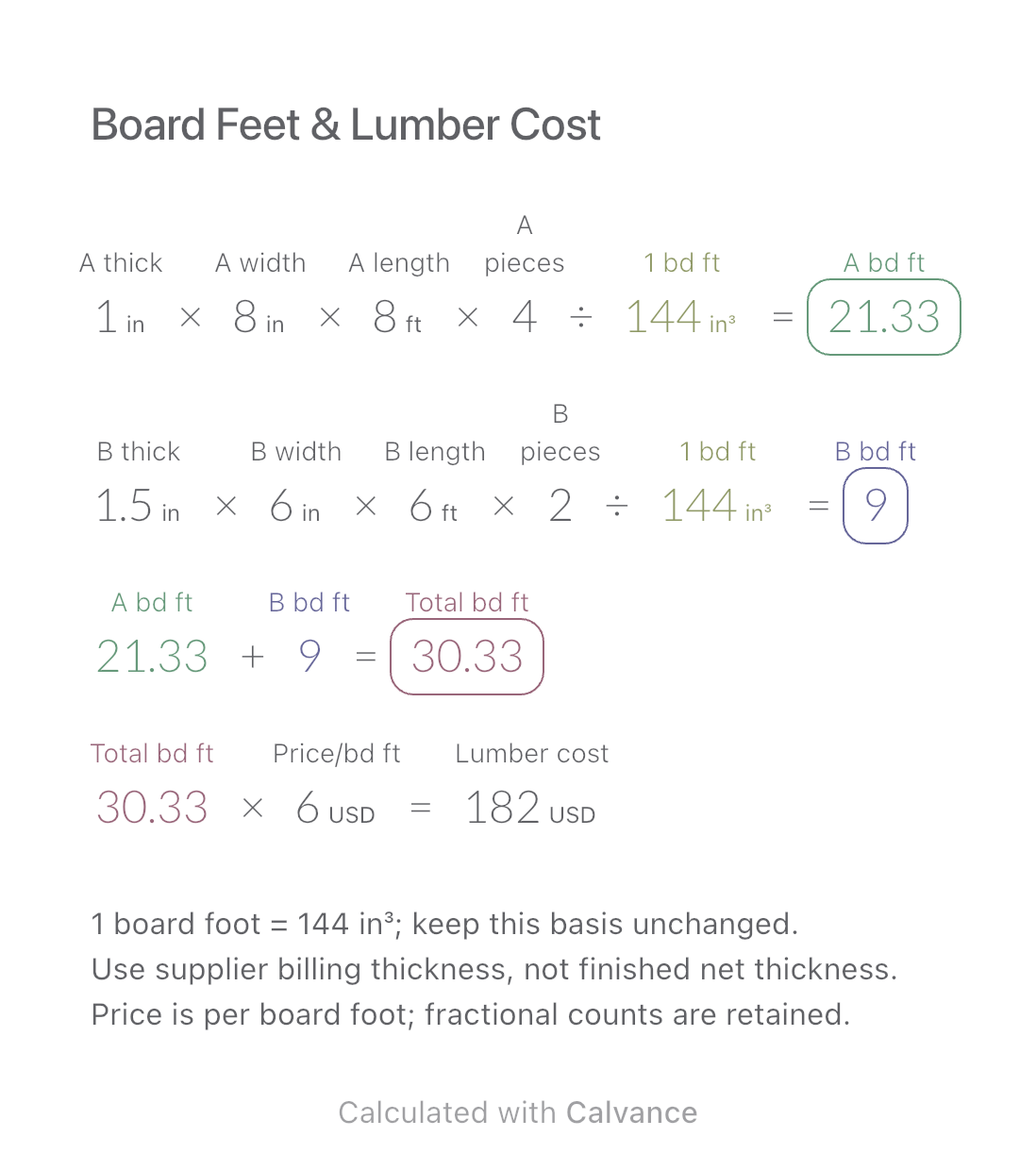
Add board footage for two lumber sizes and estimate purchase cost at one price per board foot. Keep dimensions and piece counts together for later changes.
View template and methodChoose a plan when you need more canvases, high-resolution image exports, or sync across devices.