
Worked exampleExported from Calvance
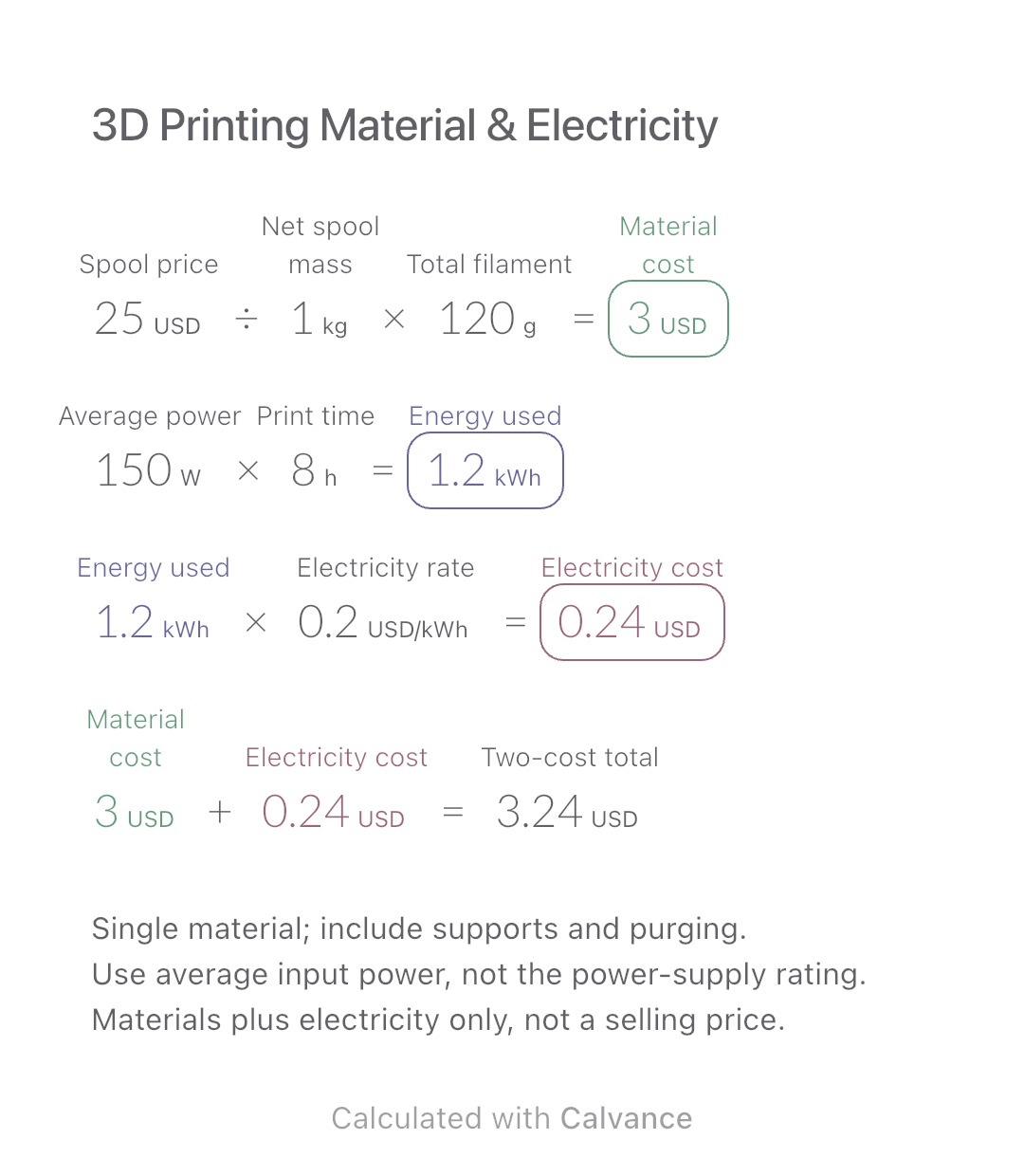
3D Printing Material & Electricity
Use filament weight and print duration from your slicer to estimate material and electricity costs separately, then add the two expenses.
View template and methodAdd board footage for two lumber sizes and estimate purchase cost at one price per board foot. Keep dimensions and piece counts together for later changes.
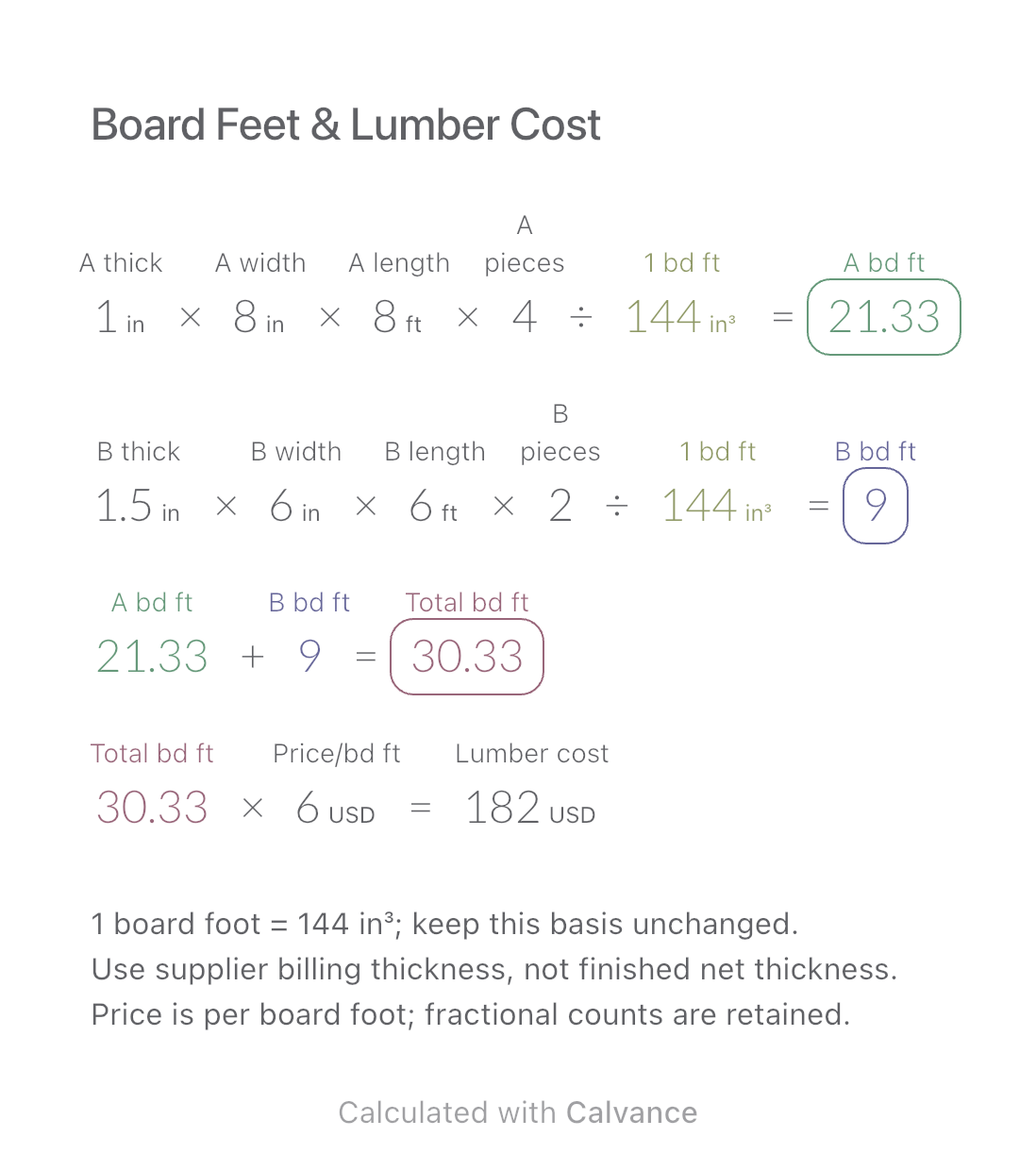
Exported by the iOS App After importing, edit the numbers in Calvance.
For rectangular lumber sold by the board foot under a supplier’s billing rules. This North American measurement remains inches and feet in every language version; changing language does not change its definition. Use billing dimensions, which may differ from finished dimensions. The USD price is a fictional example.
Related: Fabric Weight & Price.
USD
| Inputs | Default |
|---|---|
| A thickness used for billing (in) | 1 |
| A board width (in) | 8 |
| A board length (ft) | 8 |
| A piece count | 4 |
| B thickness used for billing (in) | 1.5 |
| B board width (in) | 6 |
| B board length (ft) | 6 |
| B piece count | 2 |
| Price for one board foot (USD/bd ft) | 6 |
One board foot equals 144 cubic inches. Multiply thickness, width, length and piece count using real length units, then divide the resulting volume by 144 in³. The quotient is the board-foot count. Add the two counts and multiply by the price for one board foot. A uses 1 in × 8 in × 8 ft × 4 pieces = 64/3 board feet. B uses 1.5 in × 6 in × 6 ft × 2 = 9. Their total is 91/3, displayed as 30.33; cost uses the unrounded count.
1 [A thickness used for billing in] × 8 [A board width in] × 8 [A board length ft] × 4 [A piece count]/1 bd ft → Board feet for size A bd ft
1.5 [B thickness used for billing in] × 6 [B board width in] × 6 [B board length ft] × 2 [B piece count]/1 bd ft → Board feet for size B bd ft
Board feet for size A bd ft + Board feet for size B bd ft → Combined board feet bd ft
Combined board feet bd ft × 6 [Price for one board foot USD/bd ft] → Lumber purchase cost USD
Change only A’s piece count from 4 to 6. A becomes 32 board feet, B stays at 9 and the total becomes 41. The same price applies to both sizes; the result table shows the corresponding cost change.
| Result | Default | Changed |
|---|---|---|
| Board feet for size A (bd ft) | 21.33 | 32 |
| Board feet for size B (bd ft) | 9 | 9 |
| Combined board feet (bd ft) | 30.33 | 41 |
| Lumber purchase cost (USD) | 182 | 246 |
Results are displayed to at most two decimal places; later formulas use unrounded values.
Lengths and billing thickness must be positive, piece counts nonnegative integers, and price nonnegative. Both sizes use the same per-board-foot price; split the calculation if rates differ. Rough and nominal dimensions depend on the supplier’s billing practice. This is not a cutting layout or a guarantee of usable yield and excludes delivery, tax and other charges. Changing language or currency does not make board feet the local standard.
Board-foot definition and billing dimensions: Woodworkers Source.
Download and import into Calvance to edit the numbers. The canvas does not reject every invalid input; check the stated ranges.
It is rounded for reading. The next formula uses the exact 91/3 board feet so the cost is not understated.
No. Board feet measure volume; linear feet measure length. A width or thickness change alters board footage even if length stays the same.
We recommend using the latest version of Calvance.
Use filament weight and print duration from your slicer to estimate material and electricity costs separately, then add the two expenses.
View template and method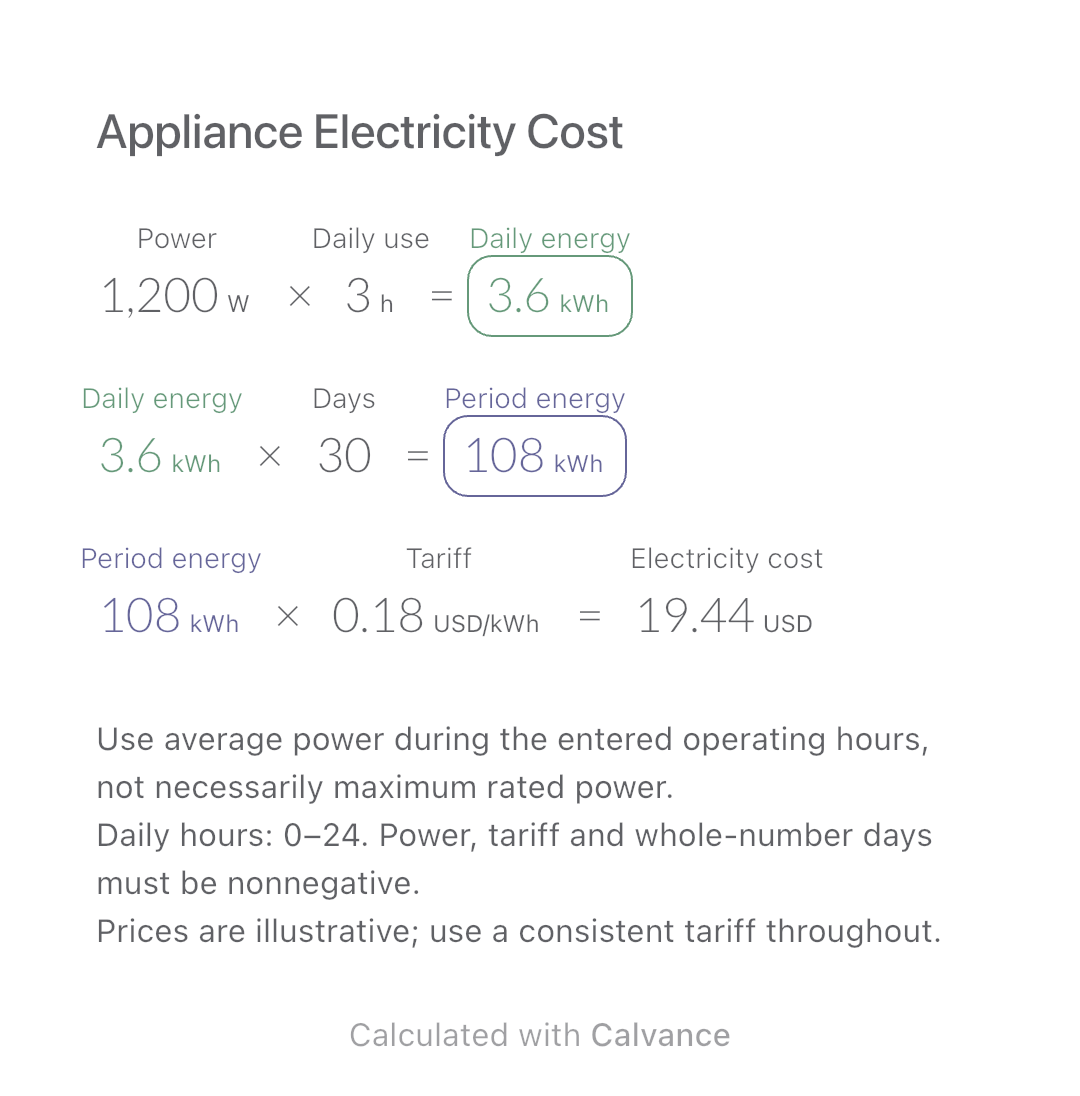
Estimate an appliance’s daily kWh, energy use over a chosen number of days and electricity cost. Change usage hours in an editable calculation canvas.
View template and method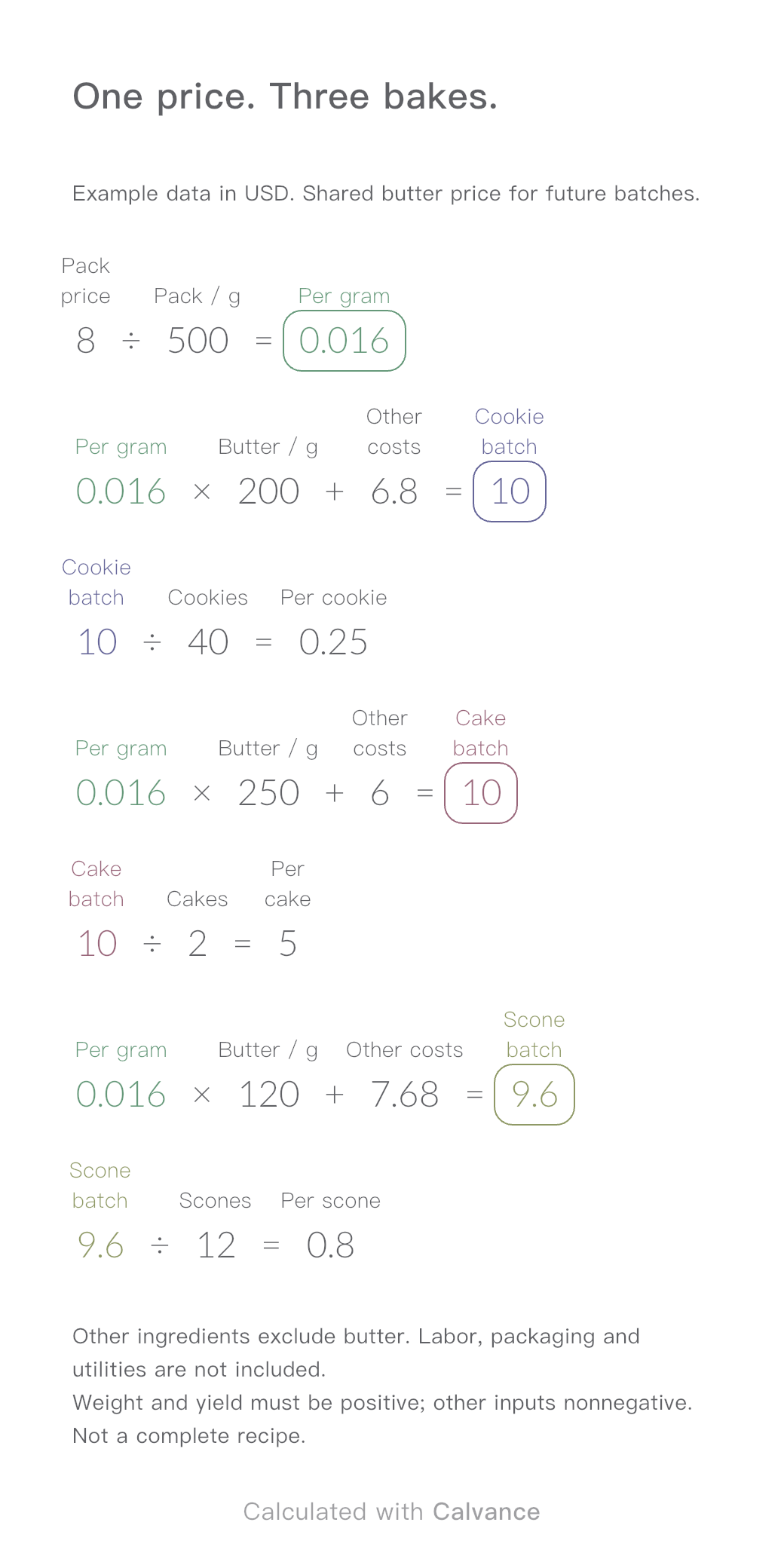
One ingredient price, three bakes. Change the butter price to update batch and per-serving costs.
View template and methodChoose a plan when you need more canvases, high-resolution image exports, or sync across devices.