
Worked exampleExported from Calvance
Baking Ingredient Costs
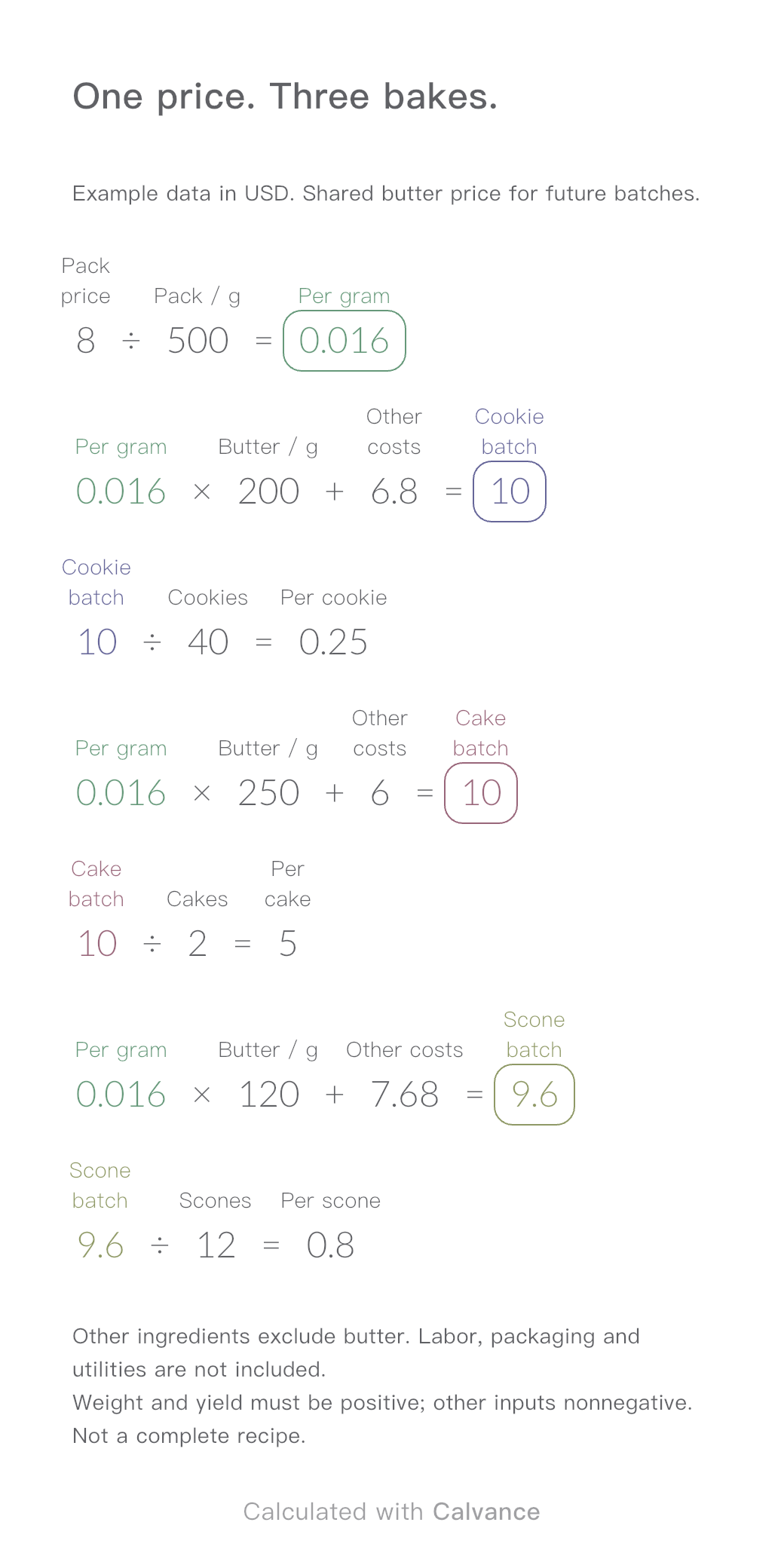
One ingredient price, three bakes. Change the butter price to update batch and per-serving costs.
View template and methodConvert a fabric quote per kilogram into a price per metre using GSM and open width. Estimate order weight and fabric cost, then download the reusable Calvance canvas.
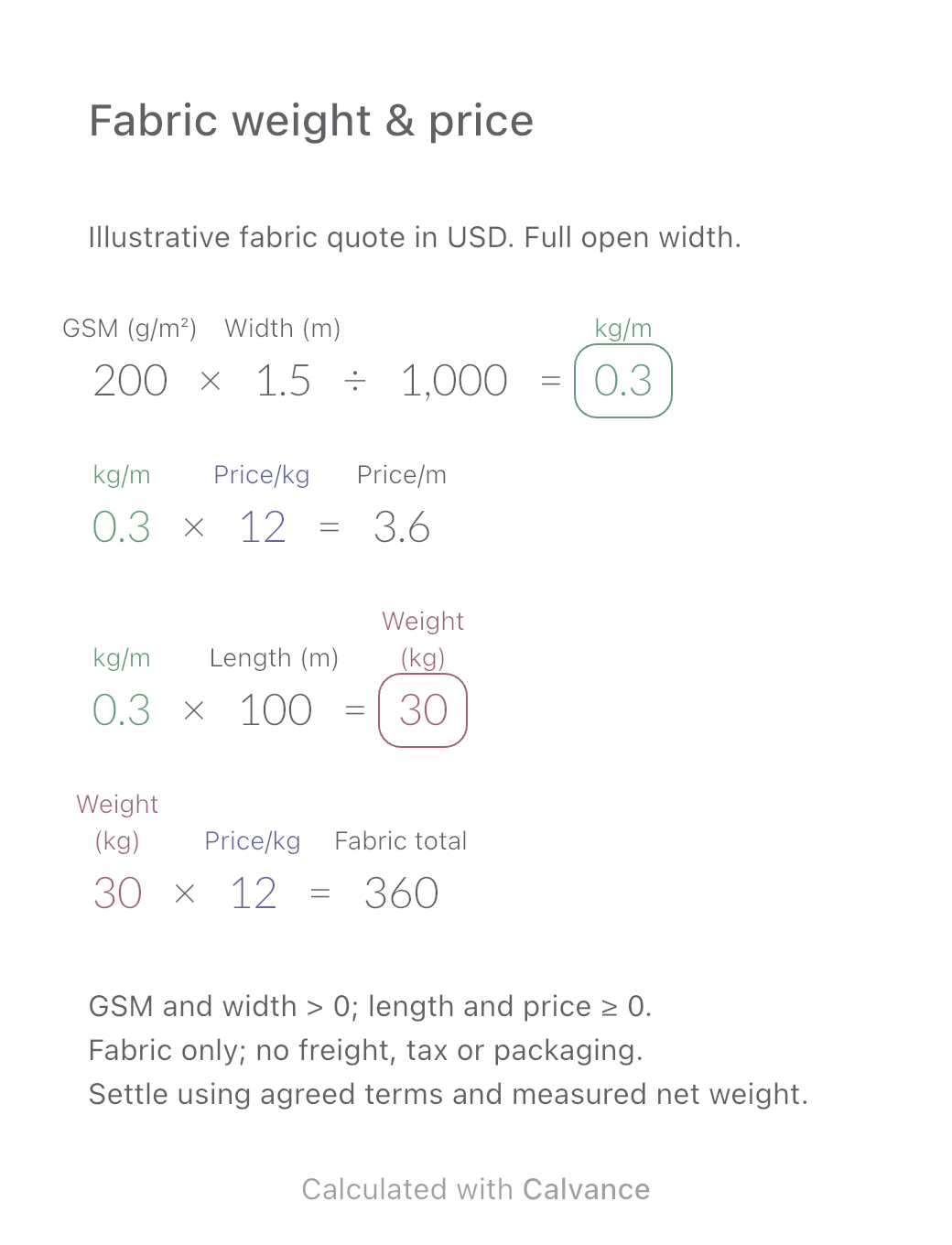
Exported through the actual Calvance iOS App from the default 100 m download. Illustrative quote, not a market price. After importing, edit the numbers in Calvance.
Use this template when a supplier quotes fabric by kilogram but you plan purchases by length. It connects fabric specifications, price and order quantity in four formulas. Change the quoted price once to update both the price per metre and the order cost.
This illustrative US example uses USD and metric fabric specifications, not market prices. Start with 200 g/m², an open width of 1.5 m and 100 m of fabric. Enter your own price per kilogram. GSM and width must be positive; length and price may be zero but not negative. Check these limits yourself: the canvas does not enforce them.
| Input | Default |
|---|---|
| GSM (g/m²) | 200 |
| Open width (m) | 1.5 |
| Price per kg | $12 |
| Order length (m) | 100 |
A metre of fabric is an area 1 m long and as wide as the roll. GSM is mass per square metre, so multiplying by width gives grams per linear metre; dividing by 1000 converts grams to kilograms. The weight-per-metre result shows up to four decimals; dependent formulas use the unrounded value.
200 × 1.5 ÷ 1000 = 0.3 kg/m
0.3 × 12 = $3.6/m
0.3 × 100 = 30 kg; 30 × 12 = $360
The division by 1000 follows the SI conversion from grams to kilograms; see NIST’s SI conventions.
Compare the default quote, a 10% higher price per kilogram and a separate 50 m order at the original price. Changing price leaves weight unchanged; halving the length halves order weight and cost without changing the price per metre. The download starts with the default 100 m order.
| Result | Default quote | Price +10% | 50 m order |
|---|---|---|---|
| Weight per metre (kg/m) | 0.3 | 0.3 | 0.3 |
| Price per metre | $3.6 | $3.96 | $3.6 |
| Theoretical net weight (kg) | 30 | 30 | 15 |
| Fabric cost | $360 | $396 | $180 |
Use uniform, open-width fabric. GSM and width must describe the same fabric condition and billed area. Do not mix finished GSM with unfinished width or substitute usable cutting width when the supplier charges for full-width fabric.
This is a theoretical fabric-only estimate. Freight, taxes, packaging, roll cores, cutting loss, minimum orders and whole-roll purchasing rules are excluded. It is neither a retail selling price nor a final invoice.
Confirm specifications, measured net weight and settlement terms with the supplier. For a price quoted per metre, yard or pound, first convert to the units used here; entering the same number under a different unit changes the result.
No. This model assumes one open sheet. Confirm the equivalent unfolded width with the supplier; a lay-flat tube has two layers. Do not enter its folded width as though it were the full open width.
No. GSM means grams per square metre. Grams per linear metre depend on the width as well. Here 200 g/m² × 1.5 m = 300 g/m, or 0.3 kg/m. The same GSM at 1.6 m gives 0.32 kg/m.
Import the CALVX file into Calvance, check the example results, then edit your inputs. Duplicate a canvas to keep alternatives. Each imported or duplicated canvas counts toward your plan’s allowance. Compare plans.
One ingredient price, three bakes. Change the butter price to update batch and per-serving costs.
View template and method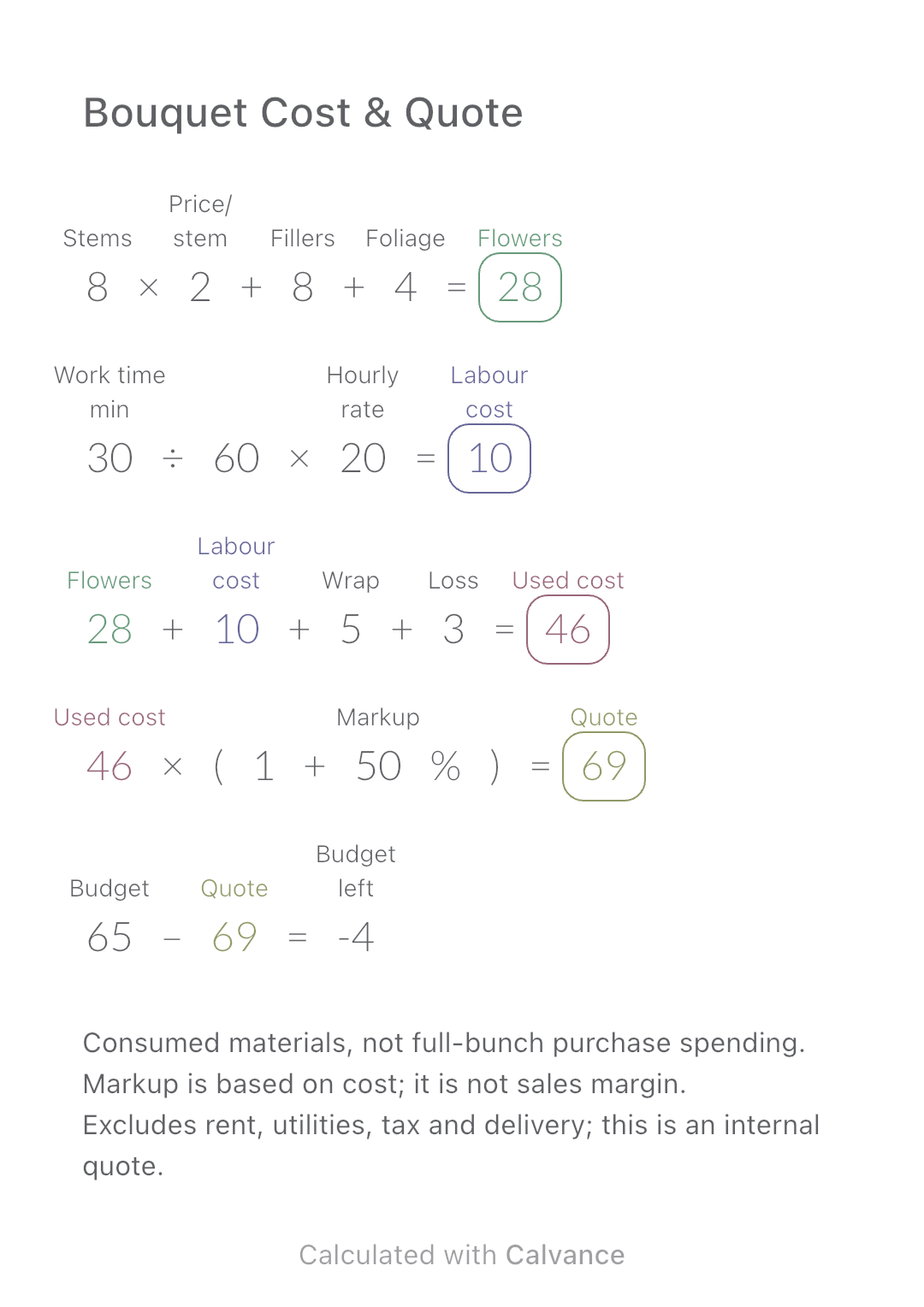
Add flower consumption, labour, wrapping and loss to build an internal bouquet quote, then compare it with a customer budget.
View template and method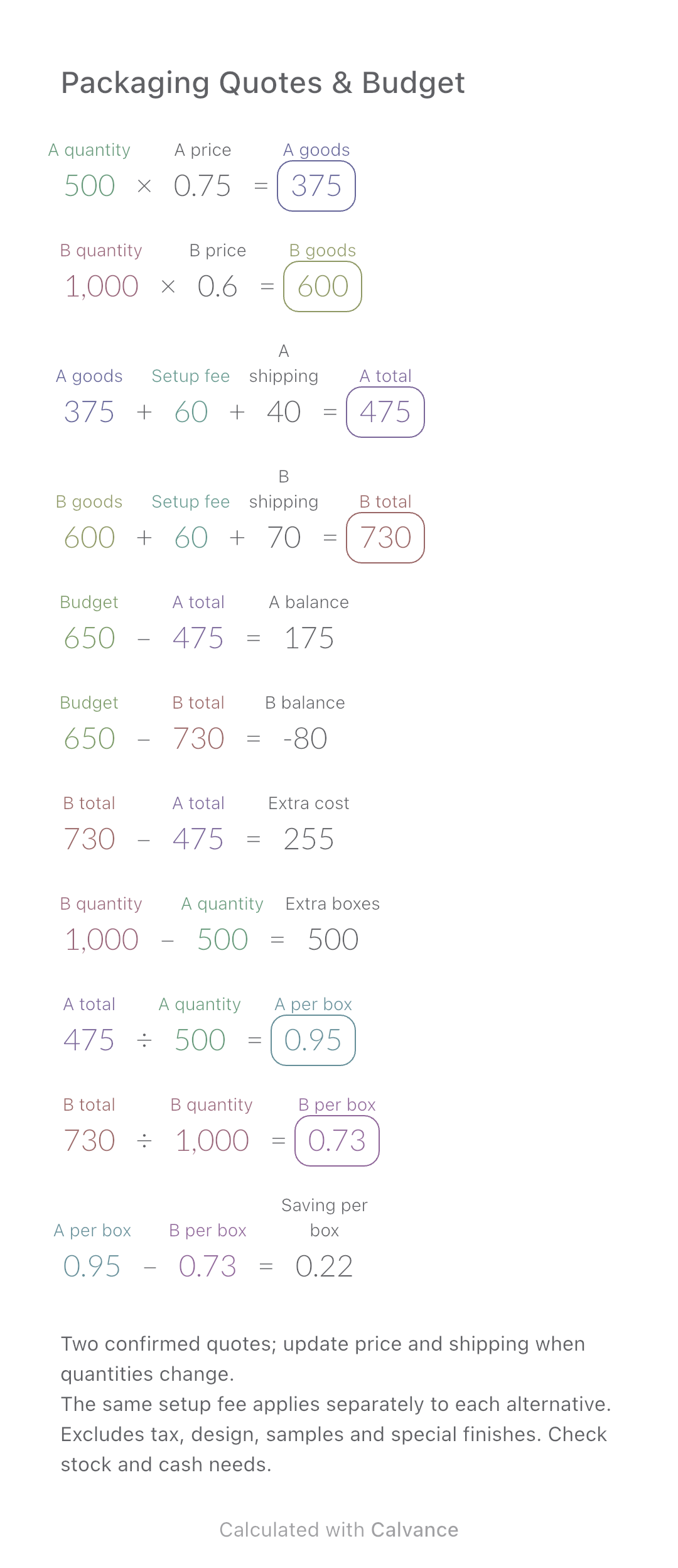
Compare two packaging quotes, total spend, budget gaps and cost per box. Includes a worked example and an editable Calvance canvas.
View template and methodChoose a plan when you need more canvases, high-resolution image exports, or sync across devices.