
Worked exampleExported from Calvance
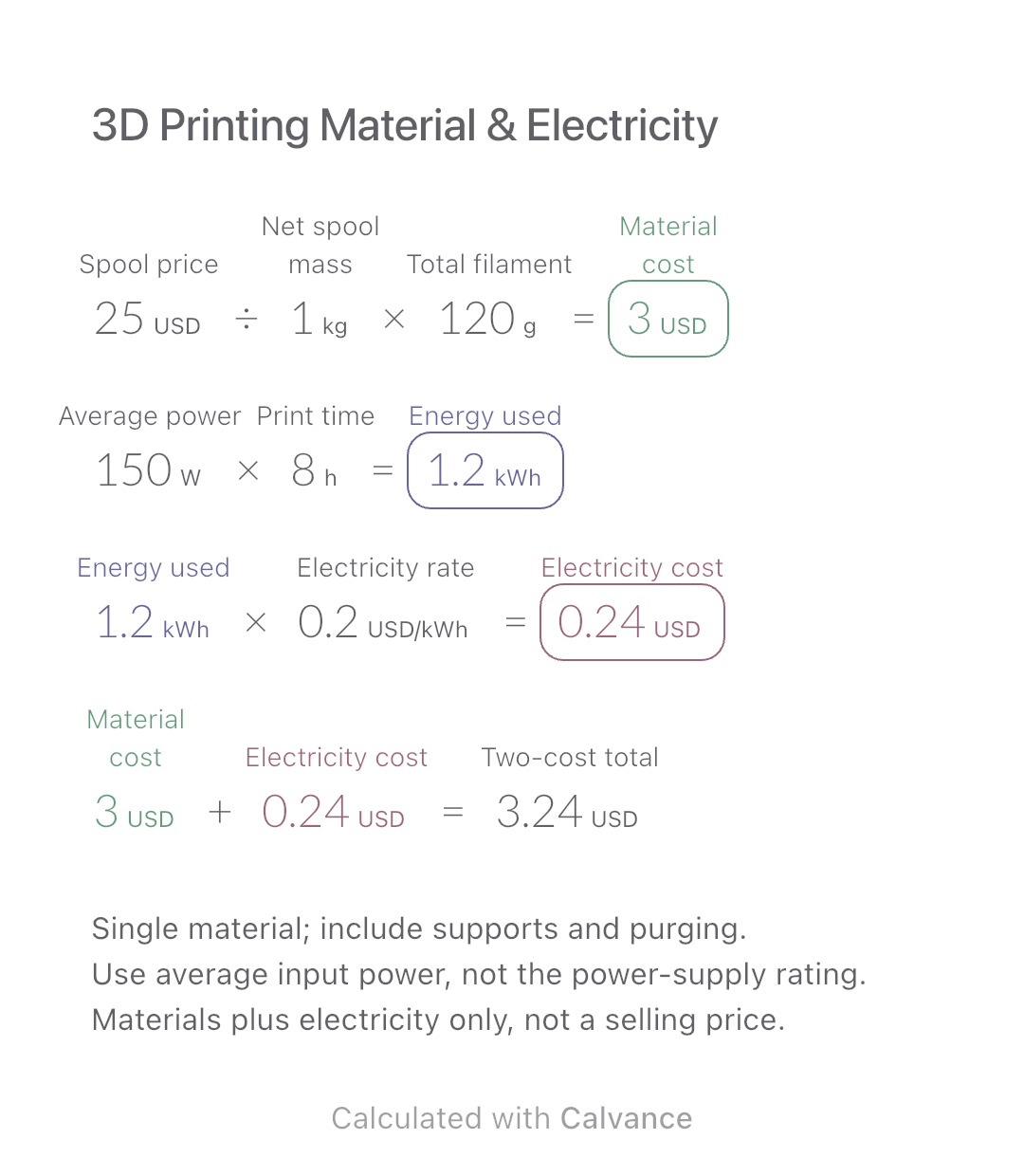
3D Printing Material & Electricity
Use filament weight and print duration from your slicer to estimate material and electricity costs separately, then add the two expenses.
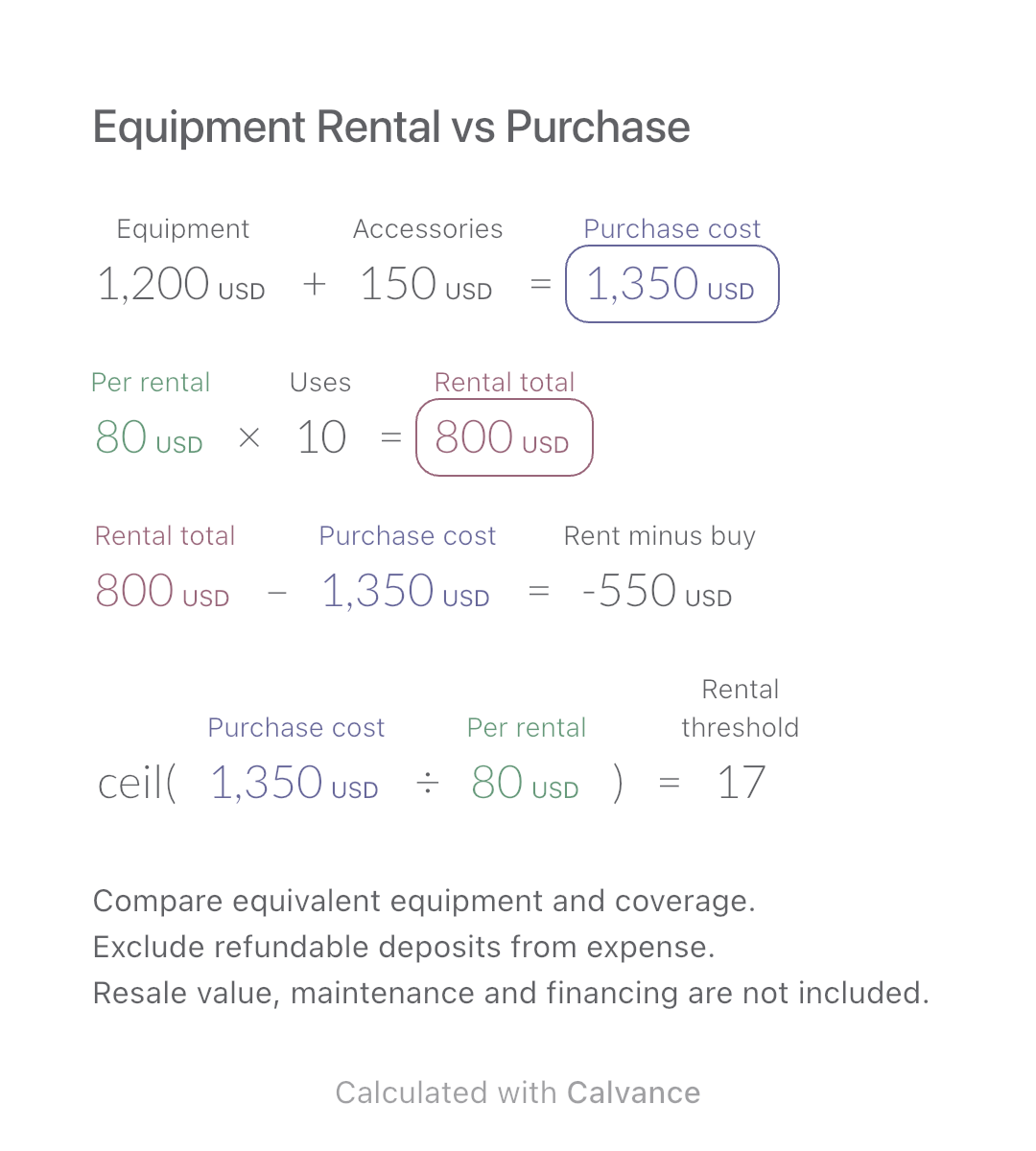
View template and methodCompare repeated rentals with buying equivalent equipment and accessories. Find the first whole rental count that reaches the purchase outlay.
Exported by the iOS App After importing, edit the numbers in Calvance.
Compare equivalent equipment for the same job. Enter one complete rental quote per use, including its non-refundable mandatory charges. Use the same assumed rental duration and package for every use. This example uses simulated USD prices, not current market quotes.
USD
| Inputs | Default |
|---|---|
| Equipment (USD) | 1,200 |
| Accessories (USD) | 150 |
| Per rental (USD) | 80 |
| Uses | 10 |
Purchase outlay = equipment + necessary accessories. Rental total = full rental quote × uses. Difference = rental total − purchase outlay. Round purchase outlay ÷ rental quote up to the first whole count at which rentals cost at least as much.
1,200 [Equipment USD] + 150 [Accessories USD] → Purchase cost USD
80 [Per rental USD] × 10 [Uses] → Rental total USD
Rental total USD-Purchase cost USD → Rent minus buy USD
ceil(Purchase cost USD/Per rental USD) → Rental threshold
Change planned uses from 10 to 20. Rental total and the difference update, while purchase outlay and the rental-count threshold stay unchanged.
| Result | Default | Changed |
|---|---|---|
| Purchase cost (USD) | 1,350 | 1,350 |
| Rental total (USD) | 800 | 1,600 |
| Rent minus buy (USD) | -550 | 250 |
| Rental threshold | 17 | 17 |
Results are displayed to at most two decimal places; later formulas use unrounded values.
Equipment and accessory prices must be nonnegative, the full rental quote positive, and uses a nonnegative integer. Include mandatory purchase charges in the purchase inputs. A positive difference means rentals cost more on this limited basis; it is not an investment payback calculation.
Download and import into Calvance to edit the numbers. The canvas does not reject every invalid input; check the stated ranges.
No. It compares the stated cash expenses only. Resale value, maintenance, changing needs and the convenience of renting may change your decision.
We recommend using the latest version of Calvance.
Use filament weight and print duration from your slicer to estimate material and electricity costs separately, then add the two expenses.
View template and method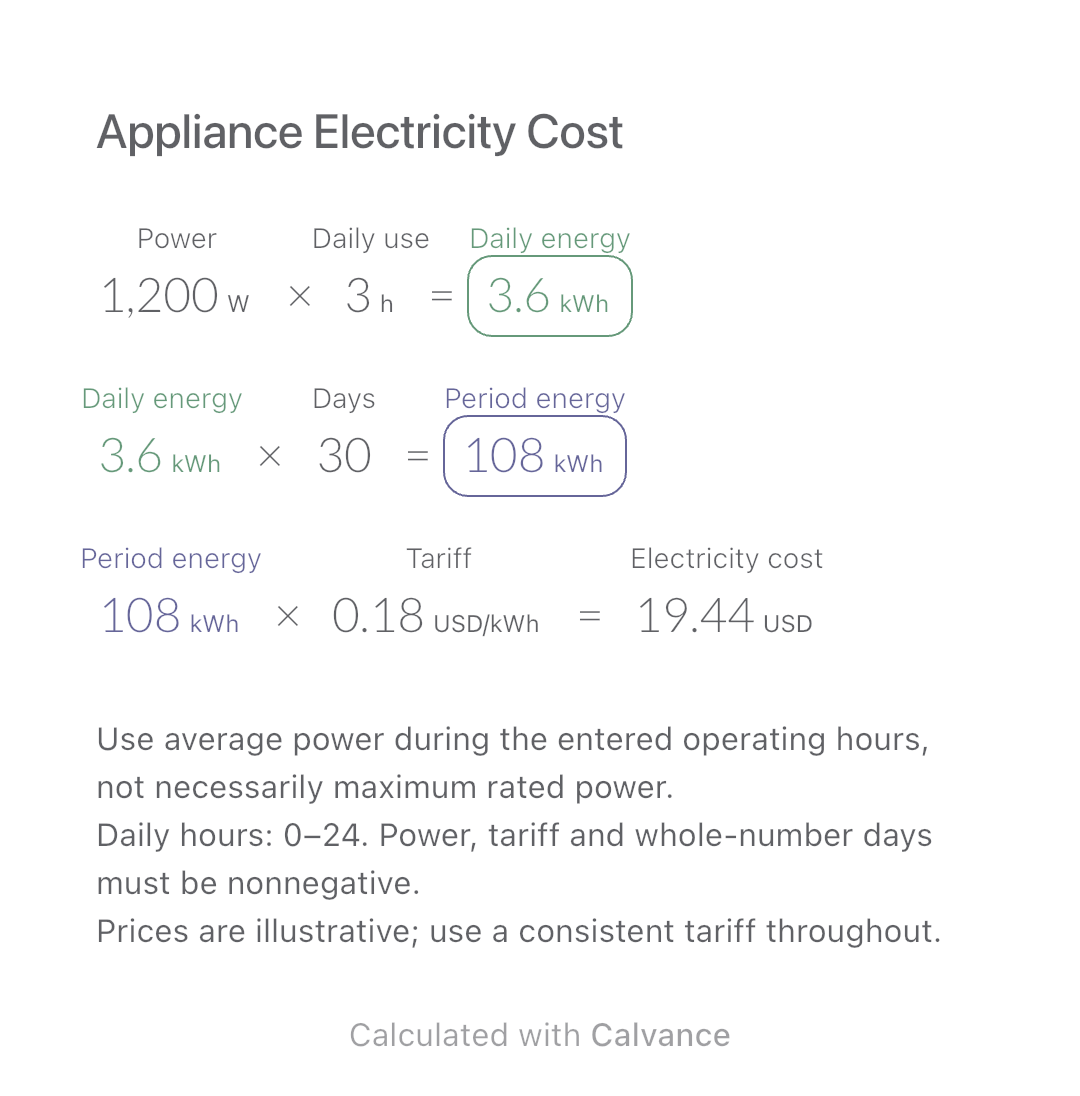
Estimate an appliance’s daily kWh, energy use over a chosen number of days and electricity cost. Change usage hours in an editable calculation canvas.
View template and method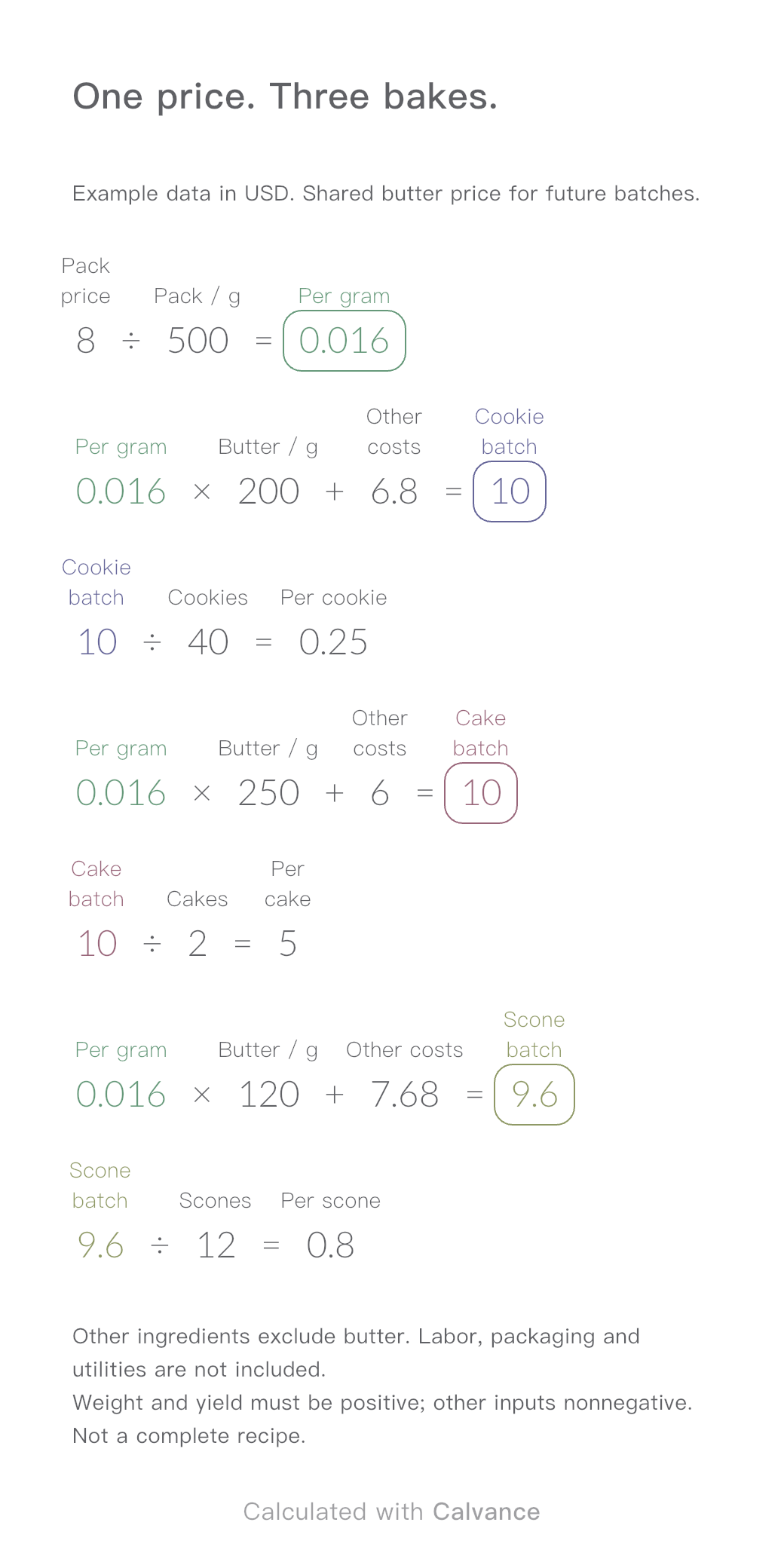
One ingredient price, three bakes. Change the butter price to update batch and per-serving costs.
View template and methodChoose a plan when you need more canvases, high-resolution image exports, or sync across devices.