
Worked exampleExported from Calvance
3D Printing Material & Electricity
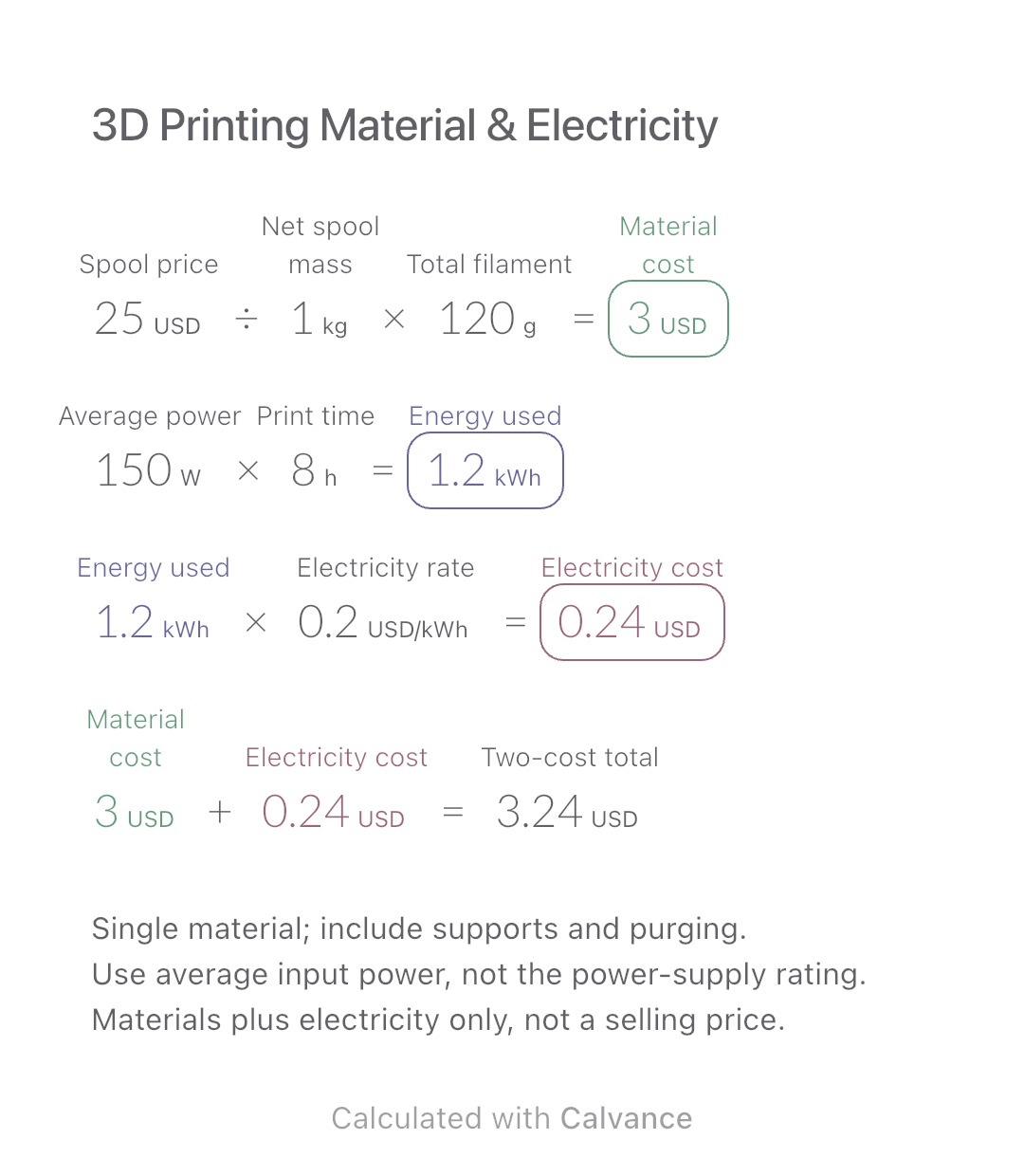
Use filament weight and print duration from your slicer to estimate material and electricity costs separately, then add the two expenses.
View template and methodCalculate a portrait package total from selected photos, included retouching, extra-image prices and prorated overtime. Compare changes without charging twice.
Exported by the iOS App After importing, edit the numbers in Calvance.
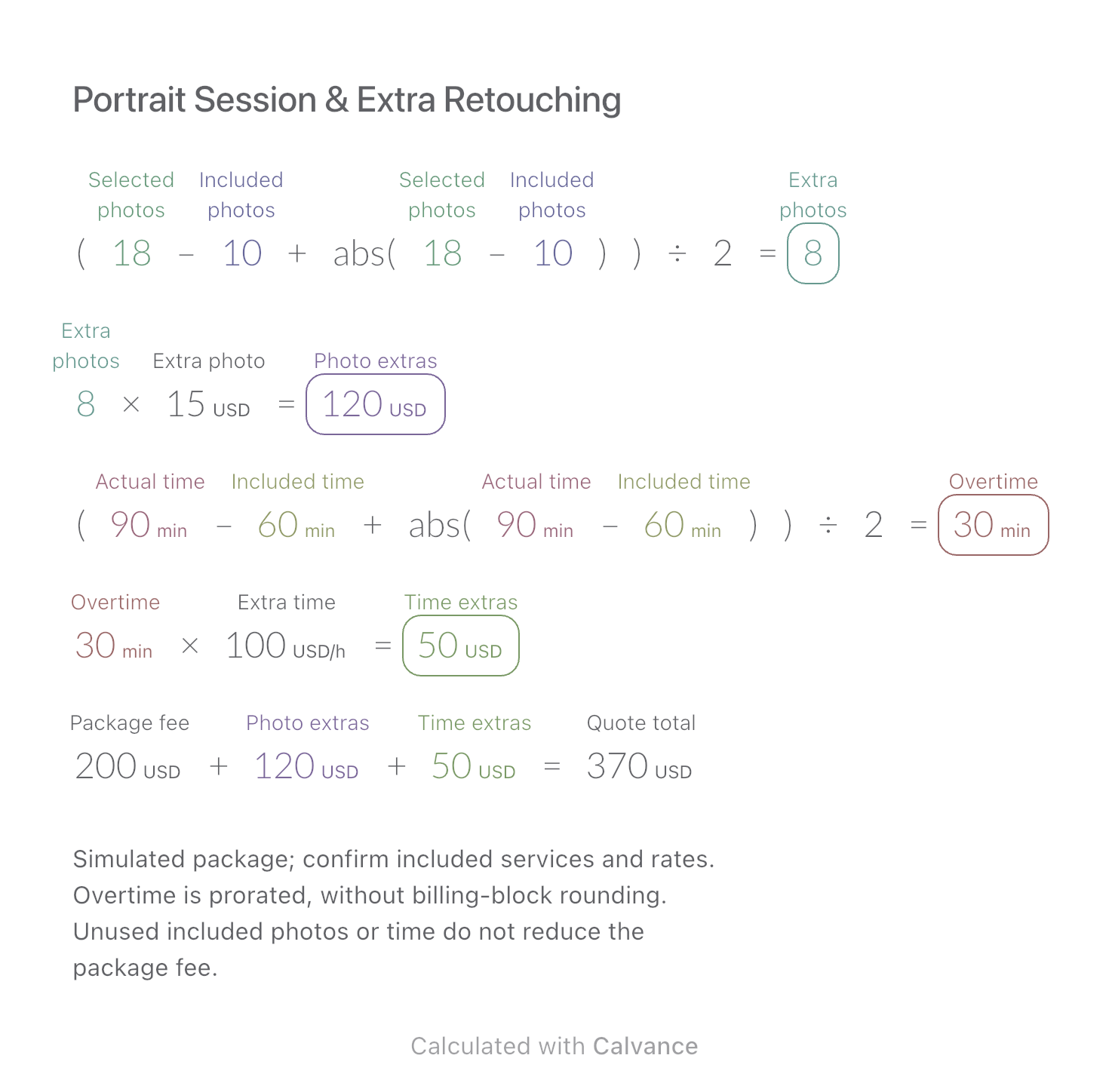
Use this after a client selects more retouched photos or a session lasts longer than the package allowance. The US example uses simulated USD prices: 18 selected photos versus 10 included, and 90 minutes versus 60 included. It does not estimate the photographer’s costs or profit.
USD
| Inputs | Default |
|---|---|
| Selected photos | 18 |
| Included photos | 10 |
| Extra photo (USD) | 15 |
| Actual time (min) | 90 |
| Included time (min) | 60 |
| Extra time (USD/h) | 100 |
| Package fee (USD) | 200 |
Extra photos = the positive part of selected − included. The formula (x + abs(x)) ÷ 2 returns zero below the allowance. Multiply by the extra-photo price. Calculate excess time the same way and multiply real minutes by the hourly rate; Calvance converts minutes to hours. Total = package fee + photo extras + time extras.
(18 [Selected photos]-10 [Included photos] + abs(Selected photos-Included photos))/2 → Extra photos
Extra photos × 15 [Extra photo USD] → Photo extras USD
(90 [Actual time min]-60 [Included time min] + abs(Actual time min-Included time min))/2 → Overtime min
Overtime min × 100 [Extra time USD/h] → Time extras USD
200 [Package fee USD] + Photo extras USD + Time extras USD → Quote total USD
Change selected photos from 18 to 24. The extra-photo count, photo fee and total update together. Actual time, included time and overtime fee remain unchanged.
| Result | Default | Changed |
|---|---|---|
| Extra photos | 8 | 14 |
| Photo extras (USD) | 120 | 210 |
| Overtime (min) | 30 | 30 |
| Time extras (USD) | 50 | 50 |
| Quote total (USD) | 370 | 460 |
Results are displayed to at most two decimal places; later formulas use unrounded values.
Photo counts must be nonnegative integers; actual time nonnegative, included time positive, and all prices nonnegative. All money uses one stated currency; no exchange rate is needed. Travel, studio hire, taxes, discounts, deposits, usage rights and exceptional retouching are excluded unless separately agreed in the package. This model does not implement minimum overtime blocks.
Download and import into Calvance to edit the numbers. The canvas does not reject every invalid input; check the stated ranges.
No. Extras stop at zero; the package fee stays unchanged. Refund terms require a separate agreement.
Not here: it costs one sixth of the hourly rate. If your contract bills started half-hours or hours, use that rule rather than this prorated model.
We recommend using the latest version of Calvance.
Use filament weight and print duration from your slicer to estimate material and electricity costs separately, then add the two expenses.
View template and method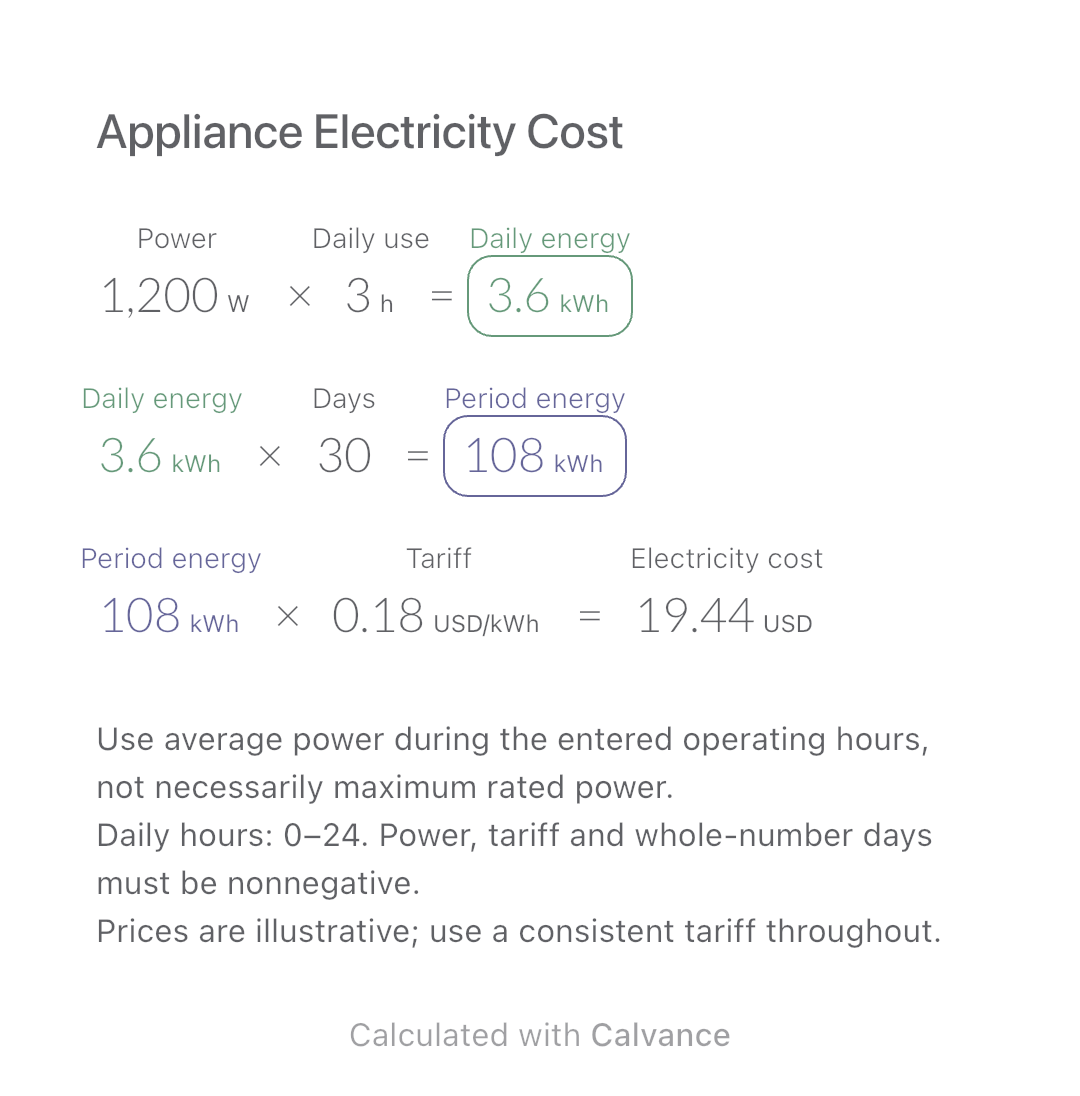
Estimate an appliance’s daily kWh, energy use over a chosen number of days and electricity cost. Change usage hours in an editable calculation canvas.
View template and method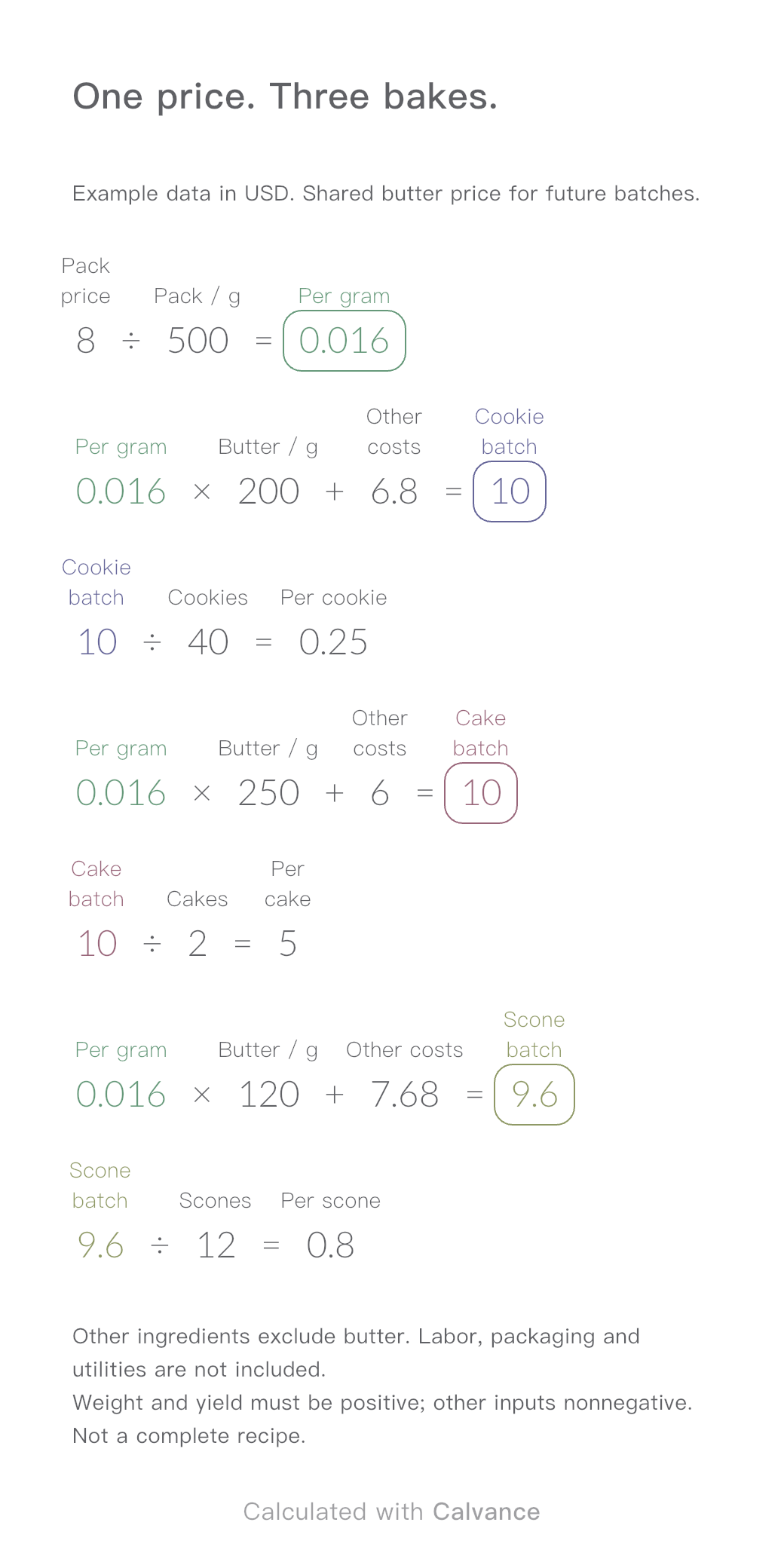
One ingredient price, three bakes. Change the butter price to update batch and per-serving costs.
View template and methodChoose a plan when you need more canvases, high-resolution image exports, or sync across devices.