
Worked exampleExported from Calvance
Aquarium Water & Bucket Fills
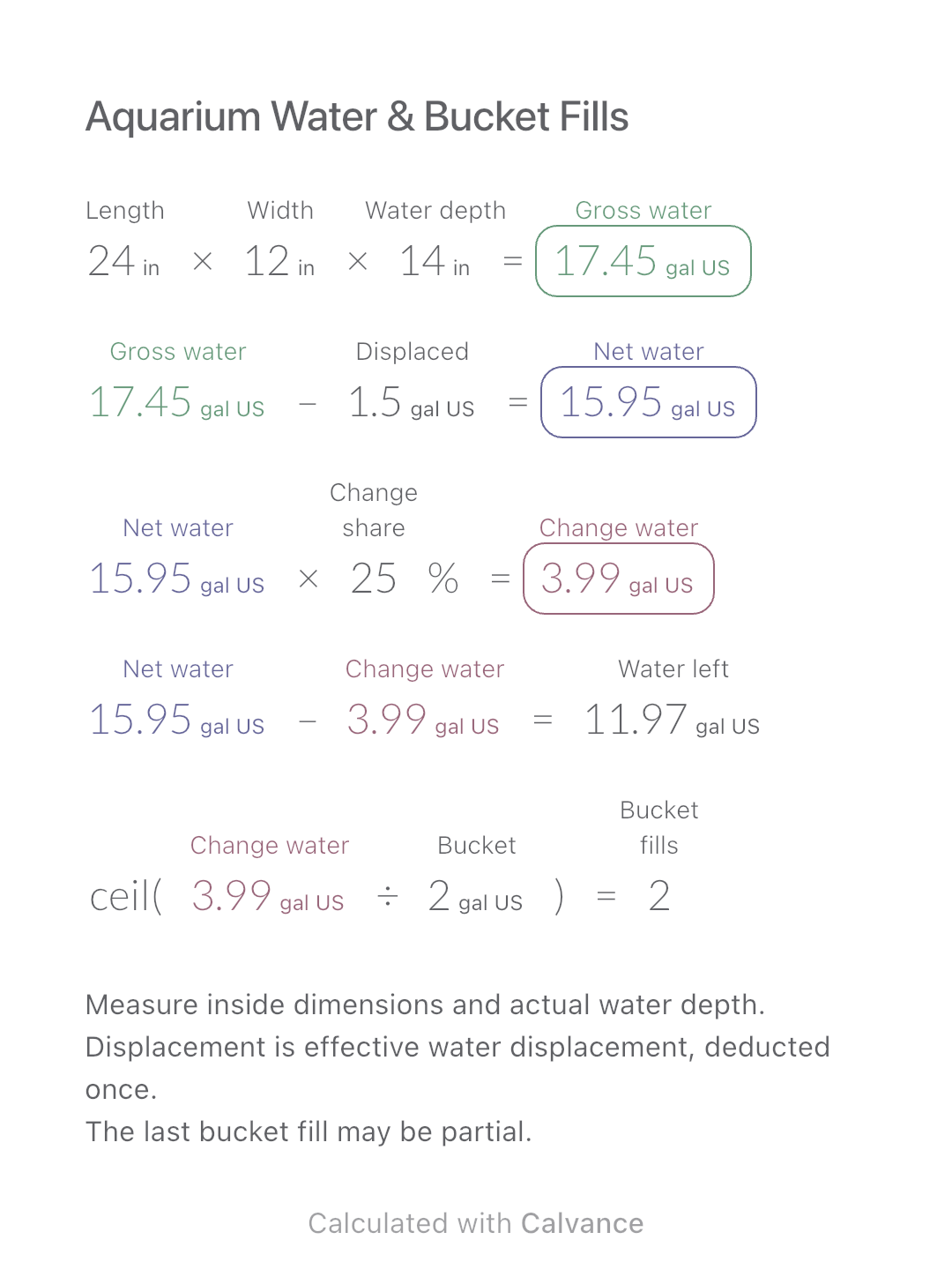
Estimate rectangular aquarium water volume, choose a water-change share and work out how many bucket fills to prepare.
View template and methodWork out full-height strips, whole rolls and material cost for one wall using wallpaper that needs no pattern matching.
Exported by the iOS App After importing, edit the numbers in Calvance.
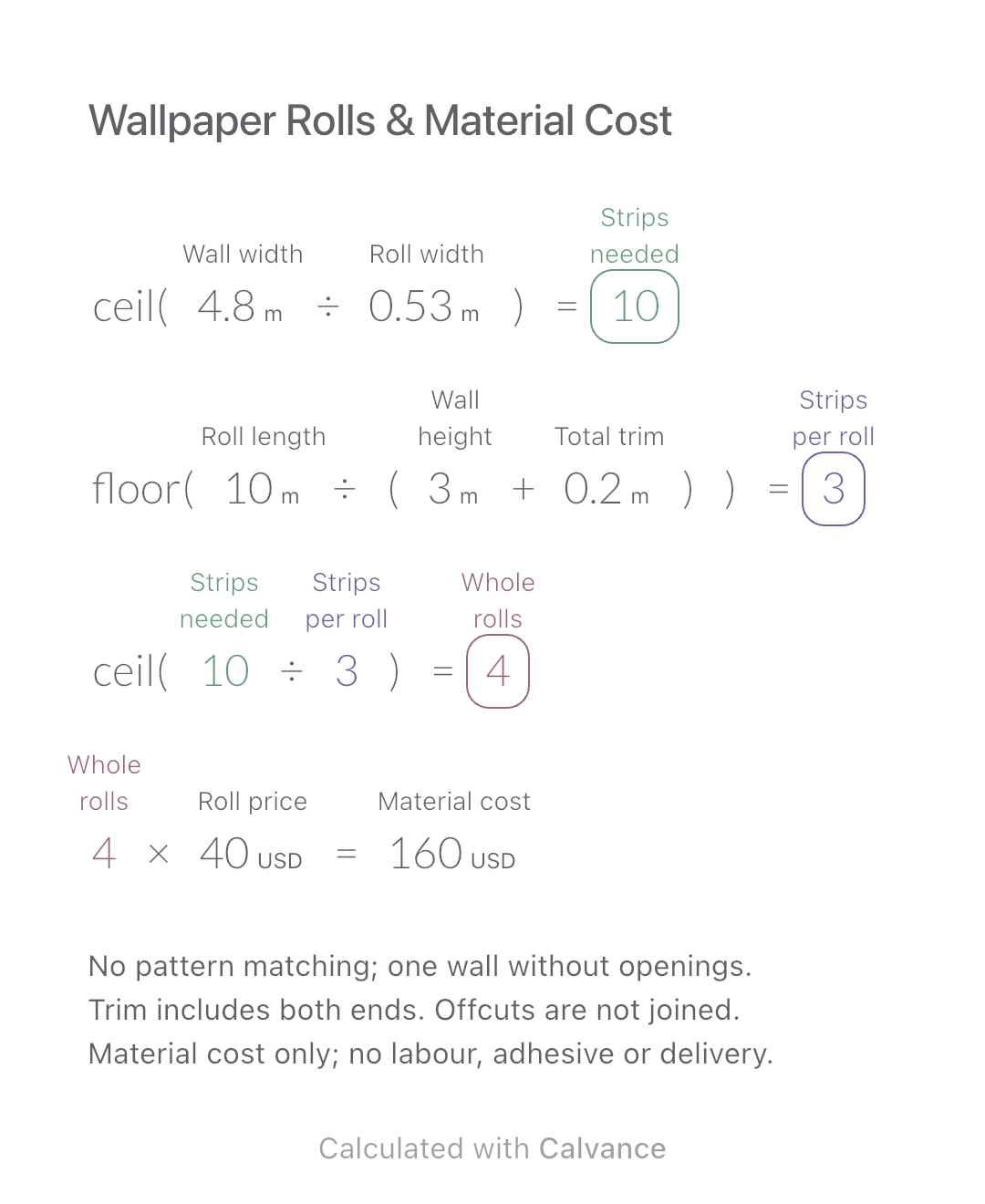
Use this before ordering wallpaper for one rectangular wall without openings. The example uses metres and a 0.53 m × 10 m roll; enter the actual usable width and length of your product. This example uses simulated USD prices, not current market quotes.
USD
| Inputs | Default |
|---|---|
| Wall width (m) | 4.8 |
| Roll width (m) | 0.53 |
| Roll length (m) | 10 |
| Wall height (m) | 3 |
| Total trim (m) | 0.2 |
| Roll price (USD) | 40 |
Round wall width ÷ roll width up to whole strips. Round roll length ÷ (wall height + total top-and-bottom trim) down to strips per roll. Round required strips ÷ strips per roll up to whole rolls, then multiply by the roll price.
ceil(4.8 [Wall width m]/0.53 [Roll width m]) → Strips needed
floor(10 [Roll length m]/(3 [Wall height m] + 0.2 [Total trim m])) → Strips per roll
ceil(Strips needed/Strips per roll) → Whole rolls
Whole rolls × 40 [Roll price USD] → Material cost USD
Change wall height from 3 to 3.2 m. Required strips stay at 10, but each roll yields 2 instead of 3 strips, so the order rises from 4 to 5 rolls.
| Result | Default | Changed |
|---|---|---|
| Strips needed | 10 | 10 |
| Strips per roll | 3 | 2 |
| Whole rolls | 4 | 5 |
| Material cost (USD) | 160 | 200 |
Results are displayed to at most two decimal places; later formulas use unrounded values.
All dimensions must be positive; trim and price may be zero. Each roll must yield at least one full strip. Do not subtract doors or windows or reuse short offcuts in this model. No automatic spare-roll allowance is included.
Download and import into Calvance to edit the numbers. The canvas does not reject every invalid input; check the stated ranges.
Not reliably here: short offcuts cannot form a full-height strip. Whole-strip cutting can require more rolls than an area-only estimate.
We recommend using the latest version of Calvance.
Estimate rectangular aquarium water volume, choose a water-change share and work out how many bucket fills to prepare.
View template and method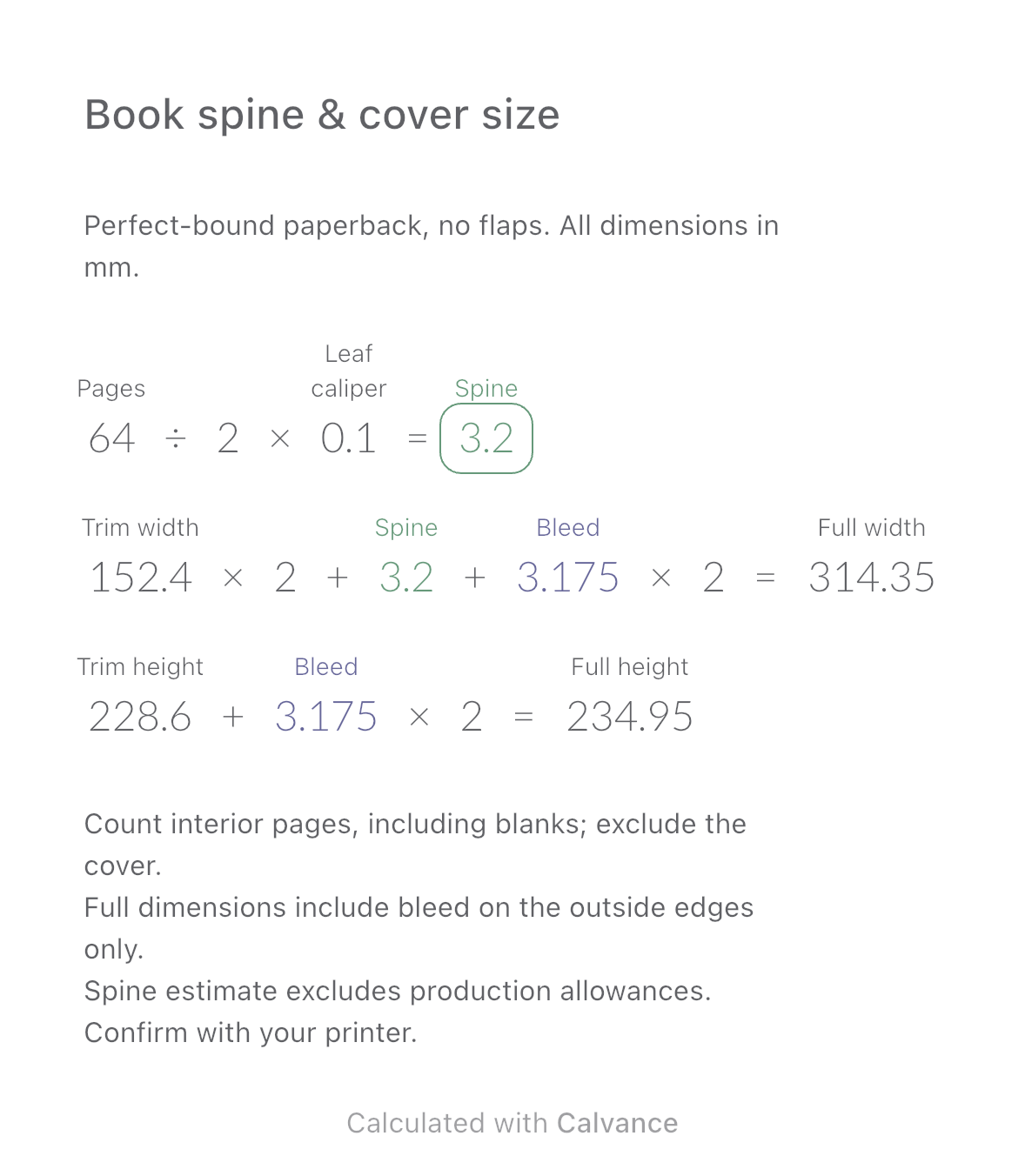
Estimate a perfect-bound book’s spine and full cover dimensions from page count, paper caliper and bleed. Compare changes and download a reusable Calvance canvas.
View template and method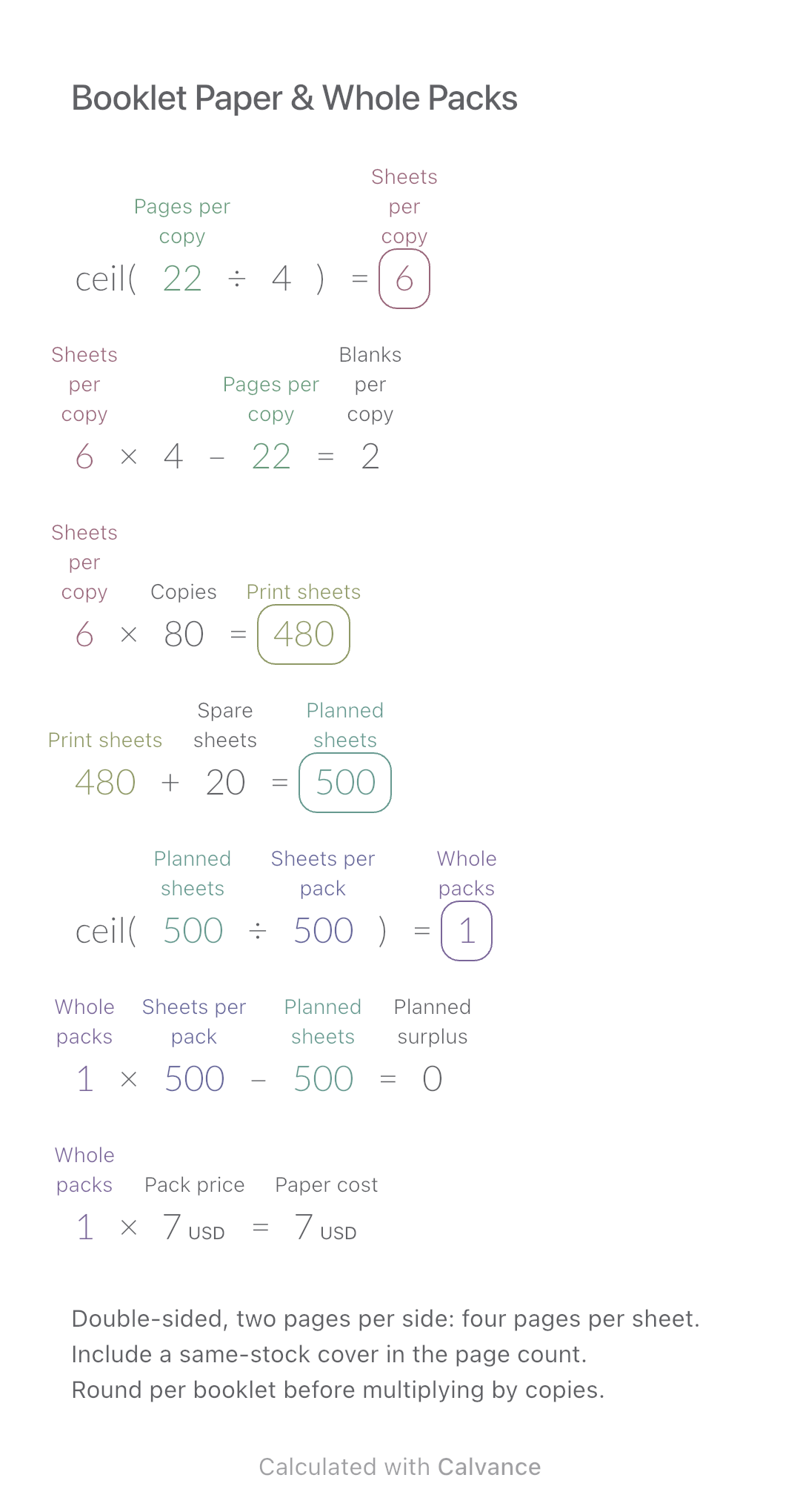
Convert booklet pages and copies into physical sheets, blank pages, whole paper packs and purchase cost.
View template and methodChoose a plan when you need more canvases, high-resolution image exports, or sync across devices.