
Worked exampleExported from Calvance
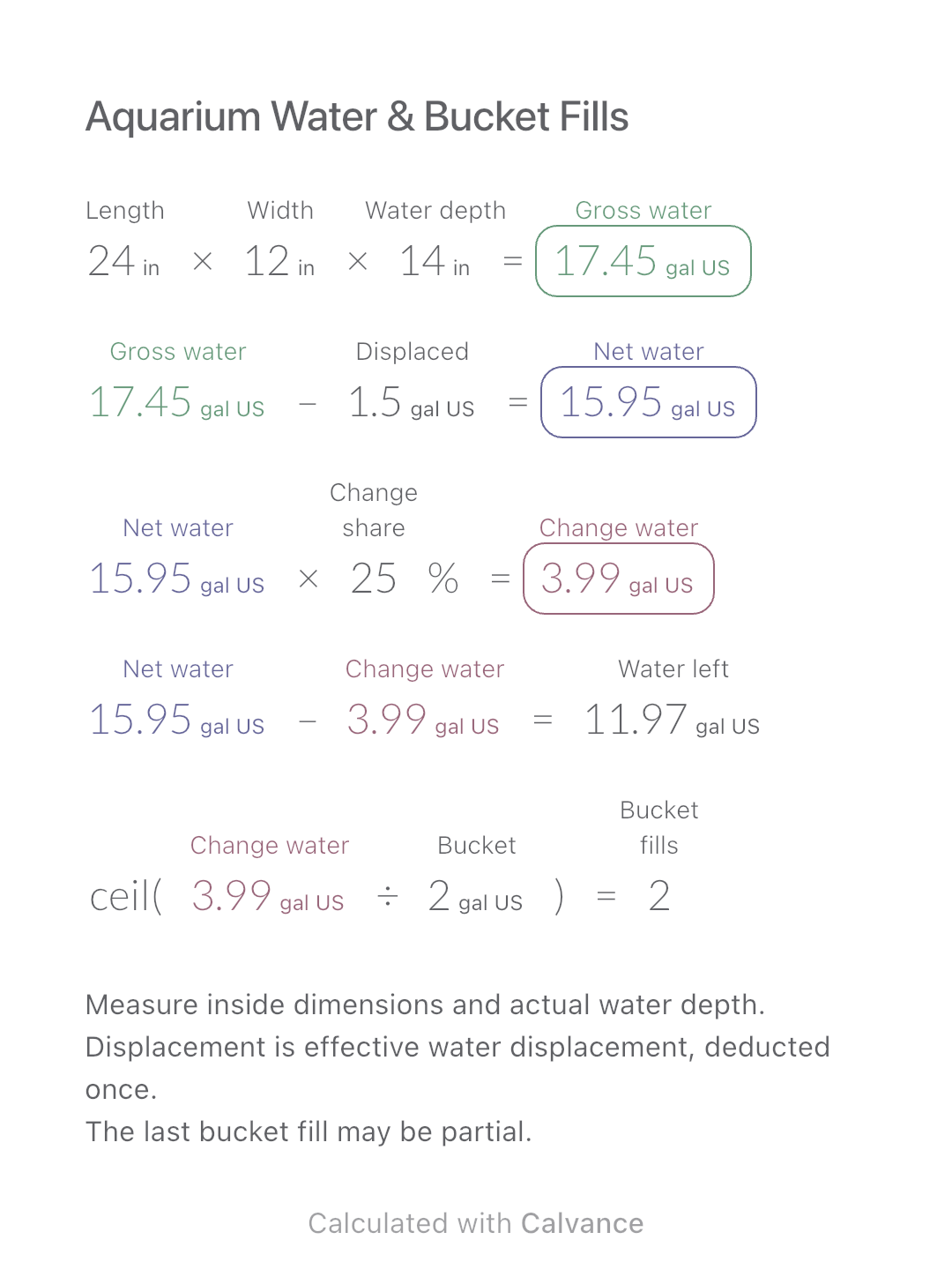
Aquarium Water & Bucket Fills
Estimate rectangular aquarium water volume, choose a water-change share and work out how many bucket fills to prepare.
View template and methodEstimate rectangular slab volume, round up to whole bags using the product’s finished yield, and keep the material budget linked.
Exported by the iOS App After importing, edit the numbers in Calvance.
For planning bags of pre-mixed concrete for identical rectangular slabs. Enter dimensions from an existing design and the actual finished yield stated for the product. Save your bag size, allowance and quoted price with the project.
USD
| Inputs | Default |
|---|---|
| Internal slab length (ft) | 10 |
| Internal slab width (ft) | 6 |
| Thickness from your project design (in) | 4 |
| Number of identical rectangular slabs | 1 |
| Additional purchase allowance (%) | 5 |
| Finished concrete volume yielded by one bag (ft³) | 0.6 |
| Price of one bag (USD) | 8 |
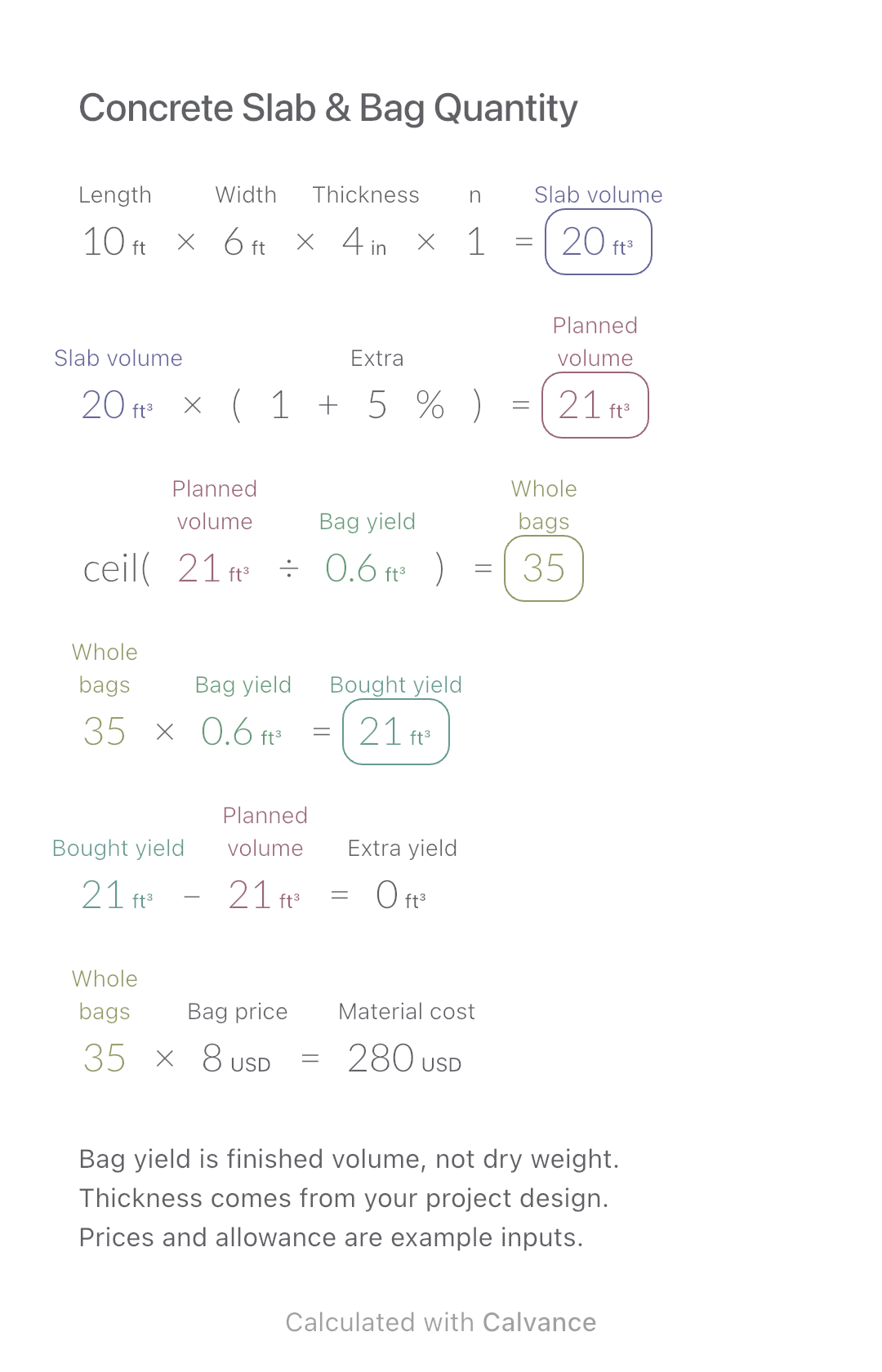
Multiply length, width, thickness and slab count. Apply your allowance once, divide by finished yield per bag, and round upward. Multiply whole bags by yield for purchased volume and by bag price for cost. The example 10 × 6 ft at 4 in gives 20 ft³; a chosen 5% allowance gives 21 ft³. At an entered yield of 0.60 ft³ per bag, buy 35 bags. A simulated USD 8 per bag totals USD 280.
10 [Internal slab length ft] × 6 [Internal slab width ft] × 4 [Thickness from your project design in] × 1 [Number of identical rectangular slabs] → Geometric volume of all slabs ft³
Geometric volume of all slabs ft³ × (1 + 5 [Additional purchase allowance]%) → Volume including your allowance ft³
ceil(Volume including your allowance ft³/0.6 [Finished concrete volume yielded by one bag ft³]) → Whole bags required, rounded upward
Whole bags required, rounded upward × Finished concrete volume yielded by one bag ft³ → Finished volume those bags would yield ft³
Finished volume those bags would yield ft³-Volume including your allowance ft³ → Purchased yield above the planned volume ft³
Whole bags required, rounded upward × 8 [Price of one bag USD] → Budget for concrete bags USD
Change only thickness from 4 to 5 in. Planned volume becomes 26.25 ft³ and bags rise from 35 to 44. Yield purchased is 26.4 ft³, leaving 0.15 ft³ above plan; the material budget becomes USD 352.
| Result | Default | Changed |
|---|---|---|
| Geometric volume of all slabs (ft³) | 20 | 25 |
| Volume including your allowance (ft³) | 21 | 26.25 |
| Whole bags required, rounded upward | 35 | 44 |
| Finished volume those bags would yield (ft³) | 21 | 26.4 |
| Purchased yield above the planned volume (ft³) | 0 | 0.15 |
| Budget for concrete bags (USD) | 280 | 352 |
Results are displayed to at most two decimal places; later formulas use unrounded values.
All dimensions and bag yield must be positive; slab count is a positive integer; allowance and price are nonnegative. Use the unrounded volume for whole-bag rounding. Product yields are approximate, so verify the current product sheet and your site conditions. The 0.60 ft³ input is based on one QUIKRETE 80 lb product example, not every concrete bag; the price is simulated. No aggregate mix recipe, reinforcement, structural design, labour, delivery or tax is included.
Product yield and whole-bag estimation: QUIKRETE.
Download and import into Calvance to edit the numbers. The canvas does not reject every invalid input; check the stated ranges.
No. Use the finished volume stated by the manufacturer; pounds or kilograms do not by themselves determine that volume.
No. It is the difference caused by buying whole bags after the chosen allowance has already been applied.
We recommend using the latest version of Calvance.
Estimate rectangular aquarium water volume, choose a water-change share and work out how many bucket fills to prepare.
View template and method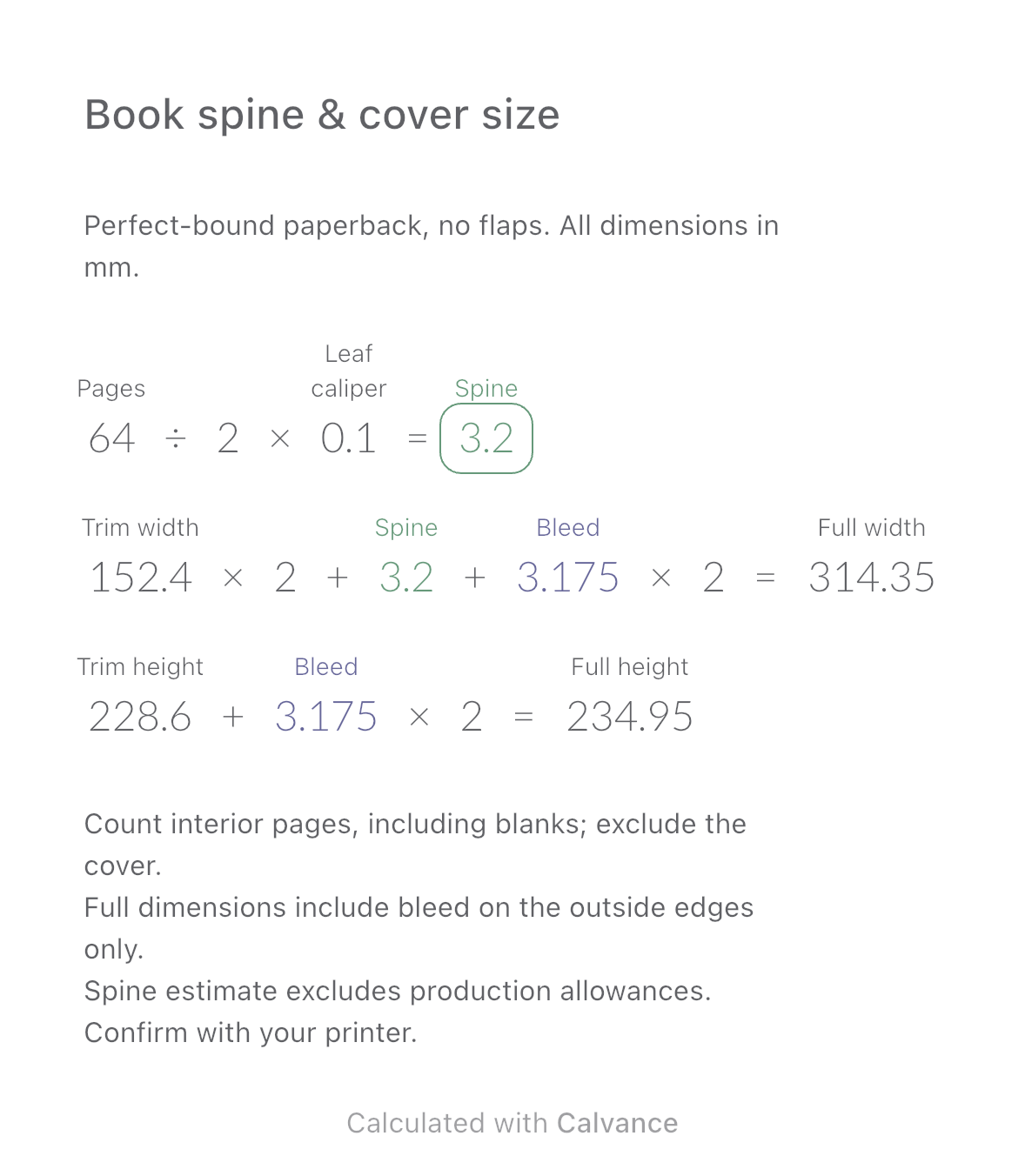
Estimate a perfect-bound book’s spine and full cover dimensions from page count, paper caliper and bleed. Compare changes and download a reusable Calvance canvas.
View template and method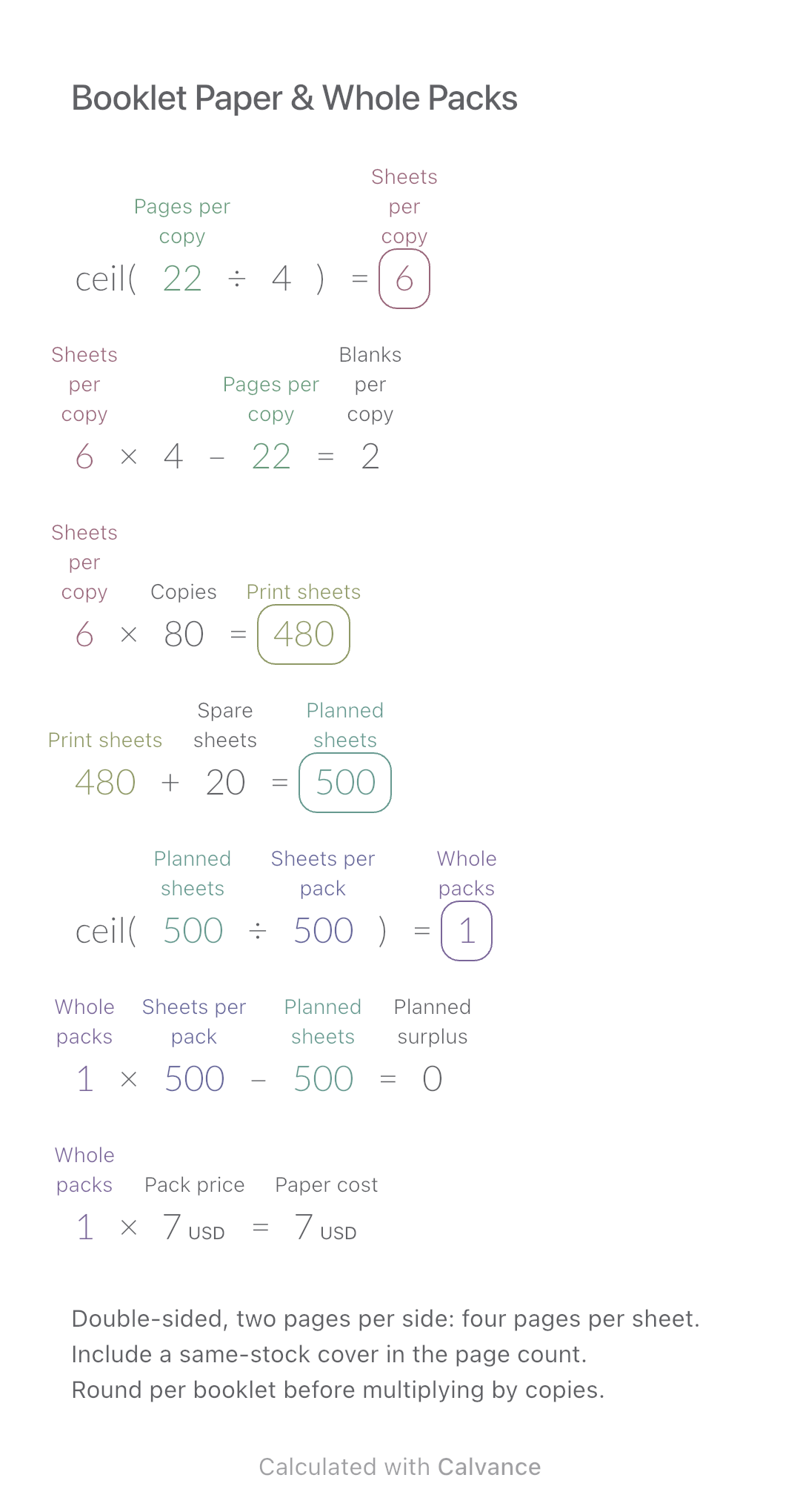
Convert booklet pages and copies into physical sheets, blank pages, whole paper packs and purchase cost.
View template and methodChoose a plan when you need more canvases, high-resolution image exports, or sync across devices.