
Worked exampleExported from Calvance
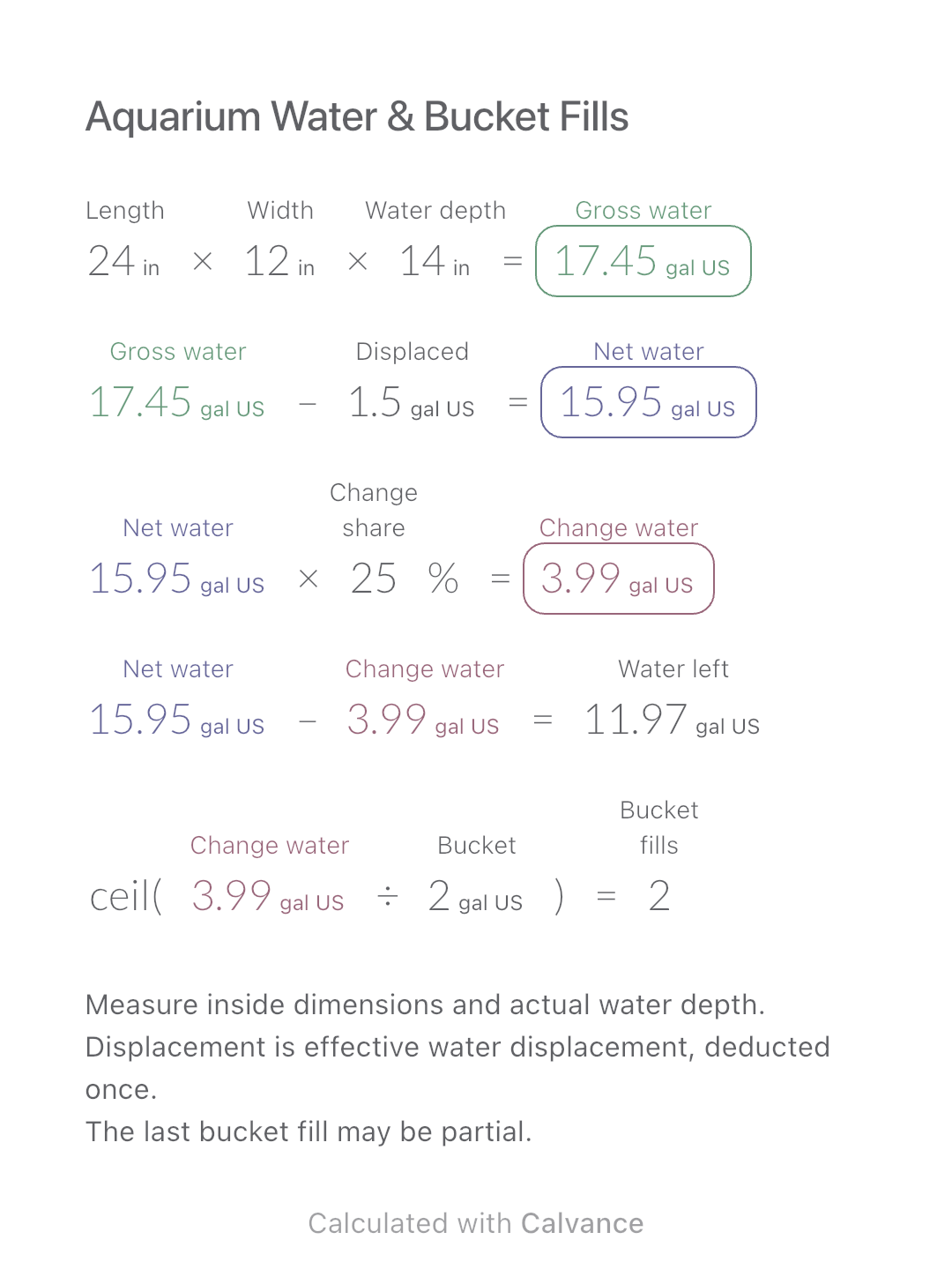
Aquarium Water & Bucket Fills
Estimate rectangular aquarium water volume, choose a water-change share and work out how many bucket fills to prepare.
View template and methodEstimate gravel volume and tonnage with a stated loose-volume factor and bulk density, then calculate material cost and freight.
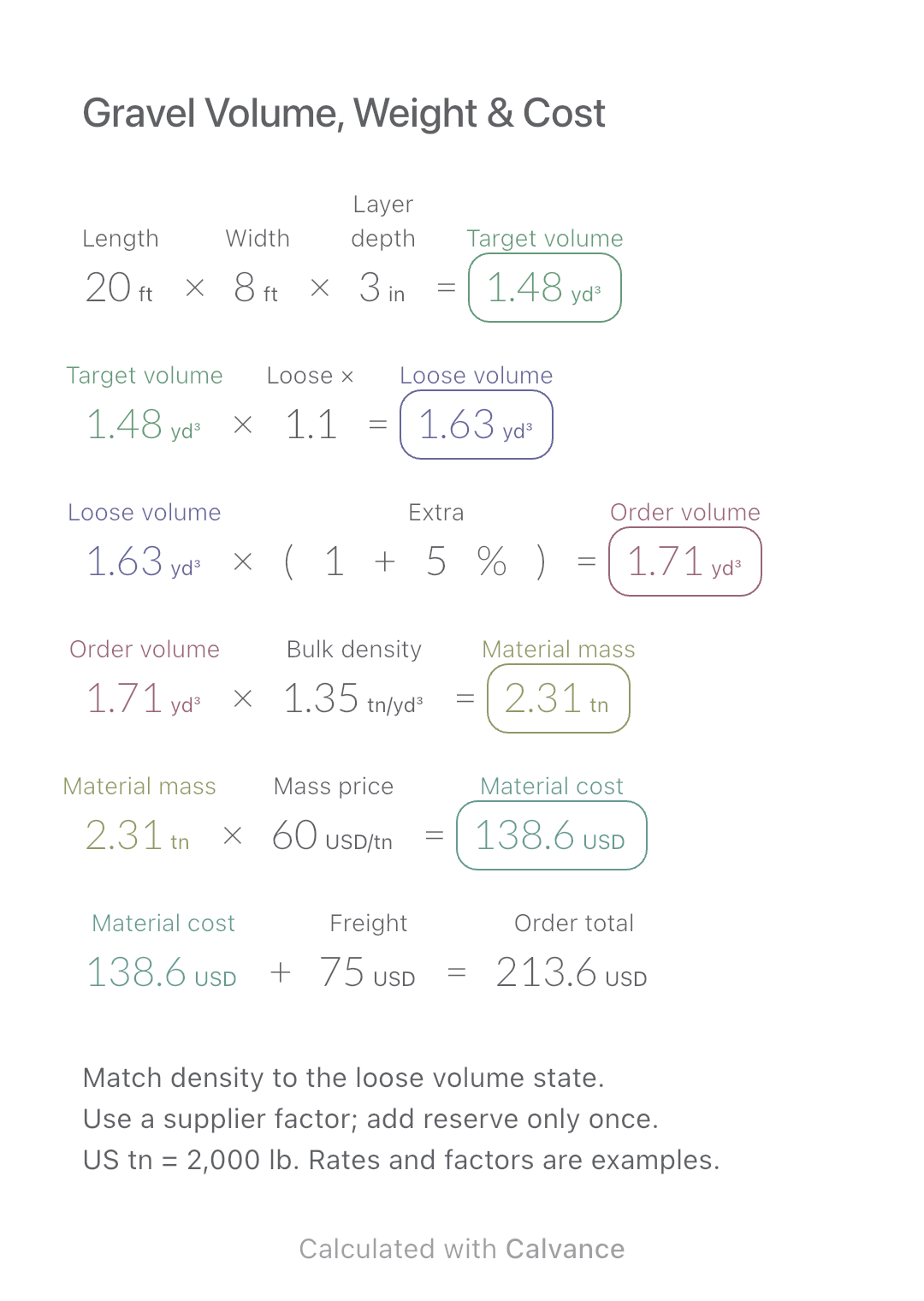
Exported by the iOS App After importing, edit the numbers in Calvance.
For one material in a rectangular layer, priced by mass. Match the volume state and bulk density before using the estimate. Keep supplier assumptions and the quotation in one editable project; this does not choose a material or layer design.
USD
| Inputs | Default |
|---|---|
| Length of the rectangular area (ft) | 20 |
| Width of the rectangular area (ft) | 8 |
| Target layer depth in your chosen state (in) | 3 |
| Loose reference volume divided by target volume | 1.1 |
| Extra purchase allowance, excluding any allowance already counted (%) | 5 |
| Bulk density in the same loose state as the reference volume (US tn/yd³) | 1.35 |
| Quoted material price per US short ton (USD/US tn) | 60 |
| Freight for this example order (USD) | 75 |
Geometric volume = length × width × depth. Multiply by the loose-to-target volume factor, then apply the separate allowance. Mass = planned loose volume × loose bulk density. Material cost = mass × quoted unit price; add the entered freight. Here 20 × 8 ft at 3 in is 40/27 yd³. A hypothetical 1.1 factor and 5% allowance give 77/45 yd³; an entered 1.35 US tn/yd³ gives 2.31 US tn. At simulated USD 60/US tn plus USD 75 freight, the total is USD 213.60.
20 [Length of the rectangular area ft] × 8 [Width of the rectangular area ft] × 3 [Target layer depth in your chosen state in] → Target geometric volume yd³
Target geometric volume yd³ × 1.1 [Loose reference volume divided by target volume] → Loose reference volume before extra allowance yd³
Loose reference volume before extra allowance yd³ × (1 + 5 [Extra purchase allowance, excluding any allowance already counted]%) → Planned loose purchase volume yd³
Planned loose purchase volume yd³ × 1.35 [Bulk density in the same loose state as the reference volume US tn/yd³] → Estimated mass in US short tons US tn
Estimated mass in US short tons US tn × 60 [Quoted material price per US short ton USD/US tn] → Material amount before freight USD
Material amount before freight USD + 75 [Freight for this example order USD] → Material amount plus entered freight USD
Change only layer depth from 3 to 4 in. Planned loose volume becomes 308/135 yd³ and estimated mass becomes 3.08 US tn. Material cost is USD 184.80; with unchanged freight the total is USD 259.80.
| Result | Default | Changed |
|---|---|---|
| Target geometric volume (yd³) | 1.48 | 1.98 |
| Loose reference volume before extra allowance (yd³) | 1.63 | 2.17 |
| Planned loose purchase volume (yd³) | 1.71 | 2.28 |
| Estimated mass in US short tons (US tn) | 2.31 | 3.08 |
| Material amount before freight (USD) | 138.6 | 184.8 |
| Material amount plus entered freight (USD) | 213.6 | 259.8 |
Results are displayed to at most two decimal places; later formulas use unrounded values.
Dimensions and density must be positive, the volume factor at least 1, and allowance, price and freight nonnegative. Set the factor to 1 when dimensions already describe the same loose state as the density. For a compacted target, obtain the matching loose-volume factor and loose density from a supplier; do not use solid rock density. No factor or density here is a universal material value. Keep any allowance already included in a supplier factor from being counted twice. No whole-truck rounding, minimum order, bag packing, loading capacity, multiple layers, sloping surface or drainage design is calculated. The entered freight stays fixed even when mass changes; verify the actual quotation.
Supplier estimate and density differences: Mulzer.
Download and import into Calvance to edit the numbers. The canvas does not reject every invalid input; check the stated ranges.
No. Material, grading, moisture and packing can change bulk density. Use data matching the material and volume state.
No. This English example uses US short tons, 2,000 lb each; a metric tonne is 1,000 kg. Calvance keeps the units distinct.
We recommend using the latest version of Calvance.
Estimate rectangular aquarium water volume, choose a water-change share and work out how many bucket fills to prepare.
View template and method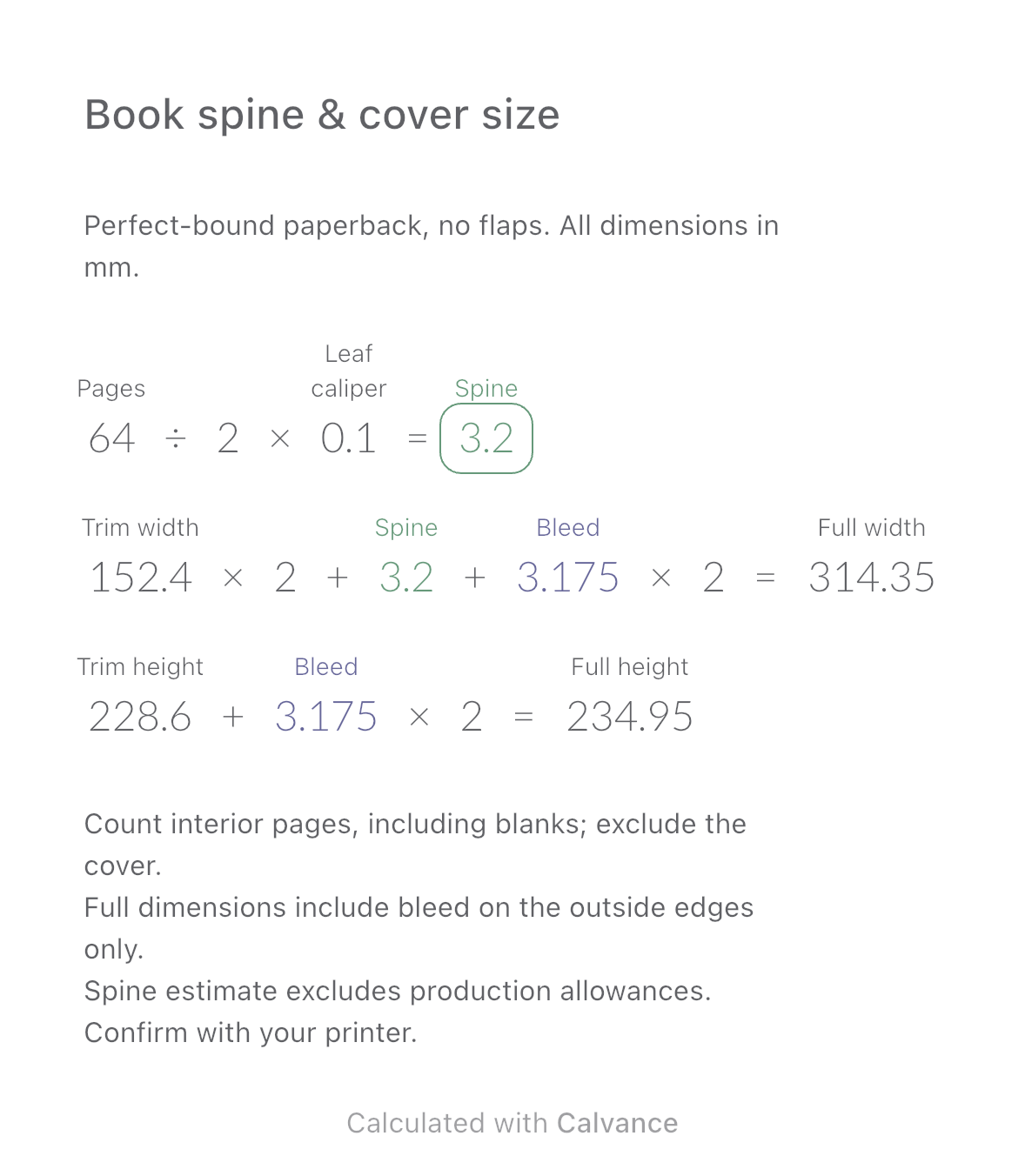
Estimate a perfect-bound book’s spine and full cover dimensions from page count, paper caliper and bleed. Compare changes and download a reusable Calvance canvas.
View template and method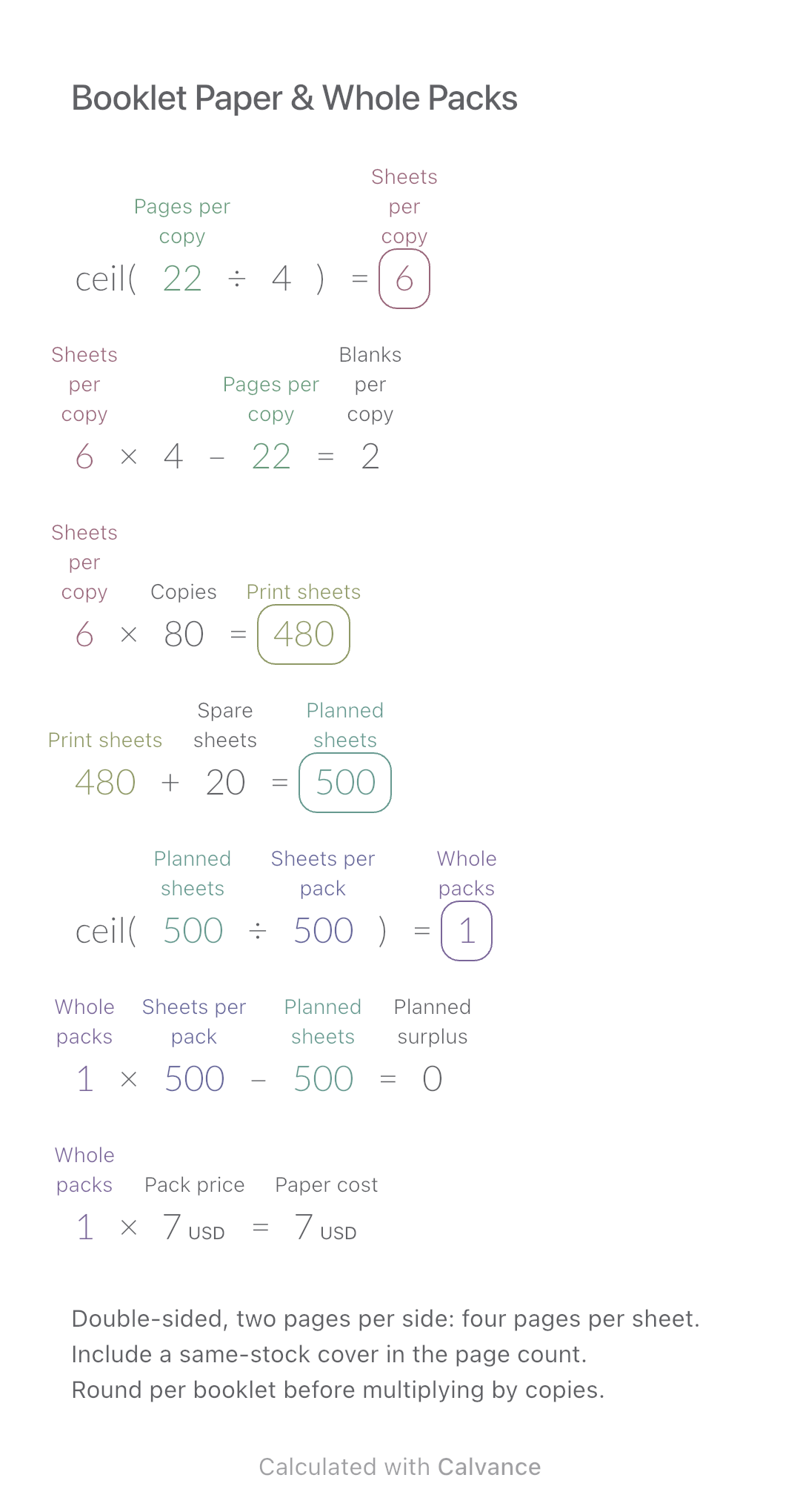
Convert booklet pages and copies into physical sheets, blank pages, whole paper packs and purchase cost.
View template and methodChoose a plan when you need more canvases, high-resolution image exports, or sync across devices.