
Worked exampleExported from Calvance
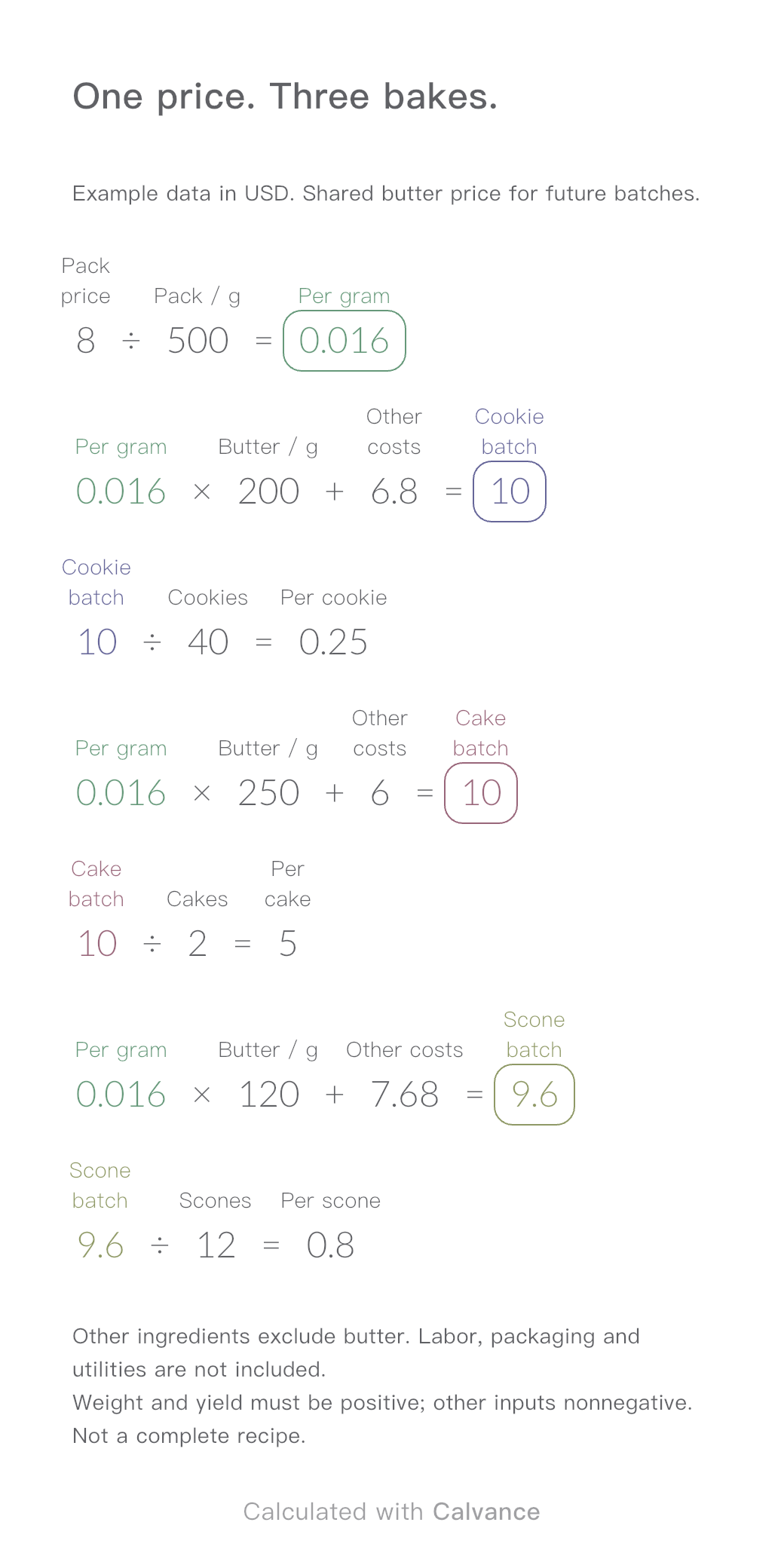
Baking Ingredient Costs
One ingredient price, three bakes. Change the butter price to update batch and per-serving costs.
View template and methodEstimate framing dimensions, perimeter and sheet-material charges. See how a wider mat border changes the quote before confirming shop specifications.
Exported by the iOS App After importing, edit the numbers in Calvance.
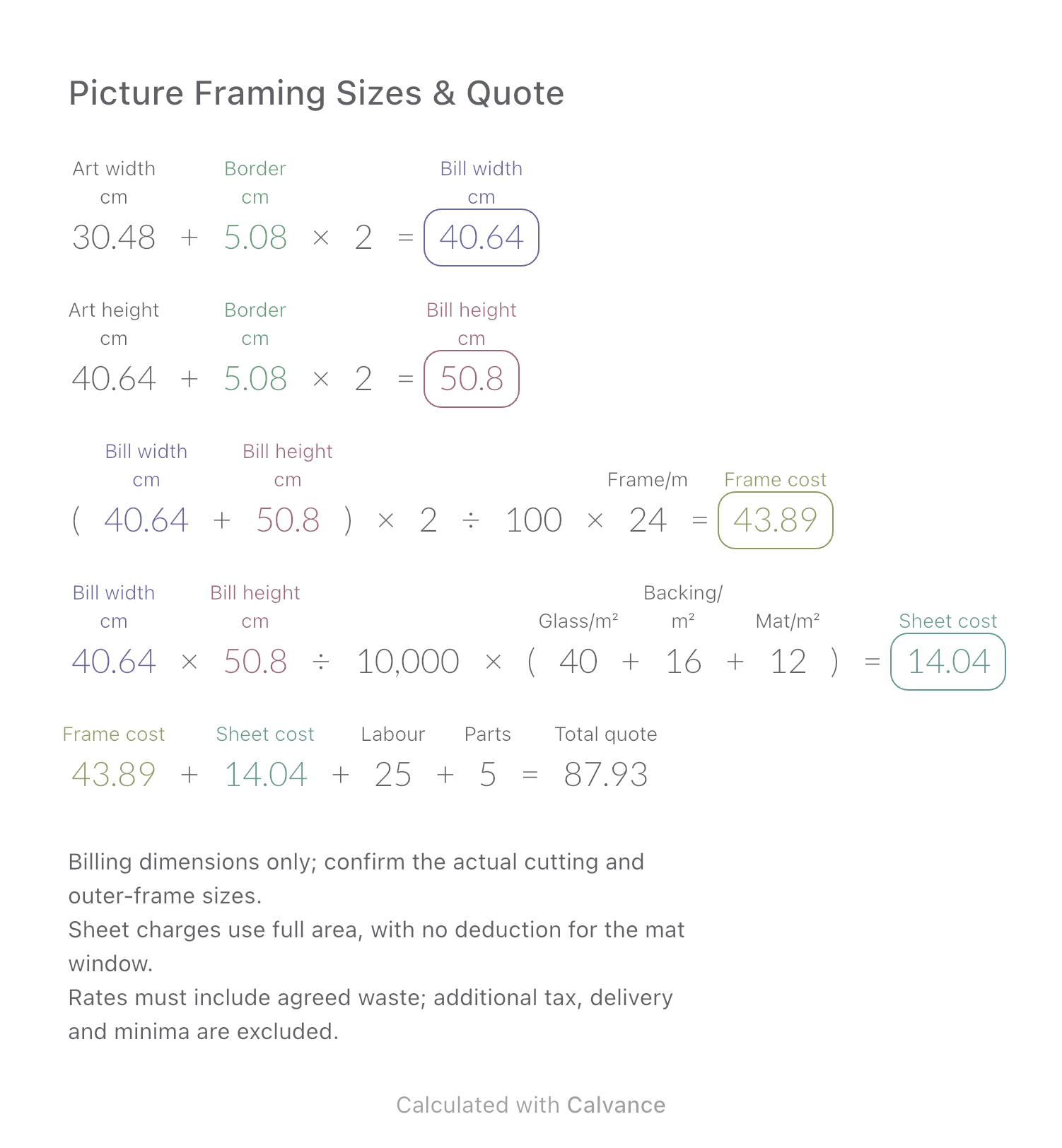
This is an illustrative shop quote with dimensions in cm, frame rate per m and sheet rates per m². The English example converts a 12 × 16 inch artwork and 2 inch border to cm. Artwork dimensions must be positive; border and charges nonnegative. If no mat is used, set its rate to zero as well; a zero border alone does not remove that charge.
USD
| Inputs | Default |
|---|---|
| Artwork width (cm) | 30.48 |
| Artwork height (cm) | 40.64 |
| Mat border on each side (cm) | 5.08 |
| Frame price/m | 24 |
| Glass price/m² | 40 |
| Backing price/m² | 16 |
| Mat price/m² | 12 |
| Labour | 25 |
| Parts | 5 |
Billing width/height = artwork size + two borders. Frame charge uses the billing perimeter; glass, backing and mat use the full billing area. Add labour and hardware. These are billing dimensions, not outer-frame or cutting dimensions.
30.48 [Artwork width cm] + 5.08 [Mat border on each side cm] × 2 → Bill width cm
40.64 [Artwork height cm] + Mat border on each side cm × 2 → Bill height cm
(Bill width cm + Bill height cm) × 2/100 × 24 [Frame price/m] → Frame cost
Bill width cm × Bill height cm/10000 × (40 [Glass price/m²] + 16 [Backing price/m²] + 12 [Mat price/m²]) → Sheet cost
Frame cost + Sheet cost + 25 [Labour] + 5 [Parts] → Total quote
Change the border to 8 cm, keeping artwork and rates fixed. Both dimensions, perimeter and area update. Confirm mitre allowance and any minimum charges with the shop before using the estimate.
| Result | Default | Changed |
|---|---|---|
| Bill width (cm) | 40.64 | 46.48 |
| Bill height (cm) | 50.8 | 56.64 |
| Frame cost | 43.89 | 49.5 |
| Sheet cost | 14.04 | 17.9 |
| Total quote | 87.93 | 97.4 |
Results are displayed to at most two decimal places; later formulas use unrounded values.
Download and import into Calvance to edit the numbers. The canvas does not reject every invalid input; check the stated ranges.
One ingredient price, three bakes. Change the butter price to update batch and per-serving costs.
View template and method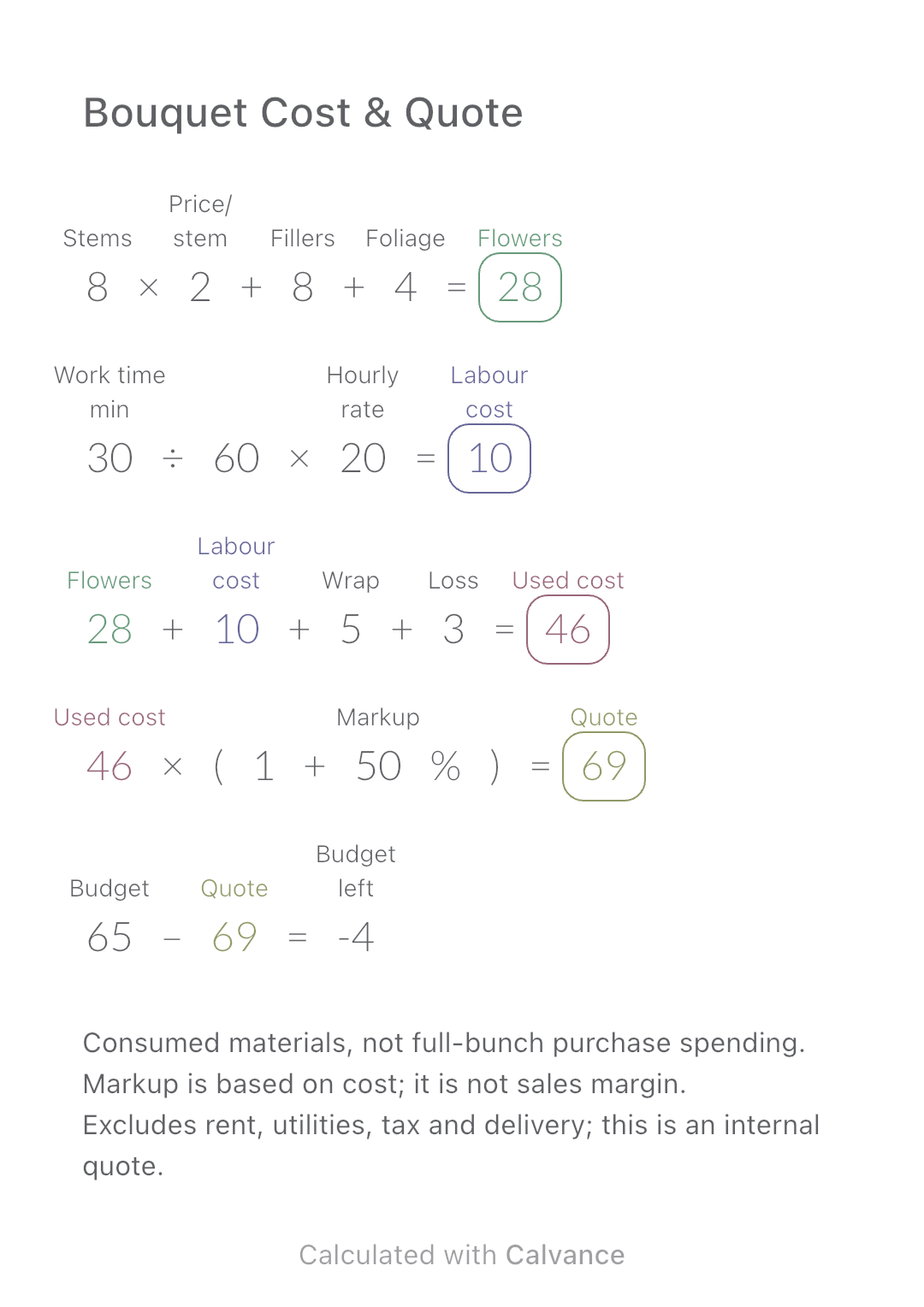
Add flower consumption, labour, wrapping and loss to build an internal bouquet quote, then compare it with a customer budget.
View template and method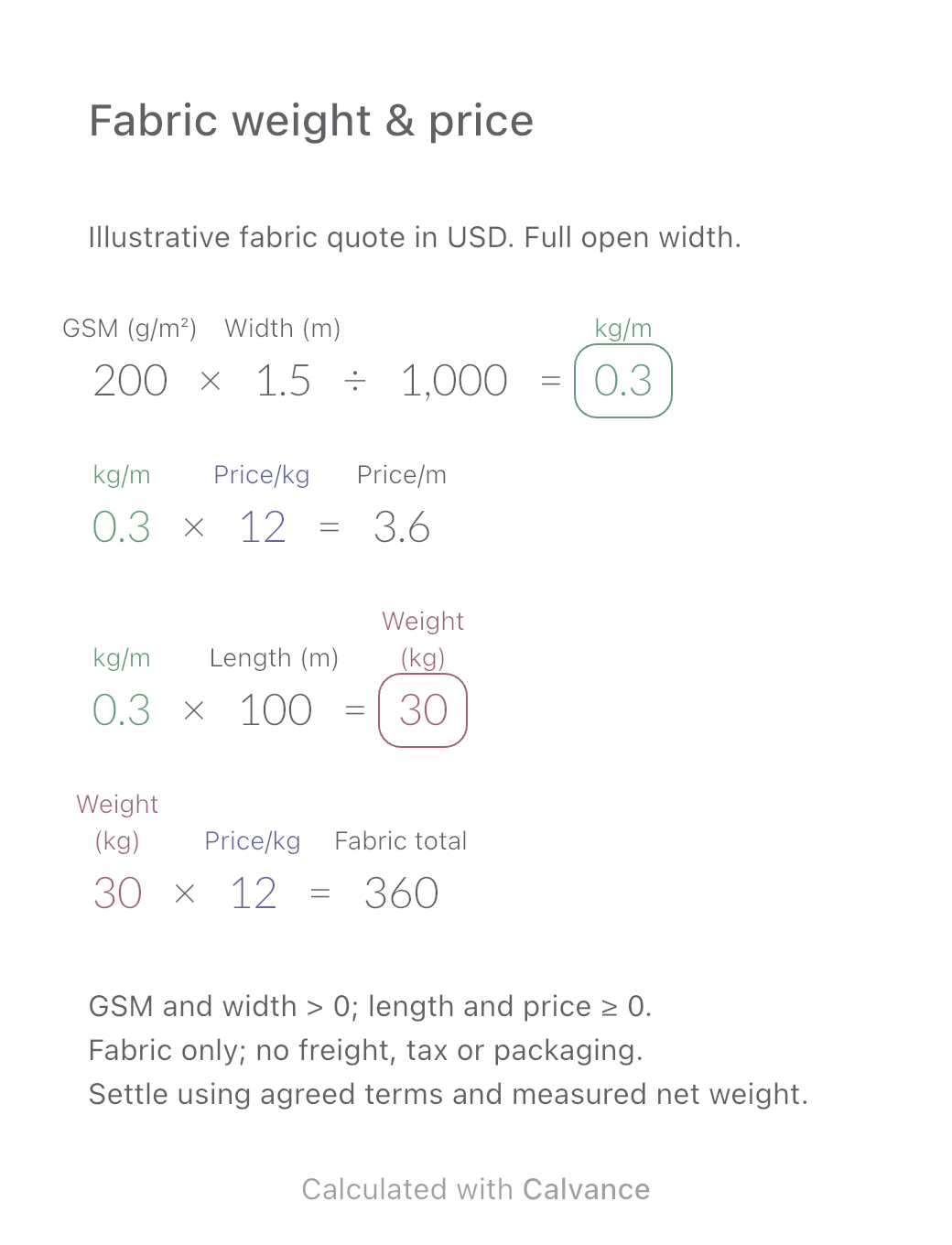
Convert a fabric quote per kilogram into a price per metre using GSM and open width. Estimate order weight and fabric cost, then download the reusable Calvance canvas.
View template and methodChoose a plan when you need more canvases, high-resolution image exports, or sync across devices.