
Worked exampleExported from Calvance
Aquarium Water & Bucket Fills
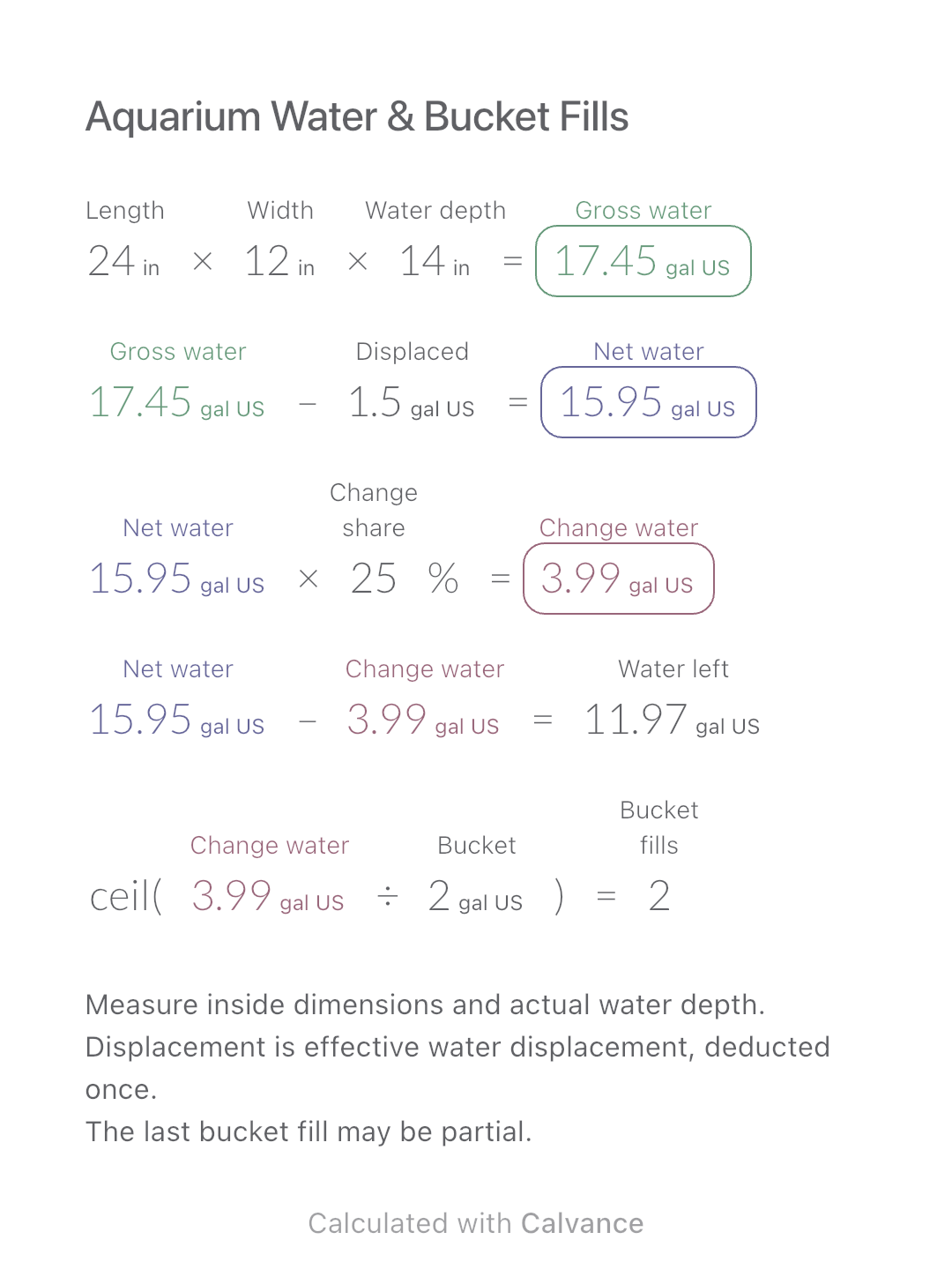
Estimate rectangular aquarium water volume, choose a water-change share and work out how many bucket fills to prepare.
View template and methodWork out the fill volume of identical rectangular beds, deduct occupied space once, then calculate whole bags and a purchase budget.
Exported by the iOS App After importing, edit the numbers in Calvance.
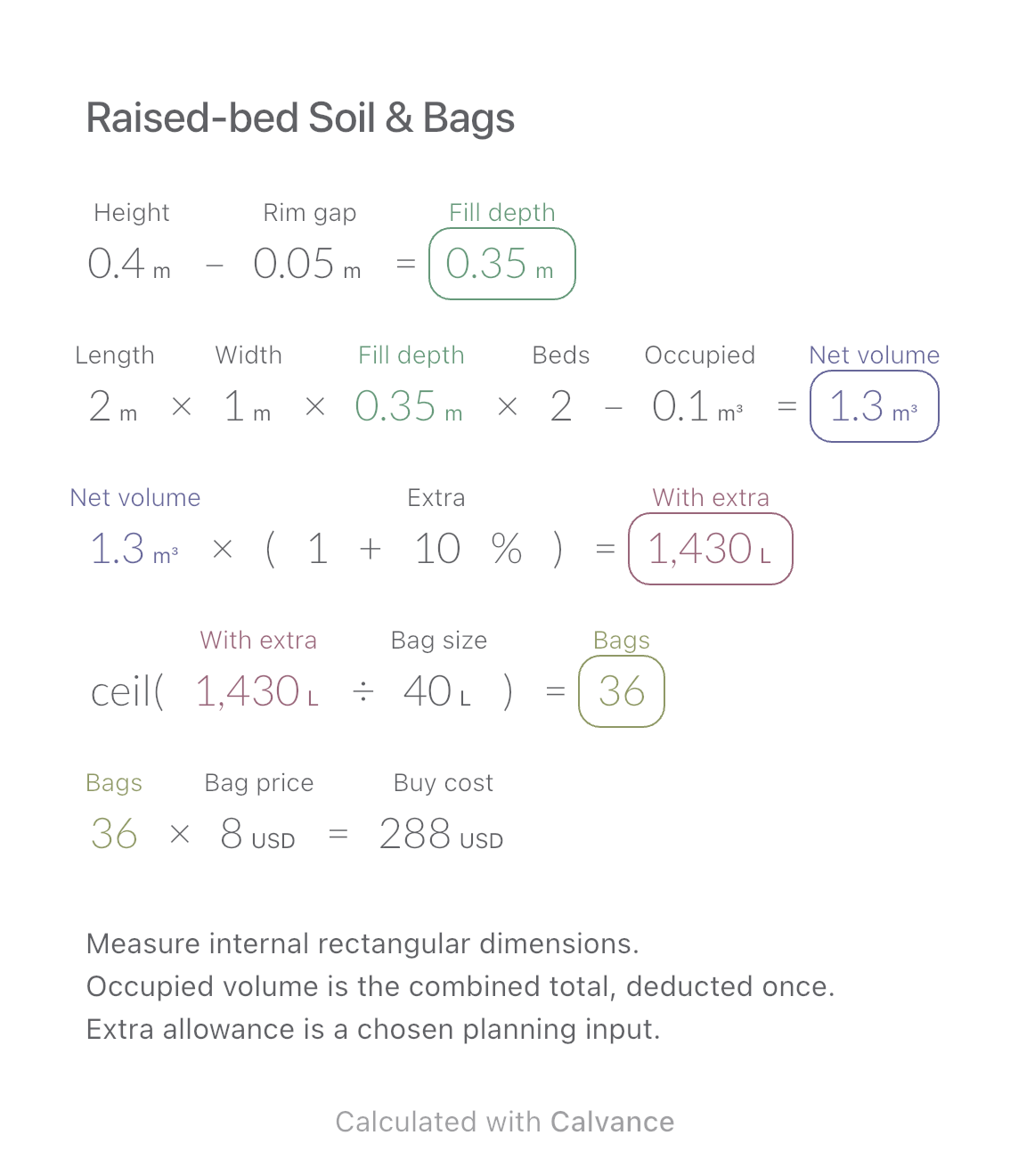
For a group of identical rectangular raised beds measured on the inside. Leave space below the rim, deduct the combined volume already occupied by material or objects, and enter the volume printed on each soil bag. The example uses metres and litres and an independently chosen USD bag price; it is not a market quote.
Related: Package Unit Price.
USD
| Inputs | Default |
|---|---|
| Inside bed height (m) | 0.4 |
| Height left unfilled below rim (m) | 0.05 |
| Inside bed length (m) | 2 |
| Inside bed width (m) | 1 |
| Number of identical beds | 2 |
| Volume occupied across all beds (m³) | 0.1 |
| Extra allowance on net volume (%) | 10 |
| Printed volume per bag (L) | 40 |
| Price per bag (USD) | 8 |
Fill depth = inside height − unfilled rim height. Net volume = length × width × fill depth × bed count − total occupied volume. Apply the chosen extra percentage to that net volume, divide by bag volume, and round up. Cost uses the whole number of bags. Two 2 × 1 m beds with 0.35 m fill depth hold 1.4 m³. Deducting 0.1 m³ leaves 1.3 m³; adding 10% gives 1430 L. At 40 L per bag, buy 36 bags.
0.4 [Inside bed height m]-0.05 [Height left unfilled below rim m] → Actual soil fill depth m
2 [Inside bed length m] × 1 [Inside bed width m] × Actual soil fill depth m × 2 [Number of identical beds]-0.1 [Volume occupied across all beds m³] → Net fill volume before allowance m³
Net fill volume before allowance m³ × (1 + 10 [Extra allowance on net volume]%) → Soil volume including allowance L
ceil(Soil volume including allowance L/40 [Printed volume per bag L]) → Whole bags to purchase
Whole bags to purchase × 8 [Price per bag USD] → Bagged-soil purchase cost USD
Change only bed length from 2 to 3 m. Keep two beds, the same fill depth, the same total occupied volume and the same 10% allowance. Soil to purchase rises to 2200 L and 55 bags. The cost table uses the same bag price in both cases.
| Result | Default | Changed |
|---|---|---|
| Actual soil fill depth (m) | 0.35 | 0.35 |
| Net fill volume before allowance (m³) | 1.3 | 2 |
| Soil volume including allowance (L) | 1,430 | 2,200 |
| Whole bags to purchase | 36 | 55 |
| Bagged-soil purchase cost (USD) | 288 | 440 |
Results are displayed to at most two decimal places; later formulas use unrounded values.
Dimensions, usable fill depth and bag volume must be positive; bed count must be a positive integer. Occupied volume must be nonnegative and smaller than total fill volume. Allowance and bag price must be nonnegative. The chosen allowance is not a universal settlement rate. Do not turn bag mass into volume without product-specific evidence. This covers neither tapered planters nor delivery charges or a recommended soil recipe.
[Soil-volume reference: Keter](https://www.keter.com/on/demandware.static/-/Sites-keter-US-Library/default/dwdb 894 cb 7/keter-mobile-garden-bed-soil-guide.pdf).
Download and import into Calvance to edit the numbers. The canvas does not reject every invalid input; check the stated ranges.
Not as litres. Use the product’s stated fill volume; soil density and moisture vary.
No. Enter the combined occupied volume across all beds. For different bed sizes, calculate separate groups.
We recommend using the latest version of Calvance.
Estimate rectangular aquarium water volume, choose a water-change share and work out how many bucket fills to prepare.
View template and method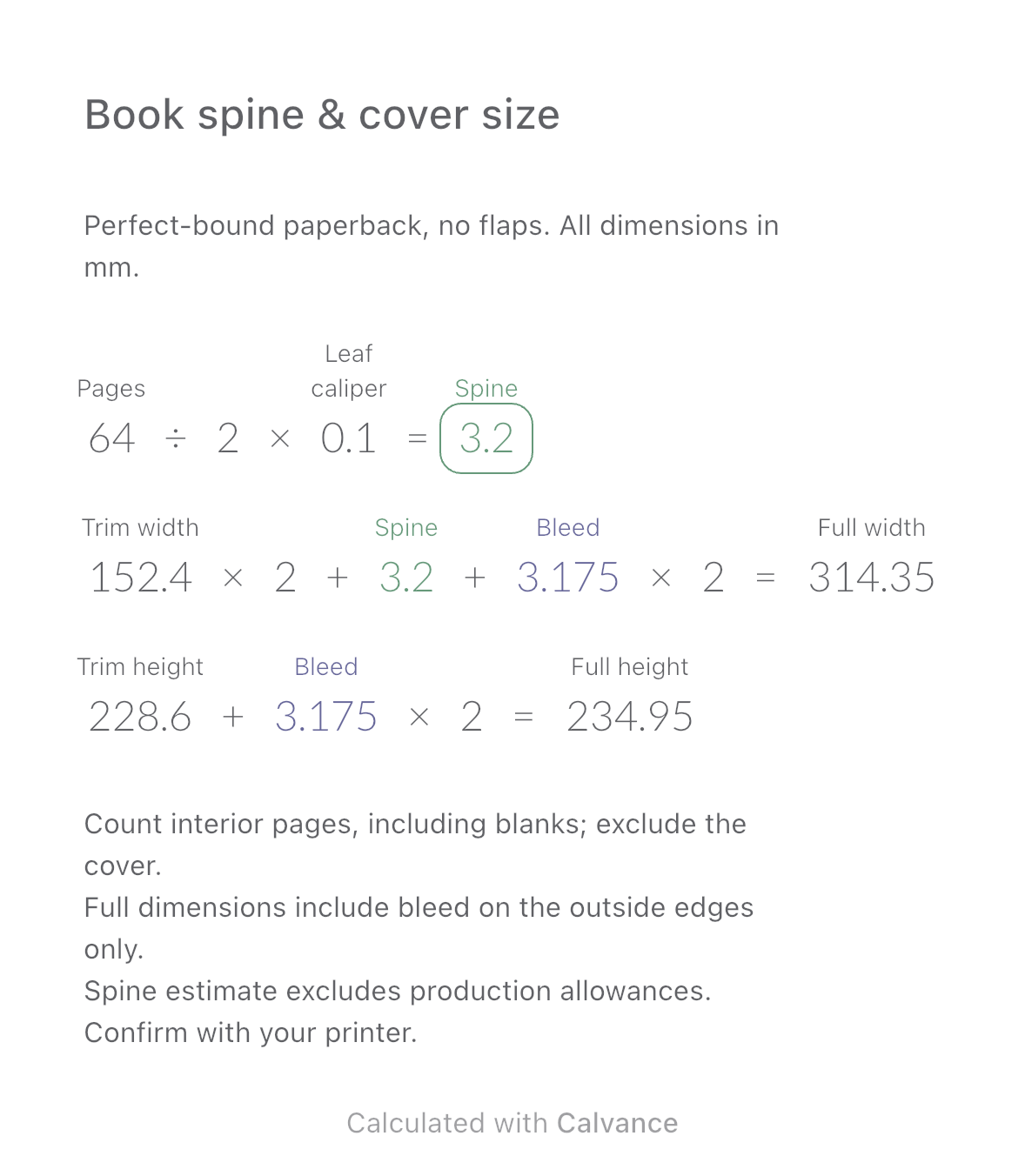
Estimate a perfect-bound book’s spine and full cover dimensions from page count, paper caliper and bleed. Compare changes and download a reusable Calvance canvas.
View template and method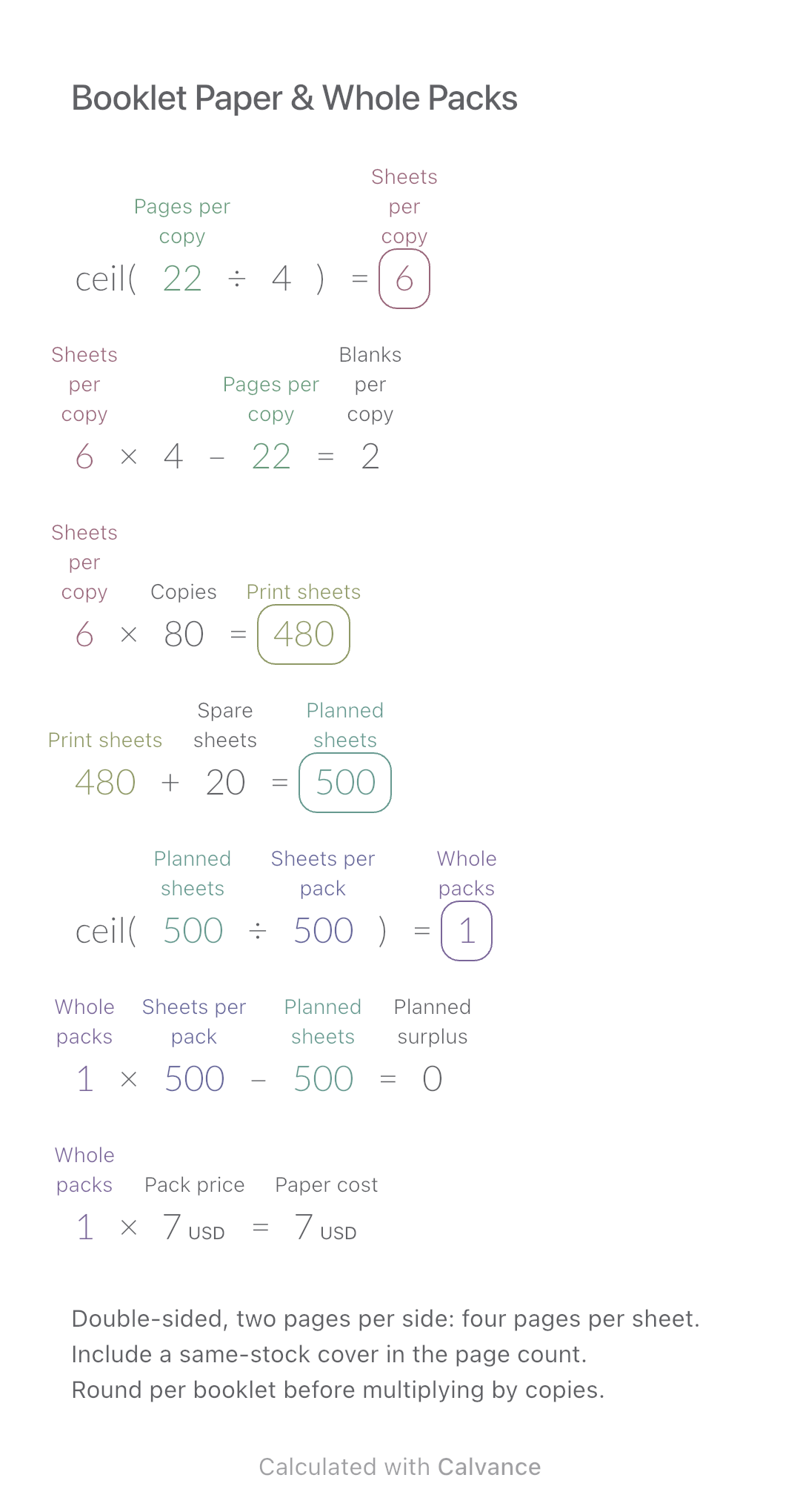
Convert booklet pages and copies into physical sheets, blank pages, whole paper packs and purchase cost.
View template and methodChoose a plan when you need more canvases, high-resolution image exports, or sync across devices.