
Worked exampleExported from Calvance
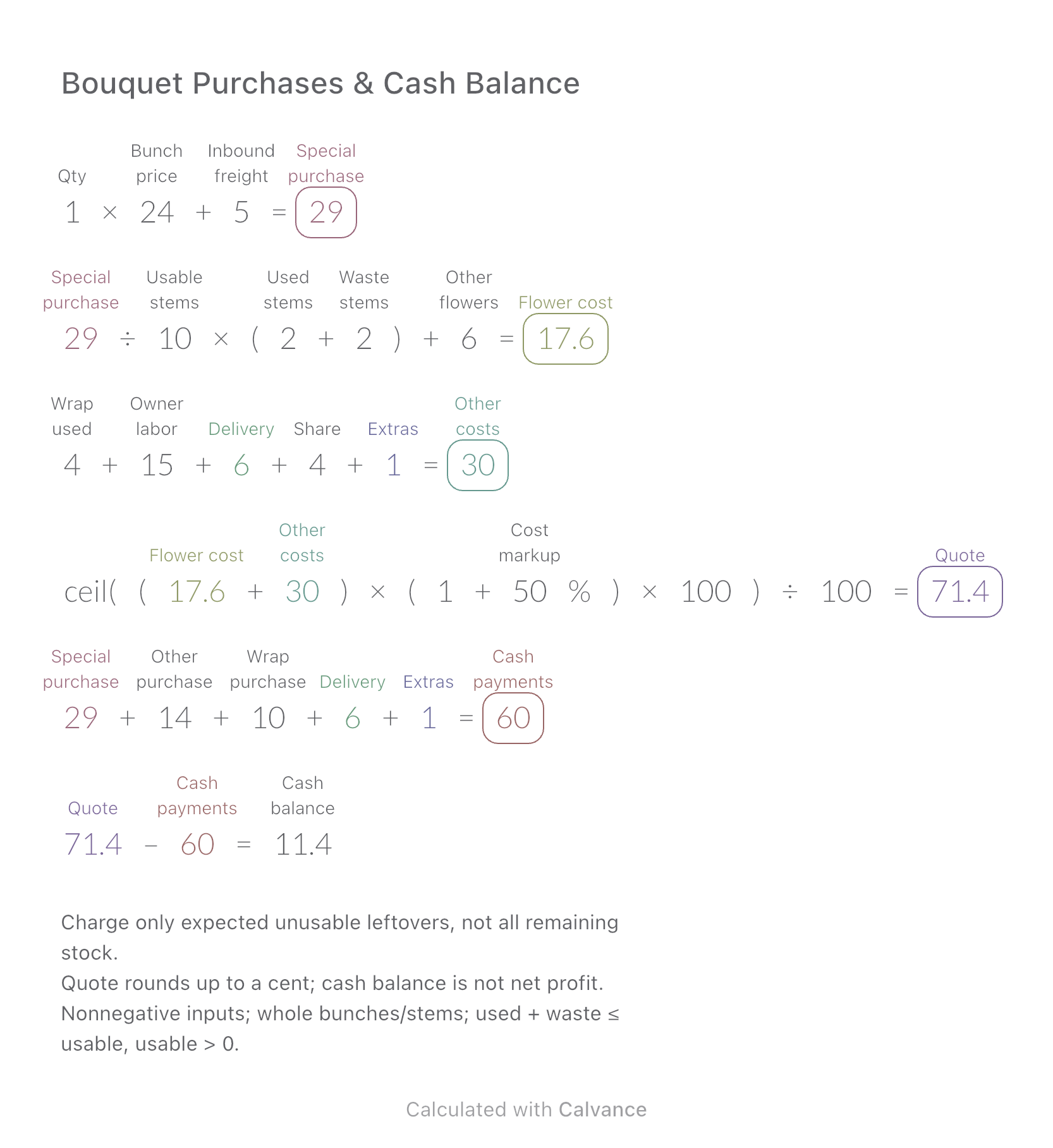
Bouquet Purchases & Cash Balance
Compare the cost of flowers used in one bouquet with the cash needed to buy whole bunches and packaging.
View template and methodAdd setup costs, rent deposit and a cash reserve to estimate the funds needed to open a small shop.
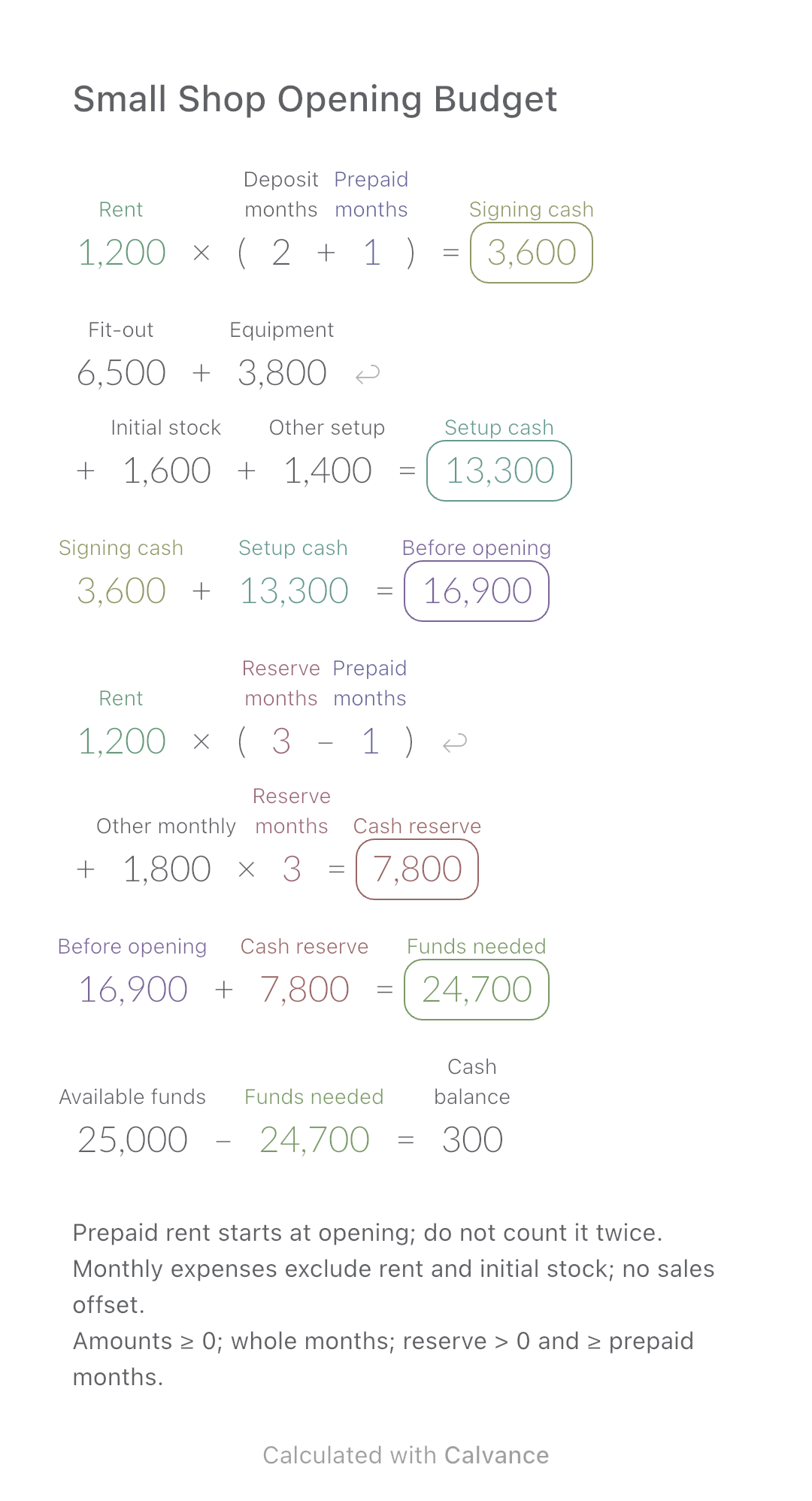
Exported by the iOS App After importing, edit the numbers in Calvance.
Plan a small craft workshop or retail space using illustrative US amounts in USD. Enter the actual lease terms and cost estimates for your premises; this is not a universal minimum opening budget.
USD
| Inputs | Default |
|---|---|
| Rent | 1,200 |
| Deposit months | 2 |
| Prepaid months | 1 |
| Fit-out | 6,500 |
| Equipment | 3,800 |
| Initial stock | 1,600 |
| Other setup | 1,400 |
| Reserve months | 3 |
| Other monthly | 1,800 |
| Available funds | 25,000 |
Signing cash = monthly rent × (deposit months + prepaid months). Add fit-out, equipment, initial materials and other setup costs. For the reserve period, count only rent not already prepaid, plus other monthly expenses for every reserve month. Required funds combine pre-opening payments and the reserve; available funds minus required funds gives the balance.
1,200 [Rent] × (2 [Deposit months] + 1 [Prepaid months]) → Signing cash
6,500 [Fit-out] + 3,800 [Equipment] + 1,600 [Initial stock] + 1,400 [Other setup] → Setup cash
Signing cash + Setup cash → Before opening
Rent × (3 [Reserve months] - Prepaid months) + 1,800 [Other monthly] × Reserve months → Cash reserve
Before opening + Cash reserve → Funds needed
25,000 [Available funds] - Funds needed → Cash balance
Increase only monthly rent by one quarter in this example. Both signing cash and the remaining rent reserve change; equipment and the other monthly expenses stay unchanged.
| Result | Default | Changed |
|---|---|---|
| Signing cash | 3,600 | 4,500 |
| Setup cash | 13,300 | 13,300 |
| Before opening | 16,900 | 17,800 |
| Cash reserve | 7,800 | 8,400 |
| Funds needed | 24,700 | 26,200 |
| Cash balance | 300 | -1,200 |
Results are displayed to at most two decimal places; later formulas use unrounded values.
The deposit ties up cash but is not treated as an operating expense. The example assumes unchanged rent, no deposit refund during the reserve period and no income used to offset spending. Include only the costs listed; food premises, licenses, taxes and staffing may require additional items. A positive balance does not predict profitability.
Download and import into Calvance to edit the numbers. The canvas does not reject every invalid input; check the stated ranges.
Compare the cost of flowers used in one bouquet with the cash needed to buy whole bunches and packaging.
View template and method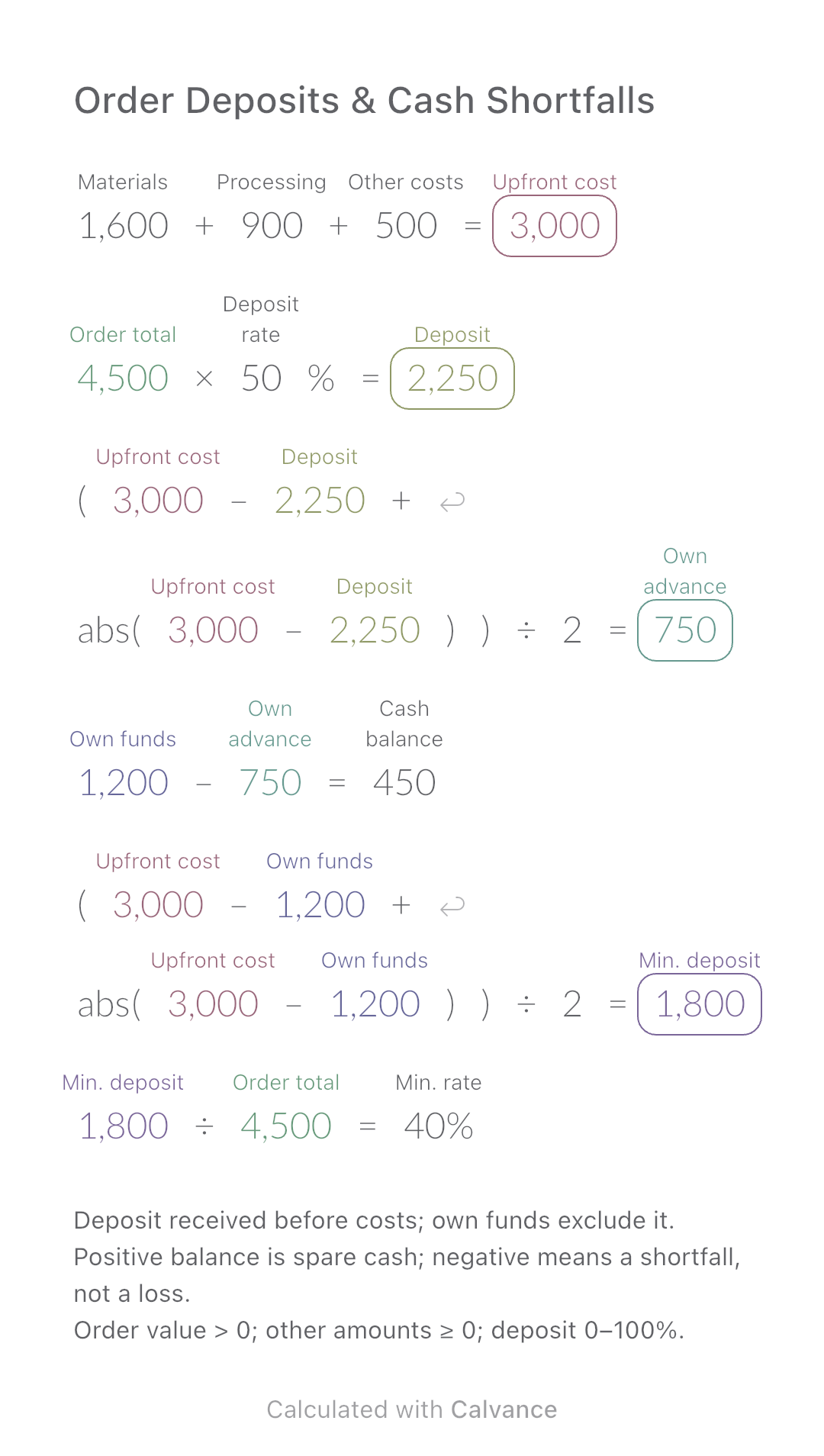
Calculate how much of an order you must fund yourself and the minimum customer deposit needed before production.
View template and method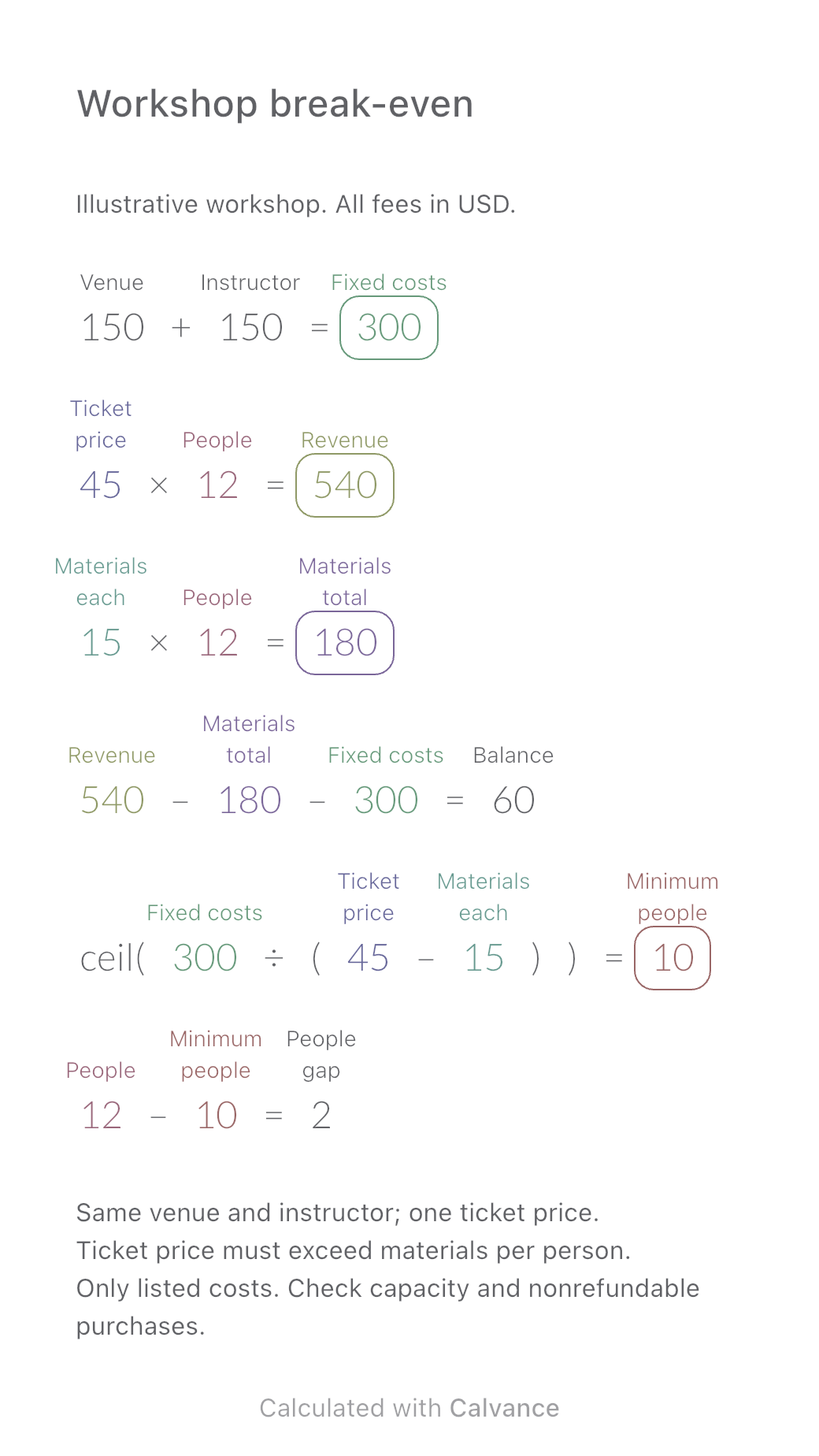
Work out how many paid participants cover a workshop’s costs. Compare revenue, materials and the balance at 8, 10 and 12 people, then download an editable Calvance template.
View template and methodChoose a plan when you need more canvases, high-resolution image exports, or sync across devices.