
Worked exampleExported from Calvance
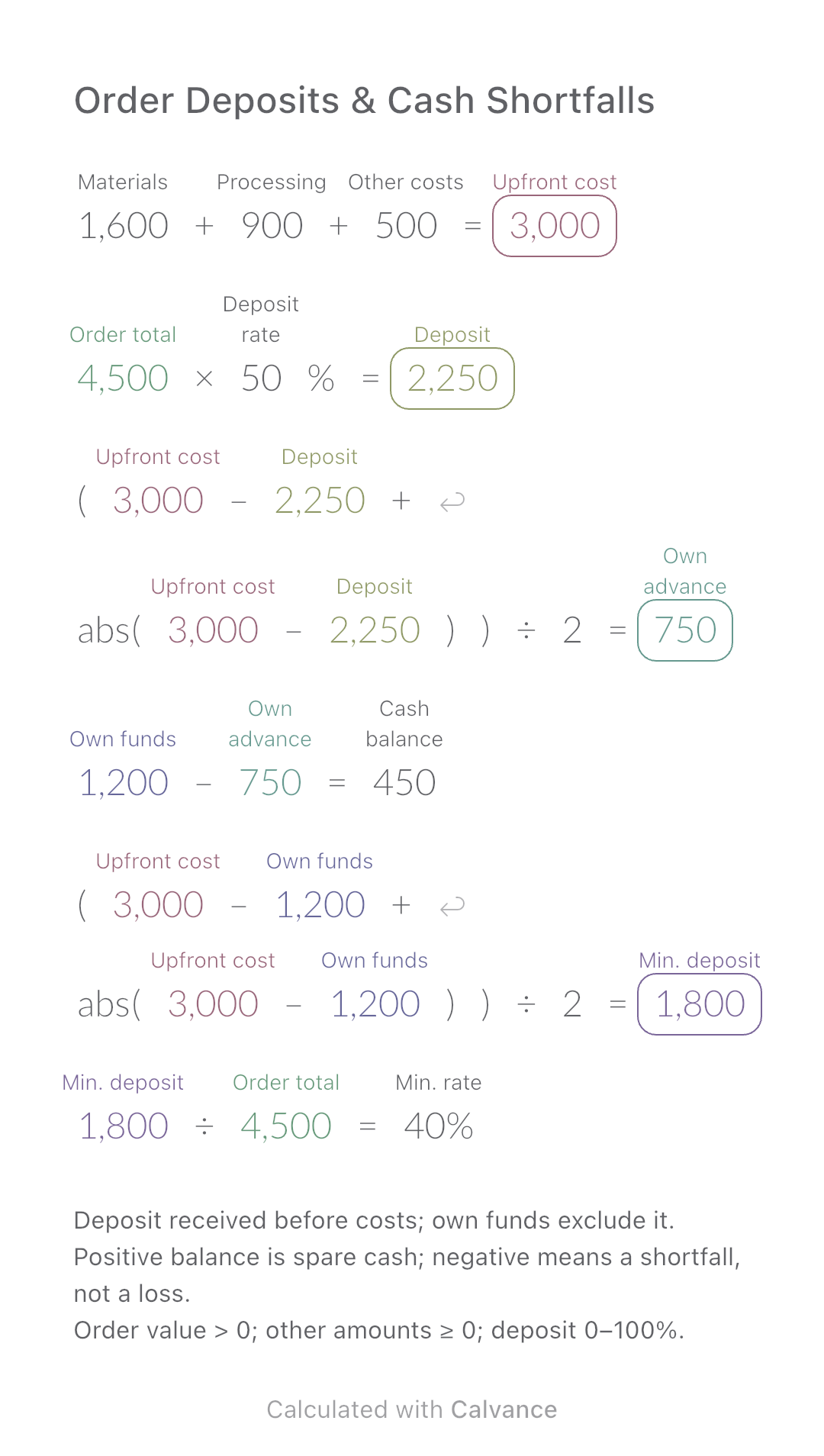
Order Deposits & Cash Shortfalls
Calculate how much of an order you must fund yourself and the minimum customer deposit needed before production.
View template and methodCompare the cost of flowers used in one bouquet with the cash needed to buy whole bunches and packaging.
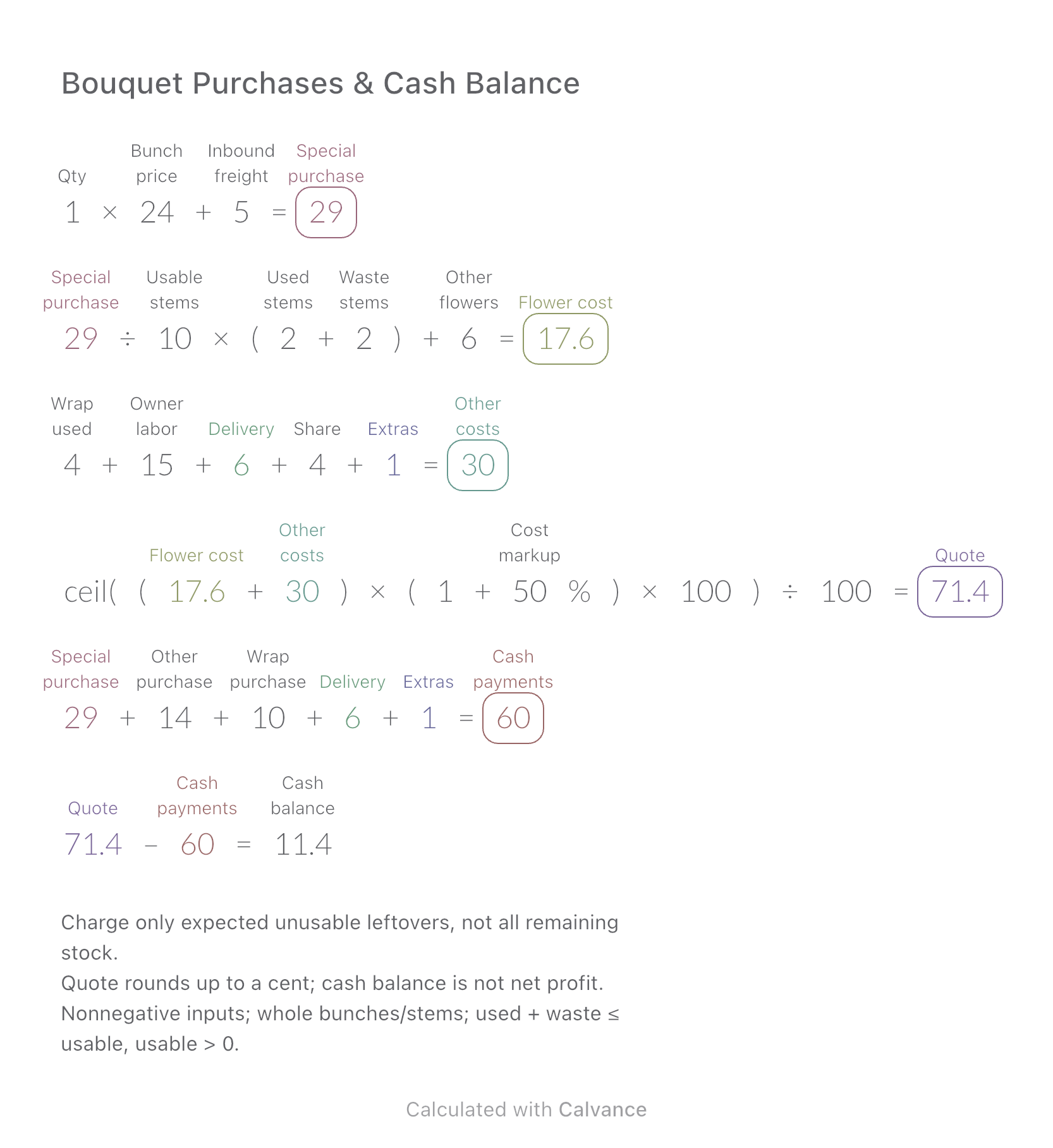
Exported by the iOS App After importing, edit the numbers in Calvance.
For an owner-made bouquet that needs a special purchase. The US example is in USD and assumes the quoted amount is collected in full, directly. Enter actual bunch sizes and usable stems rather than assuming every supplier sells the same pack.
USD
| Inputs | Default |
|---|---|
| Bunches purchased | 1 |
| Bunch price | 24 |
| Inbound freight | 5 |
| Usable stems | 10 |
| Used stems | 2 |
| Waste stems | 2 |
| Other flowers | 6 |
| Wrap used | 4 |
| Owner labor | 15 |
| Delivery | 6 |
| Allocated overhead | 4 |
| Order incidentals | 1 |
| Cost markup (%) | 50 |
| Other purchase | 14 |
| Wrap purchase | 10 |
Bunches × bunch price + inbound shipping gives the special purchase. Allocate it across confirmed usable stems, then charge used stems and estimated unusable leftovers, plus other flowers consumed. Add packaging consumed, owner labor, delivery, overhead and incidentals; apply a markup on cost and round the quote up to a cent. Cash payments instead include the whole purchases of flowers and packaging, delivery and incidentals. Quote minus these payments is the cash balance.
1 [Bunches purchased] × 24 [Bunch price] + 5 [Inbound freight] → Special purchase
Special purchase/10 [Usable stems] × (2 [Used stems] + 2 [Waste stems]) + 6 [Other flowers] → Flower cost
4 [Wrap used] + 15 [Owner labor] + 6 [Delivery] + 4 [Allocated overhead] + 1 [Order incidentals] → Other costs
ceil((Flower cost + Other costs) × (1 + 50 [Cost markup]%) × 100)/100 → Quote
Special purchase + 14 [Other purchase] + 10 [Wrap purchase] + Delivery + Order incidentals → Cash payments
Quote - Cash payments → Cash balance
Halve only the bunch price. Both allocated flower cost and cash purchases fall, but by different amounts. Labor, other purchases and markup stay unchanged.
| Result | Default | Changed |
|---|---|---|
| Special purchase | 29 | 17 |
| Flower cost | 17.6 | 12.8 |
| Other costs | 30 | 30 |
| Quote | 71.4 | 64.2 |
| Cash payments | 60 | 48 |
| Cash balance | 11.4 | 16.2 |
Results are displayed to at most two decimal places; later formulas use unrounded values.
Usable stems cover the full special purchase; the canvas does not calculate how many bunches to buy. Other flowers and wrapping consumed are separate from the amounts paid to buy them. Owner labor and allocated overhead are costing entries, not extra cash payments here. Taxes, platform fees, discounts, refunds and paid staff are excluded. Markup on cost is not a profit margin. For a simpler consumption-based quote, see Bouquet Cost & Quote.
Download and import into Calvance to edit the numbers. The canvas does not reject every invalid input; check the stated ranges.
Calculate how much of an order you must fund yourself and the minimum customer deposit needed before production.
View template and method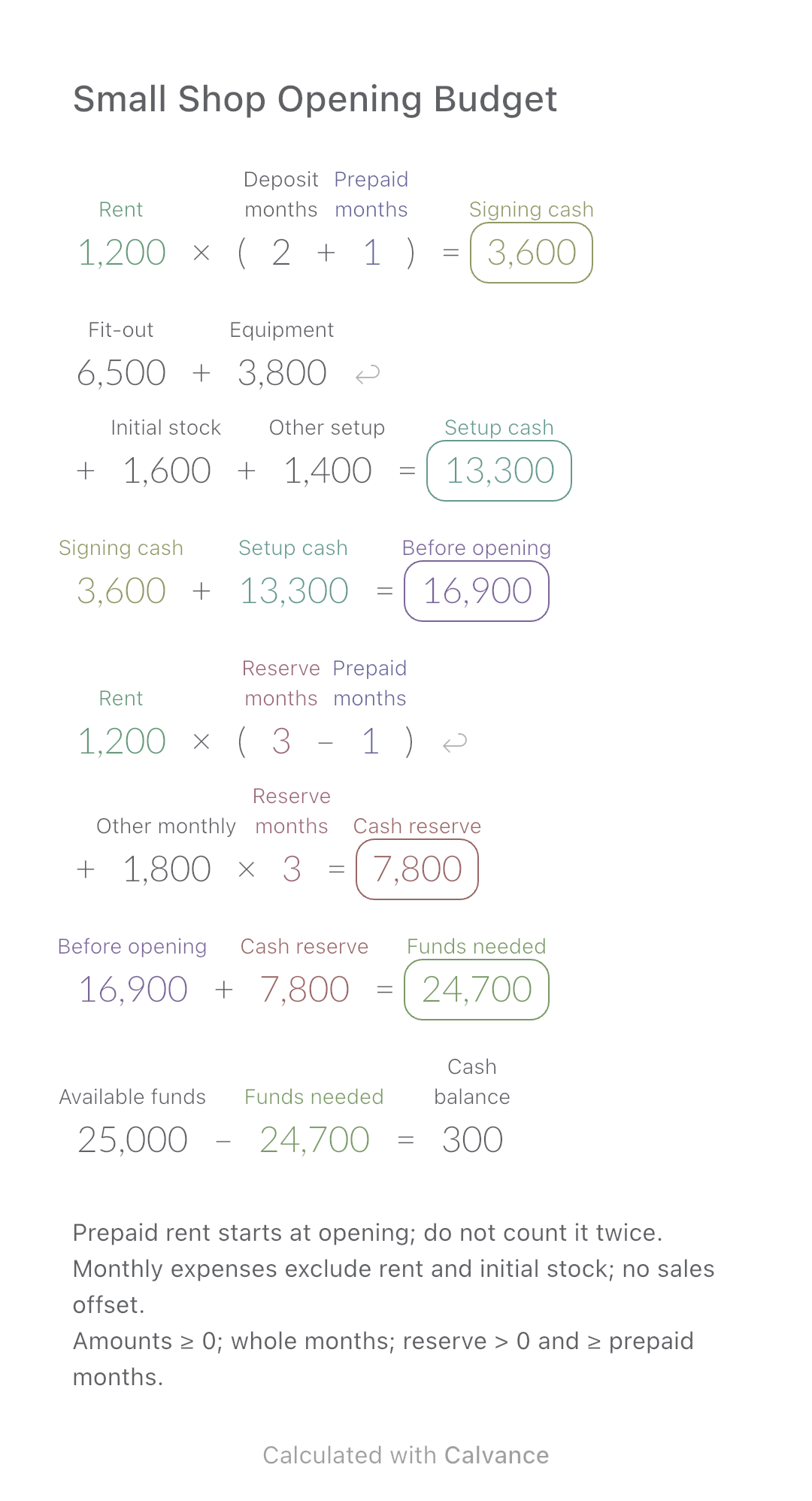
Add setup costs, rent deposit and a cash reserve to estimate the funds needed to open a small shop.
View template and method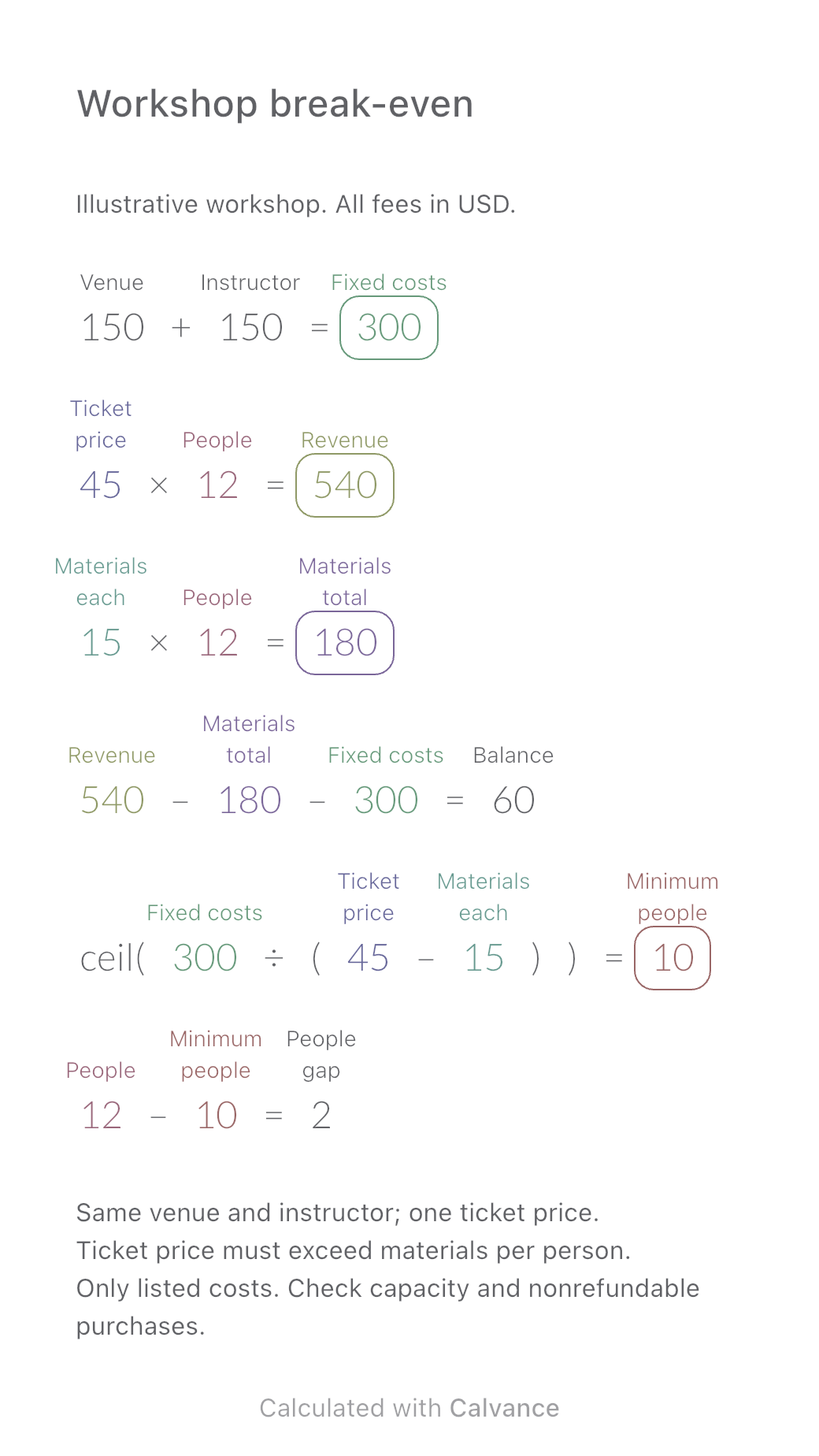
Work out how many paid participants cover a workshop’s costs. Compare revenue, materials and the balance at 8, 10 and 12 people, then download an editable Calvance template.
View template and methodChoose a plan when you need more canvases, high-resolution image exports, or sync across devices.