
Worked exampleExported from Calvance
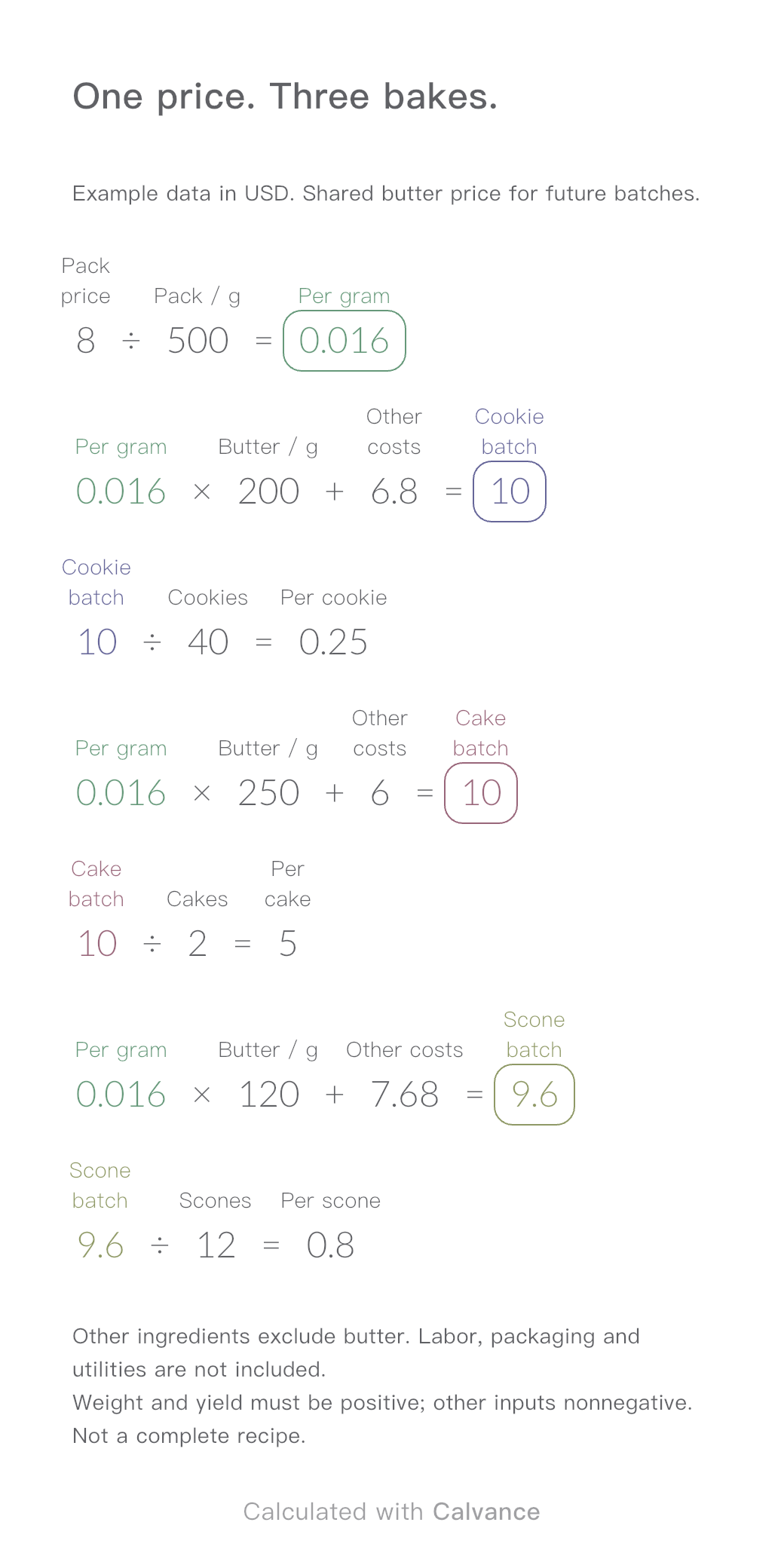
Baking Ingredient Costs
One ingredient price, three bakes. Change the butter price to update batch and per-serving costs.
View template and methodAdd flower consumption, labour, wrapping and loss to build an internal bouquet quote, then compare it with a customer budget.
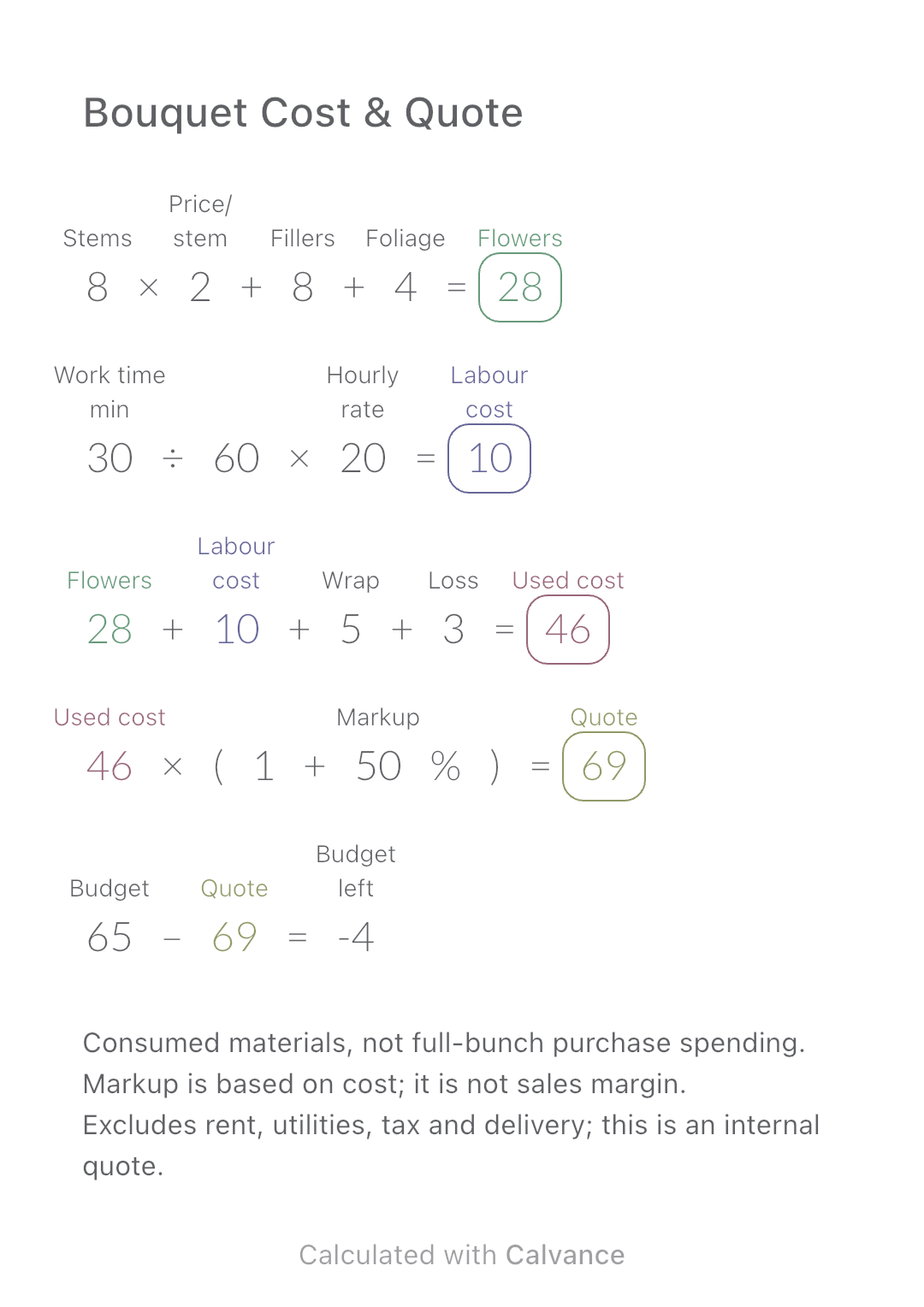
Exported by the iOS App After importing, edit the numbers in Calvance.
Count materials consumed by this bouquet, not the cash spent buying whole bunches. Usable leftovers remain inventory. Stem count is a nonnegative integer; other inputs and markup must be nonnegative. Example prices are hypothetical.
USD
| Inputs | Default |
|---|---|
| Main-flower stems | 8 |
| Price per main-flower stem | 2 |
| Filler-flower cost | 8 |
| Foliage cost | 4 |
| Work time (min) | 30 |
| Hourly rate | 20 |
| Wrapping cost | 5 |
| Loss allowance | 3 |
| Markup on cost (%) | 50 |
| Budget | 65 |
Flowers = stems × price per stem + fillers + foliage. Labour = minutes ÷ 60 × hourly rate. Add wrapping and explicit loss, then multiply cost by (1 + markup). A 50% cost markup is not a 50% sales margin.
8 [Main-flower stems] × 2 [Price per main-flower stem] + 8 [Filler-flower cost] + 4 [Foliage cost] → Flowers
30 [Work time min]/60 × 20 [Hourly rate] → Labour cost
Flowers + Labour cost + 5 [Wrapping cost] + 3 [Loss allowance] → Used cost
Used cost × (1 + 50 [Markup on cost]%) → Quote
65 [Budget] - Quote → Budget left
Increase the main-flower price by 1 in the example currency per stem. Flower cost, total consumed cost, quote and budget balance update. Loss is a manual allowance and does not automatically rise with stem price.
| Result | Default | Changed |
|---|---|---|
| Flowers | 28 | 36 |
| Labour cost | 10 | 10 |
| Used cost | 46 | 54 |
| Quote | 69 | 81 |
| Budget left | -4 | -16 |
Results are displayed to at most two decimal places; later formulas use unrounded values.
Need to buy whole bunches or packs for this order? Use Bouquet Purchases & Cash Balance to compare those payments with the quote. Consumed material cost and cash paid are different quantities.
Download and import into Calvance to edit the numbers. The canvas does not reject every invalid input; check the stated ranges.
One ingredient price, three bakes. Change the butter price to update batch and per-serving costs.
View template and method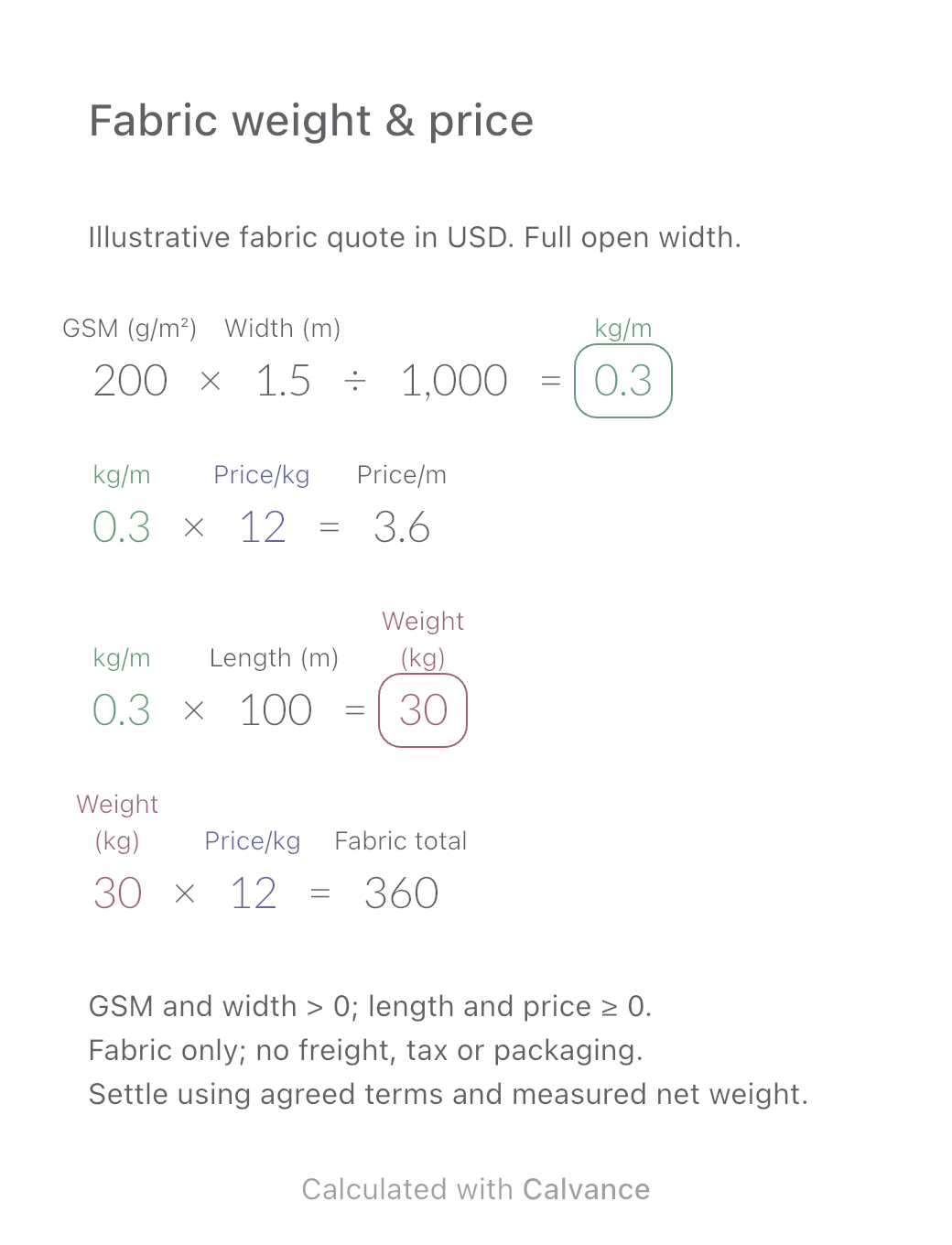
Convert a fabric quote per kilogram into a price per metre using GSM and open width. Estimate order weight and fabric cost, then download the reusable Calvance canvas.
View template and method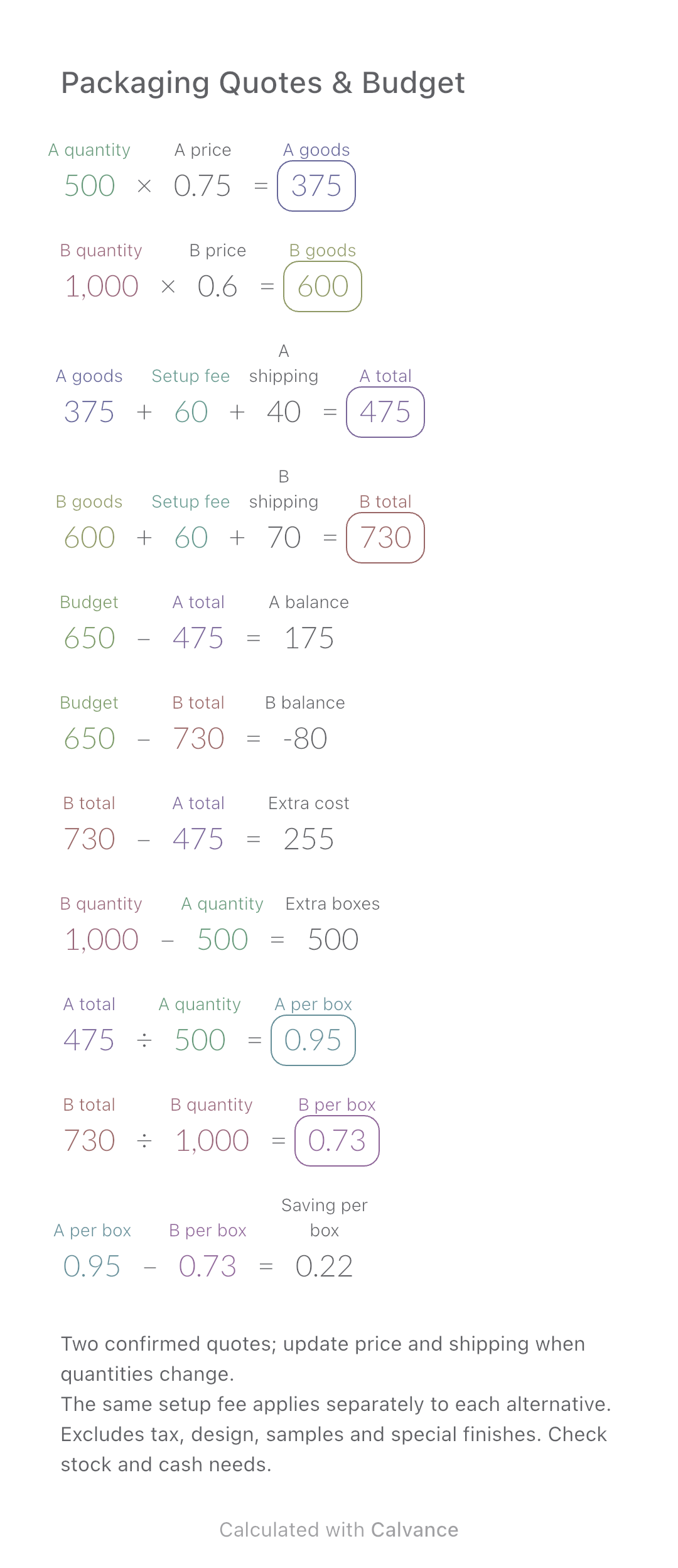
Compare two packaging quotes, total spend, budget gaps and cost per box. Includes a worked example and an editable Calvance canvas.
View template and methodChoose a plan when you need more canvases, high-resolution image exports, or sync across devices.