
Worked exampleExported from Calvance
Aquarium Water & Bucket Fills
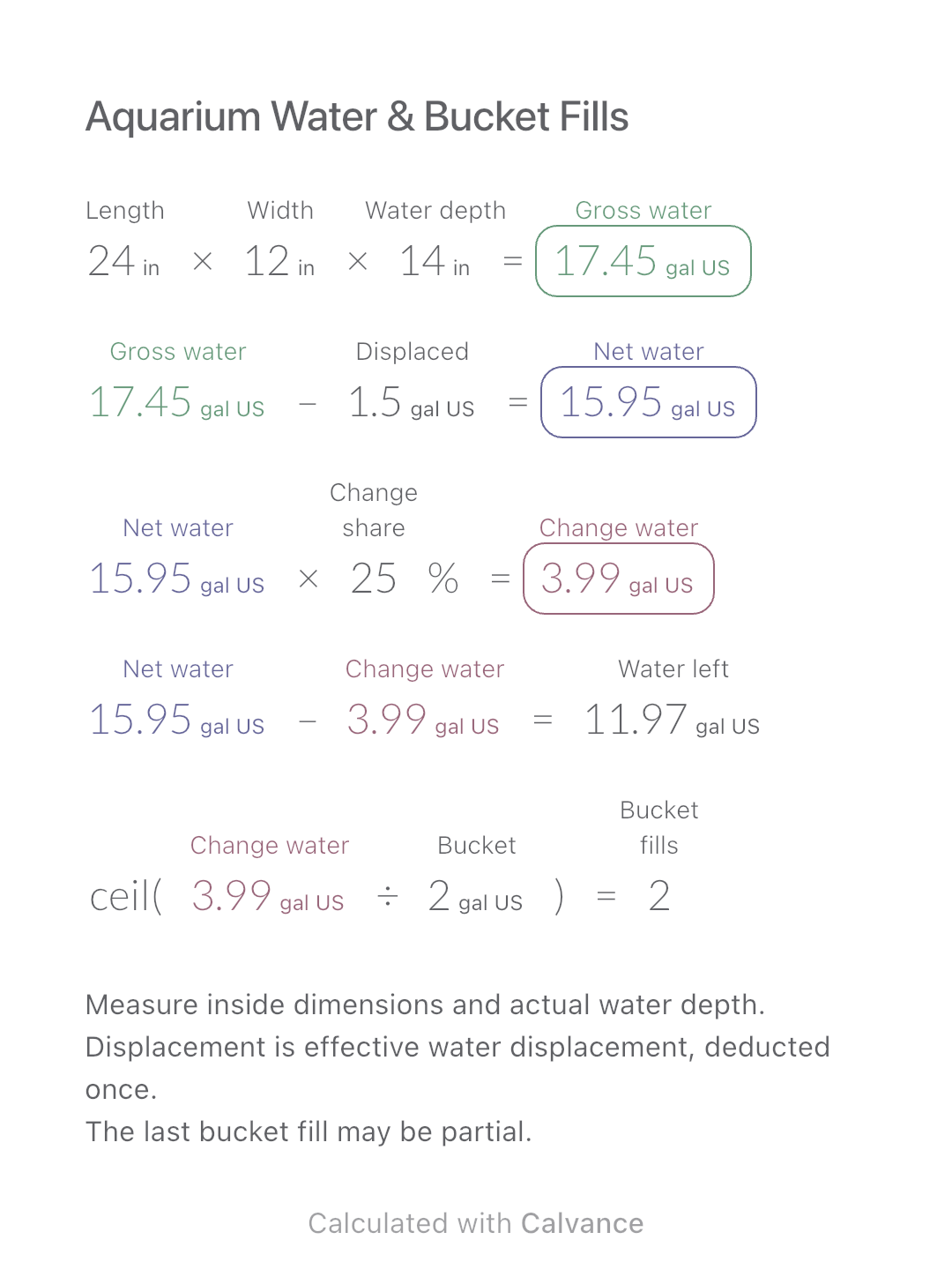
Estimate rectangular aquarium water volume, choose a water-change share and work out how many bucket fills to prepare.
View template and methodCalculate adhesive mass, whole bags and purchase cost from the actual tiled area and the product’s consumption rate.
Exported by the iOS App After importing, edit the numbers in Calvance.
Plan one adhesive product for a known tiled area. Read consumption in kg/m² from its data sheet for the intended installation. Do not use the tile order area, which may include spare tiles and cutting waste.
Example prices in USD; replace them with your own quotes. All dimensions use metric units.
Related calculation: Tile Quantities & Full Boxes.
USD
| Inputs | Default |
|---|---|
| Tiled area (m²) | 20 |
| Product use (kg/m²) | 4 |
| Extra allowance (%) | 10 |
| Bag mass (kg) | 20 |
| Bag price (USD) | 18 |
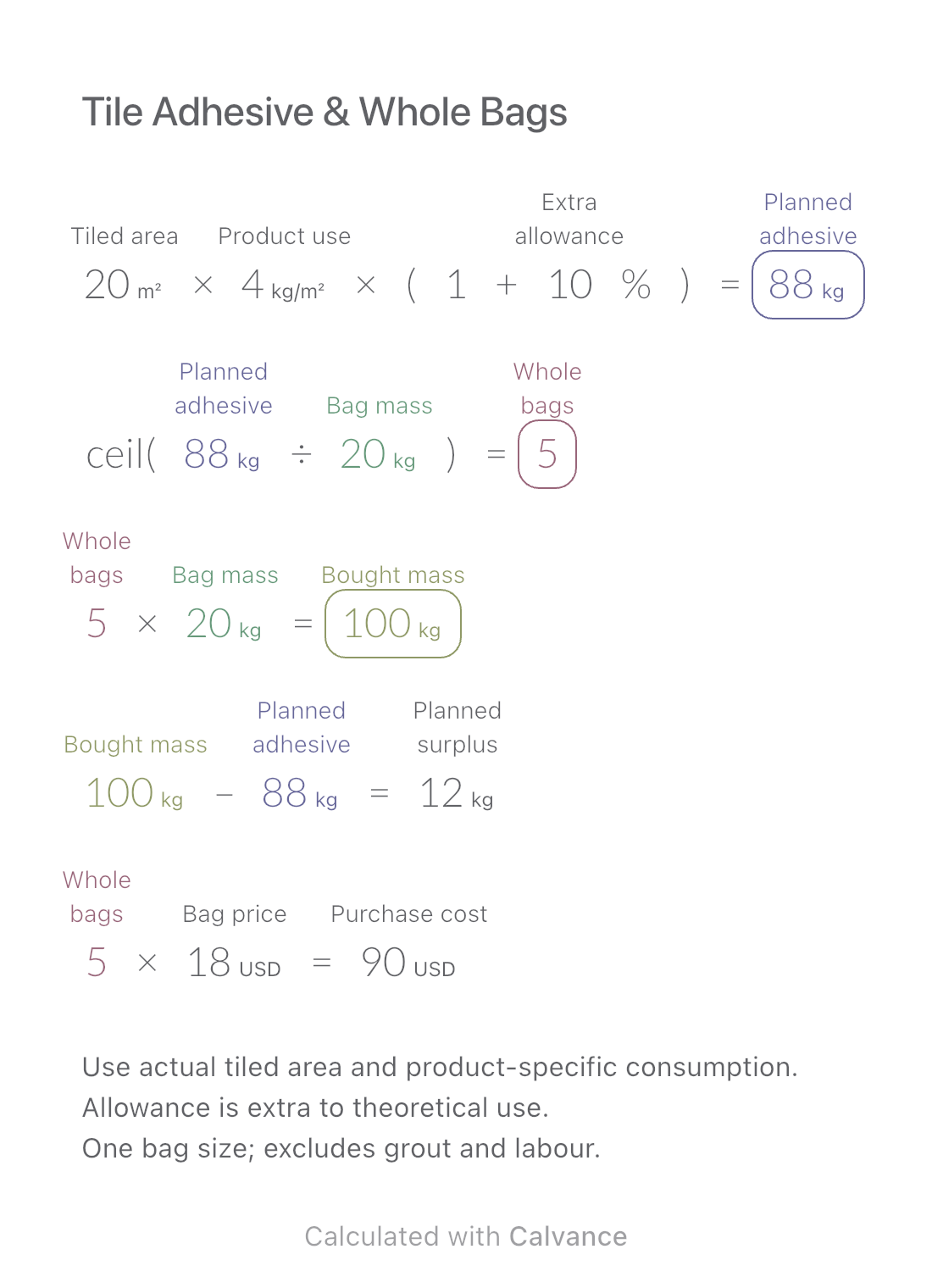
Planned mass = area × consumption × (1 + allowance). Divide by bag mass and round up; multiply whole bags by bag mass and price. Surplus is purchased mass minus planned mass, which already includes the allowance. The example needs 88 kg: 5 bags buy 100 kg, leaving 12 kg beyond the plan.
20 [Tiled area m²] × 4 [Product use kg/m²] × (1 + 10 [Extra allowance]%) → Planned adhesive kg
ceil(Planned adhesive kg/20 [Bag mass kg]) → Whole bags
Whole bags × Bag mass kg → Bought mass kg
Bought mass kg-Planned adhesive kg → Planned surplus kg
Whole bags × 18 [Bag price USD] → Purchase cost USD
Change only the tiled area from 20 to 30 m². Planned mass becomes 132 kg and the order becomes 7 bags; 8 kg remains beyond the plan.
| Result | Default | Changed |
|---|---|---|
| Planned adhesive (kg) | 88 | 132 |
| Whole bags | 5 | 7 |
| Bought mass (kg) | 100 | 140 |
| Planned surplus (kg) | 12 | 8 |
| Purchase cost (USD) | 90 | 126 |
Results are displayed to at most two decimal places; later formulas use unrounded values.
Area, consumption and bag mass must be positive; allowance and price nonnegative. The 4 kg/m² and 10% are illustrative, not application instructions. Bed thickness, substrate and installation method affect consumption. Use powder mass as sold, not mixed mortar weight. This does not select adhesive, estimate grout or guarantee leftovers.
Download and import into Calvance to edit the numbers. The canvas does not reject every invalid input; check the stated ranges.
Divide the bag mass by its stated coverage to obtain kg/m², under the same application conditions. Do not enter m²/kg in the consumption field.
No. Start with actual surfaces being tiled; enter adhesive handling allowance separately.
We recommend using the latest version of Calvance.
Estimate rectangular aquarium water volume, choose a water-change share and work out how many bucket fills to prepare.
View template and method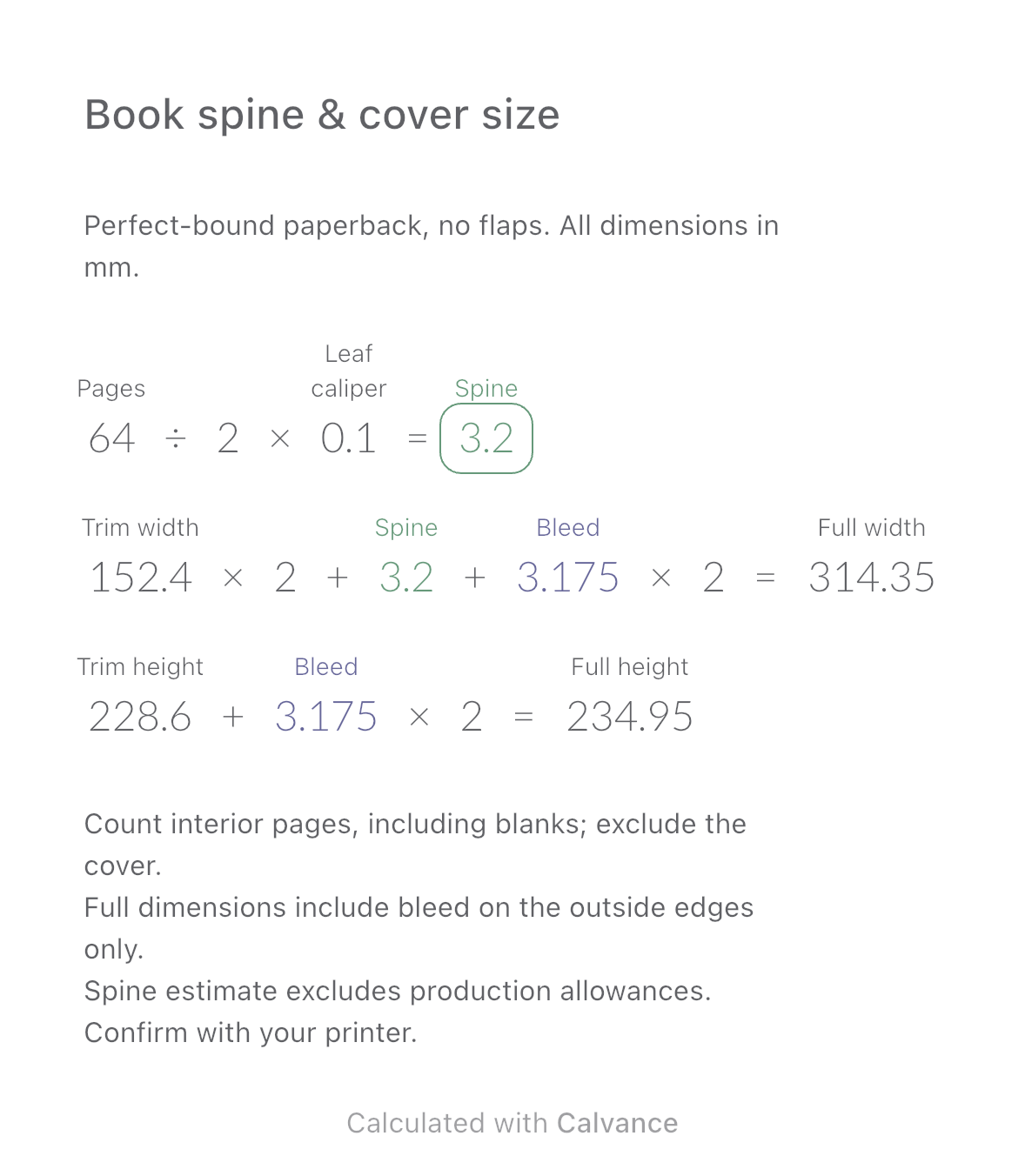
Estimate a perfect-bound book’s spine and full cover dimensions from page count, paper caliper and bleed. Compare changes and download a reusable Calvance canvas.
View template and method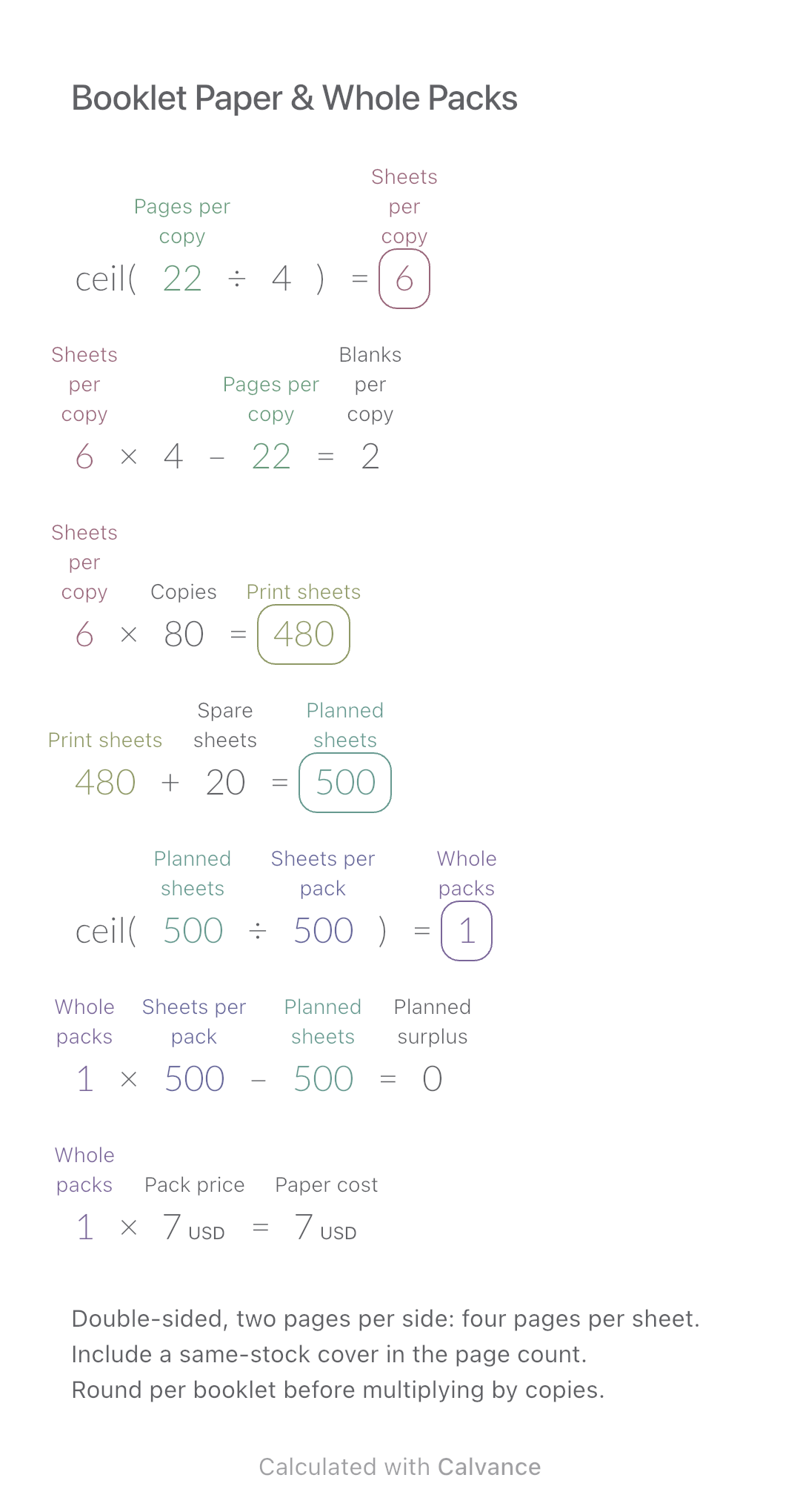
Convert booklet pages and copies into physical sheets, blank pages, whole paper packs and purchase cost.
View template and methodChoose a plan when you need more canvases, high-resolution image exports, or sync across devices.