
Worked exampleExported from Calvance
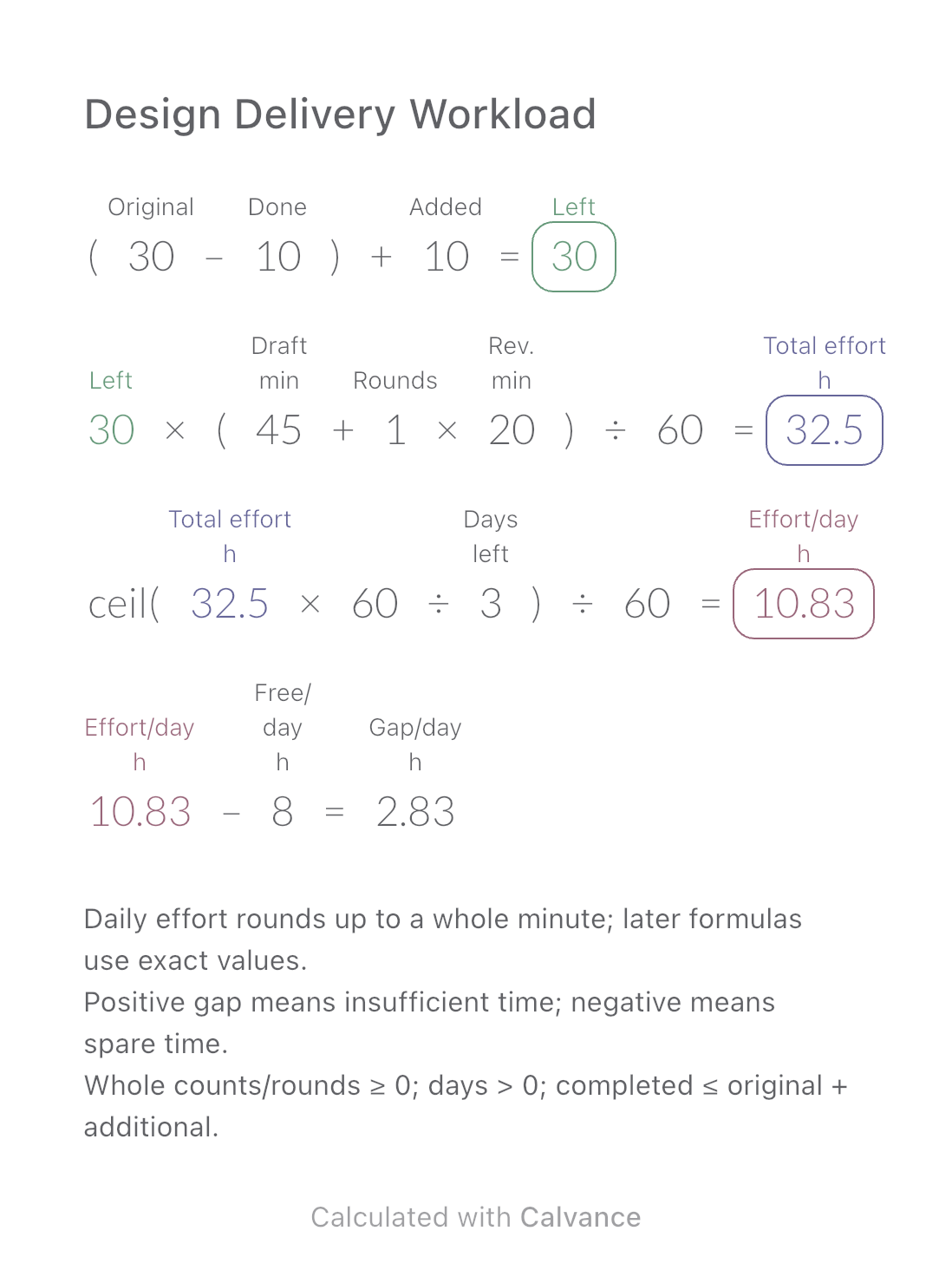
Design Delivery Workload
Estimate remaining design hours, daily effort and the gap against your available time when image quantities or revisions change.
View template and methodCompare time for the same distance at two average driving speeds, including a shared stop allowance. Shows minutes and the signed time difference.
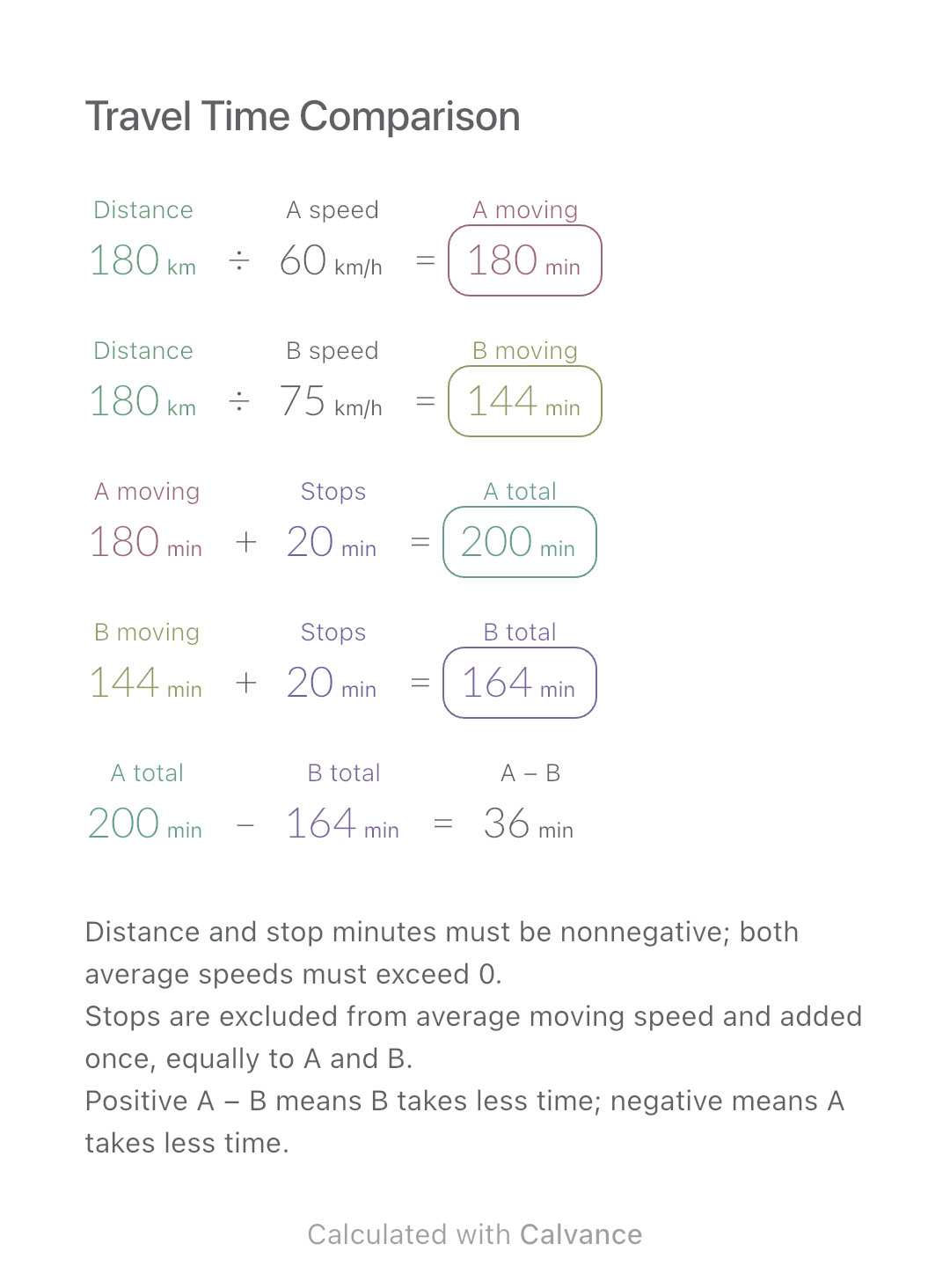
Exported by the iOS App After importing, edit the numbers in Calvance.
Compare two planning assumptions for the same route length. Use average speed while moving, not a speedometer reading or a target driving speed. The metric example uses kilometres, km/h and minutes. Download the canvas to adjust distance, averages and stop time.
| Inputs | Default |
|---|---|
| Distance (km) | 180 |
| A speed (km/h) | 60 |
| B speed (km/h) | 75 |
| Stops (min) | 20 |
Divide distance by each average speed and convert the result to minutes. Add the same stop allowance to both. Subtract B’s total from A’s: a positive difference means B takes less time. At 180 km, 60 and 75 km/h with 20 minutes stopped, totals are 200 and 164 minutes.
Each input has its actual unit. Calvance converts compatible units during calculation; changing a label alone does not convert a value. Results use the displayed target units.
180 [Distance km]/60 [A speed km/h] → A moving min
Distance km/75 [B speed km/h] → B moving min
A moving min + 20 [Stops min] → A total min
B moving min + Stops min → B total min
A total min - B total min → A − B min
Change distance from 180 to 240 km. Moving time increases, but the 20-minute stop allowance stays fixed. The comparison table shows how this affects both totals and their difference.
| Result | Default | Changed |
|---|---|---|
| A moving (min) | 180 | 240 |
| B moving (min) | 144 | 192 |
| A total (min) | 200 | 260 |
| B total (min) | 164 | 212 |
| A − B (min) | 36 | 48 |
Results are displayed to at most two decimal places; later formulas use unrounded values.
This is arithmetic, not live route guidance, an arrival-time forecast or advice to drive faster. Traffic, route changes and conditions are not predicted. Always obey speed limits. A decimal number of hours is not an hours-and-minutes clock value; this canvas outputs minutes.
Download and import into Calvance to edit the numbers. The canvas does not reject every invalid input; check the stated ranges.
Not in this model. If your average already includes stops, enter zero extra stop minutes to avoid counting them twice.
Adding the same number to both totals cancels when subtracting. Different stop allowances require separate inputs or a modified canvas.
We recommend using the latest version of Calvance.
Estimate remaining design hours, daily effort and the gap against your available time when image quantities or revisions change.
View template and method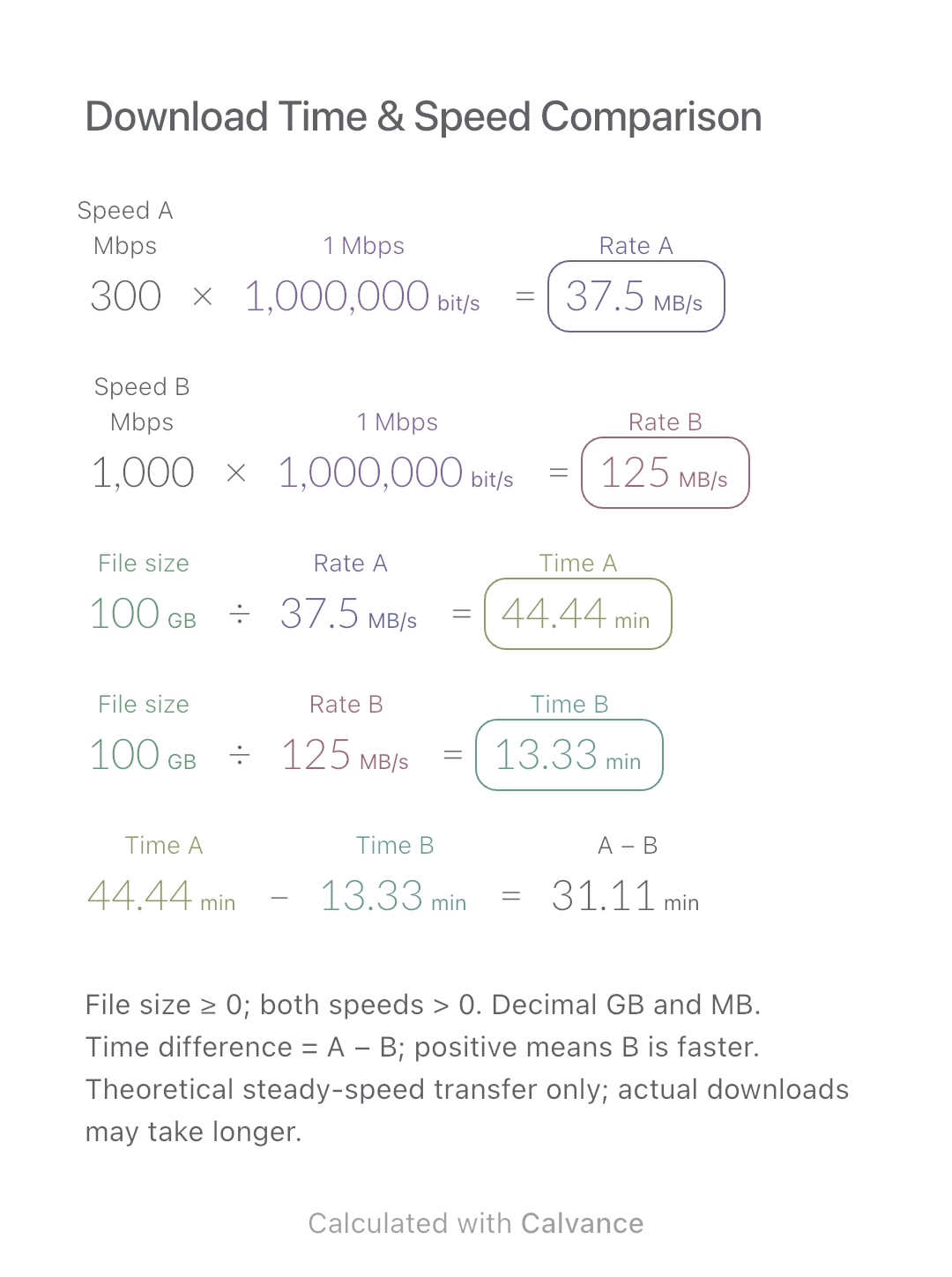
Compare the theoretical download time for one file at two connection speeds. Includes a worked example, Mbps-to-MB/s conversion and an editable Calvance canvas.
View template and method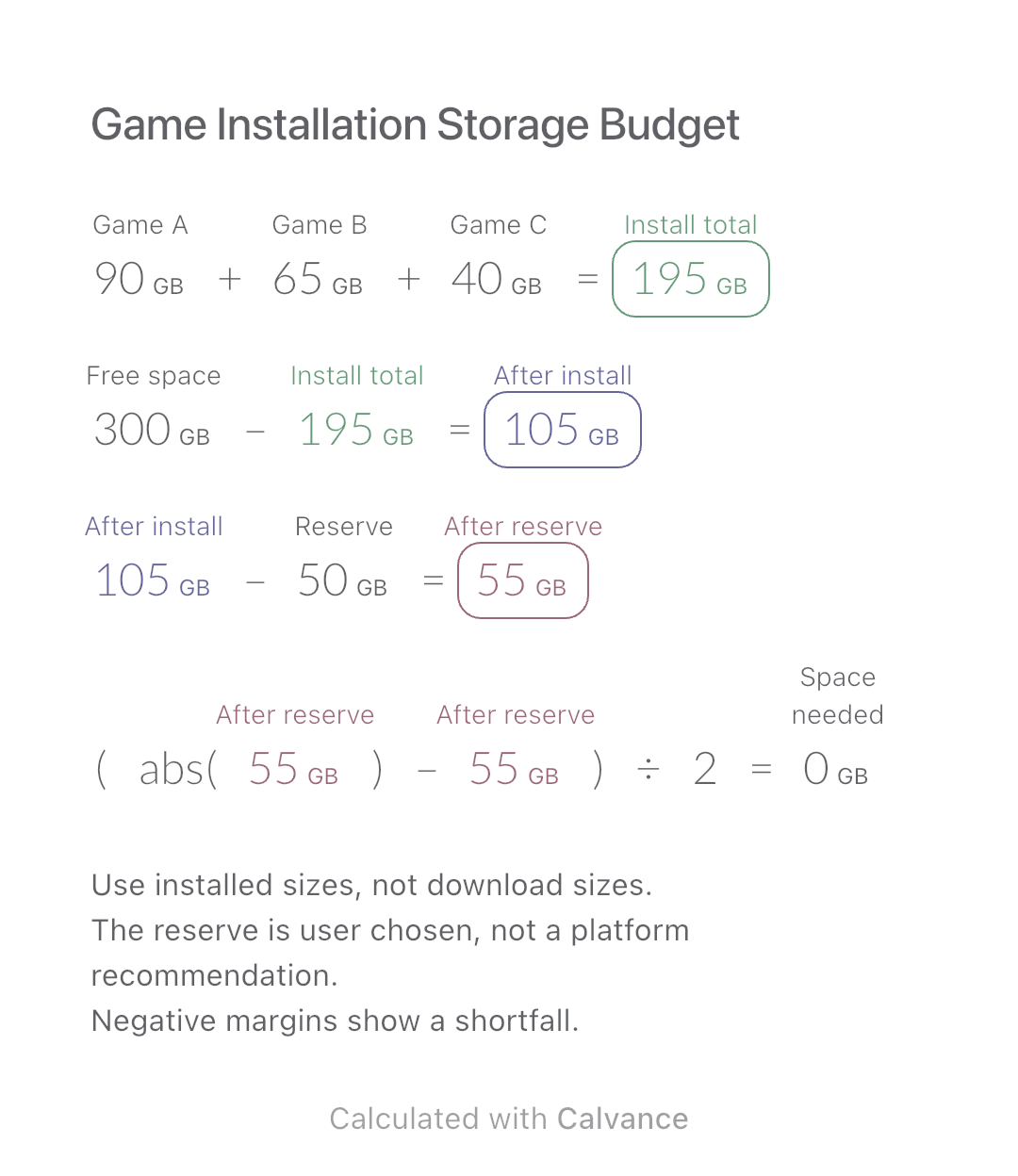
Add three game installation sizes, allow for your chosen reserve and check how much extra space you need before installing.
View template and methodChoose a plan when you need more canvases, high-resolution image exports, or sync across devices.