
Worked exampleExported from Calvance
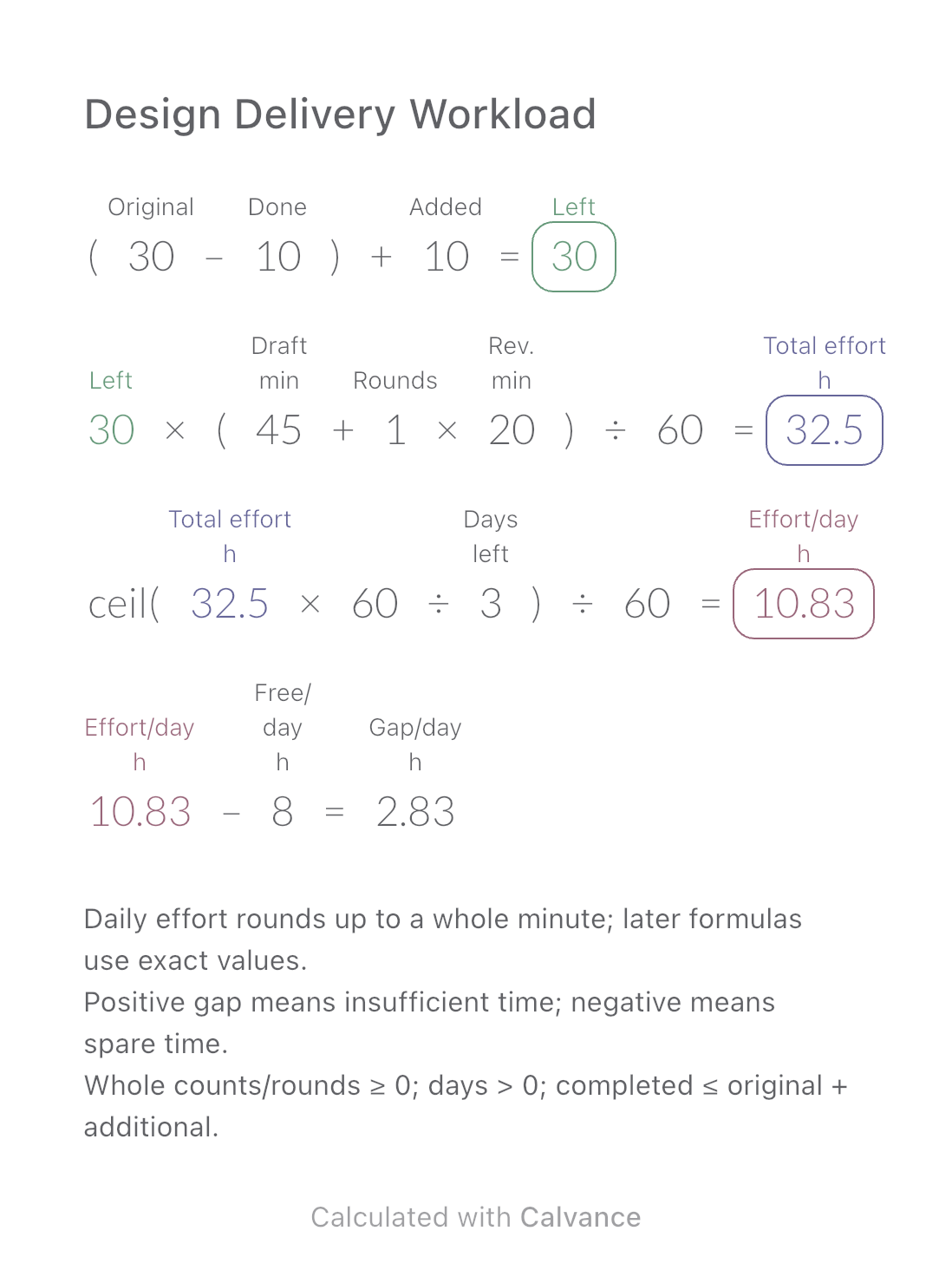
Design Delivery Workload
Estimate remaining design hours, daily effort and the gap against your available time when image quantities or revisions change.
View template and methodCompare the theoretical download time for one file at two connection speeds. Includes a worked example, Mbps-to-MB/s conversion and an editable Calvance canvas.
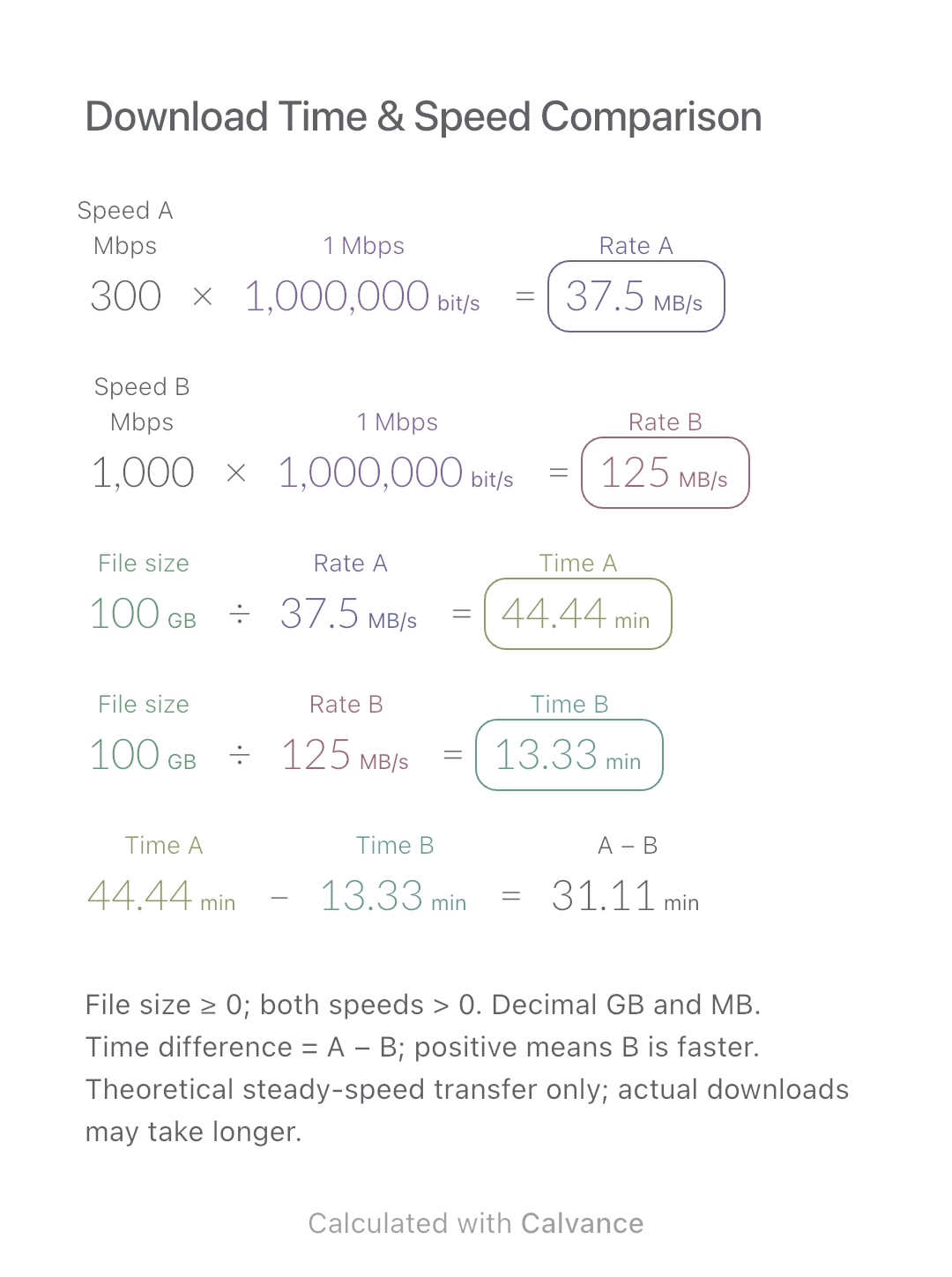
Exported by the iOS App After importing, edit the numbers in Calvance.
Compare how long a large game, video or backup would take at two steady download speeds. This page explains the calculation and provides a downloadable canvas; it does not run a speed test. The example uses 100 GB with 300 and 1,000 Mbps, not a promise about any internet plan.
| Inputs | Default |
|---|---|
| File size (GB) | 100 |
| Speed A (Mbps) | 300 |
| Speed B (Mbps) | 1,000 |
Enter both speeds as Mbps numbers. The shared fixed reference 1 Mbps = 1,000,000 bit/s gives each speed a data/time quantity; results convert to MB/s. Divide file size by each rate and display minutes. A minus B is the time difference. The default uses decimal GB and MB; the unit system handles byte/bit and time conversions.
300 [Speed A Mbps] × 1 Mbps → Converted speed A MB/s
1,000 [Speed B Mbps] × 1 Mbps → Converted speed B MB/s
100 [File size GB]/Converted speed A MB/s → Time A min
File size GB/Converted speed B MB/s → Time B min
Time A min - Time B min → Time difference (A − B) min
Change only the file size from 100 to 70 GB. The two converted speeds stay the same; both times and their difference fall to 70% of their original values. A takes about 31.11 min, B 9.33 min: a difference of about 21.78 min.
| Result | Default | Changed |
|---|---|---|
| Converted speed A (MB/s) | 37.5 | 37.5 |
| Converted speed B (MB/s) | 125 | 125 |
| Time A (min) | 44.44 | 31.11 |
| Time B (min) | 13.33 | 9.33 |
| Time difference (A − B) (min) | 31.11 | 21.78 |
Results are displayed to at most two decimal places; later formulas use unrounded values.
The model assumes a constant transfer speed. Server limits, shared bandwidth, Wi-Fi, storage and protocol overhead can increase elapsed time. Installation and decompression are excluded. A negative difference means B takes longer; equal speeds give zero. Use a nonnegative file size and strictly positive speeds. GB and GiB are different units; do not paste a GiB value into the GB input unchanged.
Download and import into Calvance to edit the numbers. The canvas does not reject every invalid input; check the stated ranges.
One byte contains eight bits. Lowercase b denotes bits; uppercase B denotes bytes. Dividing by 8 converts units, not network efficiency. It does not guarantee that a download will reach 125 MB/s.
1 GiB = 1.073741824 GB. Convert to GB before entering it; for example, 100 GiB = 107.3741824 GB. NIST defines the decimal and binary units. Alternatively, choose GiB as the file-size input unit and enter the original GiB value; the canvas converts it.
No. The fractional part is a fraction of a minute. The unrounded default time is 44 minutes 26.67 seconds, approximately. Use unrounded values for subsequent calculations.
We recommend using the latest version of Calvance.
Estimate remaining design hours, daily effort and the gap against your available time when image quantities or revisions change.
View template and method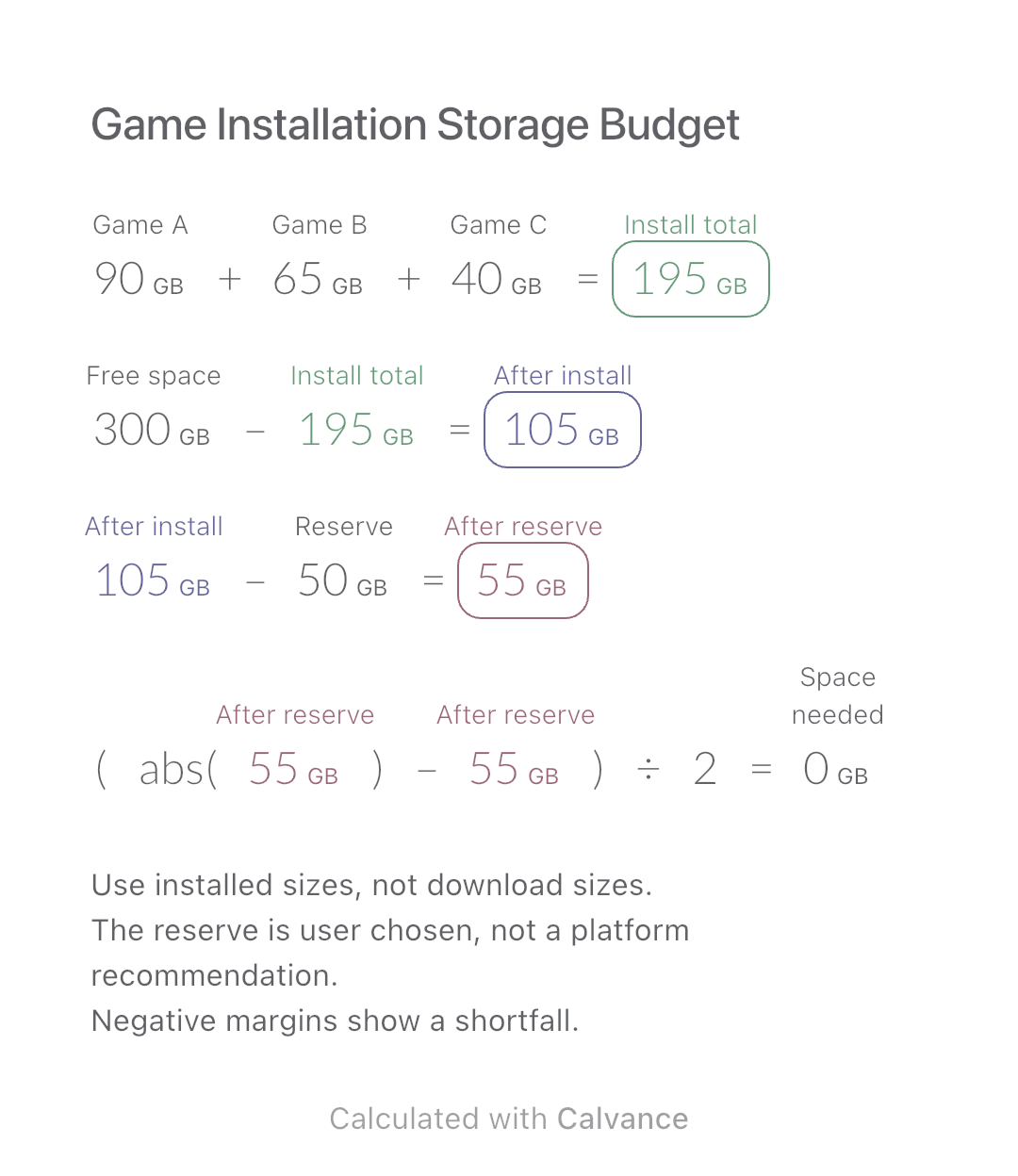
Add three game installation sizes, allow for your chosen reserve and check how much extra space you need before installing.
View template and method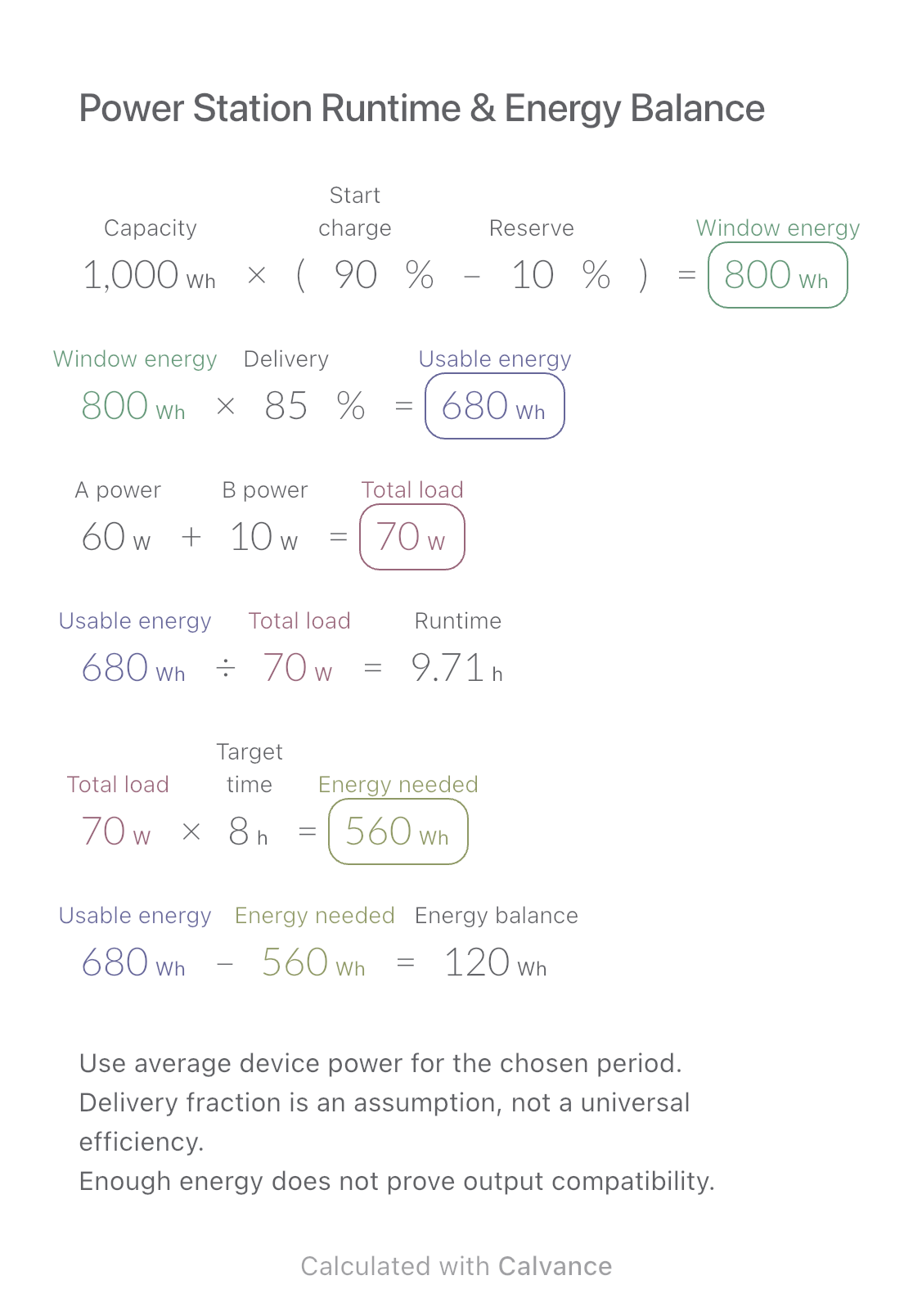
Estimate runtime for two average loads and compare deliverable energy with a target operating period.
View template and methodChoose a plan when you need more canvases, high-resolution image exports, or sync across devices.