
Worked exampleExported from Calvance
Time-lapse Shooting & Storage
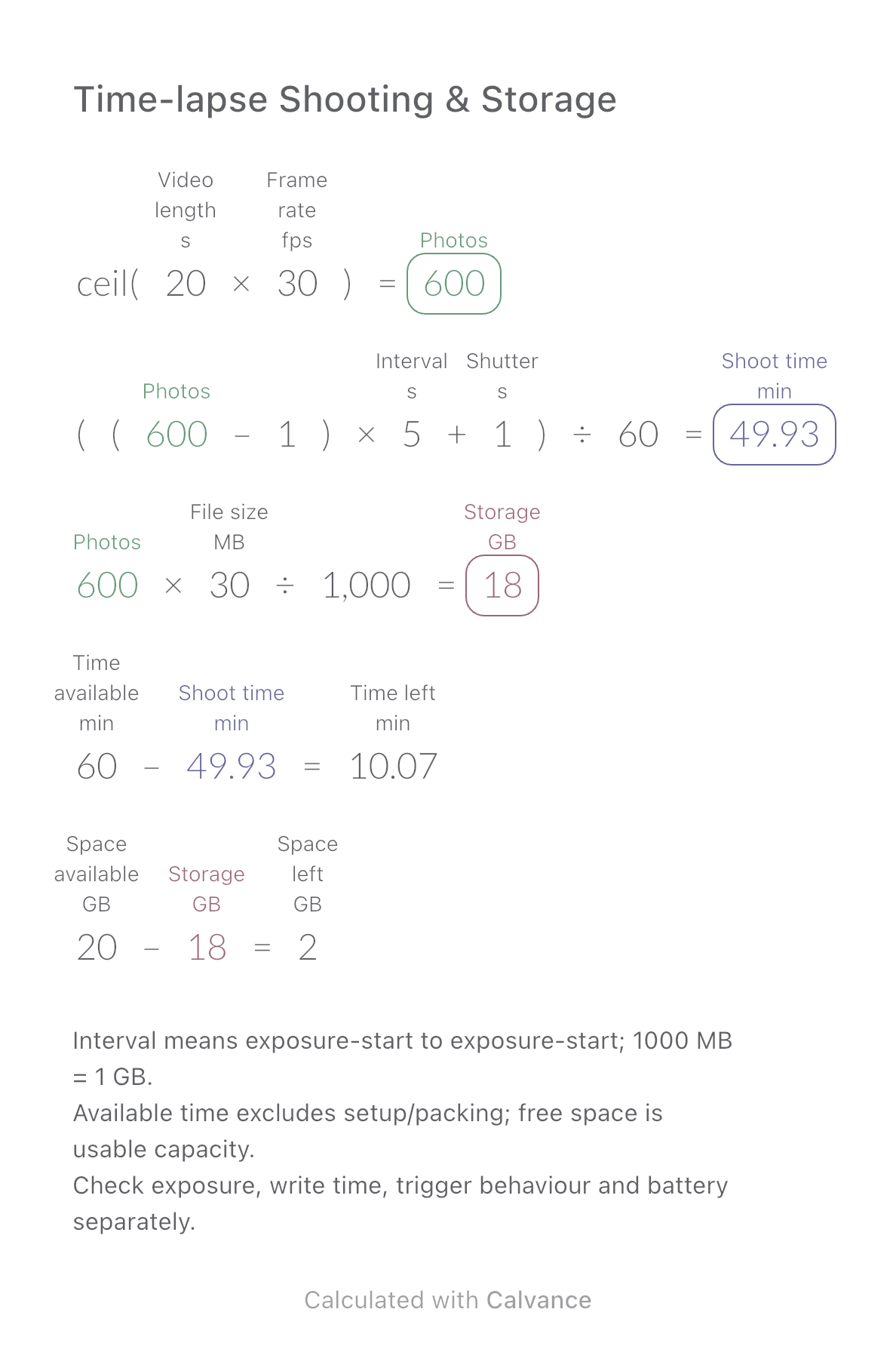
Plan photo count, shooting time and storage from final video length. Compare the plan with available minutes and free space.
View template and methodEstimate remaining design hours, daily effort and the gap against your available time when image quantities or revisions change.
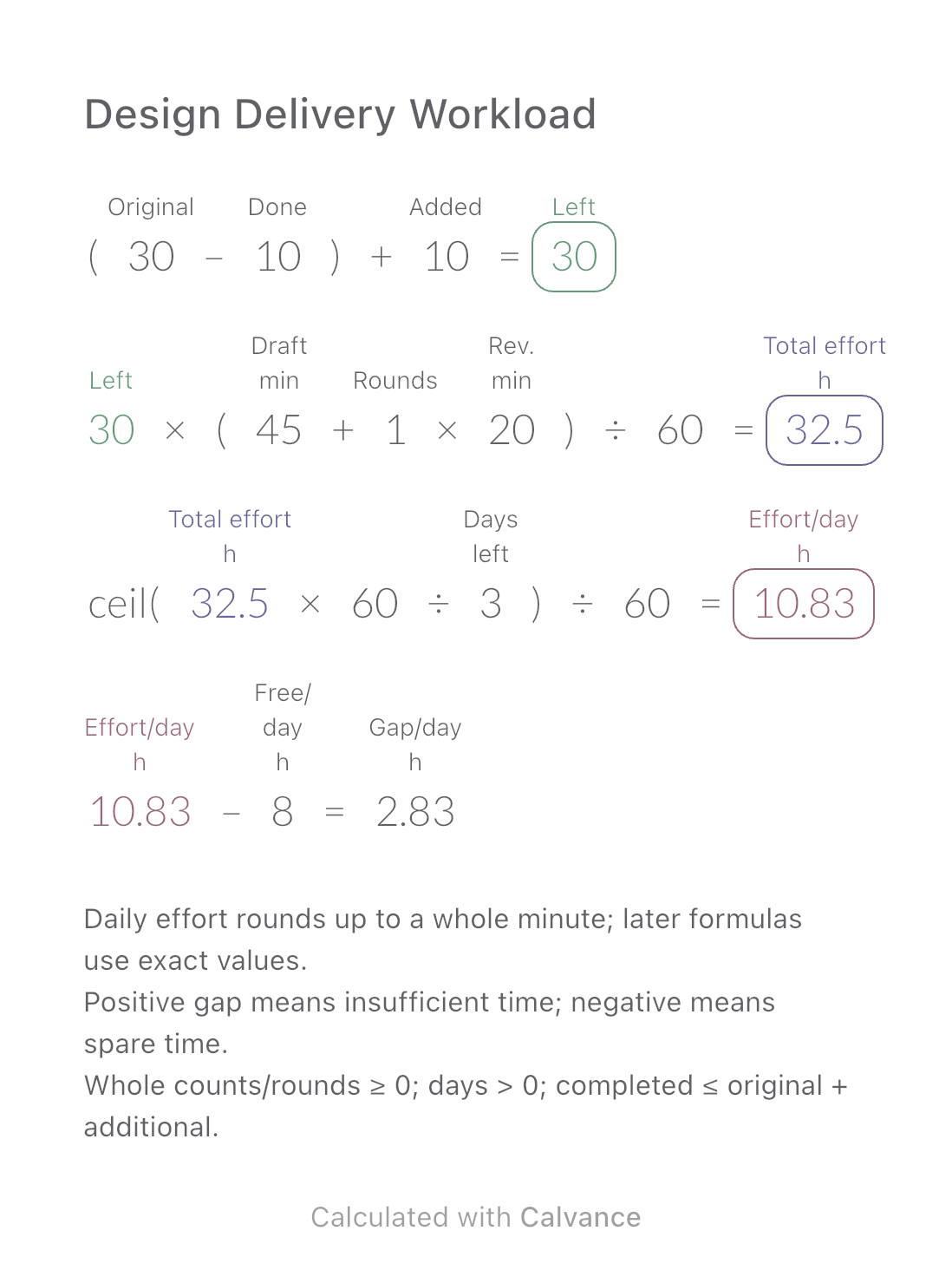
Exported by the iOS App After importing, edit the numbers in Calvance.
For a group of similar image-design tasks. Use your own recorded minutes per image and per revision round. Split dissimilar work into separate estimates; the sample times are not industry standards.
| Inputs | Default |
|---|---|
| Original | 30 |
| Completed images | 10 |
| Additional images | 10 |
| First-draft time per image (min) | 45 |
| Rounds | 1 |
| Revision time per image per round (min) | 20 |
| Days left | 3 |
| Available time per day (h) | 8 |
Remaining images = original − completed + additional. Multiply by first-draft minutes plus rounds × revision minutes, then divide by 60 for total hours. Divide total minutes by remaining days and round up to a whole minute before converting to hours. Daily requirement minus available daily hours is the gap.
(30 [Original] - 10 [Completed images]) + 10 [Additional images] → Remaining images
Remaining images × (45 [First-draft time per image min] + 1 [Rounds] × 20 [Revision time per image per round min])/60 → Total effort h
ceil(Total effort h × 60/3 [Days left])/60 → Effort/day h
Effort/day h - 8 [Available time per day h] → Gap/day h
Remove the 10 additional images. Daily work falls from 10 h 50 min to 7 h 14 min; against 8 available hours this changes a 2 h 50 min shortfall into 46 min spare. Decimal hours in the table are rounded for display only.
| Result | Default | Changed |
|---|---|---|
| Remaining images | 30 | 20 |
| Total effort (h) | 32.5 | 21.67 |
| Effort/day (h) | 10.83 | 7.23 |
| Gap/day (h) | 2.83 | -0.77 |
Results are displayed to at most two decimal places; later formulas use unrounded values.
Draft and revision times must be nonnegative. Available time excludes meetings, waiting and other projects. One revision time means minutes per image per round. The calculation distributes work evenly and does not model dependencies, fatigue or feedback delays; it does not guarantee a deadline or assume that adding people divides duration proportionally.
Download and import into Calvance to edit the numbers. The canvas does not reject every invalid input; check the stated ranges.
Plan photo count, shooting time and storage from final video length. Compare the plan with available minutes and free space.
View template and method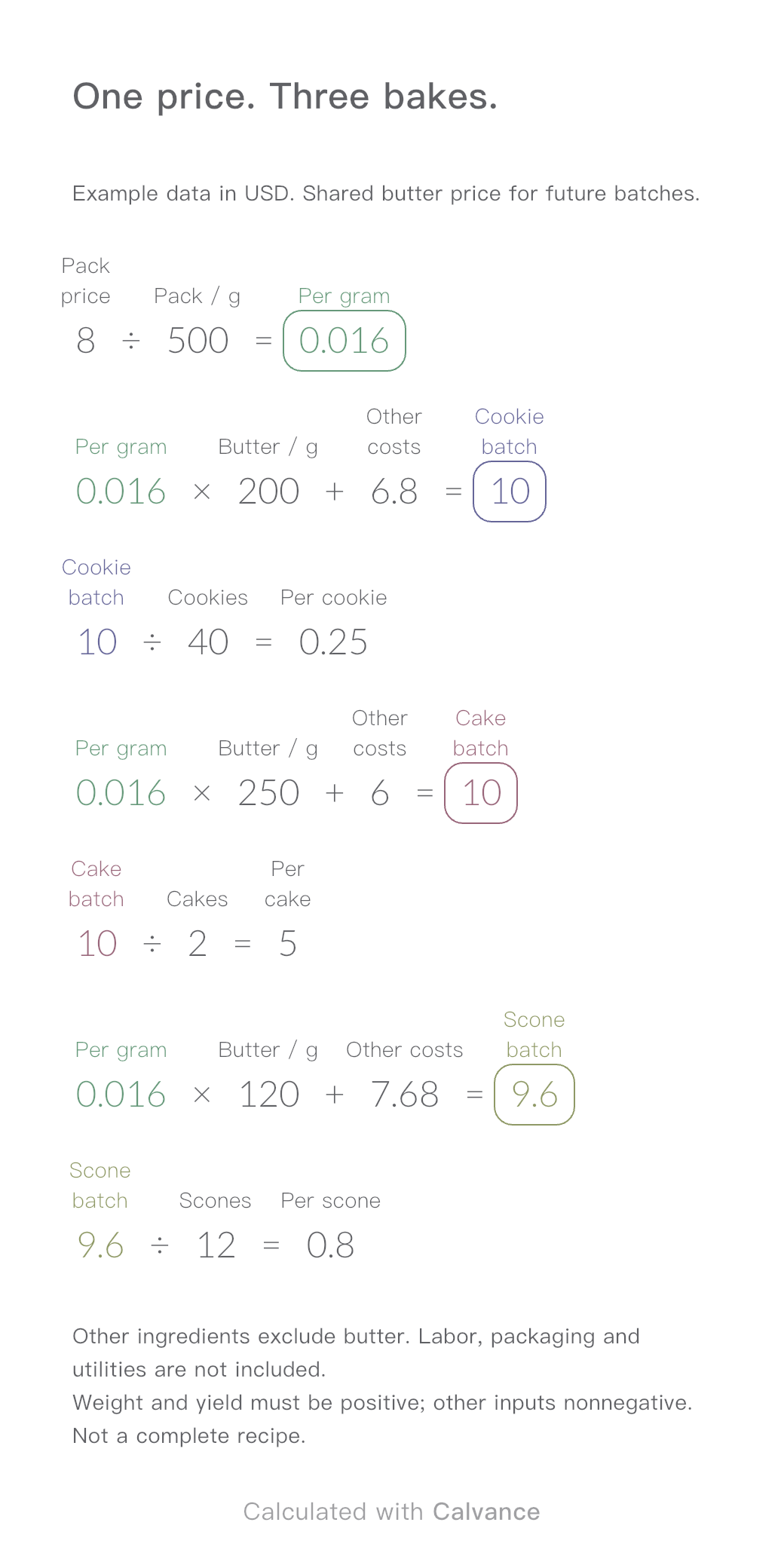
One ingredient price, three bakes. Change the butter price to update batch and per-serving costs.
View template and method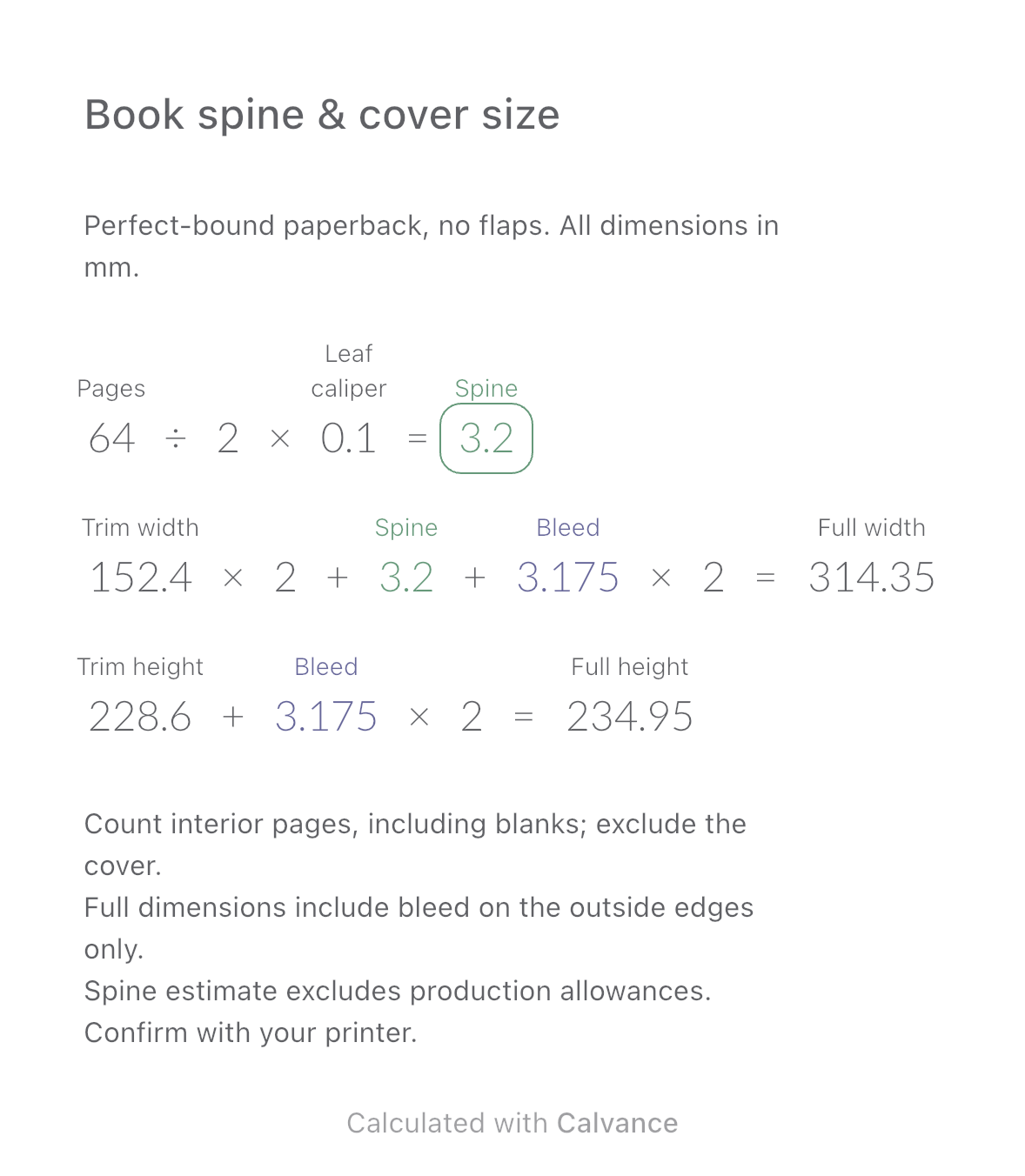
Estimate a perfect-bound book’s spine and full cover dimensions from page count, paper caliper and bleed. Compare changes and download a reusable Calvance canvas.
View template and methodChoose a plan when you need more canvases, high-resolution image exports, or sync across devices.