
Worked exampleExported from Calvance
Ad ROAS & Revenue Targets
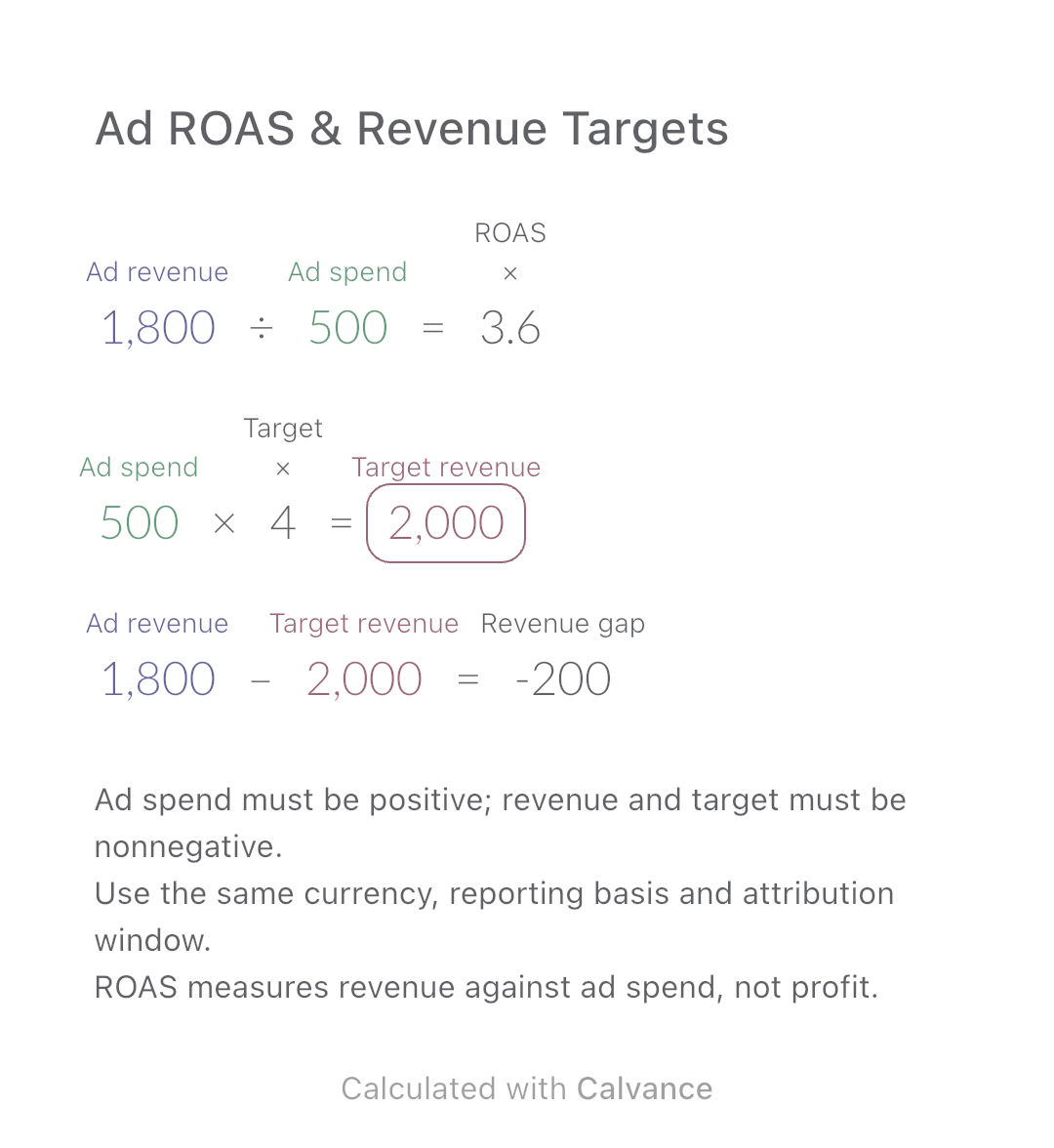
Calculate attributed revenue per advertising dollar and the gap to your own ROAS target. Includes a worked example, scope checks and an editable canvas.
View template and methodEstimate ad income from pageviews and page RPM, then calculate the pageviews needed for an income target. Includes assumptions, examples and a downloadable canvas.
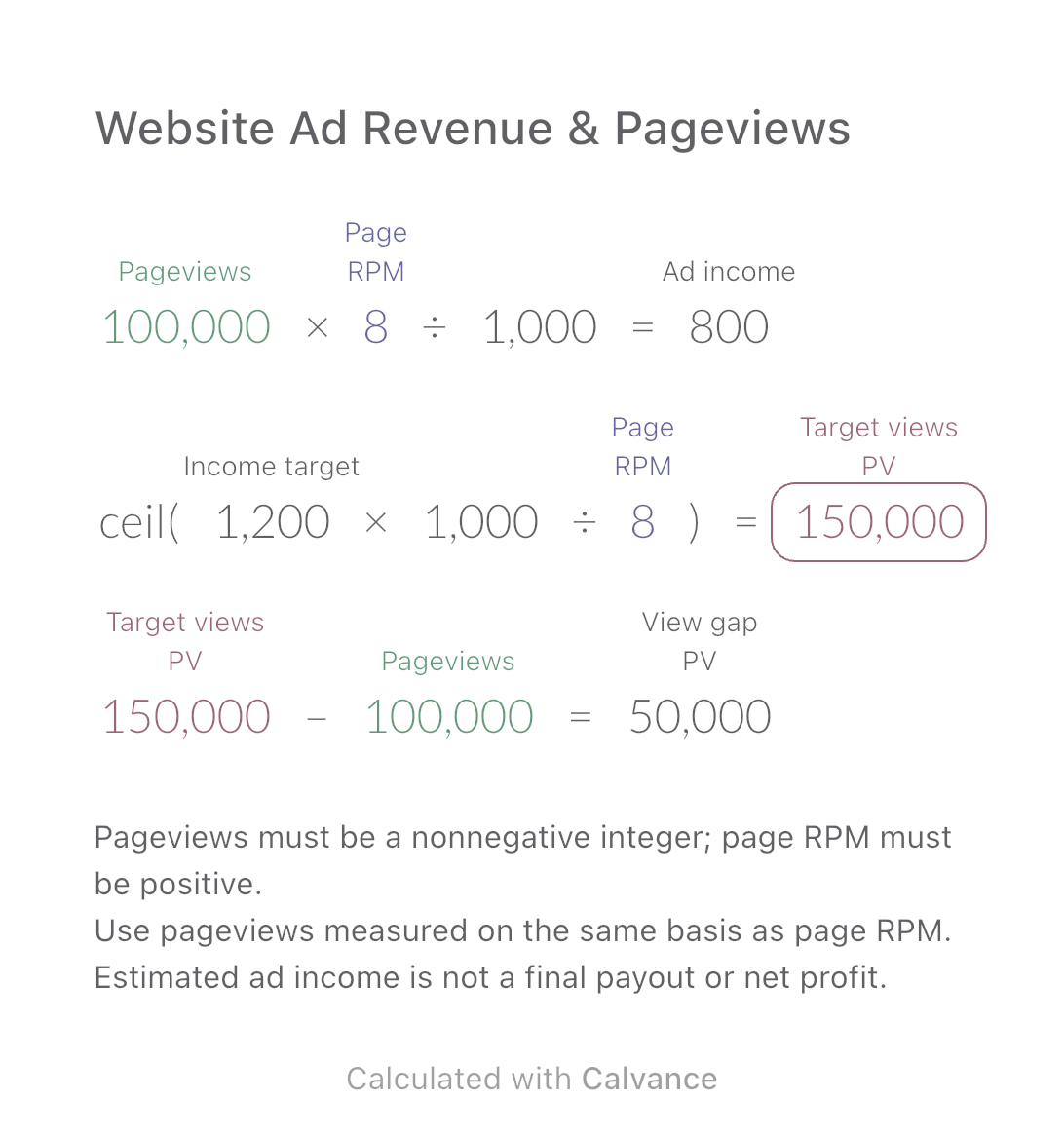
Exported by the iOS App After importing, edit the numbers in Calvance.
For website publishers estimating one period of advertising income from a known or assumed page RPM. PV means pageviews. The USD example uses invented values, not current advertising rates or guaranteed earnings.
USD
| Inputs | Default |
|---|---|
| Pageviews in the period | 100,000 |
| Revenue per 1,000 pageviews | 8 |
| Income target for the same period | 1,200 |
Income = pageviews × page RPM ÷ 1,000. Target pageviews = target income × 1,000 ÷ page RPM, rounded upward. View gap = target pageviews − entered pageviews. At 100,000 pageviews and $8 page RPM, income is $800; a $1,200 goal requires 150,000 pageviews, or 50,000 more.
100,000 [Pageviews in the period] × 8 [Revenue per 1,000 pageviews]/1000 → Estimated ad income
ceil(1,200 [Income target for the same period] × 1000/Revenue per 1,000 pageviews) → Whole pageviews needed PV
Whole pageviews needed PV - Pageviews in the period → Target minus entered pageviews PV
Change only page RPM from $8 to $10. Estimated income rises to $1,000 and the target requires 120,000 pageviews. This assumes the new RPM stays constant across the period, not that more traffic will necessarily earn that rate.
| Result | Default | Changed |
|---|---|---|
| Estimated ad income | 800 | 1,000 |
| Whole pageviews needed (PV) | 150,000 | 120,000 |
| Target minus entered pageviews (PV) | 50,000 | 20,000 |
Results are displayed to at most two decimal places; later formulas use unrounded values.
Target income must be nonnegative and use the same currency as RPM. Do not substitute users, sessions or ad impressions for pageviews. Do not multiply again by ad slots, clicks or fill rate: page RPM already spreads the measured revenue over those pageviews. Avoid subtracting a platform share twice. Season, traffic mix and ad delivery can change RPM; a historical rate is not a forecast guarantee.
Download and import into Calvance to edit the numbers. The canvas does not reject every invalid input; check the stated ranges.
No. Their denominators differ from pageviews. Use the page-RPM metric and a matching pageview count from the same reporting scope.
Income would be zero, but a positive income goal has no finite traffic target. The complete canvas requires positive RPM. With a zero goal the target is zero; a negative view gap means entered traffic already exceeds the modeled requirement.
Google AdSense defines page RPM. The two estimates rearrange that definition.
For the advertiser’s spend-to-revenue ratio, see ad ROAS.
Calculate attributed revenue per advertising dollar and the gap to your own ROAS target. Includes a worked example, scope checks and an editable canvas.
View template and method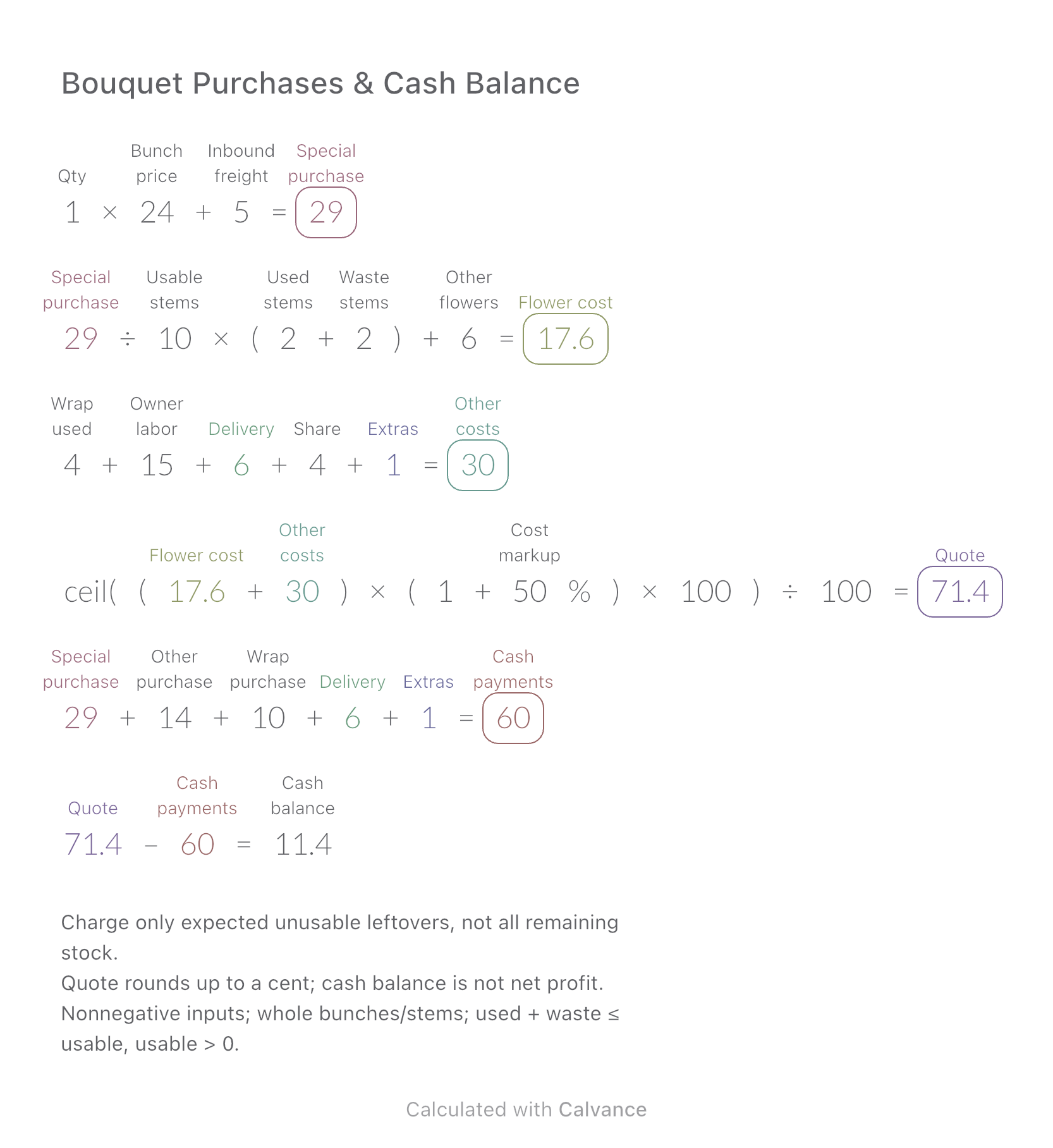
Compare the cost of flowers used in one bouquet with the cash needed to buy whole bunches and packaging.
View template and method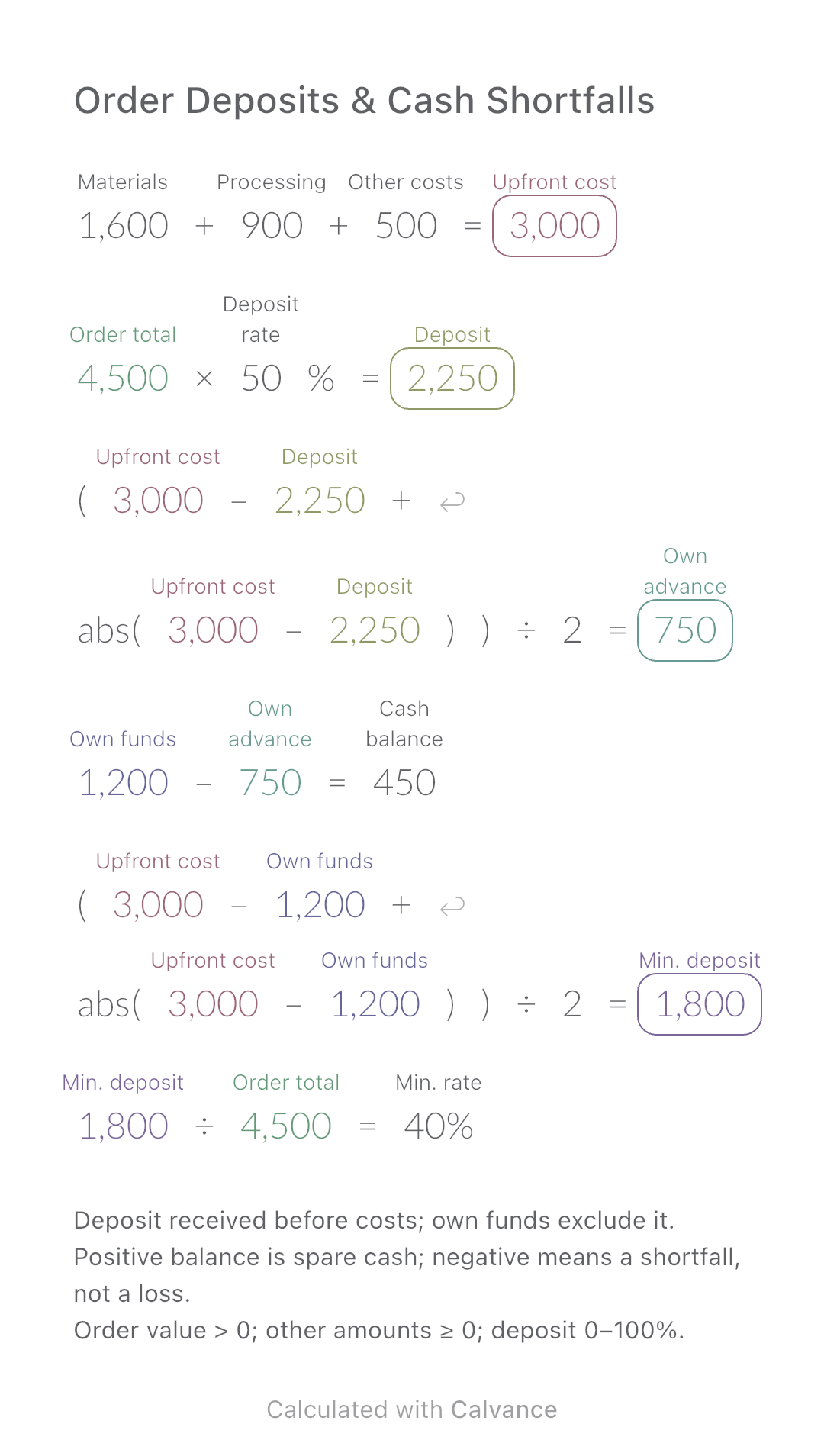
Calculate how much of an order you must fund yourself and the minimum customer deposit needed before production.
View template and methodChoose a plan when you need more canvases, high-resolution image exports, or sync across devices.