
Worked exampleExported from Calvance
Aquarium Water & Bucket Fills
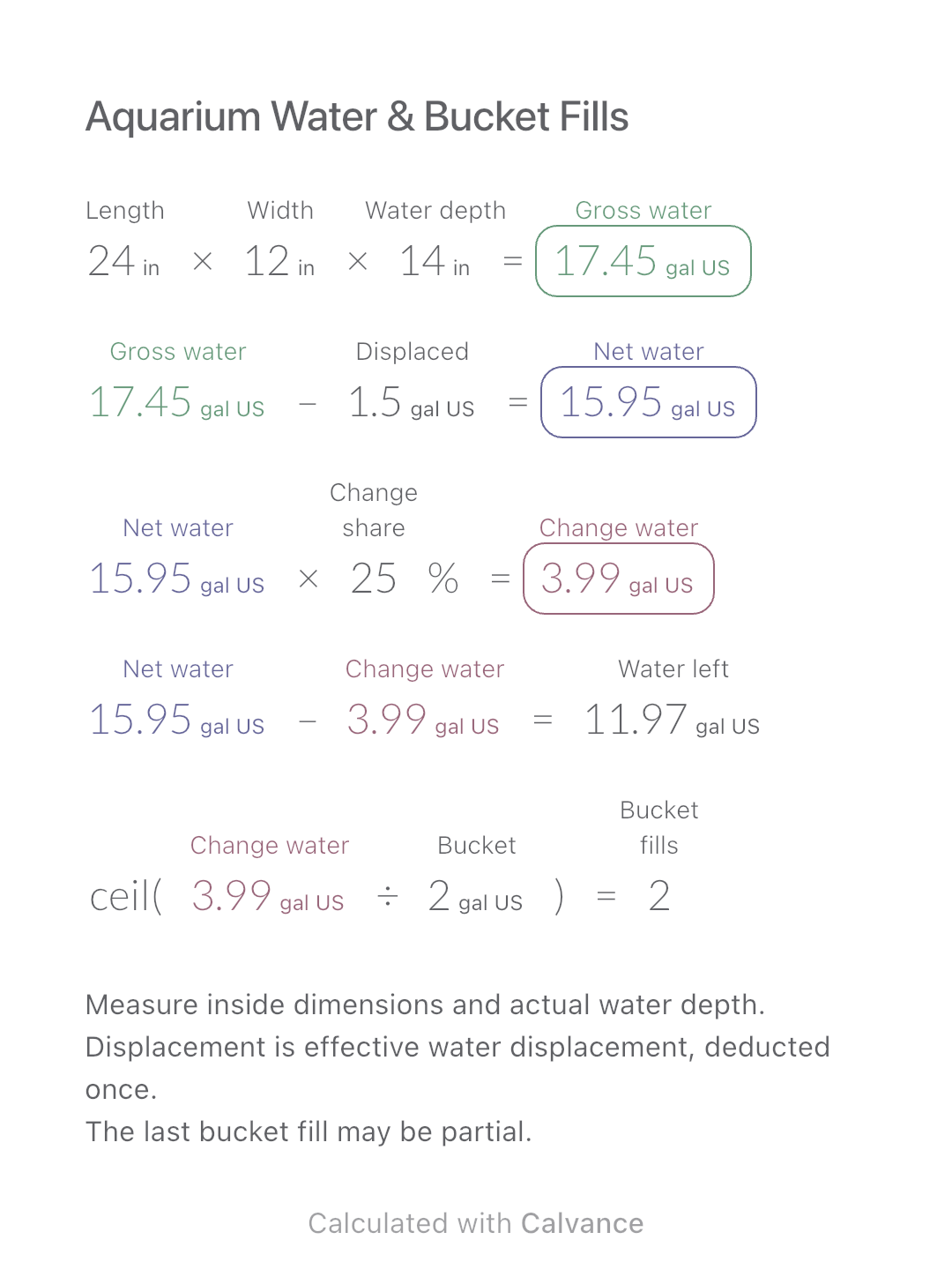
Estimate rectangular aquarium water volume, choose a water-change share and work out how many bucket fills to prepare.
View template and methodFind fabric length and payment for identical rectangular pieces, using usable width, fixed cutting direction and the seller’s cut increment.
Exported by the iOS App After importing, edit the numbers in Calvance.
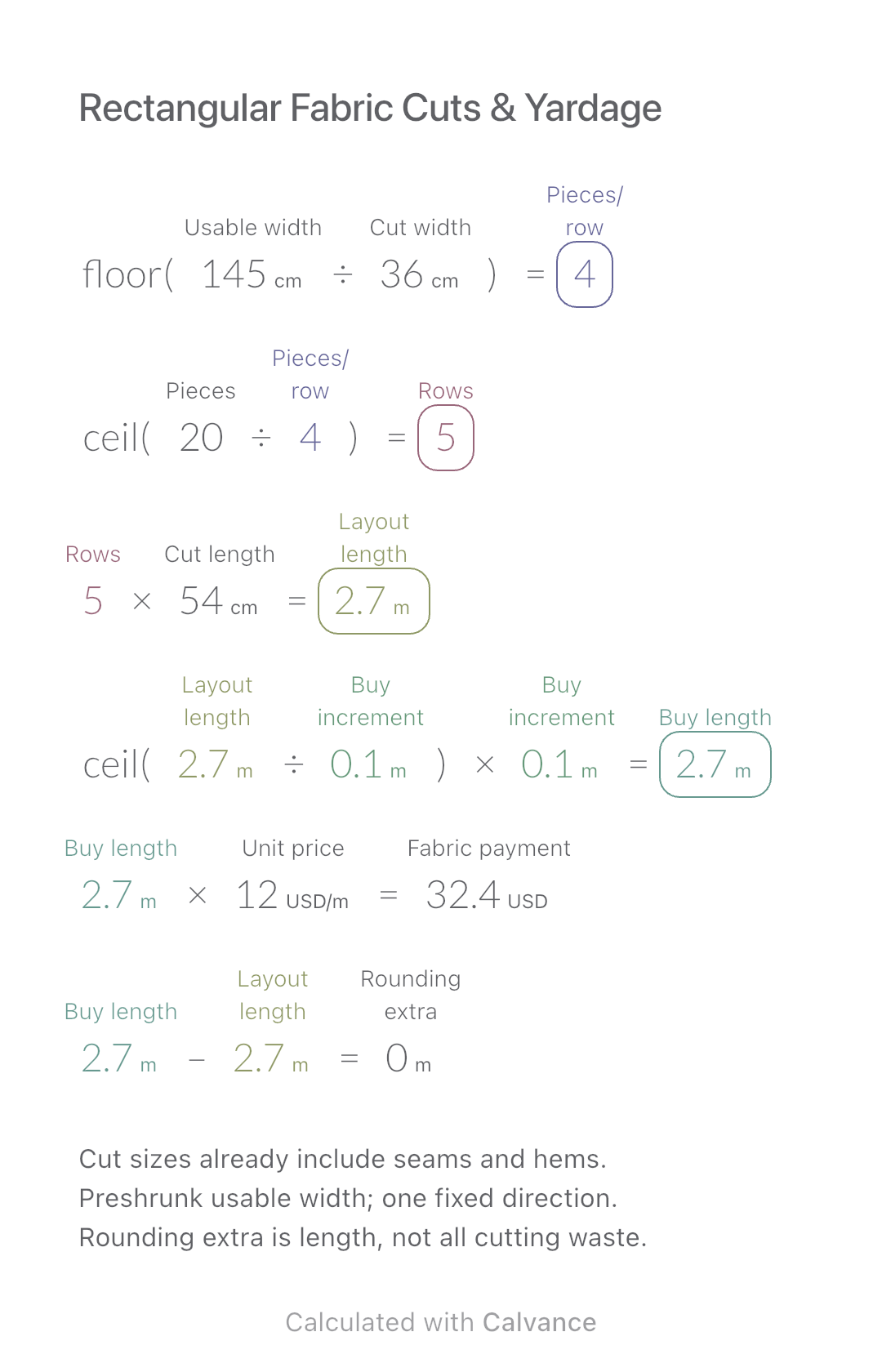
Use this for repeated rectangular cuts on already preshrunk fabric. Enter cut sizes including all seam and hem allowances; usable width excludes unusable selvages. Cut width runs across the roll and cut length along it.
Prices are illustrative USD per metre, not market quotes. All example dimensions are metric. Related: Fabric Shrinkage and Fabric Weight & Price.
USD
| Inputs | Default |
|---|---|
| Usable fabric width (cm) | 145 |
| Cut-piece width, including allowances (cm) | 36 |
| Number of pieces | 20 |
| Cut-piece length, including allowances (cm) | 54 |
| Purchase increment (m) | 0.1 |
| Price per metre (USD/m) | 12 |
Pieces per row = floor(usable width/cut width). Rows = ceil(quantity/pieces per row); layout length = rows × cut length. Round that length up to the buying increment, then multiply by price per metre. With 145 cm width, 36 × 54 cm cuts and 20 pieces: 4 across, 5 rows, 2.7 m purchased, USD 32.40.
floor(145 [Usable fabric width cm]/36 [Cut-piece width, including allowances cm]) → Pieces across each row
ceil(20 [Number of pieces]/Pieces across each row) → Whole rows required
Whole rows required × 54 [Cut-piece length, including allowances cm] → Length occupied by the rows m
ceil(Length occupied by the rows m/0.1 [Purchase increment m]) × Purchase increment m → Length to purchase m
Length to purchase m × 12 [Price per metre USD/m] → Fabric purchase payment USD
Length to purchase m-Length occupied by the rows m → Length added by purchase rounding m
Change only quantity from 20 to 21. Six rows need 3.24 m; buying in 0.1 m increments gives 3.3 m and USD 39.60. Increment rounding adds 0.06 m.
| Result | Default | Changed |
|---|---|---|
| Pieces across each row | 4 | 4 |
| Whole rows required | 5 | 6 |
| Length occupied by the rows (m) | 2.7 | 3.24 |
| Length to purchase (m) | 2.7 | 3.3 |
| Fabric purchase payment (USD) | 32.4 | 39.6 |
| Length added by purchase rounding (m) | 0 | 0.06 |
Results are displayed to at most two decimal places; later formulas use unrounded values.
All lengths and the buying increment must be positive; quantity is a nonnegative integer and price nonnegative. At least one piece must fit across. This single-layer grid does not rotate pieces or optimize garment patterns. It excludes pattern matching, nap, defects, extra cutting gaps and further shrinkage. The final row may be partial. Payment is for fabric purchased, not material used or a complete product quote.
Fabric preparation and grain: USU Extension.
Download and import into Calvance to edit the numbers. The canvas does not reject every invalid input; check the stated ranges.
Use the complete cut dimensions, including seams and hems. Adding the same allowance again overestimates the rectangles.
That gives an area lower bound, not a workable row layout. Full pieces across the width and whole rows can require more length.
We recommend using the latest version of Calvance.
Estimate rectangular aquarium water volume, choose a water-change share and work out how many bucket fills to prepare.
View template and method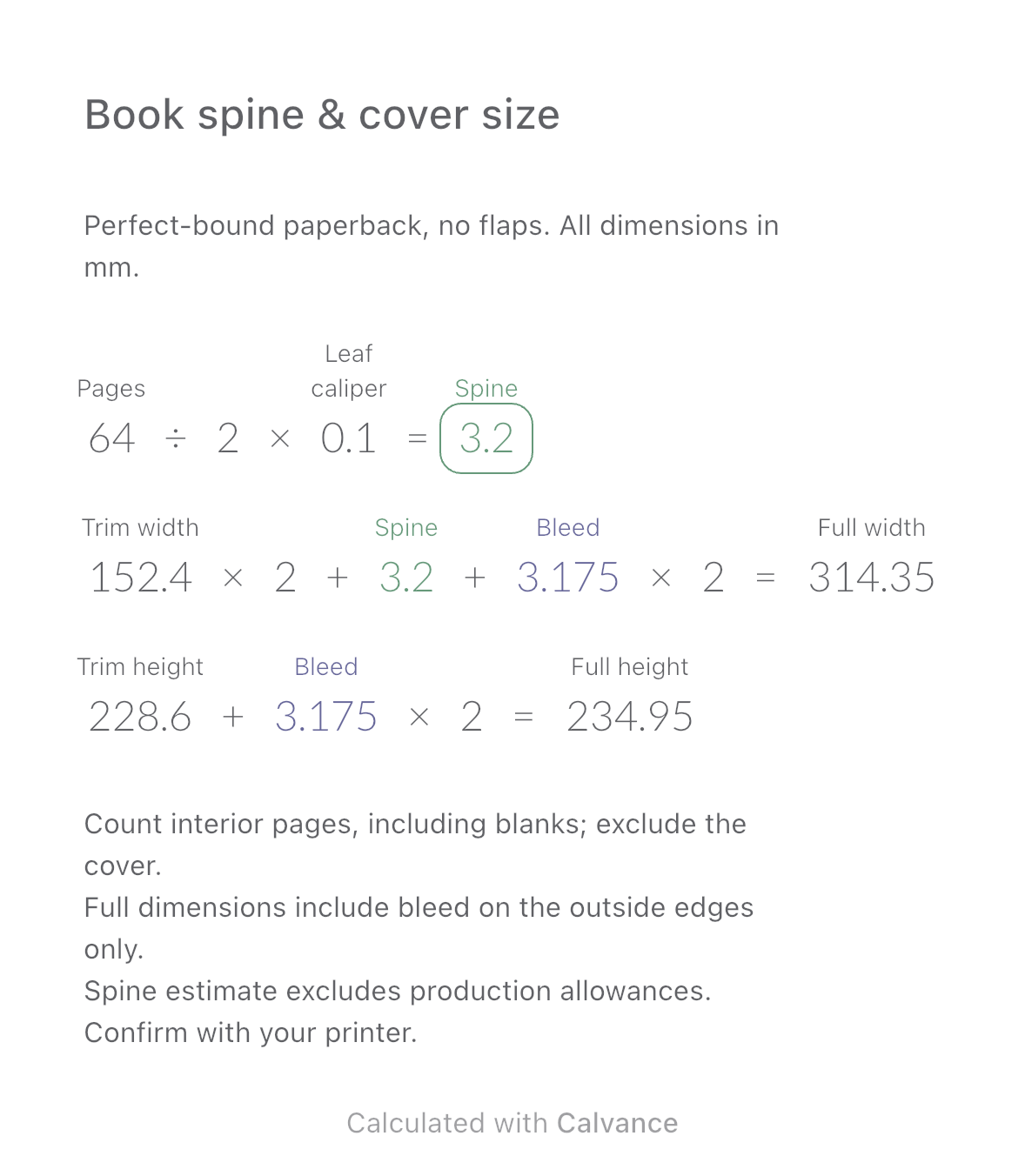
Estimate a perfect-bound book’s spine and full cover dimensions from page count, paper caliper and bleed. Compare changes and download a reusable Calvance canvas.
View template and method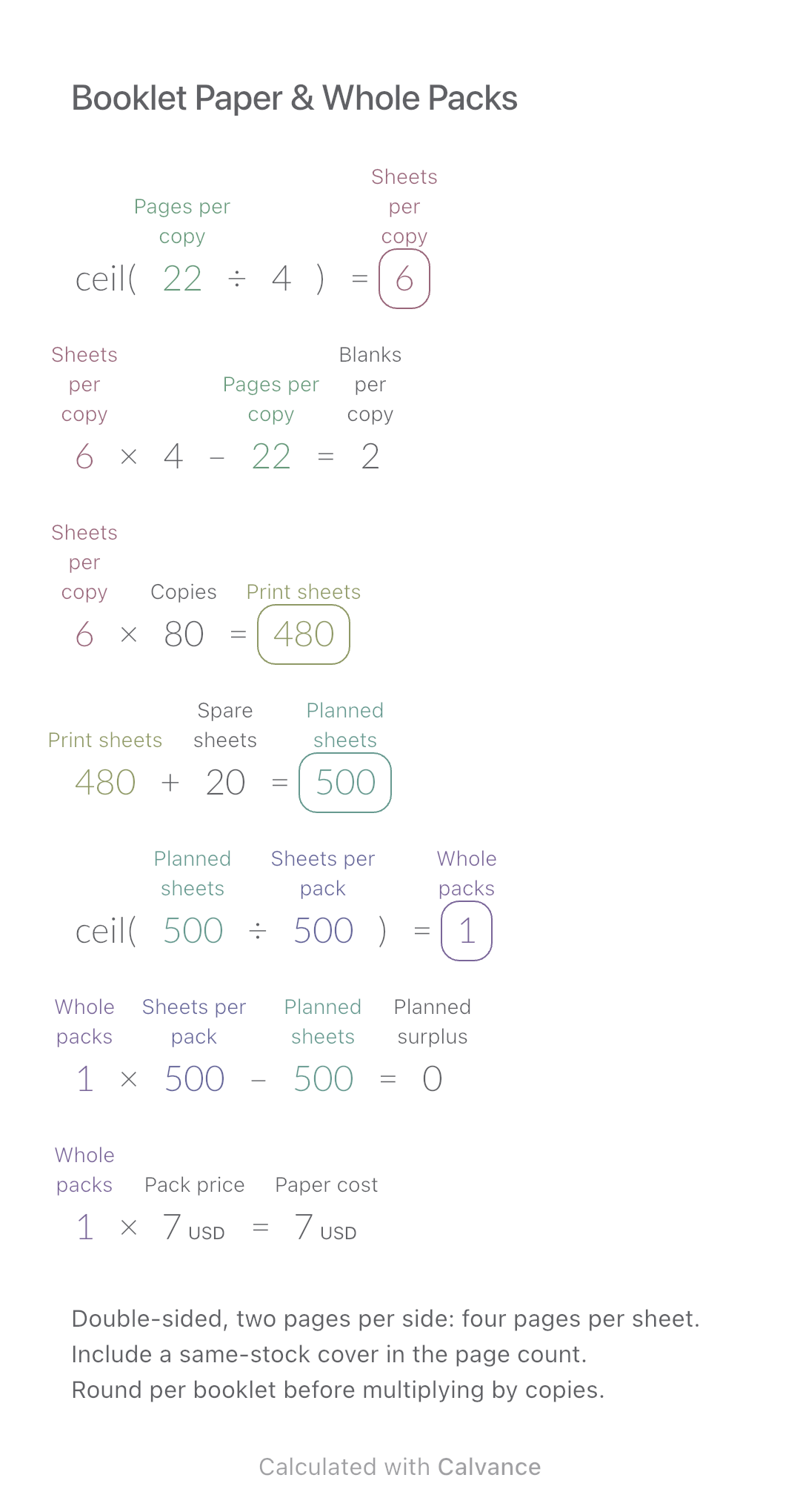
Convert booklet pages and copies into physical sheets, blank pages, whole paper packs and purchase cost.
View template and methodChoose a plan when you need more canvases, high-resolution image exports, or sync across devices.