
Worked exampleExported from Calvance
Baking Ingredient Costs
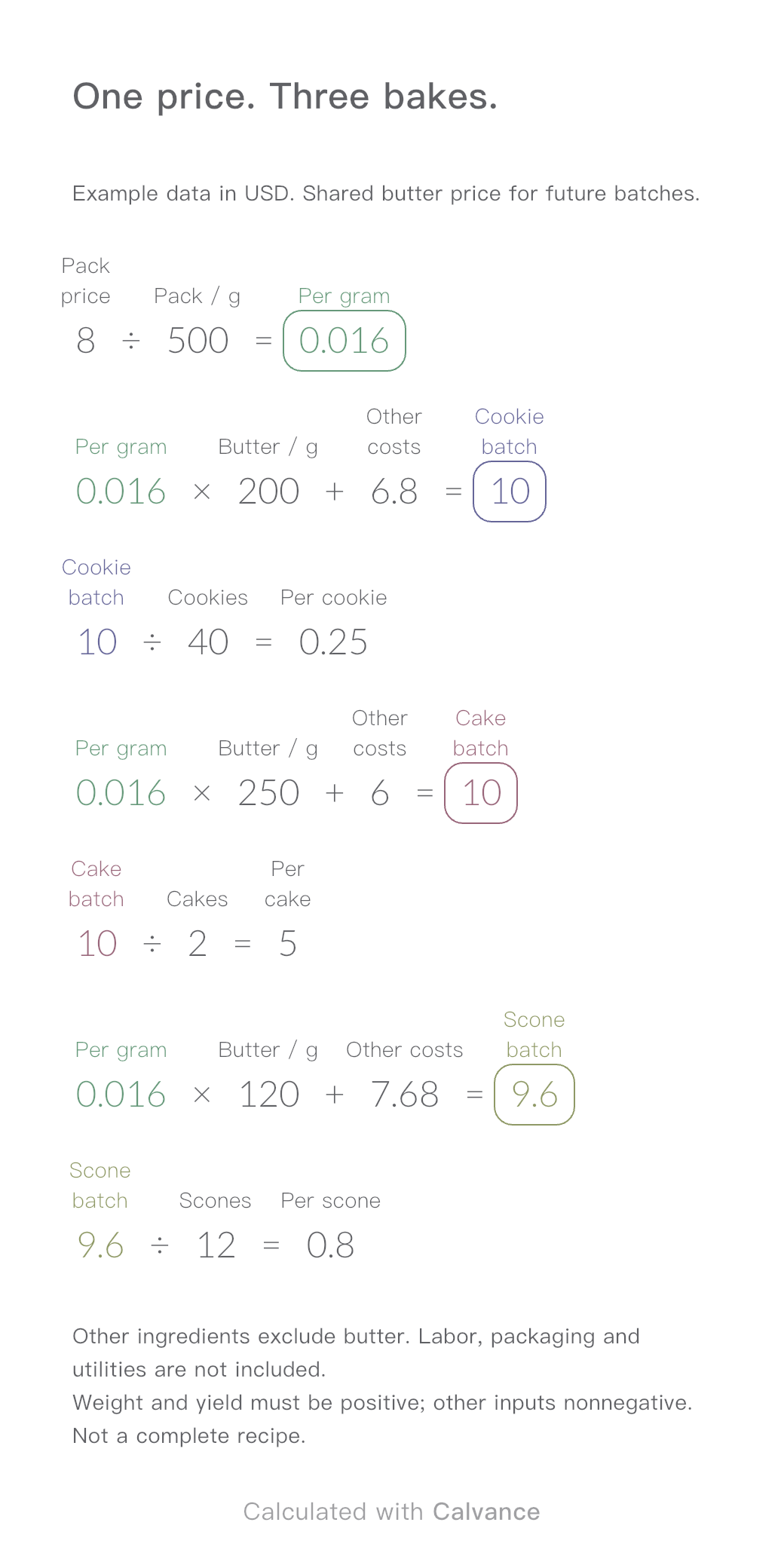
One ingredient price, three bakes. Change the butter price to update batch and per-serving costs.
View template and methodCompare two packaging quotes, total spend, budget gaps and cost per box. Includes a worked example and an editable Calvance canvas.
Exported by the iOS App After importing, edit the numbers in Calvance.
Use two confirmed quotes for the same specification. A lower price per box can still require more cash and leave excess inventory. Quantities must be positive integers; prices and budget nonnegative. Values are illustrative, not supplier quotes.
USD
| Inputs | Default |
|---|---|
| A quantity | 500 |
| Unit price A | 0.75 |
| B quantity | 1,000 |
| Unit price B | 0.6 |
| Setup fee | 60 |
| A shipping | 40 |
| B shipping | 70 |
| Budget | 650 |
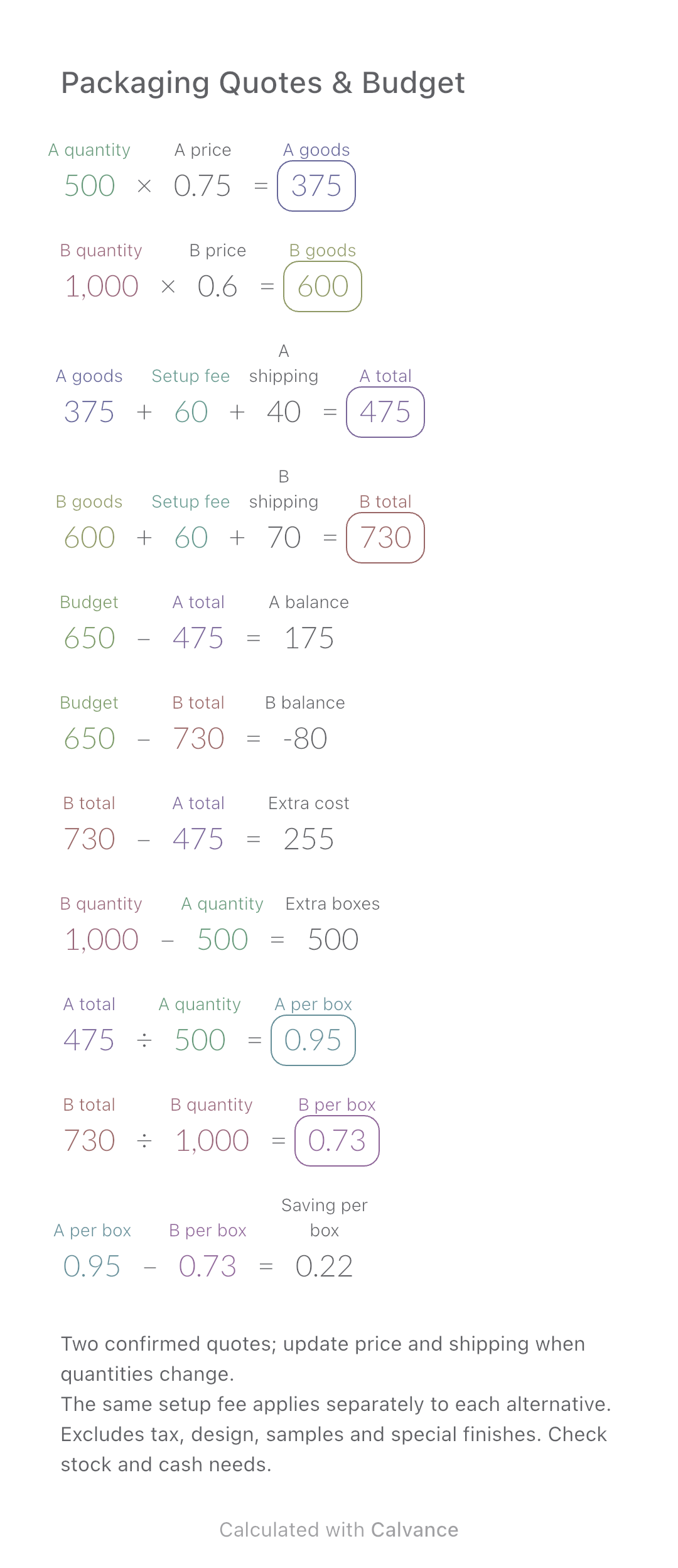
Goods = quantity × unit price. Add setup and shipping for each alternative separately. Budget minus total gives the balance; a negative balance means a shortfall. Compare B minus A for extra spend and boxes, and A minus B for the saving per box.
500 [A quantity] × 0.75 [Unit price A] → A goods
1,000 [B quantity] × 0.6 [Unit price B] → B goods
A goods + 60 [Setup fee] + 40 [A shipping] → A total
B goods + Setup fee + 70 [B shipping] → B total
650 [Budget] - A total → A balance
Budget - B total → B balance
B total - A total → Extra cost
B quantity - A quantity → Extra boxes
A total/A quantity → A per box
B total/B quantity → B per box
A per box - B per box → Saving per box
Increase only the budget by 200 in the example currency. Totals and unit costs stay unchanged; both balances increase by 200. If changing order quantities, obtain the matching unit price and shipping quote too.
| Result | Default | Changed |
|---|---|---|
| A goods | 375 | 375 |
| B goods | 600 | 600 |
| A total | 475 | 475 |
| B total | 730 | 730 |
| A balance | 175 | 375 |
| B balance | -80 | 120 |
| Extra cost | 255 | 255 |
| Extra boxes | 500 | 500 |
| A per box | 0.95 | 0.95 |
| B per box | 0.73 | 0.73 |
| Saving per box | 0.22 | 0.22 |
Results are displayed to at most two decimal places; later formulas use unrounded values.
Download and import into Calvance to edit the numbers. The canvas does not reject every invalid input; check the stated ranges.
One ingredient price, three bakes. Change the butter price to update batch and per-serving costs.
View template and method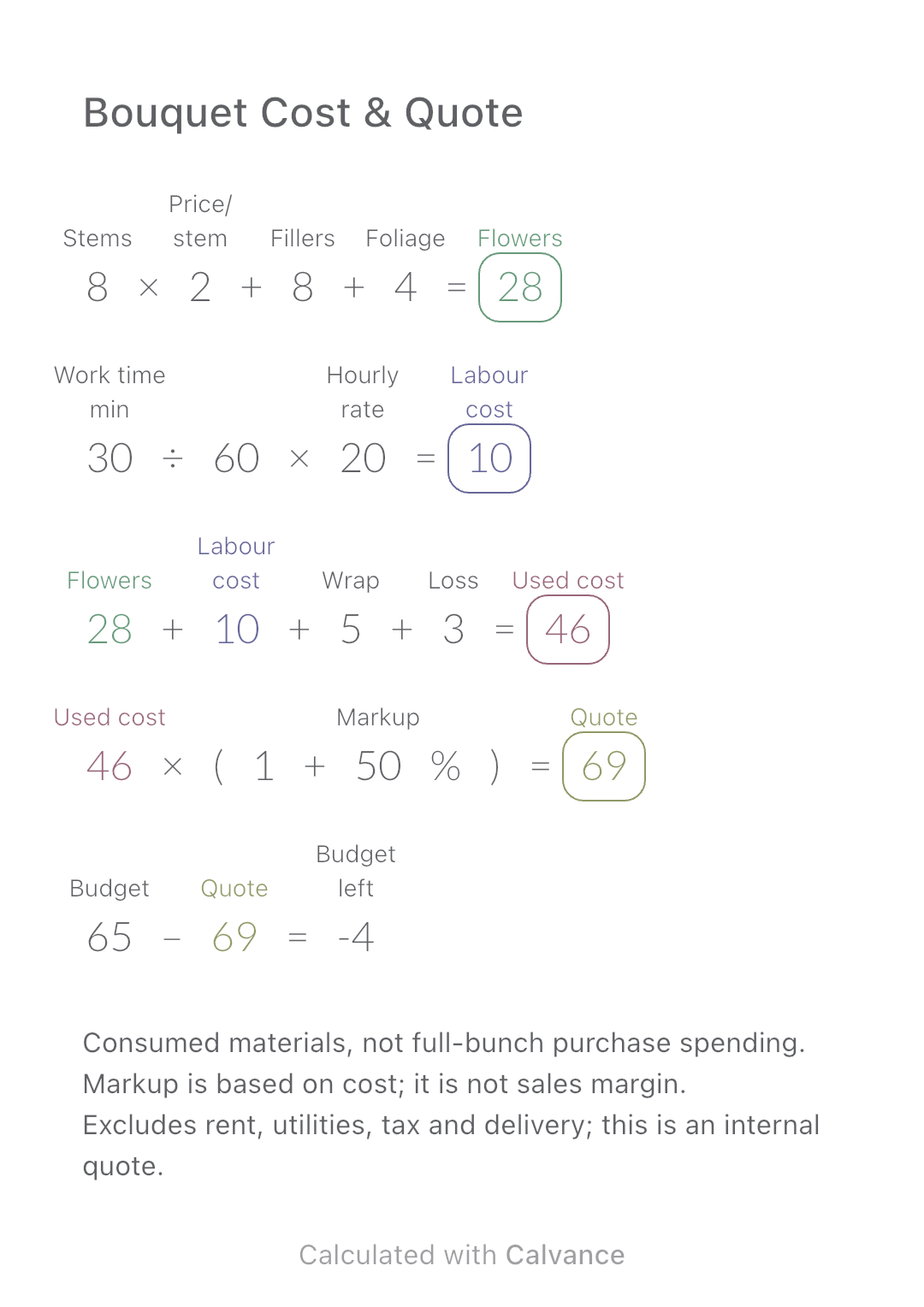
Add flower consumption, labour, wrapping and loss to build an internal bouquet quote, then compare it with a customer budget.
View template and method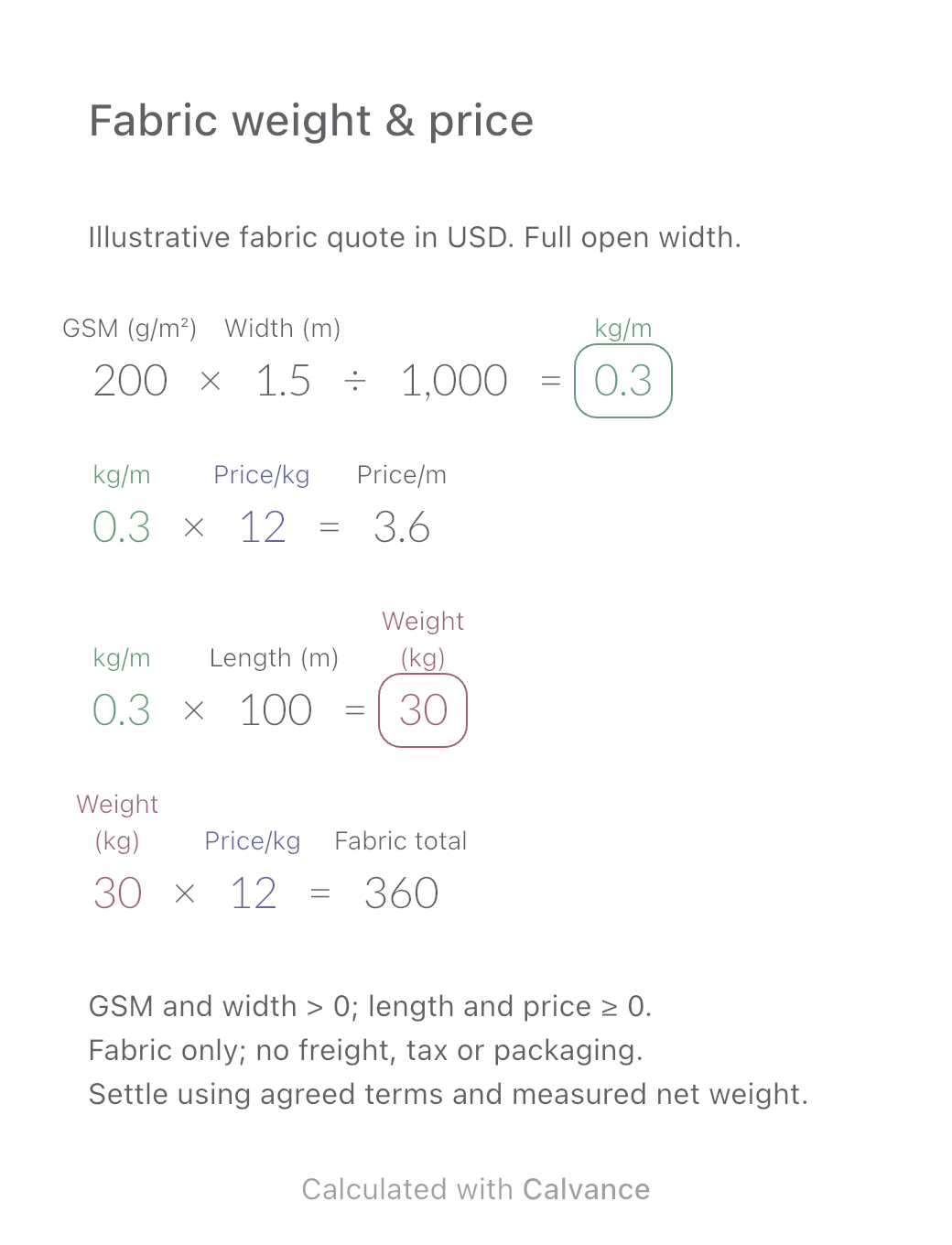
Convert a fabric quote per kilogram into a price per metre using GSM and open width. Estimate order weight and fabric cost, then download the reusable Calvance canvas.
View template and methodChoose a plan when you need more canvases, high-resolution image exports, or sync across devices.