
Worked exampleExported from Calvance
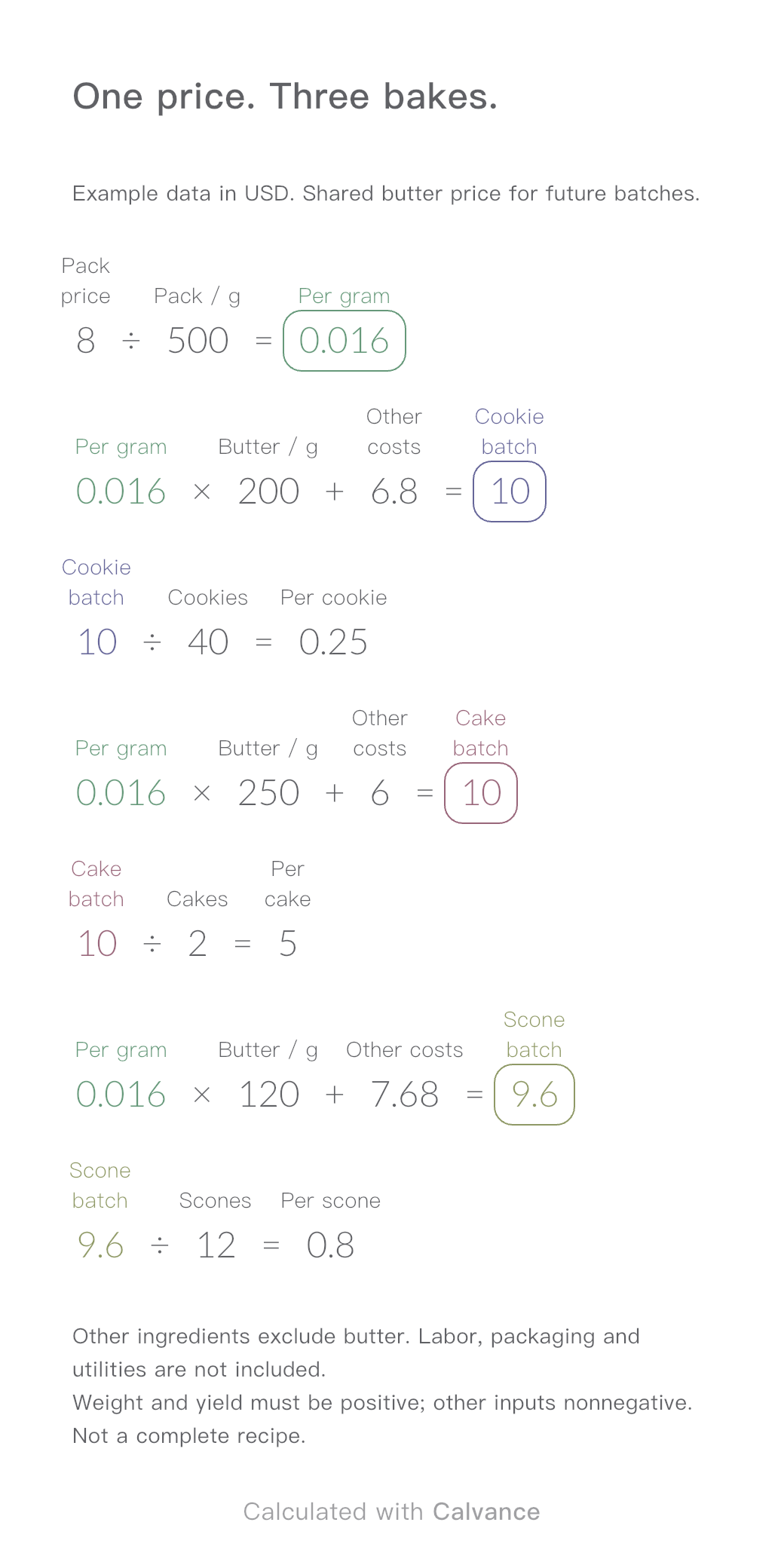
Baking Ingredient Costs
One ingredient price, three bakes. Change the butter price to update batch and per-serving costs.
View template and methodCalculate lifestyle photography, white-background shots, extra retouching, and a fixed setup fee. Compare quotes for 8 and 12 products, then download an editable Calvance canvas.
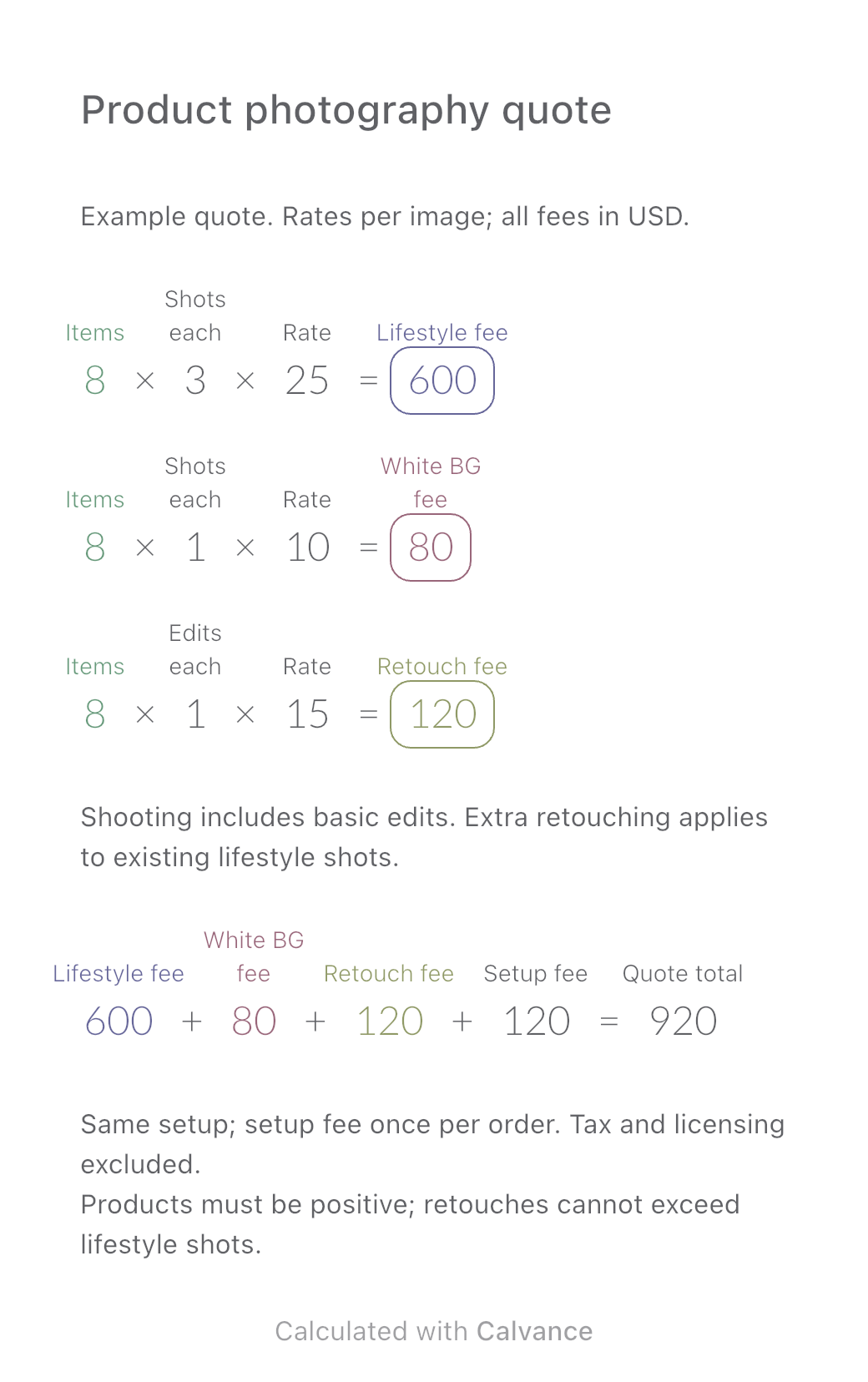
Exported from Calvance using the template’s default 8-product example. Rates are illustrative, not market prices. After importing, edit the numbers in Calvance.
Use this for products sharing one setup, with the same number of lifestyle and white-background images per product, plus extra retouching on some lifestyle shots. When the client adds products, the template updates three service fees and adds the setup fee once per order.
It suits agreed per-image pricing and similar requirements across products. The rates and image counts are illustrative. Replace them with the scope and rates agreed with your client.
The default has 8 products, each with 3 lifestyle shots, 1 white-background shot, and extra retouching on 1 of the lifestyle shots. Example money is in US dollars (USD). To use another currency, change all monetary inputs and labels consistently; no exchange-rate conversion is performed.
| Input | Default | What it means |
|---|---|---|
| Product count | 8 | A positive integer shared by all three service fees |
| Lifestyle shots per product | 3 | Delivered lifestyle images for each product |
| Lifestyle rate | $25/image | Includes basic editing in this example |
| White-background shots per product | 1 | Delivered white-background images for each product |
| White-background rate | $10/image | Includes basic editing in this example |
| Extra retouches per product | 1 | Selected from the lifestyle shots; not additional deliverables |
| Extra retouching rate | $15/image | Additional work beyond basic editing |
| Setup and props | $120/order | Charged once, not multiplied by product count |
Image counts must be nonnegative integers. Retouched images cannot exceed lifestyle shots, and fees must be nonnegative. Agree on the boundaries between basic editing and extra retouching to avoid charging twice for the same work.
For 8 products: 8 × 3 × 25 = $600, 8 × 1 × 10 = $80, and 8 × 1 × 15 = $120. The total is 600 + 80 + 120 + 120 = $920.
There are 8 × (3 + 1) = 32 delivered images, with 8 receiving extra retouching. Retouching applies to some of those 32 images; it does not increase the delivery to 40. The downloaded canvas contains four fee formulas. Delivery counts are explained separately here.
Change only the product count from 8 to 12. Keep image counts per product, rates, and the one-time setup fee unchanged.
| Item | 8 products | 12 products |
|---|---|---|
| Lifestyle photography | $600 | $900 |
| White-background photography | $80 | $120 |
| Extra retouching | $120 | $180 |
| Setup and props | $120 | $120 |
| Quote total | $920 | $1,320 |
The total increases by $400. Delivery goes from 32 to 48 images, with extra retouching on 8 and 12 images respectively. The download starts at 8 products and $920.
Set retouches per product to zero. With 8 products and other defaults unchanged, retouching becomes zero and the total changes from $920 to $800. Lifestyle and white-background shooting charges remain unchanged.
Change only that input. With 8 products, the lifestyle fee becomes $800 and the total $1,120. Retouching is an independent input: it stays at one image per product unless you change it.
The current formulas assume the same image counts per product. If requirements differ significantly, add formulas for separate groups or use separate canvases and combine the quotes.
Import the file into Calvance and edit it for each client. Duplicate a canvas to keep different versions. Each canvas uses one canvas from your allowance. See plans.
One ingredient price, three bakes. Change the butter price to update batch and per-serving costs.
View template and method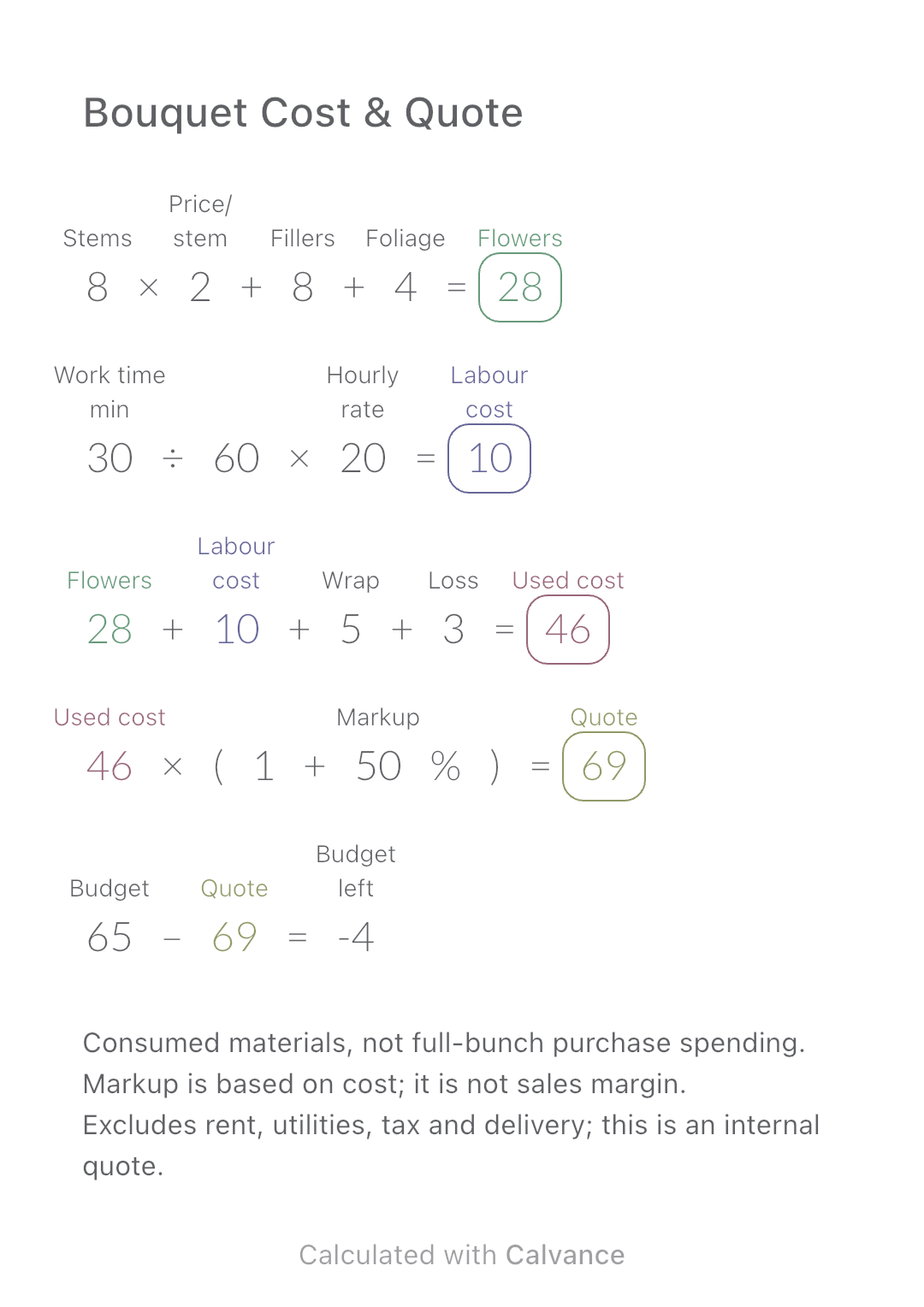
Add flower consumption, labour, wrapping and loss to build an internal bouquet quote, then compare it with a customer budget.
View template and method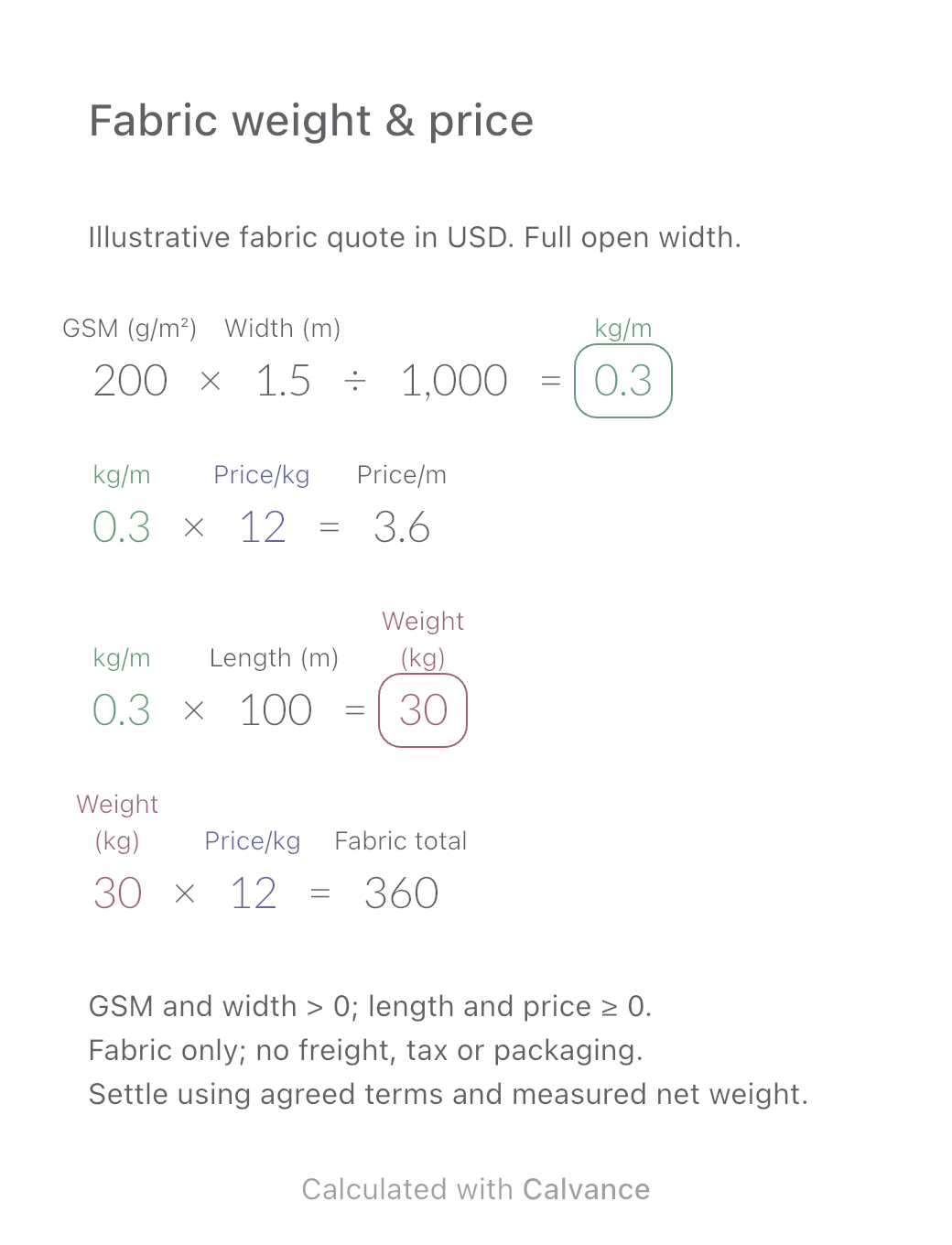
Convert a fabric quote per kilogram into a price per metre using GSM and open width. Estimate order weight and fabric cost, then download the reusable Calvance canvas.
View template and methodChoose a plan when you need more canvases, high-resolution image exports, or sync across devices.