
Worked exampleExported from Calvance
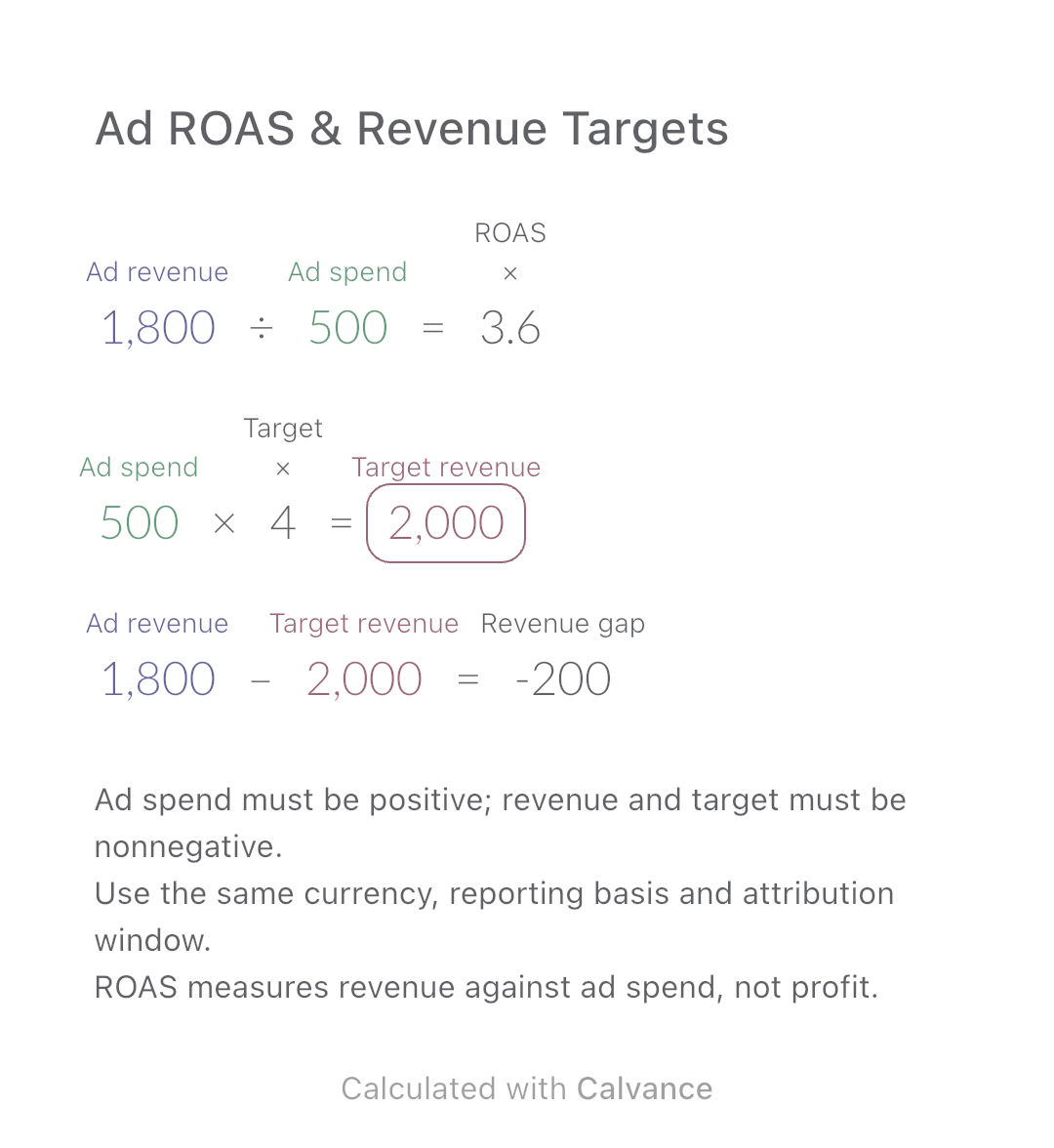
Ad ROAS & Revenue Targets
Calculate attributed revenue per advertising dollar and the gap to your own ROAS target. Includes a worked example, scope checks and an editable canvas.
View template and methodCalculate a flat-rate commission after refunds and exclusions, then add base pay. Includes an editable example and explains eligible sales versus gross pay.
Exported by the iOS App After importing, edit the numbers in Calvance.
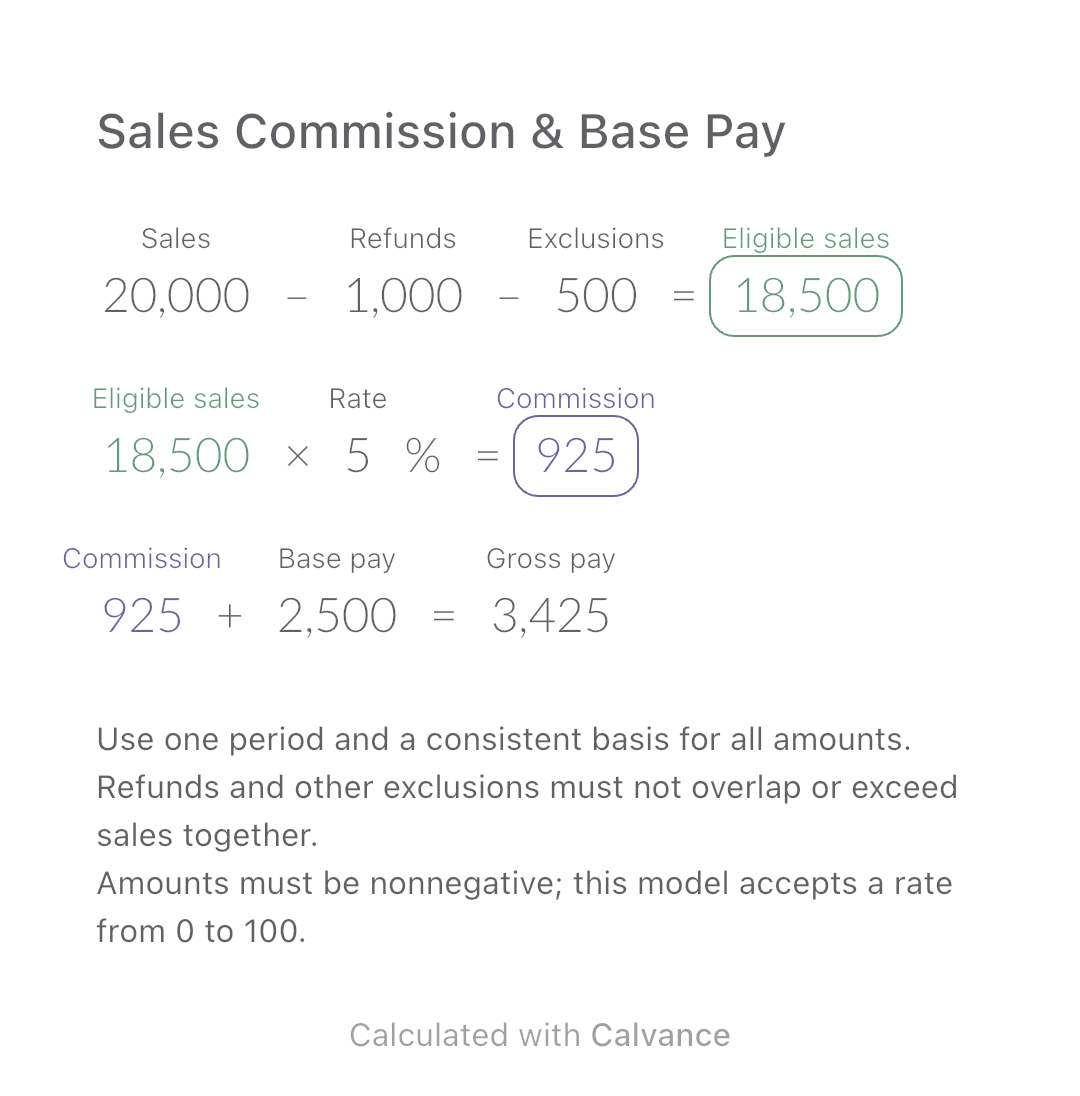
Check a simple pay plan that applies one rate to eligible sales. Enter sales before the deductions listed here, refunds and other excluded amounts for the same period. The USD amounts are simulated examples. Follow your actual compensation agreement when choosing the inputs.
USD
| Inputs | Default |
|---|---|
| Sales | 20,000 |
| Refunds | 1,000 |
| Exclusions | 500 |
| Rate (%) | 5 |
| Base pay | 2,500 |
Subtract refunds and other exclusions once to get eligible sales. Multiply by the commission percentage, then add base pay. The example leaves USD 18,500 eligible; 5% gives USD 925 commission and USD 3,425 gross pay including the base.
20,000 [Sales] - 1,000 [Refunds] - 500 [Exclusions] → Eligible sales
Eligible sales × 5 [Rate]% → Commission
Commission + 2,500 [Base pay] → Gross pay
Change the flat commission rate from 5% to 6%. Eligible sales and base pay remain unchanged; only commission and total gross pay increase.
| Result | Default | Changed |
|---|---|---|
| Eligible sales | 18,500 | 18,500 |
| Commission | 925 | 1,110 |
| Gross pay | 3,425 | 3,610 |
Results are displayed to at most two decimal places; later formulas use unrounded values.
The result is base pay plus calculated commission before payroll deductions, not take-home pay or employer profit. No tax, social contributions, tiers, quotas, caps, recoverable draws or later clawbacks are calculated. A margin-based or collected-cash plan needs a different base.
Download and import into Calvance to edit the numbers. The canvas does not reject every invalid input; check the stated ranges.
Only amounts your agreement excludes and that are still included in the sales input. If sales is already net of a discount or tax, do not subtract that amount again.
No. Applying one percentage to all eligible sales is different from applying separate rates to bands or changing the rate after a threshold.
Calculate attributed revenue per advertising dollar and the gap to your own ROAS target. Includes a worked example, scope checks and an editable canvas.
View template and method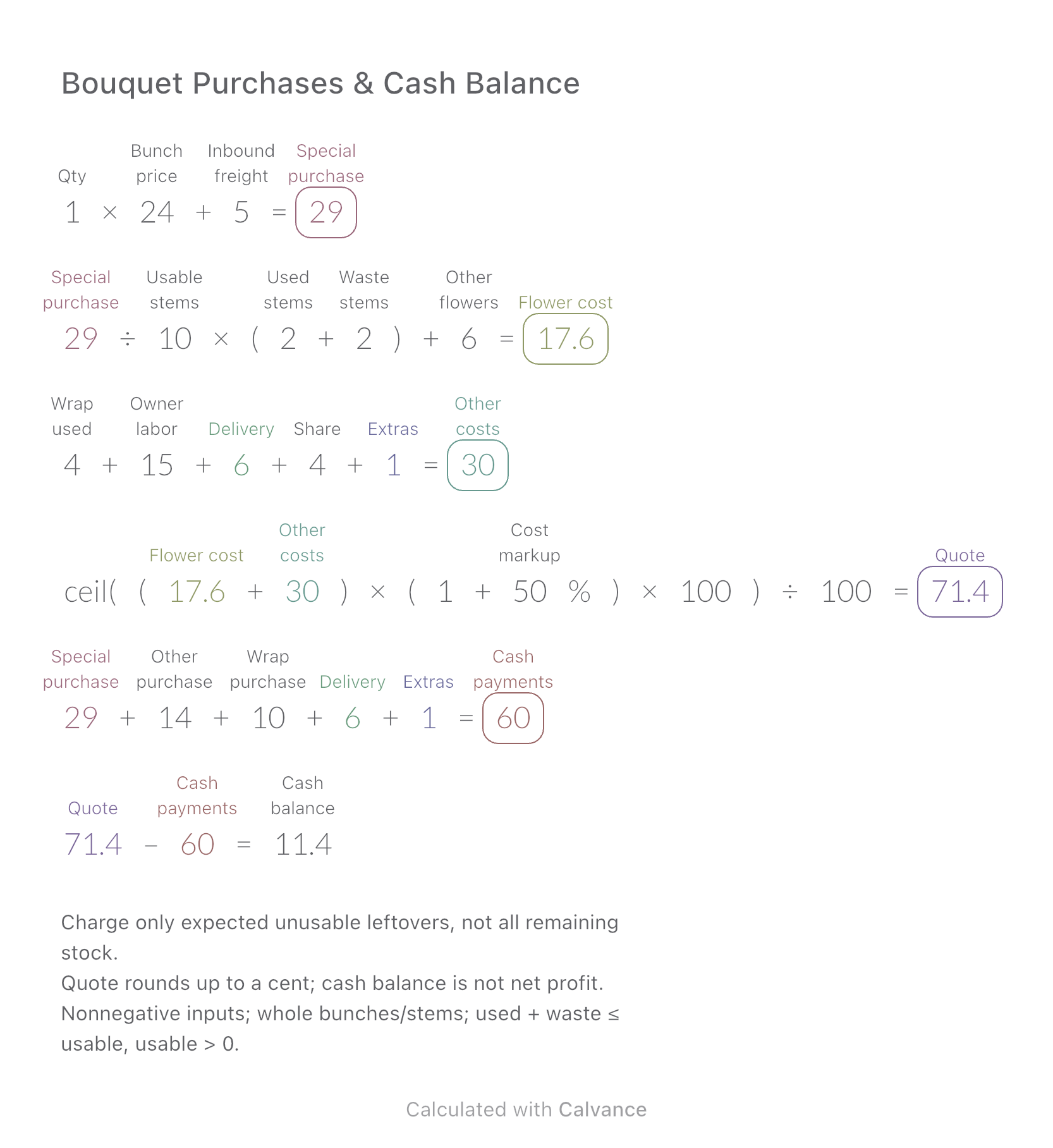
Compare the cost of flowers used in one bouquet with the cash needed to buy whole bunches and packaging.
View template and method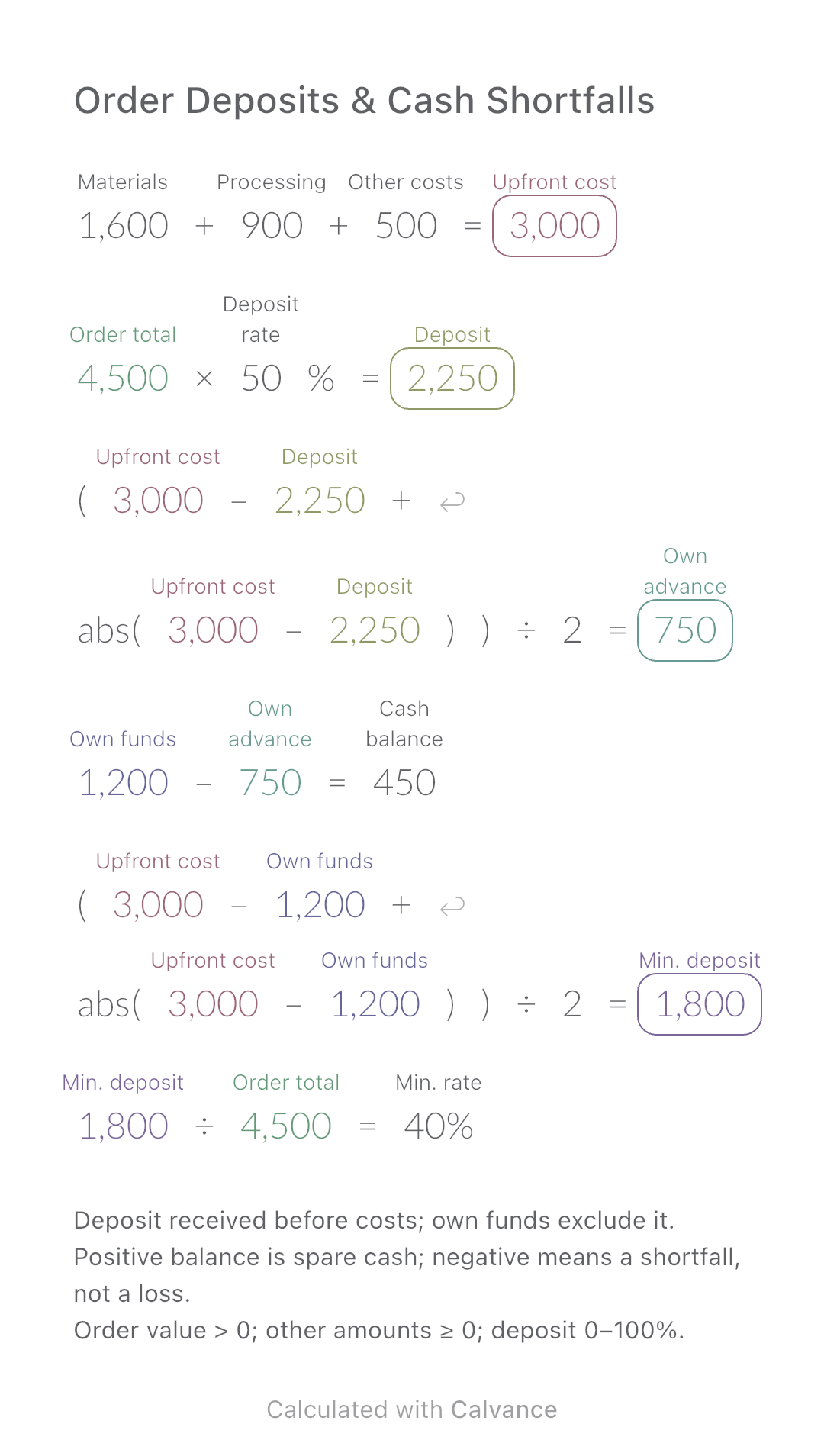
Calculate how much of an order you must fund yourself and the minimum customer deposit needed before production.
View template and methodChoose a plan when you need more canvases, high-resolution image exports, or sync across devices.