
Worked exampleExported from Calvance
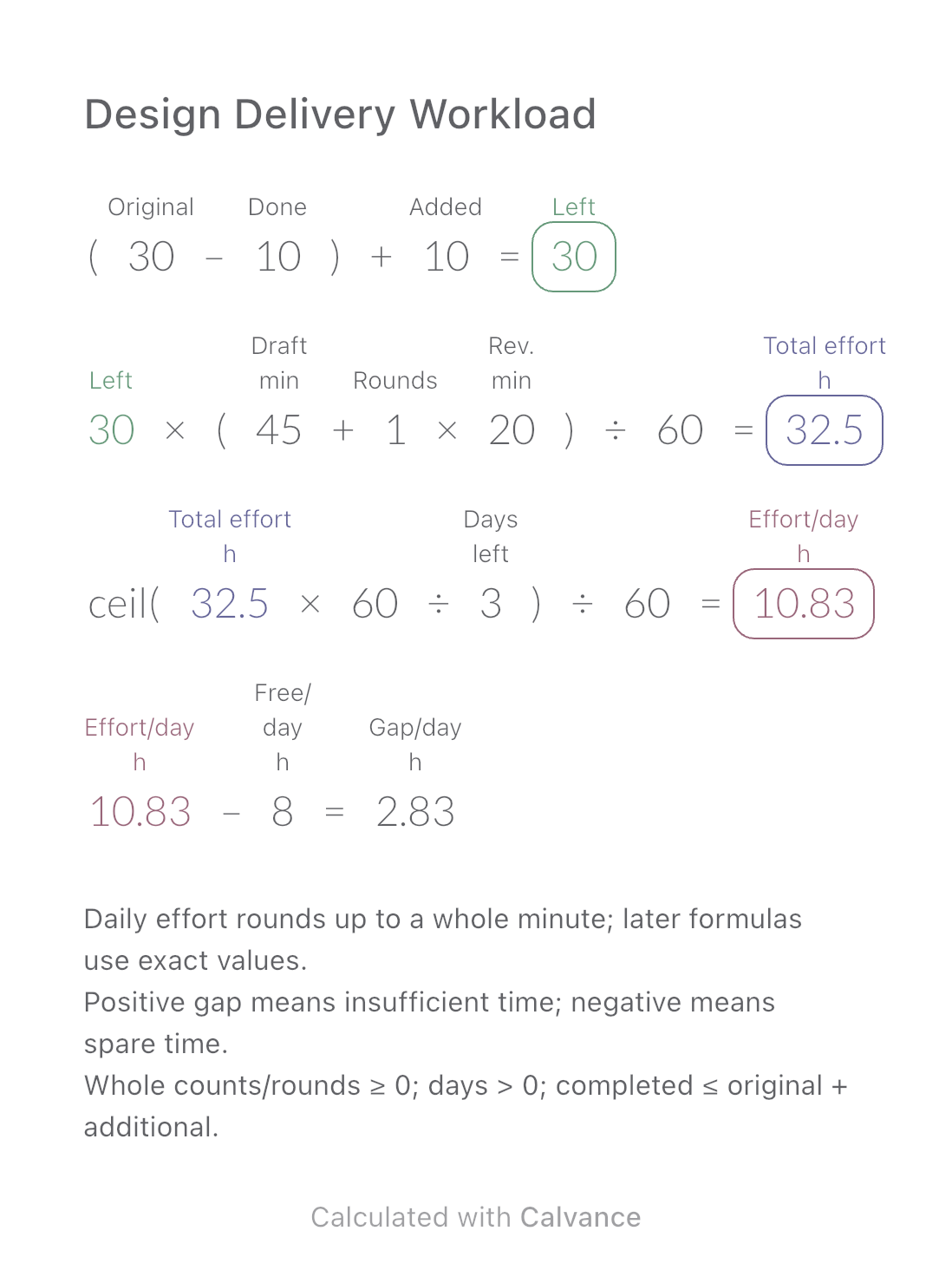
Design Delivery Workload
Estimate remaining design hours, daily effort and the gap against your available time when image quantities or revisions change.
View template and methodEstimate video file size from duration and average bitrate, then work back from a size limit to a video bitrate budget. Includes audio and an editable reserve.
Exported by the iOS App After importing, edit the numbers in Calvance.
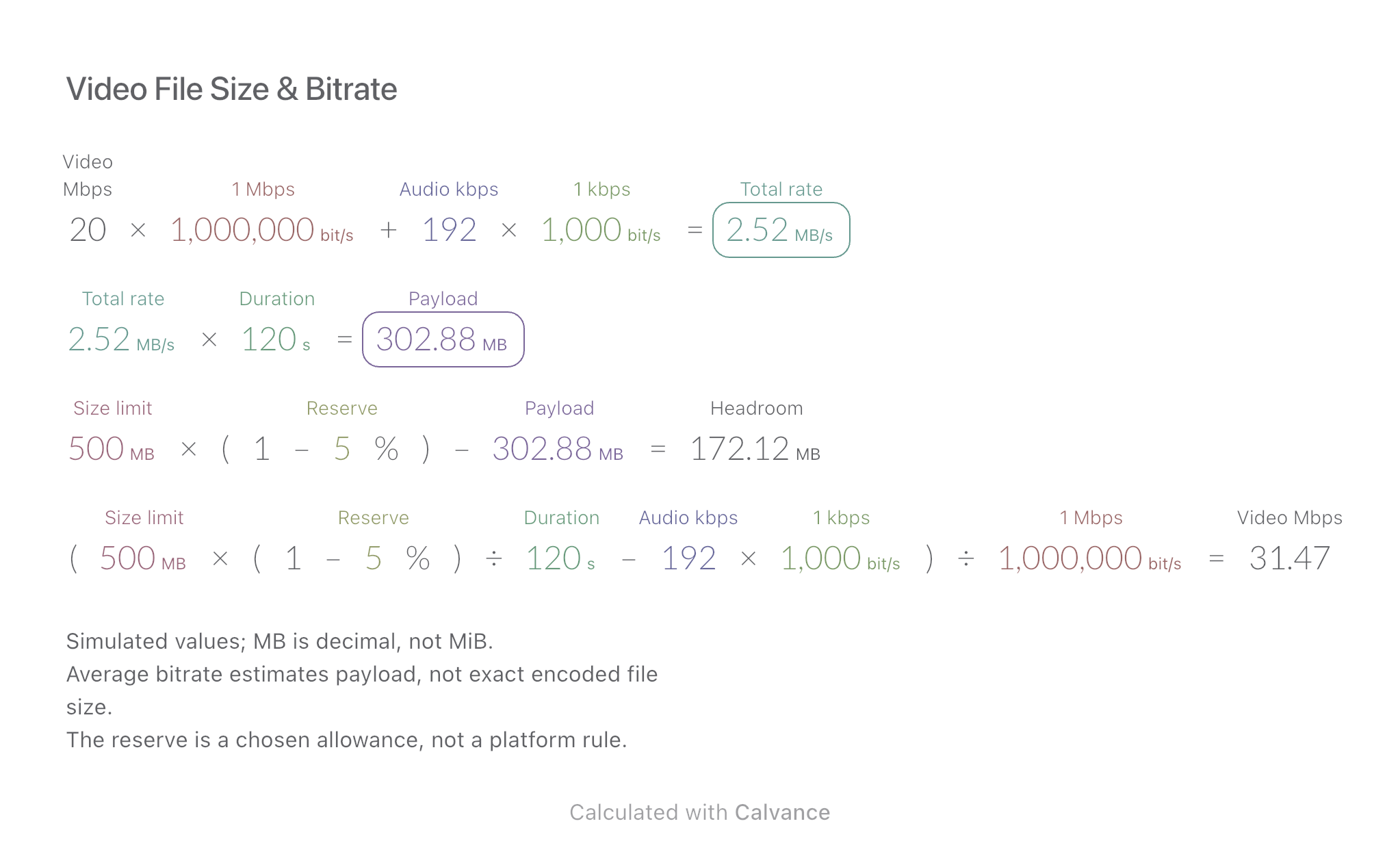
Use this before exporting a clip with a file-size limit. The example is a simulated 120-second video with 20 Mbps video, 192 kbps total audio, a 500 MB limit and a 5% reserve. It estimates one export; duplicate the canvas to compare delivery versions.
| Inputs | Default |
|---|---|
| Duration (s) | 120 |
| Video bitrate (Mbps) | 20 |
| Total audio bitrate (kbps) | 192 |
| Size limit (MB) | 500 |
| Reserve (%) | 5 |
Total rate = video bitrate + audio bitrate. Payload = total rate × duration. Headroom = limit × (1 − reserve) − payload. Video bitrate budget = limit × (1 − reserve) ÷ duration − audio bitrate. The canvas converts bits to bytes through real quantities: 1 Mbps = 1,000,000 bit/s, 1 kbps = 1,000 bit/s, 1 MB = 1,000,000 bytes. The final budget is expressed in Mbps by dividing by the 1 Mbps basis.
20 [Video bitrate Mbps] × 1 Mbps + 192 [Total audio bitrate kbps] × 1 kbps → Total rate MB/s
Total rate MB/s × 120 [Duration s] → Payload MB
500 [Size limit MB] × (1-5 [Reserve]%)-Payload MB → Headroom MB
(Size limit MB × (1-Reserve%)/Duration s-Total audio bitrate kbps × 1 kbps)/1 Mbps → Video bitrate budget Mbps
Change duration from 120 to 180 seconds. The payload increases and headroom shrinks; the bitrate budget falls. Current video bitrate is an independent input and is not automatically replaced by the calculated budget.
| Result | Default | Changed |
|---|---|---|
| Total rate (MB/s) | 2.52 | 2.52 |
| Payload (MB) | 302.88 | 454.32 |
| Headroom (MB) | 172.12 | 20.68 |
| Video bitrate budget (Mbps) | 31.47 | 20.92 |
Results are displayed to at most two decimal places; later formulas use unrounded values.
Duration and size limit must be positive; bitrates nonnegative; reserve from 0% inclusive to 100% exclusive. A nonpositive video budget leaves no allowance for positive video bitrate. Negative headroom means the planned reserve is not met. Container overhead and variable bitrate can change actual size; inspect the exported file. Display rounding does not guarantee a safe encoder setting.
Download and import into Calvance to edit the numbers. The canvas does not reject every invalid input; check the stated ranges.
No. It is a size constraint, not a VBR maximum or a quality target. Resolution, motion and codec still matter. Vimeo’s storage guidance explains bitrate-based estimation.
Set total audio bitrate to zero. For multiple tracks, enter their combined average bitrate.
We recommend using the latest version of Calvance.
Estimate remaining design hours, daily effort and the gap against your available time when image quantities or revisions change.
View template and method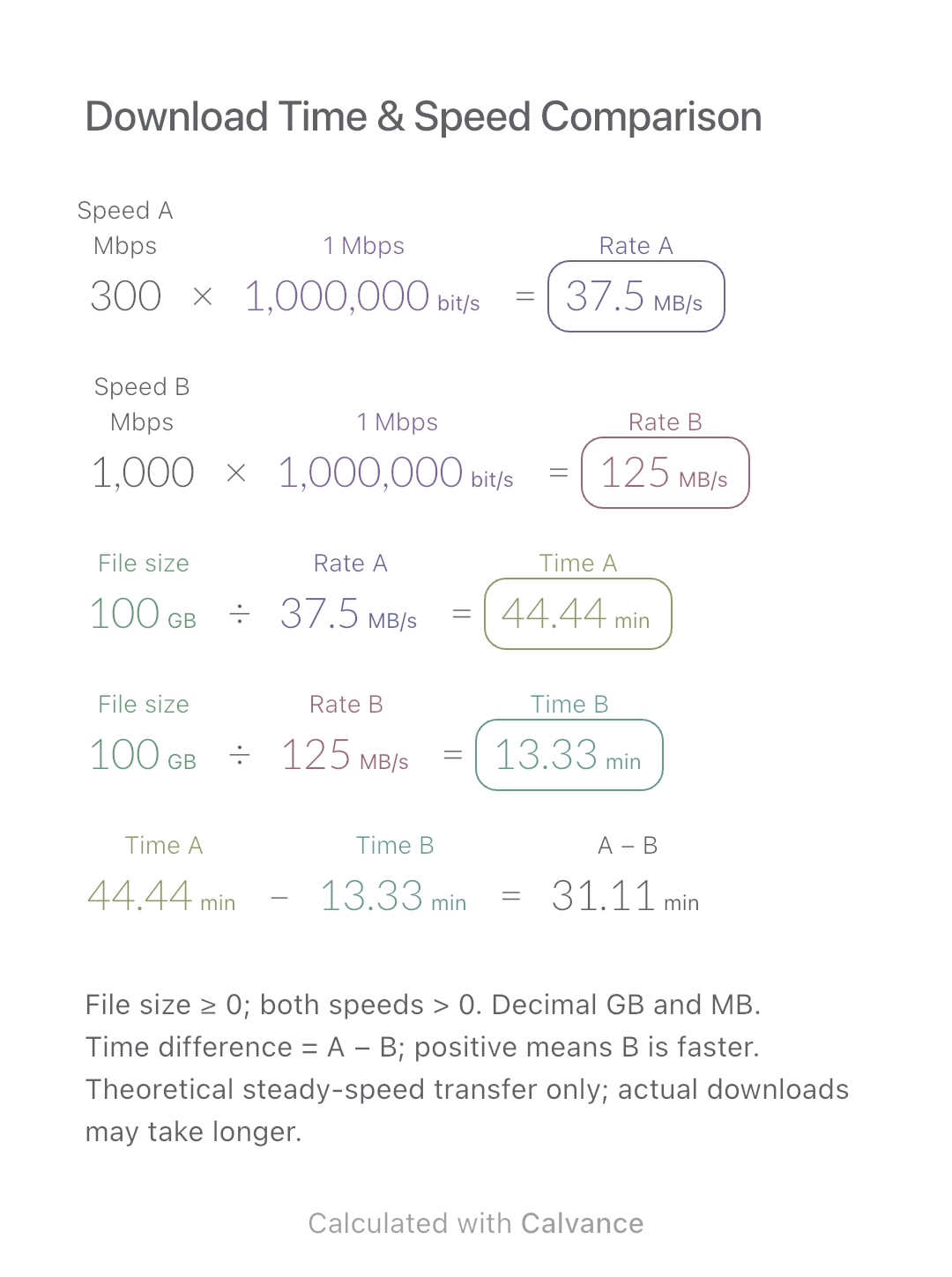
Compare the theoretical download time for one file at two connection speeds. Includes a worked example, Mbps-to-MB/s conversion and an editable Calvance canvas.
View template and method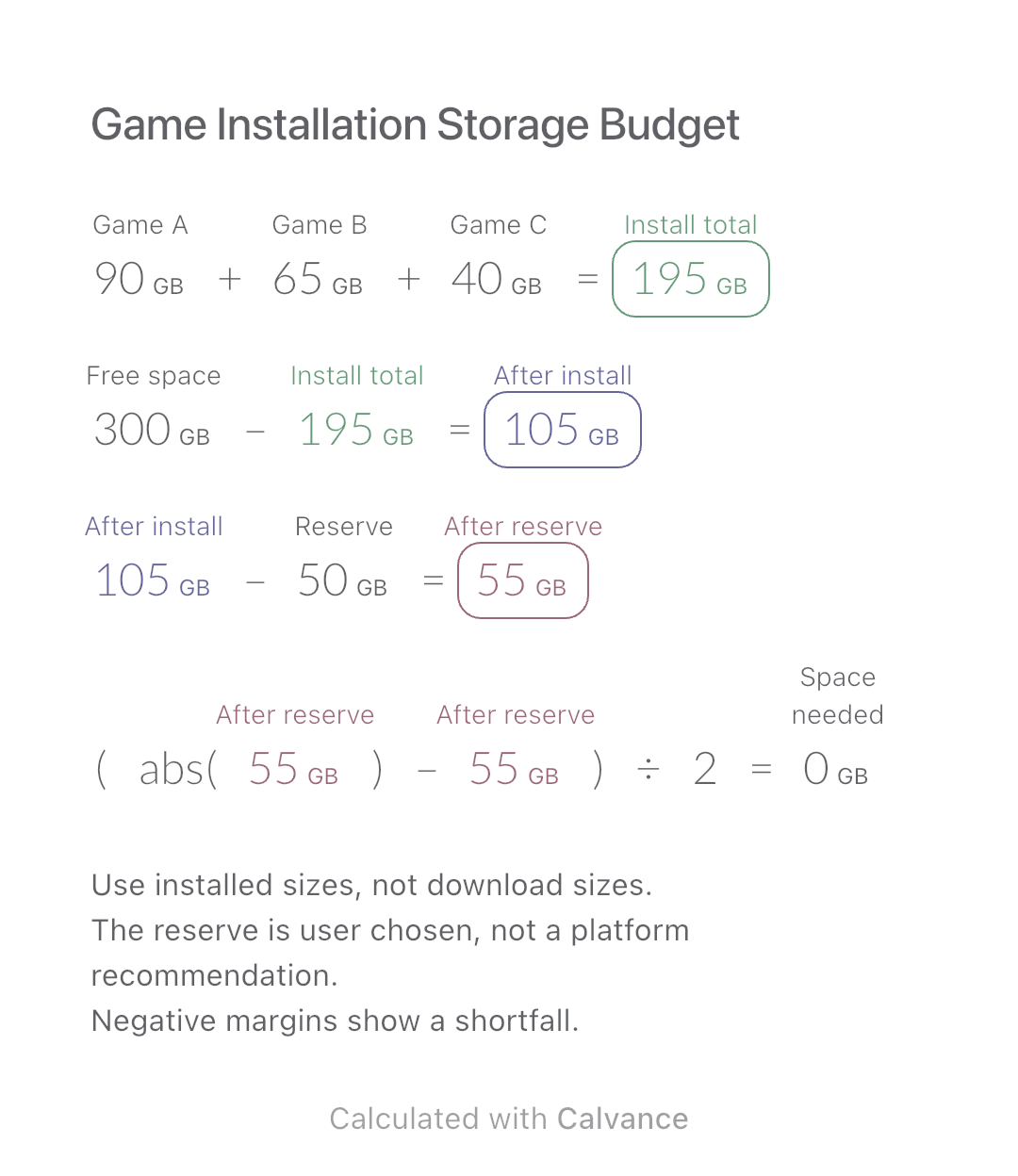
Add three game installation sizes, allow for your chosen reserve and check how much extra space you need before installing.
View template and methodChoose a plan when you need more canvases, high-resolution image exports, or sync across devices.