
Worked exampleExported from Calvance
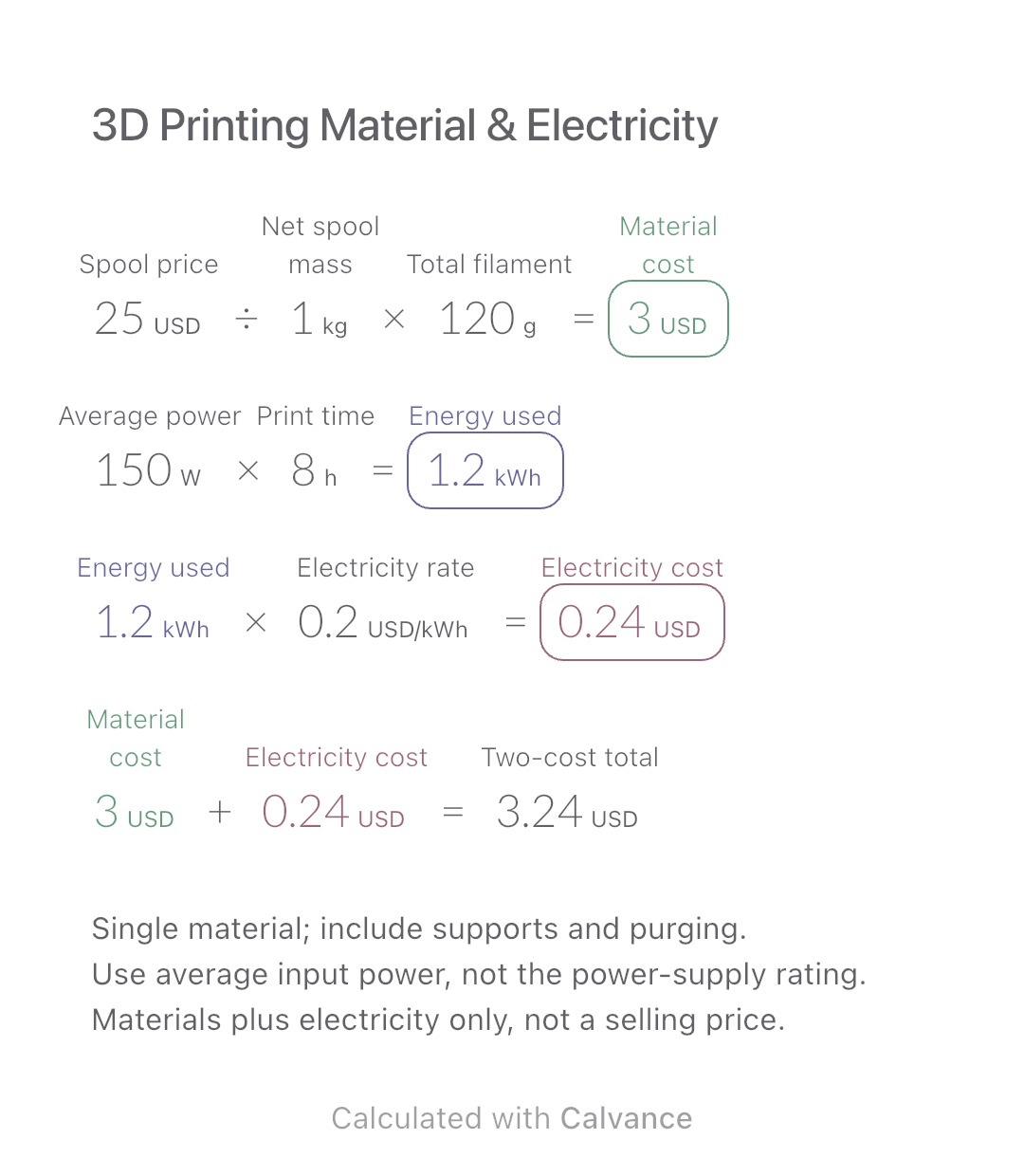
3D Printing Material & Electricity
Use filament weight and print duration from your slicer to estimate material and electricity costs separately, then add the two expenses.
View template and methodEstimate charging cost from battery capacity, start and target charge, efficiency, electricity price and a fixed session fee. Includes an editable example.
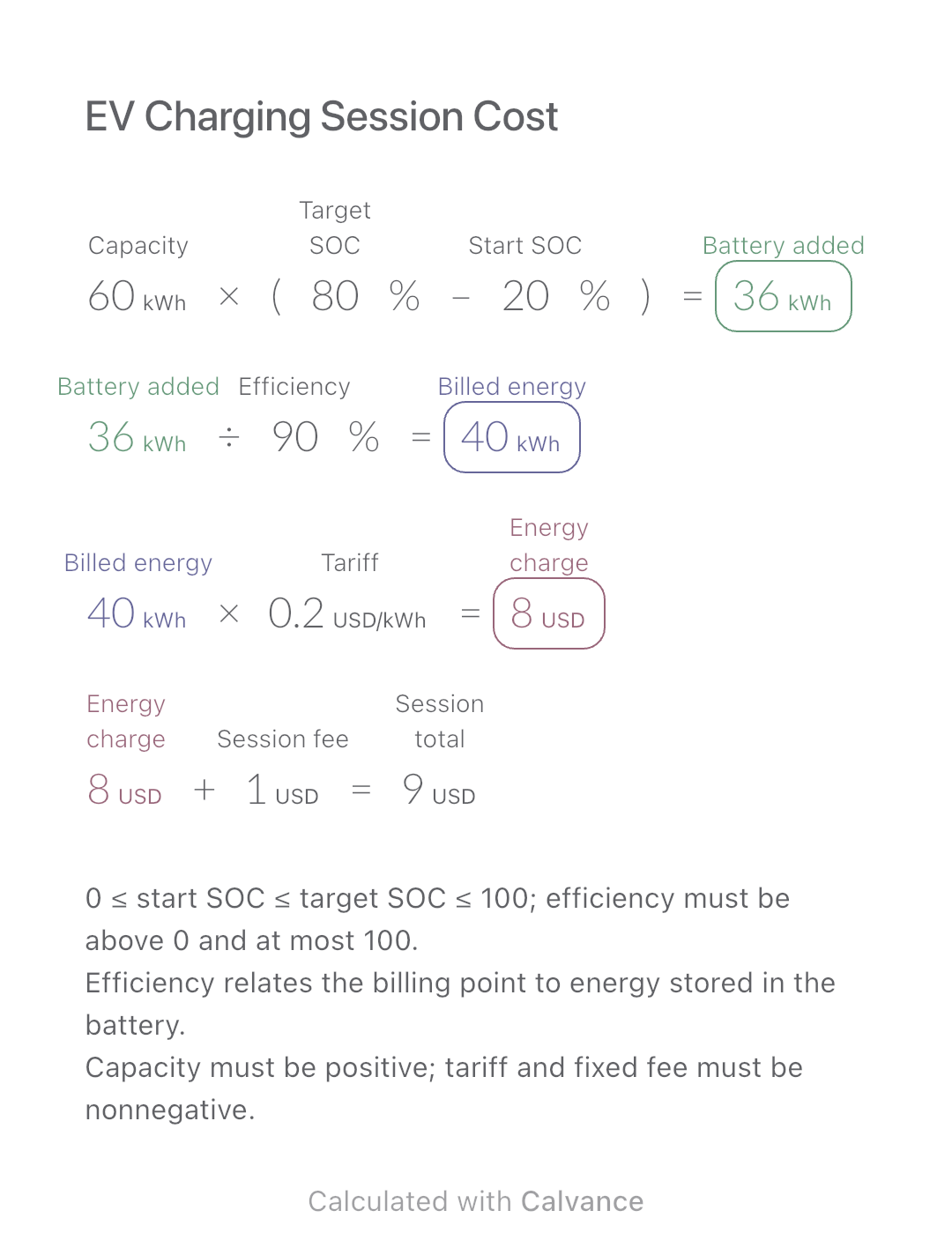
Exported by the iOS App After importing, edit the numbers in Calvance.
Estimate one charging session without assuming a particular car model. Use usable battery capacity, start and target state of charge (SOC), and the tariff at the billing point. The USD prices and 90% efficiency are illustrative inputs, not current rates or measured vehicle performance.
USD
| Inputs | Default |
|---|---|
| Capacity (kWh) | 60 |
| Target SOC (%) | 80 |
| Start SOC (%) | 20 |
| Efficiency (%) | 90 |
| Tariff (USD/kWh) | 0.2 |
| Session fee (USD) | 1 |
Multiply usable capacity by the target-minus-start charge fraction. Divide that battery energy by efficiency to estimate energy at the billing point, then multiply by the tariff and add the fixed fee. A 60 kWh battery going from 20% to 80% gains 36 kWh; at 90% efficiency the billed estimate is 40 kWh.
Units are part of the calculation. Enter a value together with its actual compatible unit; changing only the label does not convert it. The canvas converts results to the shown units. No exchange-rate table is needed for this single-currency example.
60 [Capacity kWh] × (80 [Target SOC]% - 20 [Start SOC]%) → Battery added kWh
Battery added kWh/90 [Efficiency]% → Billed energy kWh
Billed energy kWh × 0.2 [Tariff USD/kWh] → Energy charge USD
Energy charge USD + 1 [Session fee USD] → Session total USD
Raise target charge from 80% to 90%. Battery energy rises from 36 to 42 kWh; billed energy and energy charge increase. The fixed fee stays unchanged.
| Result | Default | Changed |
|---|---|---|
| Battery added (kWh) | 36 | 42 |
| Billed energy (kWh) | 40 | 46.67 |
| Energy charge (USD) | 8 | 9.33 |
| Session total (USD) | 9 | 10.33 |
Results are displayed to at most two decimal places; later formulas use unrounded values.
Displayed charge percentages and usable capacity are approximate. Do not apply charging loss again if your energy figure already measures billed kWh. Idle fees, time-based charges, changing tariffs and charger installation are excluded. A fixed fee is still added even when no energy is added; set it to zero if no session charge applies.
Download and import into Calvance to edit the numbers. The canvas does not reject every invalid input; check the stated ranges.
No. Enter 90 for 90% efficiency, not 10. The model divides by 0.90; simply adding 10% to battery energy gives a different result.
No. Charger power, the vehicle’s charging curve and temperature affect time. This canvas estimates energy and cost only.
FuelEconomy.gov · Where the Energy Goes: Electric Cars
We recommend using the latest version of Calvance.
Use filament weight and print duration from your slicer to estimate material and electricity costs separately, then add the two expenses.
View template and method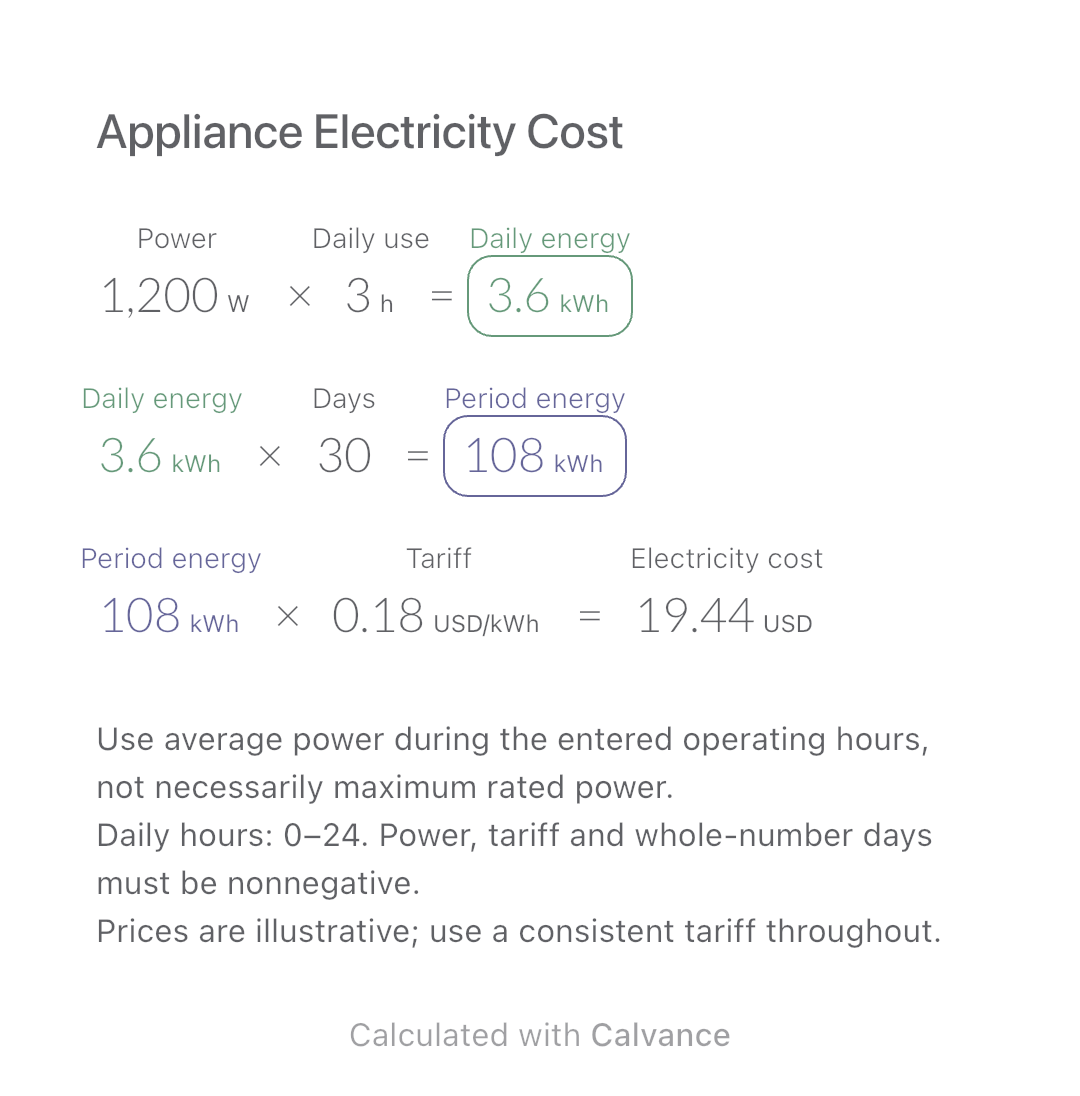
Estimate an appliance’s daily kWh, energy use over a chosen number of days and electricity cost. Change usage hours in an editable calculation canvas.
View template and method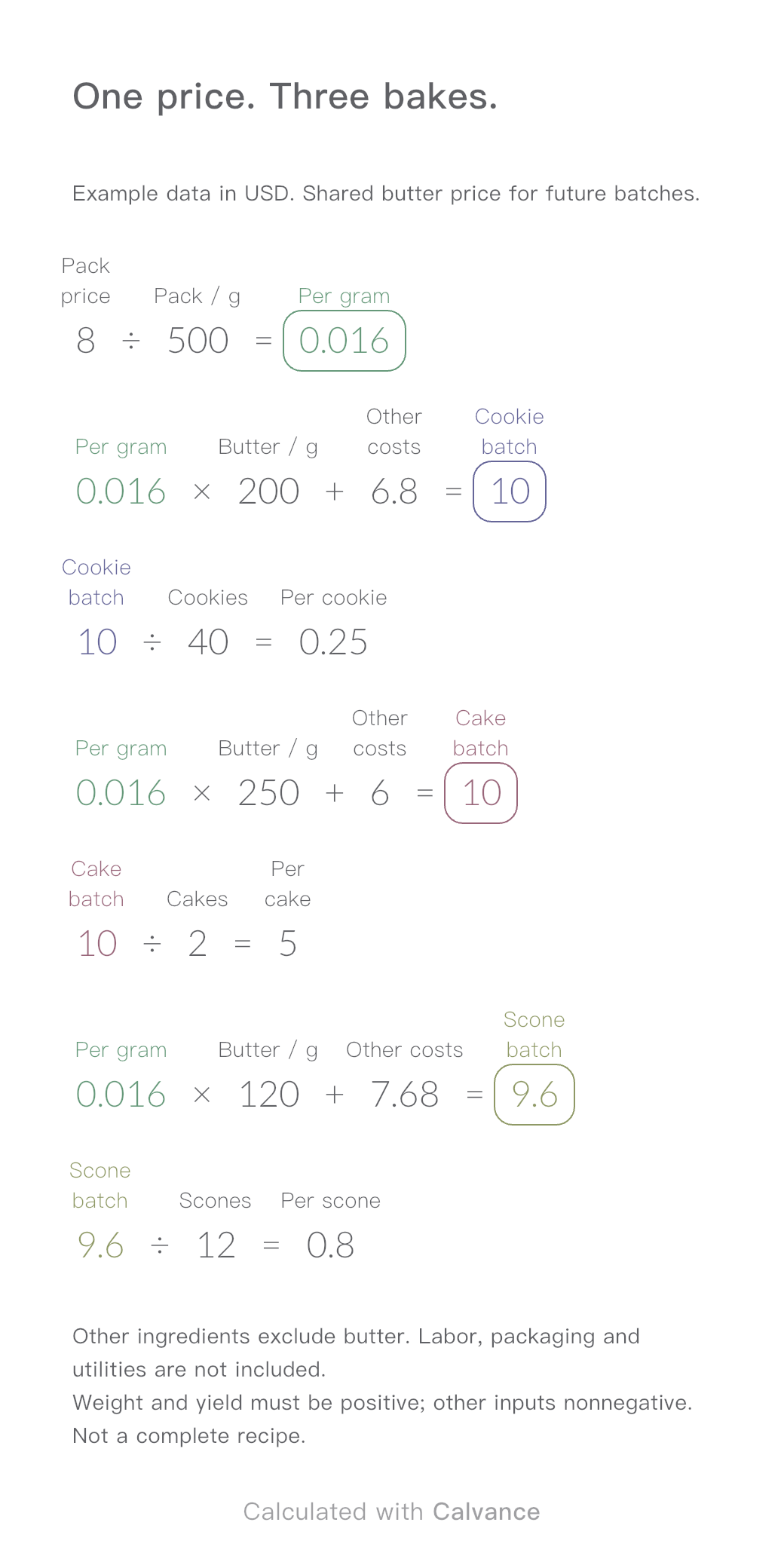
One ingredient price, three bakes. Change the butter price to update batch and per-serving costs.
View template and methodChoose a plan when you need more canvases, high-resolution image exports, or sync across devices.