
Worked exampleExported from Calvance
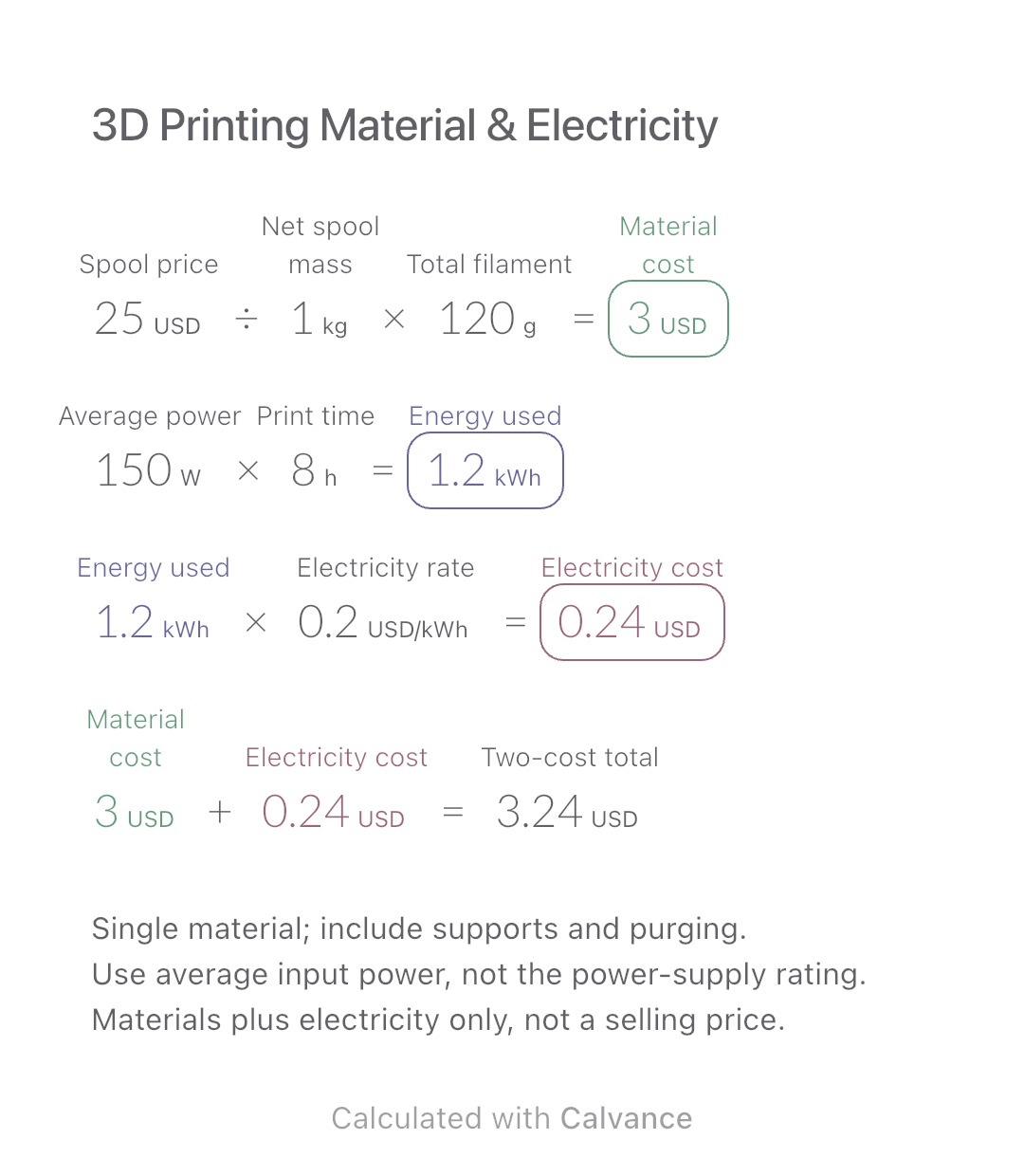
3D Printing Material & Electricity
Use filament weight and print duration from your slicer to estimate material and electricity costs separately, then add the two expenses.
View template and methodFind a selling price from unit cost and a target gross margin. Compare markup, follow a cost change, and download an editable calculation canvas.
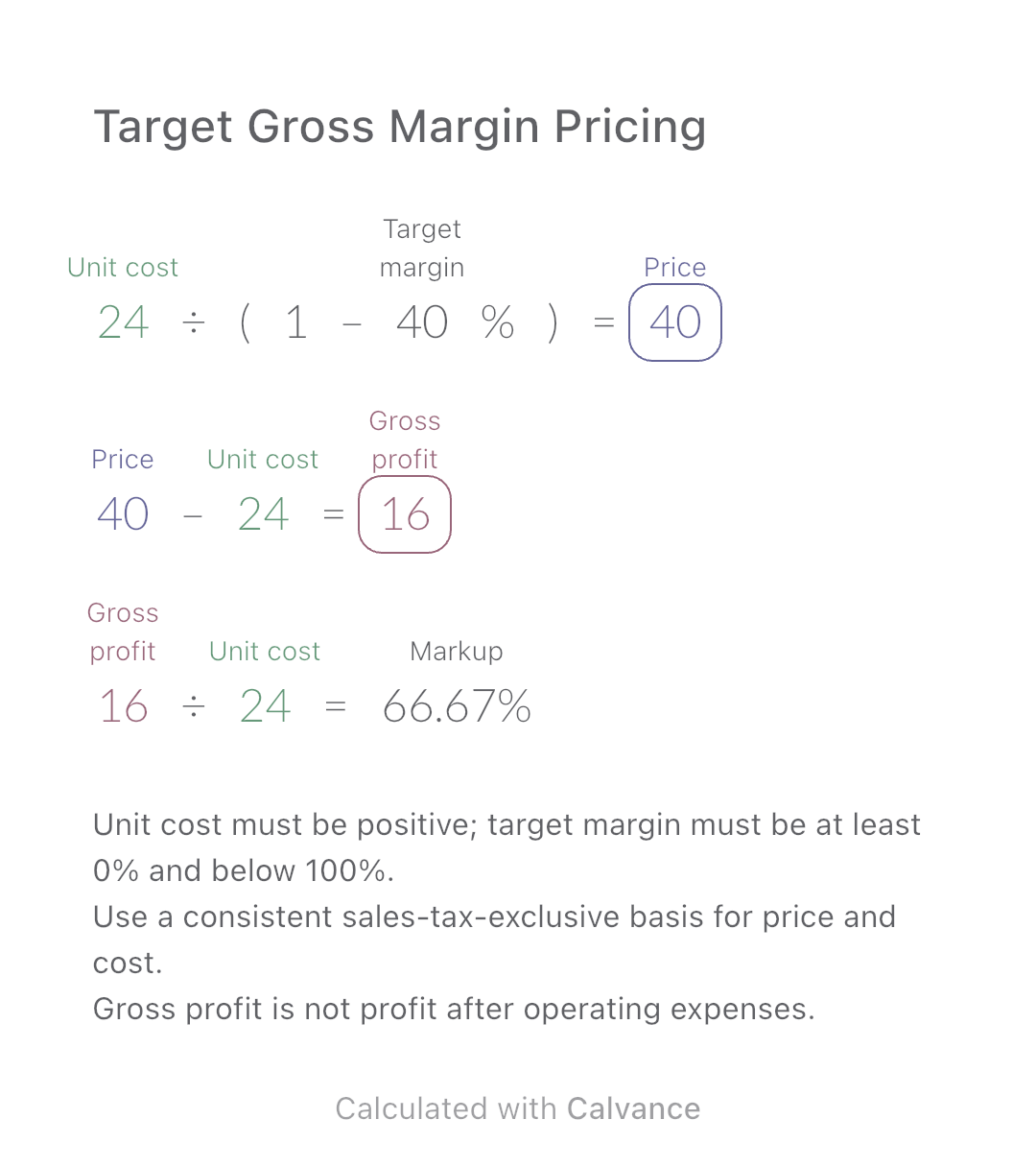
Exported by the iOS App After importing, edit the numbers in Calvance.
Use this when you know the cost of goods sold for one item and want to work backward from a target gross margin. The example uses simulated US-dollar amounts, not market prices. Gross profit leaves operating expenses to be paid; it is not net profit.
USD
| Inputs | Default |
|---|---|
| Cost of goods sold per item | 24 |
| Target gross margin (%) | 40 |
Price = unit cost ÷ (1 − target margin). Gross profit = price − unit cost. Markup = gross profit ÷ unit cost. With a $24 cost and a 40% margin, the price is $40 and gross profit is $16. The equivalent markup is 66.67%, not 40%.
24 [Cost of goods sold per item]/(1 - 40 [Target gross margin]%) → Price
Price - Cost of goods sold per item → Gross profit
Gross profit/Cost of goods sold per item → Markup
Change only unit cost from $24 to $30. Price and gross profit increase together; the target margin and equivalent markup stay the same. This is a pricing calculation, not evidence that buyers will accept the price.
| Result | Default | Changed |
|---|---|---|
| Price | 40 | 50 |
| Gross profit | 16 | 20 |
| Markup (%) | 66.67 | 66.67 |
Results are displayed to at most two decimal places; later formulas use unrounded values.
Cost means the cost of goods sold for this item, not an inventory purchase payment, all business expenses, or just one ingredient. This canvas does not decide which production costs to allocate. It excludes sales taxes, advertising, platform charges and income tax. Display rounding does not guarantee the exact target margin at the rounded selling price; check the price you actually set.
Download and import into Calvance to edit the numbers. The canvas does not reject every invalid input; check the stated ranges.
Markup divides the gain by cost; gross margin divides it by selling price. On a $24 cost, a 40% markup gives $33.60 and a margin of about 28.57%.
Not with a positive cost in this model: the denominator would be zero. A zero-cost product needs a different pricing decision.
Business Queensland defines gross margin and markup. The selling-price formula follows by rearranging the margin definition.
For a cost-plus example, see bouquet costs and quotes. To include a sales-based fee and fixed costs, use product break-even sales.
Use filament weight and print duration from your slicer to estimate material and electricity costs separately, then add the two expenses.
View template and method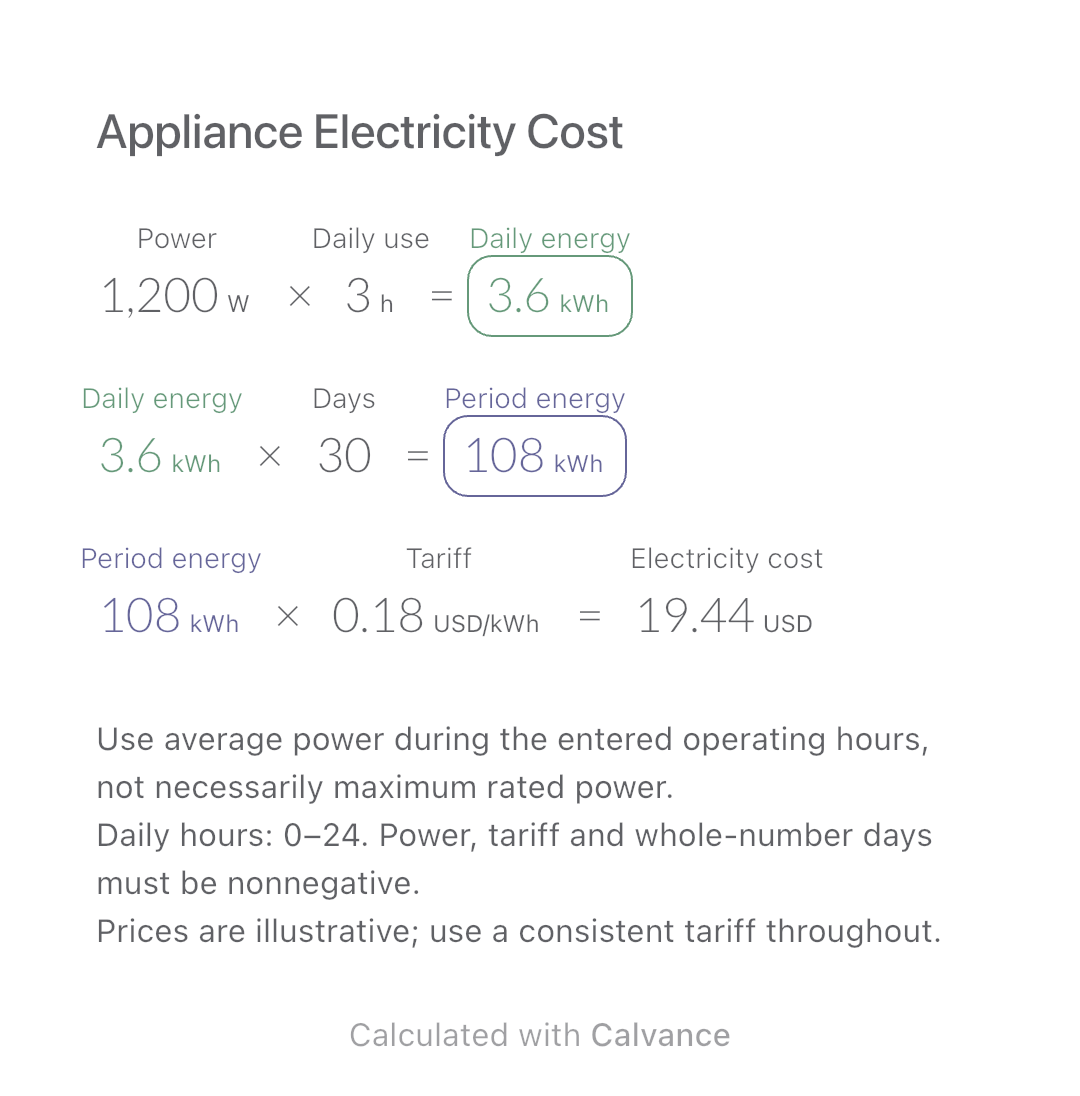
Estimate an appliance’s daily kWh, energy use over a chosen number of days and electricity cost. Change usage hours in an editable calculation canvas.
View template and method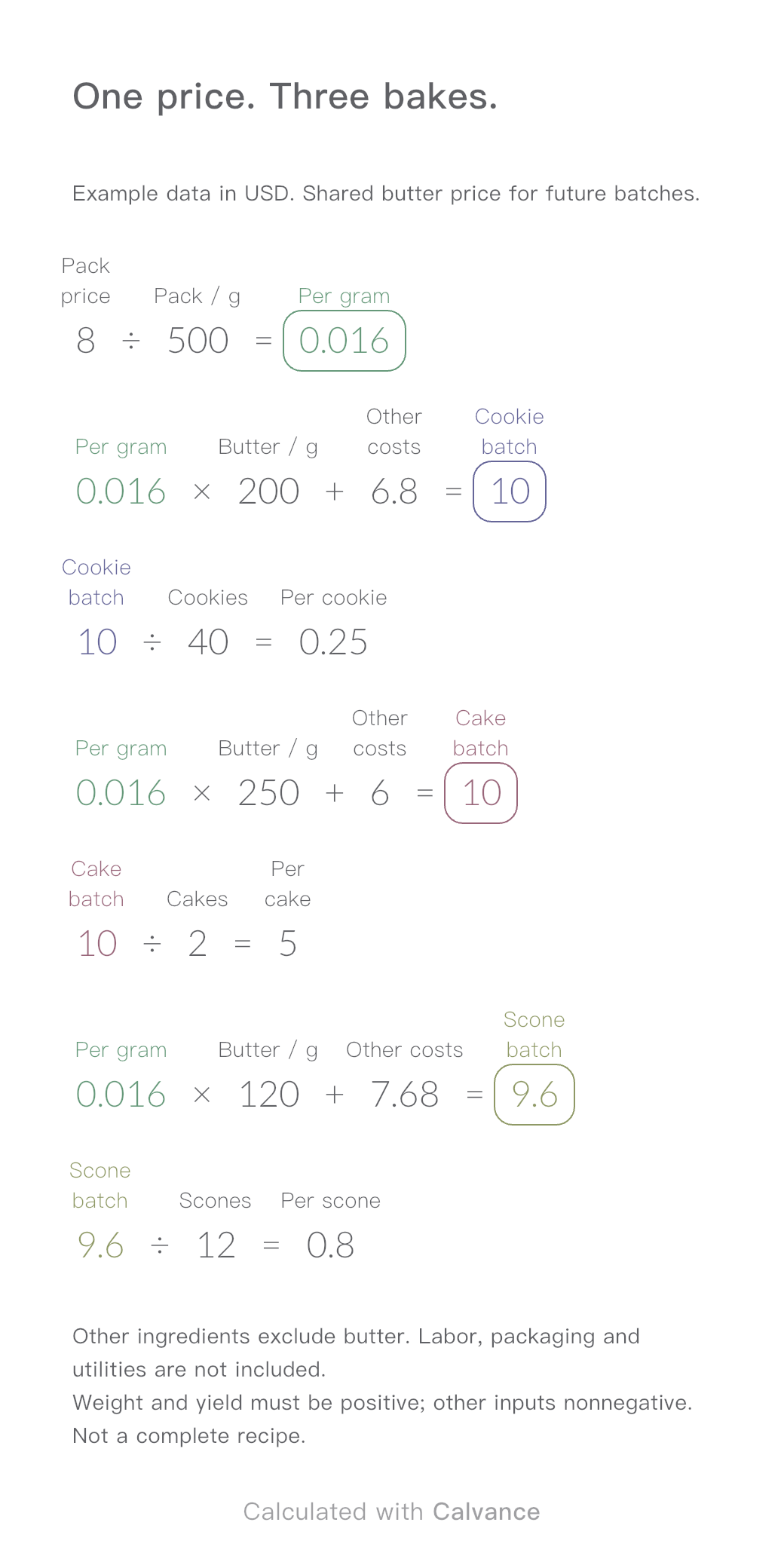
One ingredient price, three bakes. Change the butter price to update batch and per-serving costs.
View template and methodChoose a plan when you need more canvases, high-resolution image exports, or sync across devices.