
Worked exampleExported from Calvance
Aquarium Water & Bucket Fills
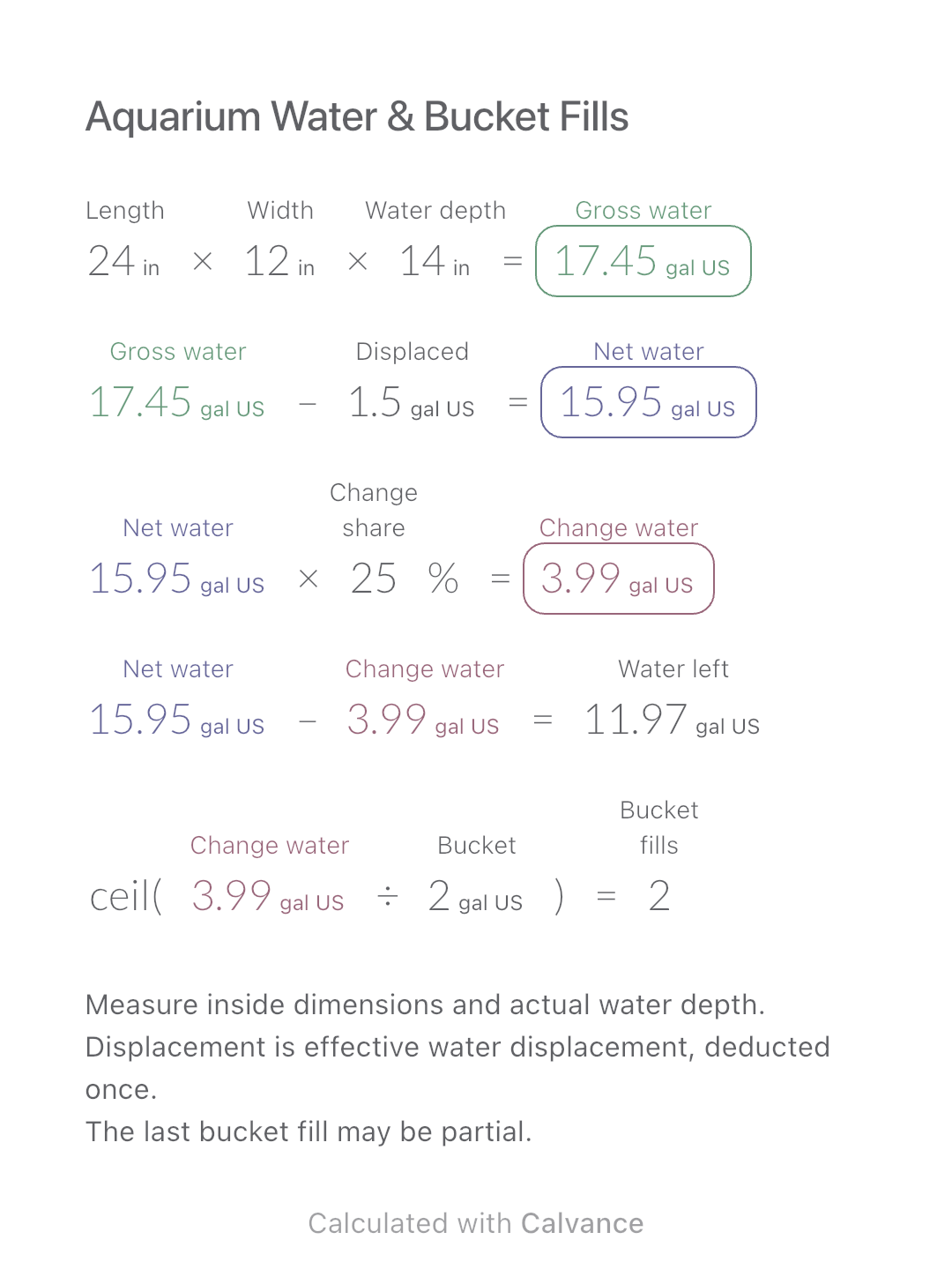
Estimate rectangular aquarium water volume, choose a water-change share and work out how many bucket fills to prepare.
View template and methodCompare two metric tire codes using nominal sidewall and diameter calculations, then estimate the speed change under the original calibration.
Exported by the iOS App After importing, edit the numbers in Calvance.
For comparing the geometry encoded by two common metric tire sizes, such as 205/55R16 and 225/45R17. A is the original reference and B the alternative. Keep the codes and the calculation together; this is not a vehicle-fitment approval.
| Inputs | Default |
|---|---|
| Original section width, code A (mm) | 205 |
| Original aspect ratio, code A (%) | 55 |
| Original rim diameter, code A (in) | 16 |
| Alternative section width, code B (mm) | 225 |
| Alternative aspect ratio, code B (%) | 45 |
| Alternative rim diameter, code B (in) | 17 |
| Reference indicated speed with the original calibration (mph) | 60 |
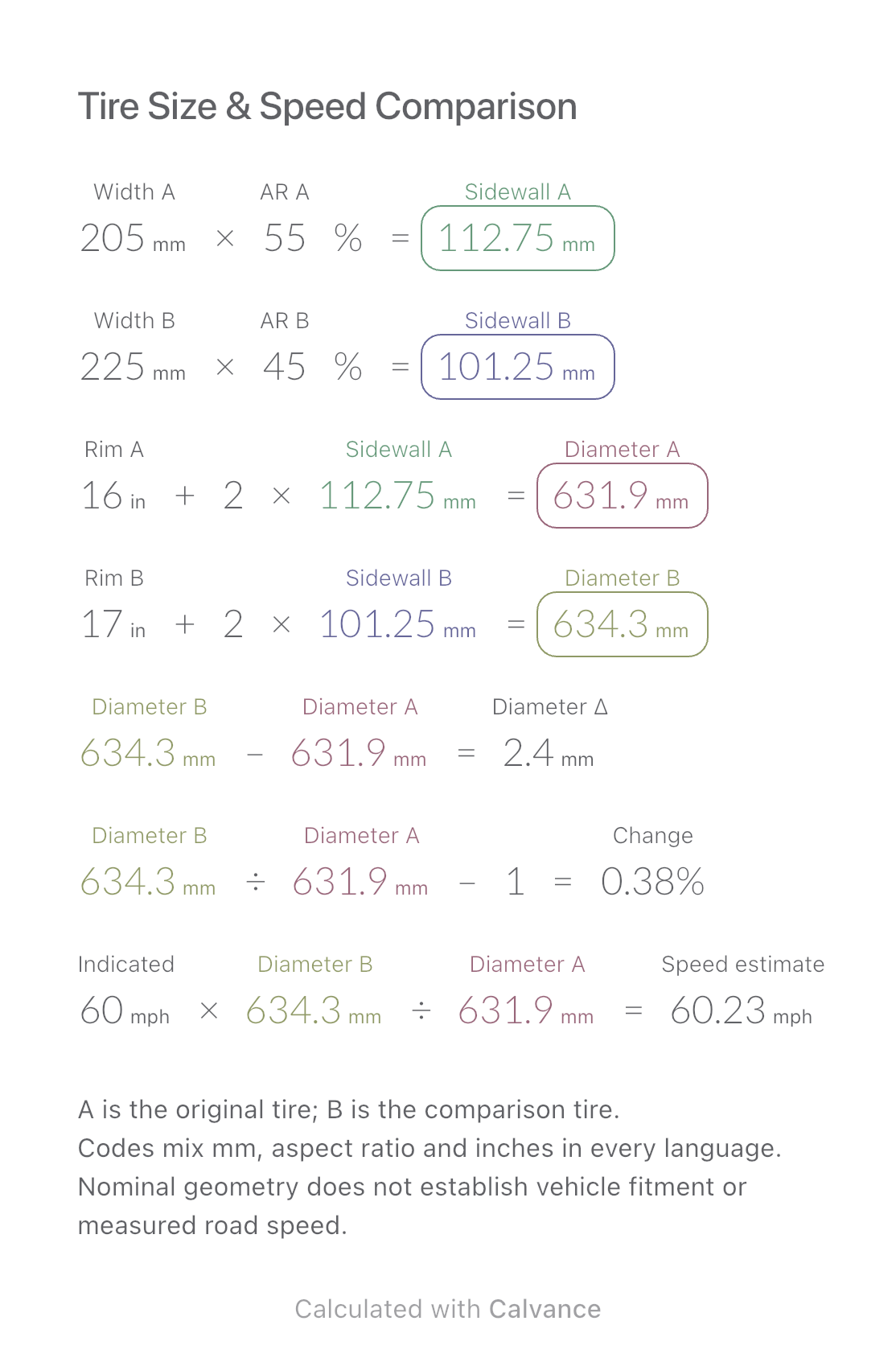
Sidewall height = section width × aspect ratio. Diameter = rim diameter + twice the sidewall height, converting inches and millimetres at 1 in = 25.4 mm. Compare B with A, then multiply indicated speed by diameter B ÷ diameter A. The codes in this example give nominal diameters of 631.9 and 634.3 mm, a difference of 2.4 mm or about 0.38%. At an indicated 60 mph, the unchanged-calibration estimate is about 60.23 mph.
205 [Original section width, code A mm] × 55 [Original aspect ratio, code A]% → Original nominal sidewall height mm
225 [Alternative section width, code B mm] × 45 [Alternative aspect ratio, code B]% → Alternative nominal sidewall height mm
16 [Original rim diameter, code A in] + 2 × Original nominal sidewall height mm → Original nominal outside diameter mm
17 [Alternative rim diameter, code B in] + 2 × Alternative nominal sidewall height mm → Alternative nominal outside diameter mm
Alternative nominal outside diameter mm-Original nominal outside diameter mm → Alternative minus original nominal diameter mm
Alternative nominal outside diameter mm/Original nominal outside diameter mm-1 → Relative change from the original diameter
60 [Reference indicated speed with the original calibration mph] × Alternative nominal outside diameter mm/Original nominal outside diameter mm → Estimated speed under the unchanged original-calibration assumption mph
Change only profile B from 45% to 50%. Its nominal sidewall becomes 112.5 mm and diameter 656.8 mm. Diameter difference becomes 24.9 mm, about 3.94%, and the speed estimate at the same indicated 60 mph becomes about 62.36 mph.
| Result | Default | Changed |
|---|---|---|
| Original nominal sidewall height (mm) | 112.75 | 112.75 |
| Alternative nominal sidewall height (mm) | 101.25 | 112.5 |
| Original nominal outside diameter (mm) | 631.9 | 631.9 |
| Alternative nominal outside diameter (mm) | 634.3 | 656.8 |
| Alternative minus original nominal diameter (mm) | 2.4 | 24.9 |
| Relative change from the original diameter (%) | 0.38 | 3.94 |
| Estimated speed under the unchanged original-calibration assumption (mph) | 60.23 | 62.36 |
Results are displayed to at most two decimal places; later formulas use unrounded values.
Widths and rim diameters must be positive, aspect ratios greater than 0 and at most 100%, and reference speed nonnegative. The estimate assumes the original tire defined the calibration exactly and uses nominal diameter as a rolling-size approximation. It does not account for tire pressure, load, wear, actual rolling circumference or the vehicle’s original speedometer offset. No flotation sizing, wheel width/offset, clearance, load rating, speed rating or installation legality is checked; no ±3% rule is used as permission to fit a tire.
Nominal tire dimensions: Tire Rack.
Download and import into Calvance to edit the numbers. The canvas does not reject every invalid input; check the stated ranges.
No. Vehicle clearance, wheels, load and speed requirements need separate confirmation.
No. It isolates the effect of a nominal diameter change under an unchanged calibration; actual road speed can differ.
We recommend using the latest version of Calvance.
Estimate rectangular aquarium water volume, choose a water-change share and work out how many bucket fills to prepare.
View template and method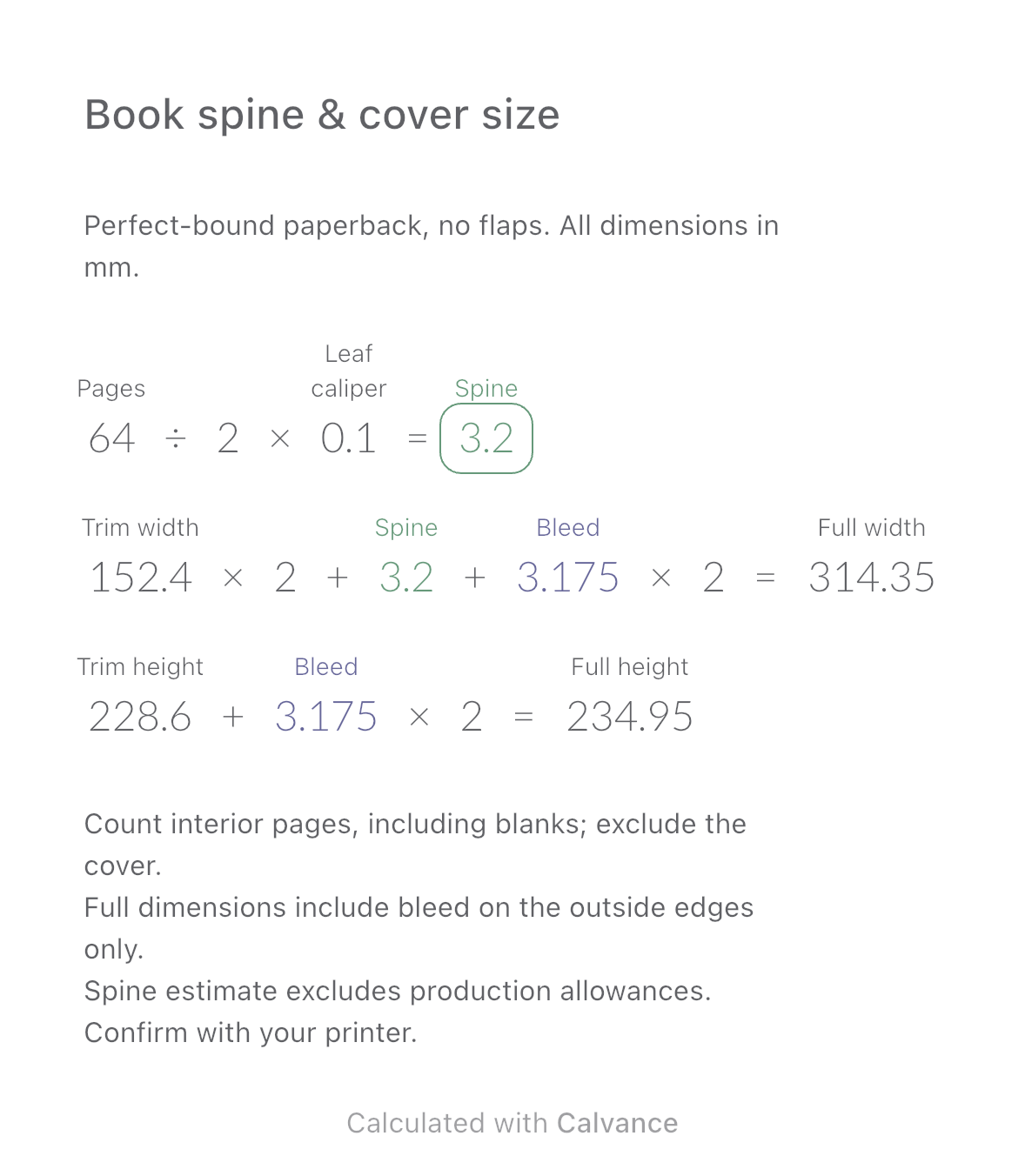
Estimate a perfect-bound book’s spine and full cover dimensions from page count, paper caliper and bleed. Compare changes and download a reusable Calvance canvas.
View template and method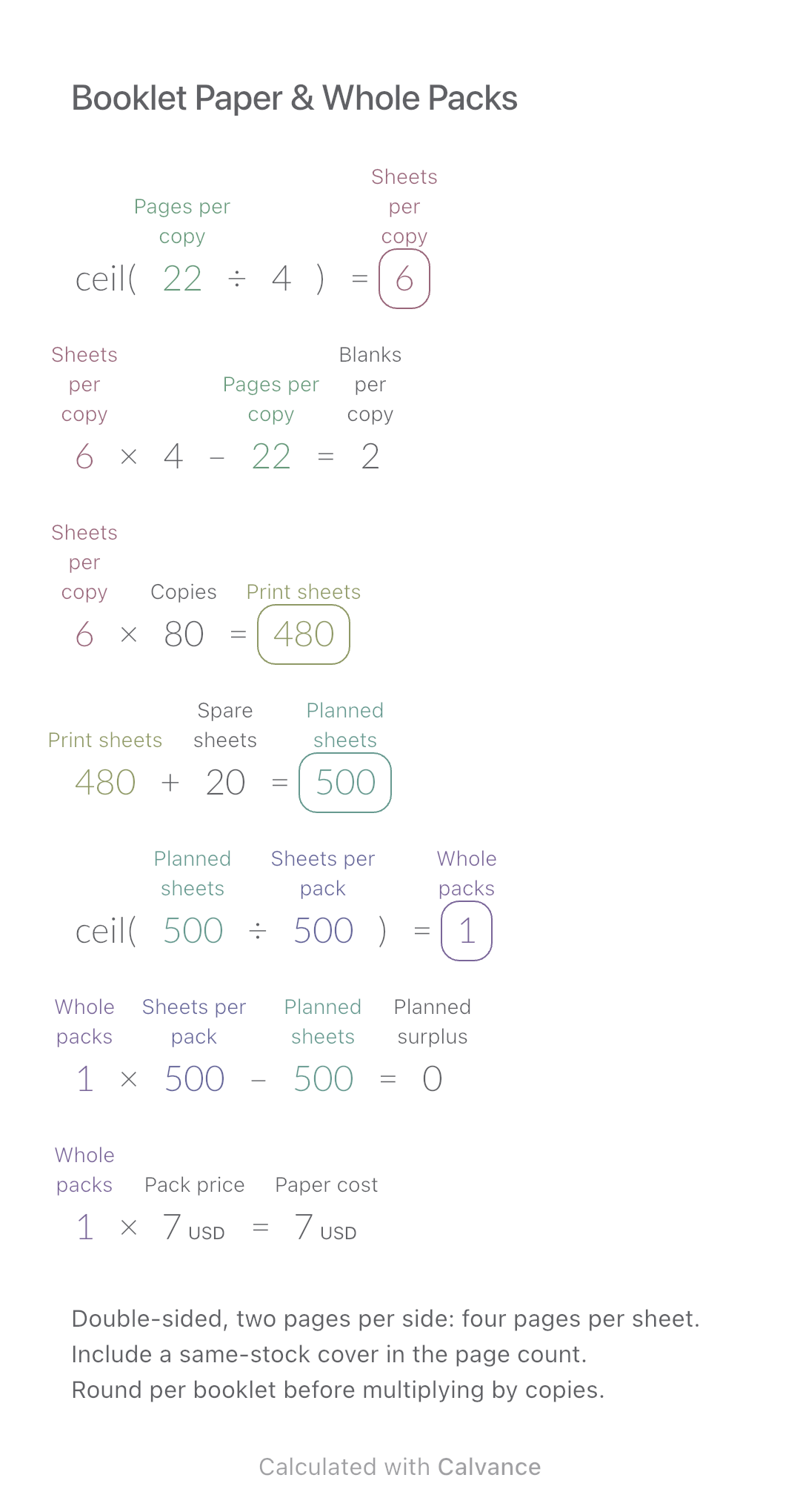
Convert booklet pages and copies into physical sheets, blank pages, whole paper packs and purchase cost.
View template and methodChoose a plan when you need more canvases, high-resolution image exports, or sync across devices.