Scale a round cake recipe using the squared ratio of pan diameters. See worked 6-to-8-inch and 6-to-5-inch examples, then download an editable Calvance canvas.
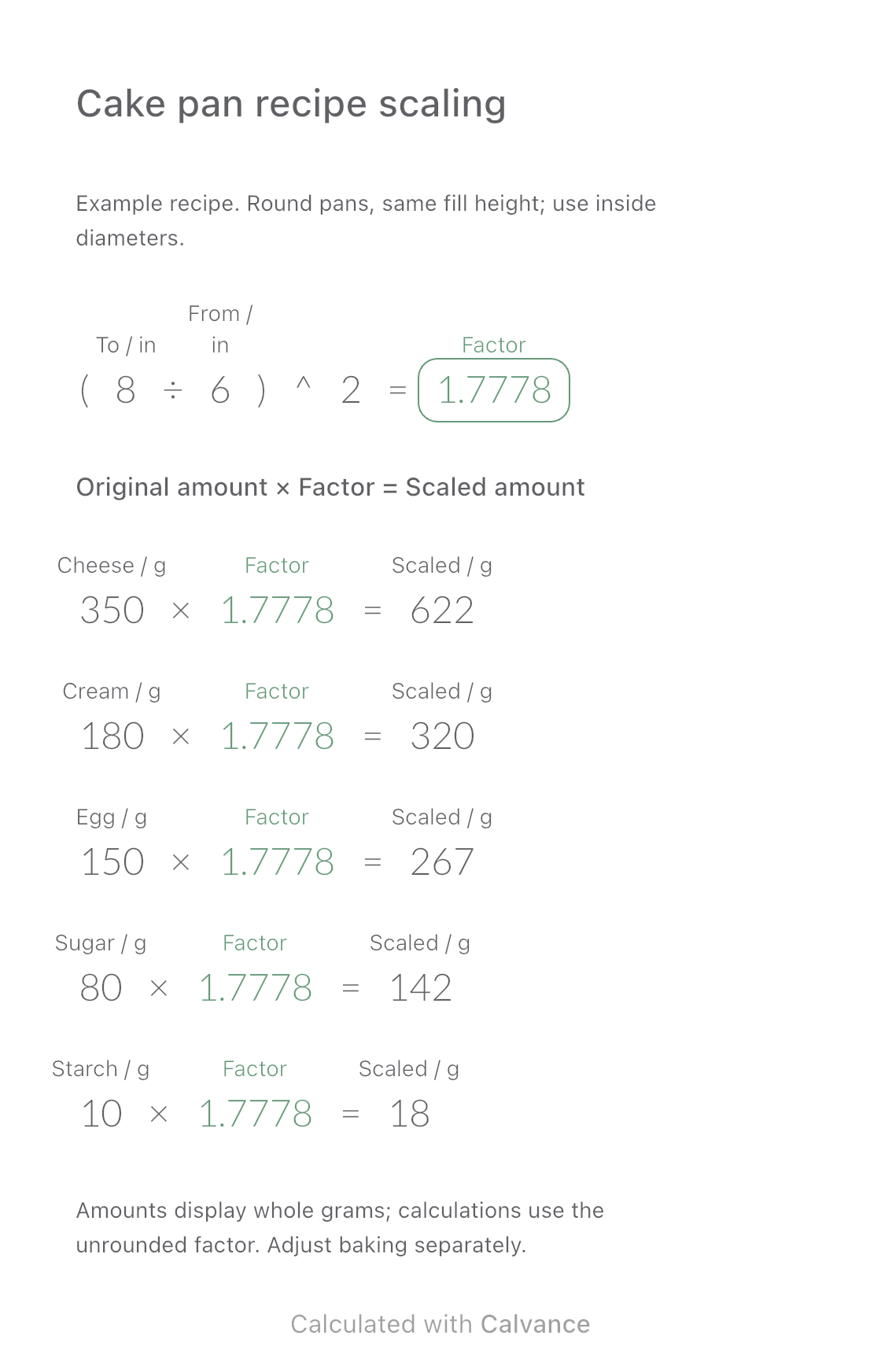
Exported from Calvance using the template’s default 6-to-8-inch example. Ingredient amounts illustrate the calculation. After importing, edit the numbers in Calvance.
When is this template useful?
If your round cake pan differs from the recipe’s pan, you can scale ingredient amounts by the ratio of their base areas while keeping the same fill height. This template connects the original diameter, target diameter, and five ingredients on one canvas, using an illustrative Basque cheesecake recipe.
Changing the target diameter updates the scale factor and every ingredient. Replace the example with a recipe you have tested. The ingredient combination on this page has not been tested by baking it.
Which numbers do you enter?
The default example scales a 6-inch recipe to an 8-inch pan. Both diameters must use the same unit and be greater than zero. Measure the actual inside diameters and keep the same fill height; do not rely only on nominal product sizes.
Input
Default
What to enter
Original diameter
6
The original round pan’s inside diameter
Target diameter
8
The new pan’s inside diameter, in the same unit
Cream cheese
350 g
Amount in the original recipe
Heavy cream
180 g
Amount in the original recipe
Beaten whole egg
150 g
Weight, not the number of eggs
Caster sugar
80 g
Amount in the original recipe
Cornstarch
10 g
Amount in the original recipe
You can also enter both diameters in centimeters, such as 20 and 15. Do not mix inches and centimeters. Convert to one unit first, and update the canvas labels to match.
How is the scale factor calculated?
For a cylinder with the same fill height, volume is proportional to the square of its diameter:
Scale factor = (target inside diameter ÷ original inside diameter)²
Scaled amount = original ingredient amount × scale factor
For 6 to 8 inches, (8 ÷ 6)² = 16/9 ≈ 1.7778. Cream cheese becomes 350 × 16/9 ≈ 622.22 g, displayed as 622 g when rounded to whole grams.
Do not use 8 ÷ 6 alone as the ingredient multiplier: that gives only the diameter ratio. Later formulas reference the unrounded scale factor; its four-decimal display does not reduce calculation precision.
How much do you need for 8-inch and 5-inch pans?
Keep the original diameter at 6 and change the target from 8 to 5. The factor changes from about 1.7778 to about 0.6944.
Ingredient
Original 6-inch recipe
8-inch pan
5-inch pan
Cream cheese
350 g
622 g
243 g
Heavy cream
180 g
320 g
125 g
Beaten whole egg
150 g
267 g
104 g
Caster sugar
80 g
142 g
56 g
Cornstarch
10 g
18 g
7 g
Like the canvas, this table displays whole grams. The download starts with 6 to 8 inches. Set the target to 6 to return the factor to 1 and restore all five original amounts.
When does this formula not apply directly?
Different fill heights. Use the ratio of actual usable volumes instead. This template uses only the squared diameter ratio.
Different shapes. It does not directly handle round-to-square pans, ring molds, or strongly tapered pans.
Inconsistent measurements. Use the same unit and inside diameter for both pans. Do not mix inside and outside measurements.
Very small amounts. Whole-gram display may round small quantities to zero. Increase result decimal places in Calvance when the recipe requires finer measurement.
The canvas scales ingredient quantities. It does not calculate baking temperature, time, or doneness, and does not validate a recipe.
Common questions
Can I scale an 8-inch recipe down to 6 inches?
Yes. Enter 8 as the original diameter, 6 as the target, and replace the ingredient inputs with your original 8-inch recipe. The factor is 0.5625. Swapping only the diameters while keeping the sample’s 6-inch ingredient amounts gives a different calculation.
Can I use different ingredients?
Yes. Edit the ingredient labels and original amounts. To add an ingredient, add a formula referencing the same scale factor. This file includes five example ingredients.
Why does my hand calculation look slightly different?
Ingredient results display whole grams, but calculations use the unrounded factor. Rounding the factor to 1.78 before multiplying introduces another rounding difference.
How do I keep versions for different pan sizes?
Import the template, keep the original canvas, and duplicate it to adjust the target size or ingredients. Each separate canvas uses one canvas from your allowance. See plans.
How to import your template
Save the file. Choose Download template and save the .calvx file to Files on your iPhone or iPad. From a computer, you can send it to your device with AirDrop.
Open Import. In All Canvases in Calvance, tap the add button to open the template screen, then choose Import.
Choose the file. Select the saved .calvx file to create your own canvas. Importing uses one canvas from your allowance.
Edit and check. Check the results against the worked example, then add your numbers. Duplicate the canvas to keep different versions.
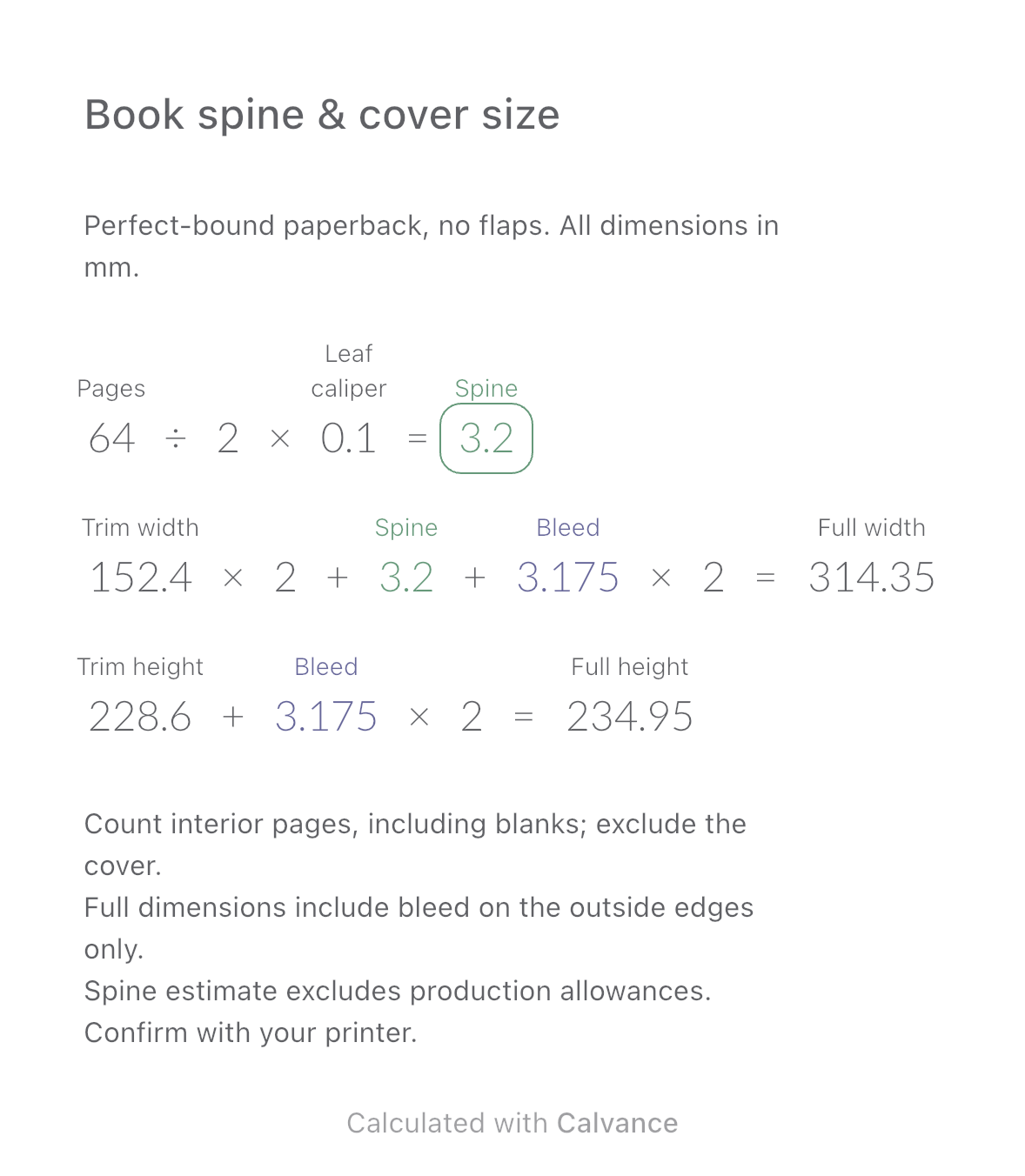
Estimate a perfect-bound book’s spine and full cover dimensions from page count, paper caliper and bleed. Compare changes and download a reusable Calvance canvas.