
Worked exampleExported from Calvance
Aquarium Water & Bucket Fills
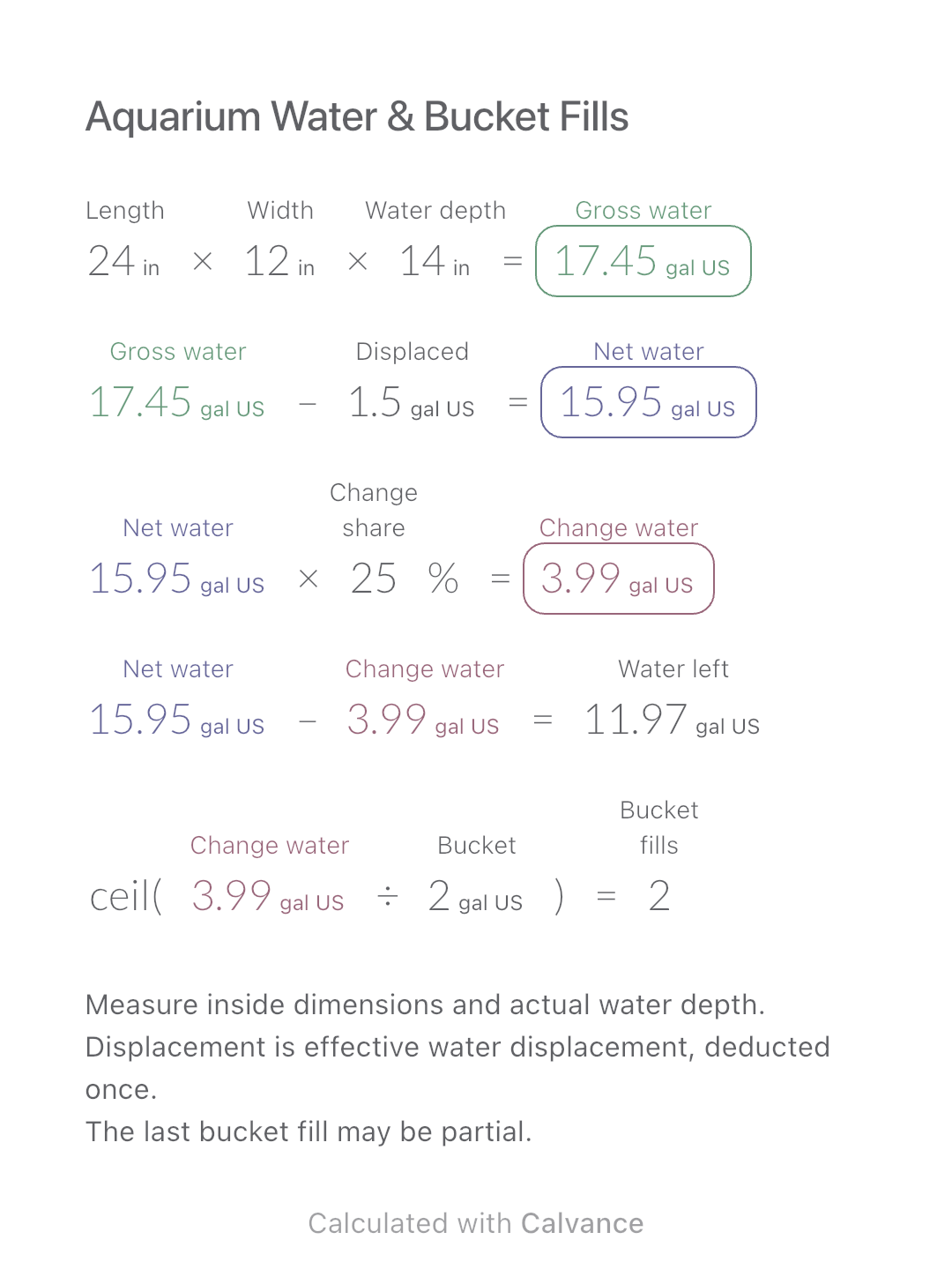
Estimate rectangular aquarium water volume, choose a water-change share and work out how many bucket fills to prepare.
View template and methodScale a filter-coffee recipe by water mass, ratio and brew count, keeping bloom water inside each brew’s total.
Exported by the iOS App After importing, edit the numbers in Calvance.
For a pour-over or filter-coffee water recipe weighed in grams. A brew count means identical recipes, not cups with a fixed volume. Keep your ratio and a short note with the calculation for later trials.
| Inputs | Default |
|---|---|
| Planned water mass for each brew (g) | 300 |
| Number of identical brews | 2 |
| Water parts R for a coffee-to-water mass ratio of 1:R | 16 |
| Bloom water as a multiple of coffee mass | 2 |
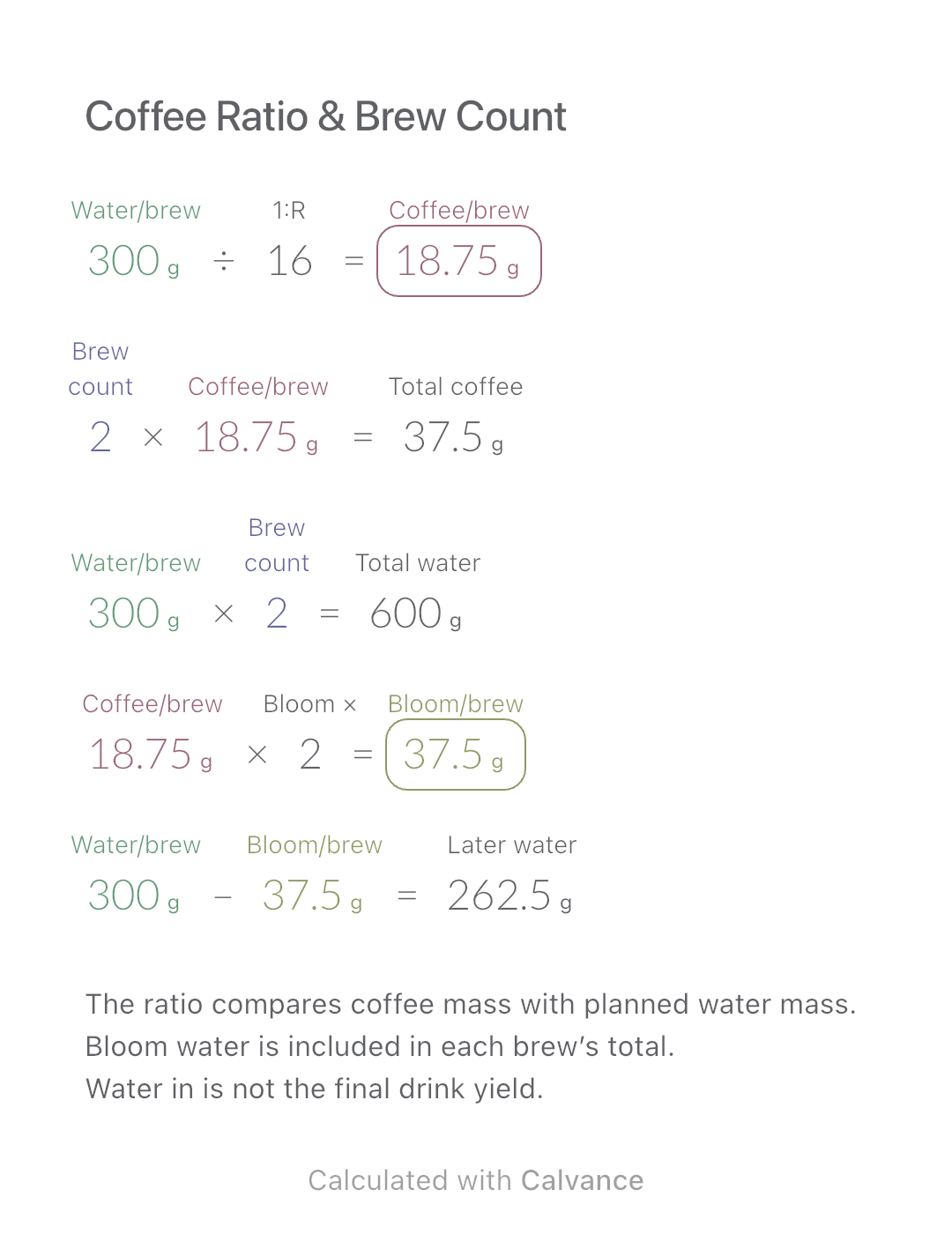
Coffee per brew = planned water mass ÷ R. Multiply coffee and water by brew count for batch totals. Bloom water per brew = coffee per brew × chosen bloom multiple; subtract it from that brew’s water to get later water. With 300 g, two brews, 1:16 and a chosen 2× bloom, use 18.75 g coffee each, 37.5 g coffee total and 600 g water total. Each bloom uses 37.5 g; later water is 262.5 g.
300 [Planned water mass for each brew g]/16 [Water parts R for a coffee-to-water mass ratio of 1:R] → Coffee mass for one brew g
2 [Number of identical brews] × Coffee mass for one brew g → Coffee mass for all brews g
Planned water mass for each brew g × Number of identical brews → Water mass for all brews g
Coffee mass for one brew g × 2 [Bloom water as a multiple of coffee mass] → Bloom water for one brew g
Planned water mass for each brew g-Bloom water for one brew g → Later water for one brew, excluding the bloom g
Change only the ratio from 1:16 to 1:15. Coffee per brew becomes 20 g and total coffee 40 g. Total water stays 600 g; bloom water becomes 40 g and later water 260 g for each brew.
| Result | Default | Changed |
|---|---|---|
| Coffee mass for one brew (g) | 18.75 | 20 |
| Coffee mass for all brews (g) | 37.5 | 40 |
| Water mass for all brews (g) | 600 | 600 |
| Bloom water for one brew (g) | 37.5 | 40 |
| Later water for one brew, excluding the bloom (g) | 262.5 | 260 |
Results are displayed to at most two decimal places; later formulas use unrounded values.
Water must be positive, brew count a positive integer, R positive and bloom multiple between 0 and R. The example ratio and bloom multiple are choices, not universal taste rules. Do not automatically treat grams as millilitres. This is not an espresso beverage-yield ratio or a cold-brew dilution model; it predicts no extraction, strength, time, grind or final drink volume.
Bloom is part of total water: Hario recipe.
Download and import into Calvance to edit the numbers. The canvas does not reject every invalid input; check the stated ranges.
No. Enter the ratio you want to test; method, beans and technique also affect the result.
No. It is already included. The later-water result is what remains after the bloom.
We recommend using the latest version of Calvance.
Estimate rectangular aquarium water volume, choose a water-change share and work out how many bucket fills to prepare.
View template and method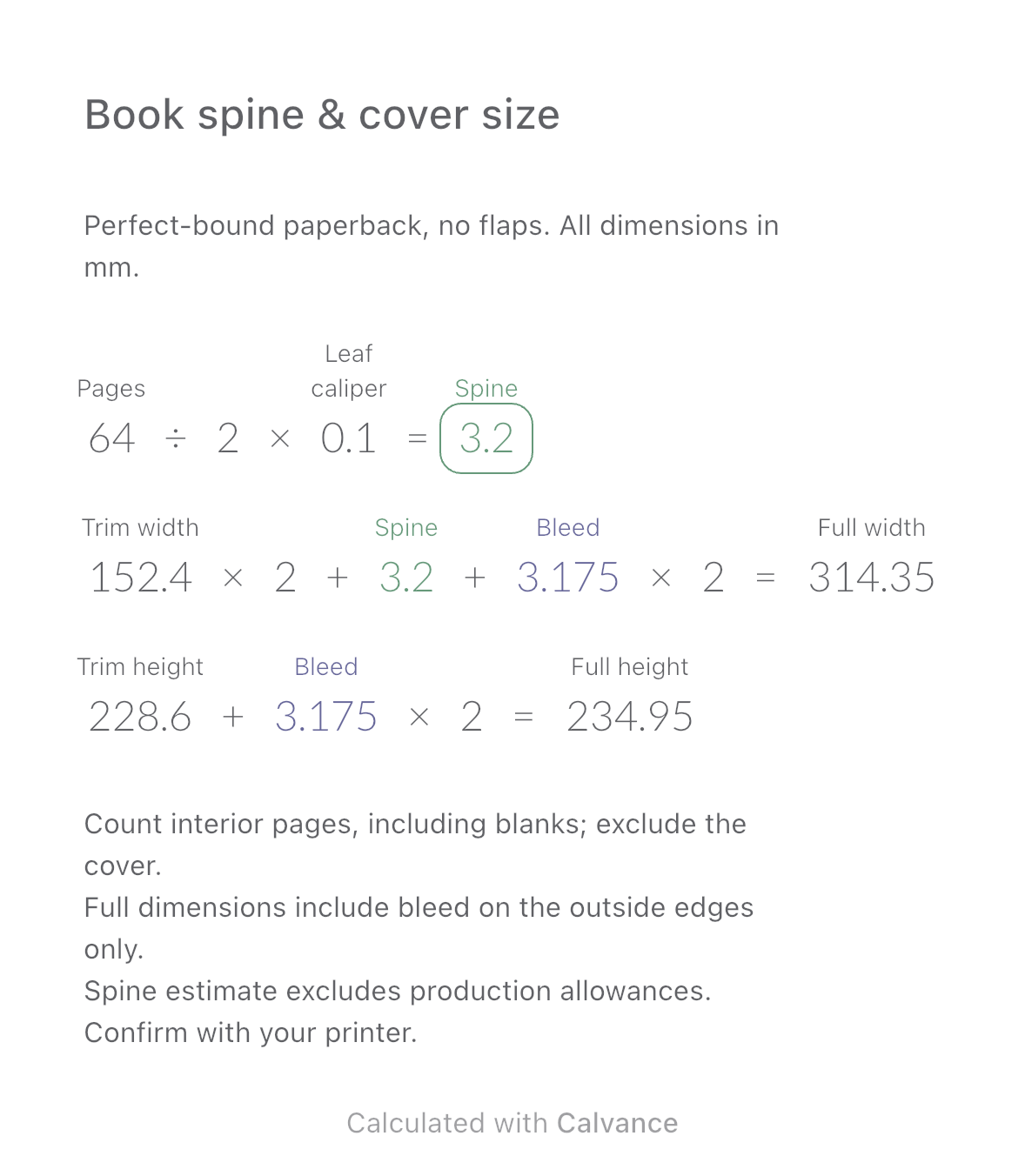
Estimate a perfect-bound book’s spine and full cover dimensions from page count, paper caliper and bleed. Compare changes and download a reusable Calvance canvas.
View template and method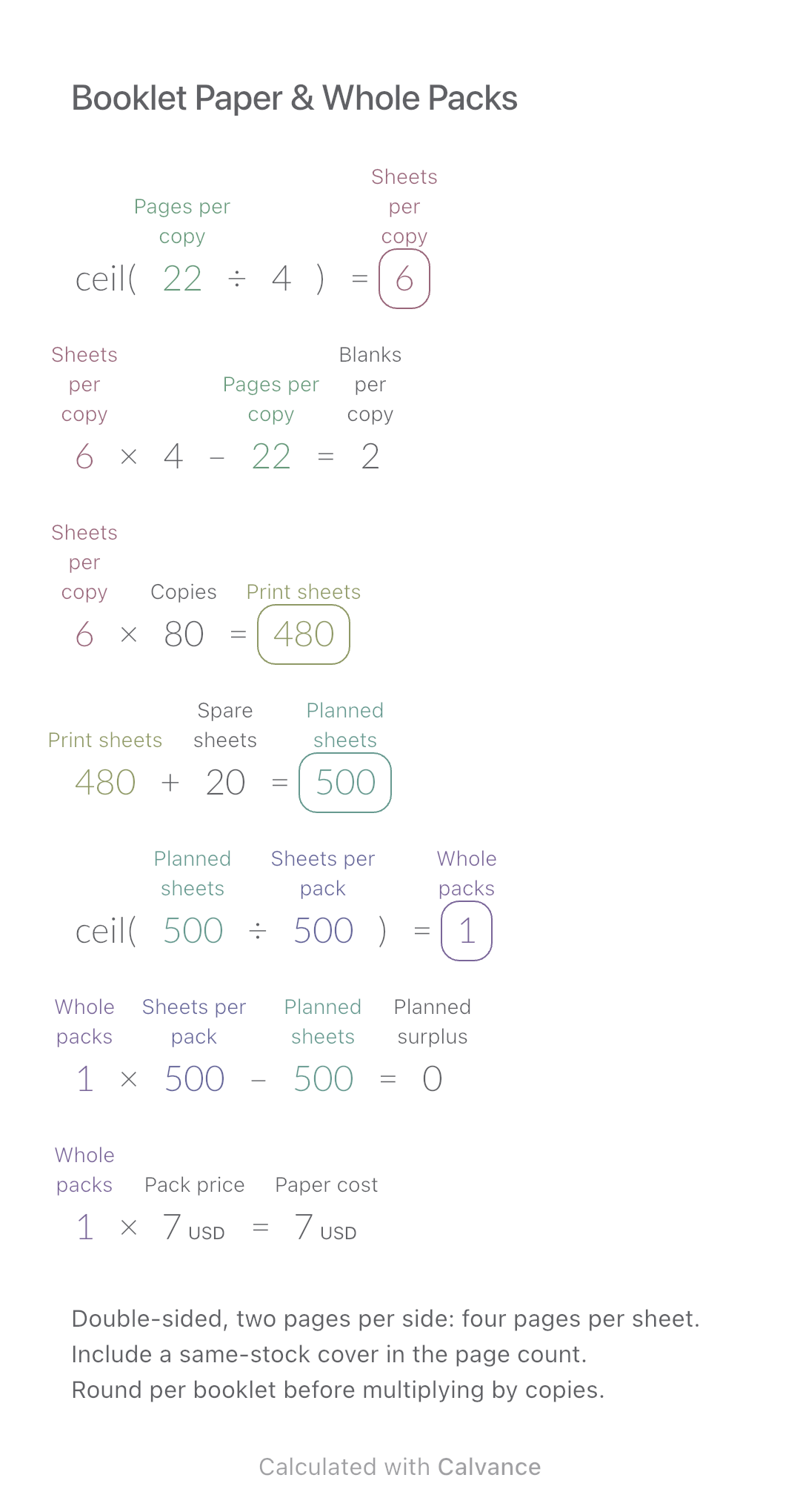
Convert booklet pages and copies into physical sheets, blank pages, whole paper packs and purchase cost.
View template and methodChoose a plan when you need more canvases, high-resolution image exports, or sync across devices.