
Worked exampleExported from Calvance
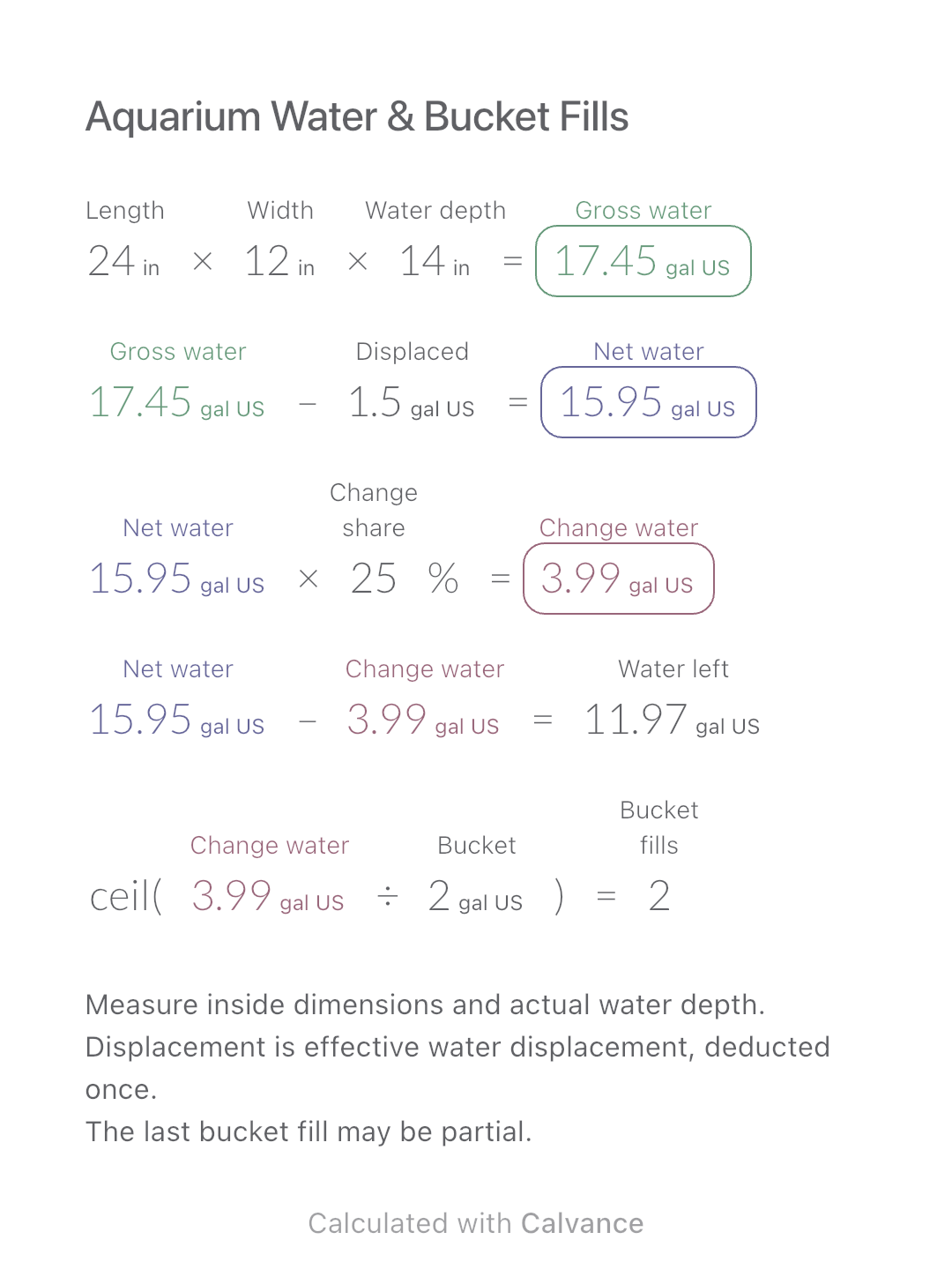
Aquarium Water & Bucket Fills
Estimate rectangular aquarium water volume, choose a water-change share and work out how many bucket fills to prepare.
View template and methodTurn a target number and weight of raw dough portions into flour, water, salt and instant yeast weights, using percentages based on flour.
Exported by the iOS App After importing, edit the numbers in Calvance.
Use your own reliable four-ingredient straight-dough formula before weighing out a batch. All ingredient percentages are relative to flour, not total dough. The metric example is simulated and has not been baking-tested; 65% water and 1% instant yeast are not recipe recommendations.
Related calculations: Cake Pan & Recipe Scaling · Baking Ingredient Costs.
| Inputs | Default |
|---|---|
| Dough portions | 6 |
| Raw weight each (g) | 280 |
| Water to flour (%) | 65 |
| Salt to flour (%) | 2 |
| Instant yeast to flour (%) | 1 |
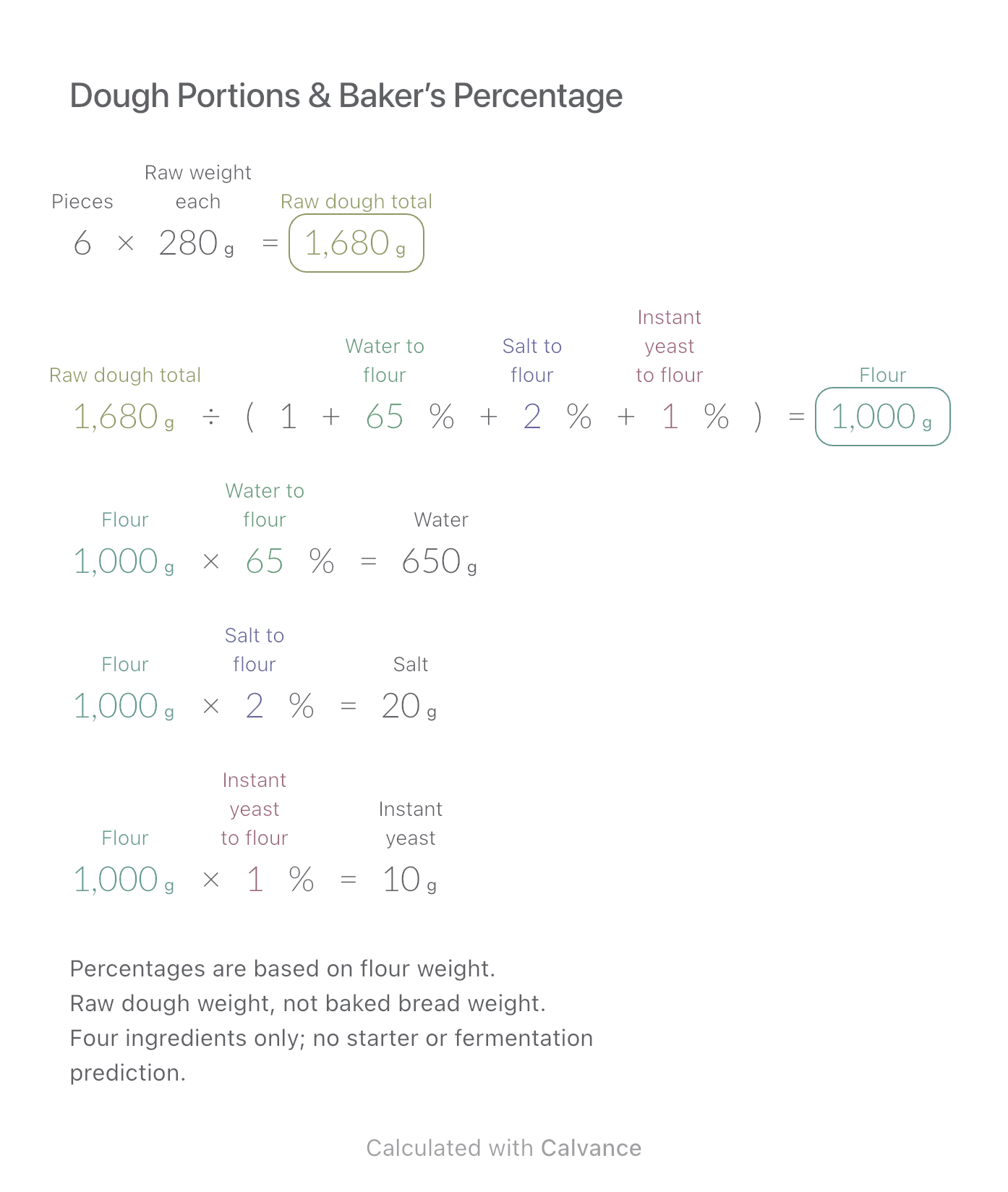
Target raw dough weight = portions × weight per portion. Flour = target weight ÷ (1 + water ratio + salt ratio + instant-yeast ratio). Multiply flour by each ratio for the other ingredients. Flour is the 100% reference. Six portions of 280 g require 1680 g: with the example percentages, that is 1000 g flour, 650 g water, 20 g salt and 10 g instant yeast. All four weights add to the target before display rounding.
6 [Dough portions] × 280 [Raw weight each g] → Raw dough total g
Raw dough total g/(1 + 65 [Water to flour]% + 2 [Salt to flour]% + 1 [Instant yeast to flour]%) → Flour g
Flour g × Water to flour% → Water g
Flour g × Salt to flour% → Salt g
Flour g × Instant yeast to flour% → Instant yeast g
Change portions from 6 to 9 while keeping portion weight and percentages fixed. Total raw dough becomes 2520 g; flour, water, salt and yeast all increase by 50%.
| Result | Default | Changed |
|---|---|---|
| Raw dough total (g) | 1,680 | 2,520 |
| Flour (g) | 1,000 | 1,500 |
| Water (g) | 650 | 975 |
| Salt (g) | 20 | 30 |
| Instant yeast (g) | 10 | 15 |
Results are displayed to at most two decimal places; later formulas use unrounded values.
Portions must be a positive integer; portion weight, water ratio and instant-yeast ratio must be positive, and salt nonnegative. Zero salt is only an arithmetic boundary. This model excludes starter, preferments, milk, eggs, sugar, fat and process losses. Adding ingredients requires updating the denominator and ingredient calculations. If target weight stays fixed while hydration changes, flour weight changes too. Small amounts may round to zero; increase display precision where needed and use an appropriate scale. It does not prescribe fermentation time or baking conditions.
King Arthur Baking: baker’s percentage
Download and import into Calvance to edit the numbers. The canvas does not reject every invalid input; check the stated ranges.
No. It means 65 g water per 100 g flour. Salt and yeast also contribute to total dough weight.
Not in this four-ingredient model. Starter contributes both flour and water and requires separate accounting.
No. The target is raw dough before handling and baking losses. Download the canvas to adapt a proven formula in Calvance.
We recommend using the latest version of Calvance.
Estimate rectangular aquarium water volume, choose a water-change share and work out how many bucket fills to prepare.
View template and method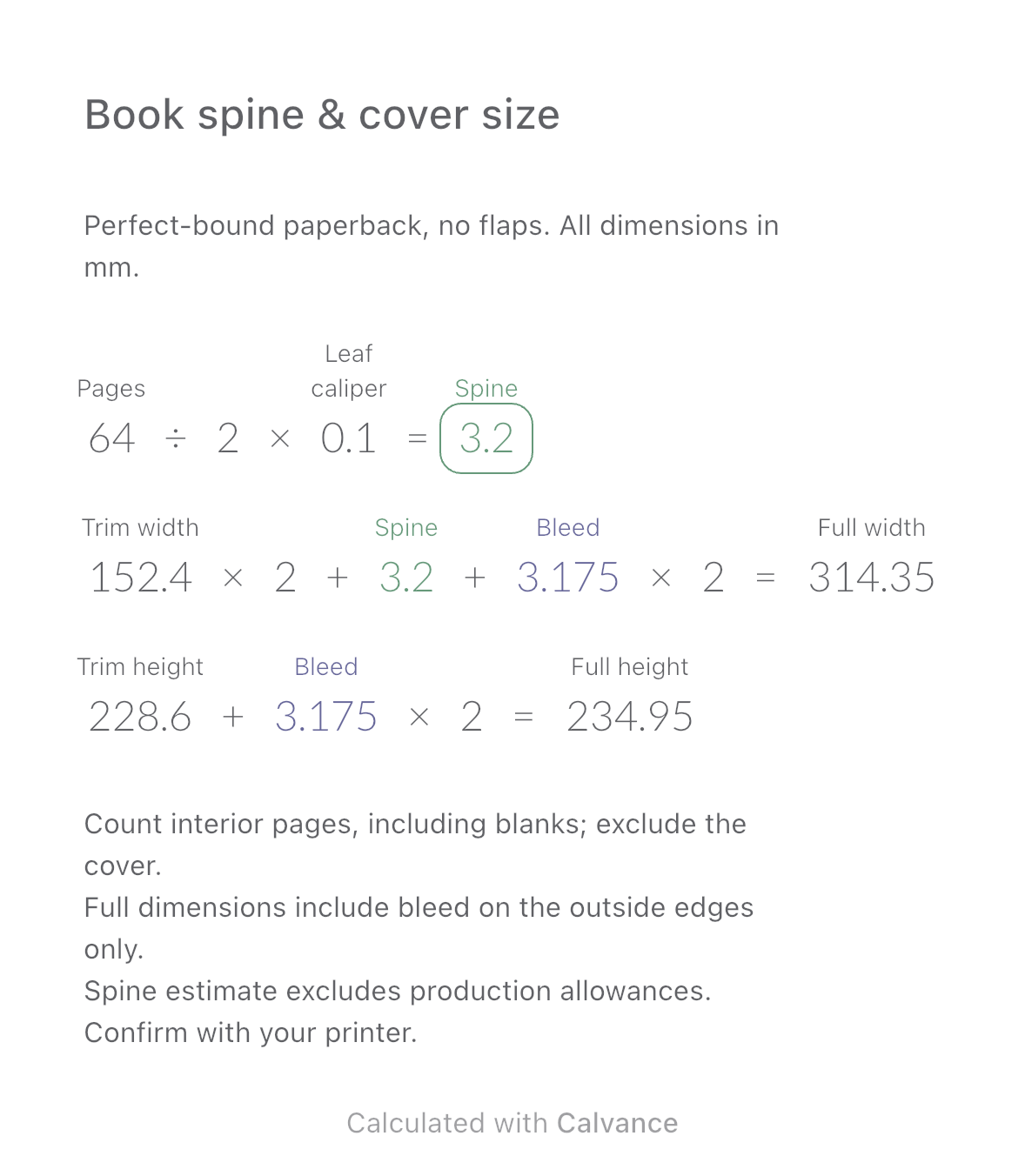
Estimate a perfect-bound book’s spine and full cover dimensions from page count, paper caliper and bleed. Compare changes and download a reusable Calvance canvas.
View template and method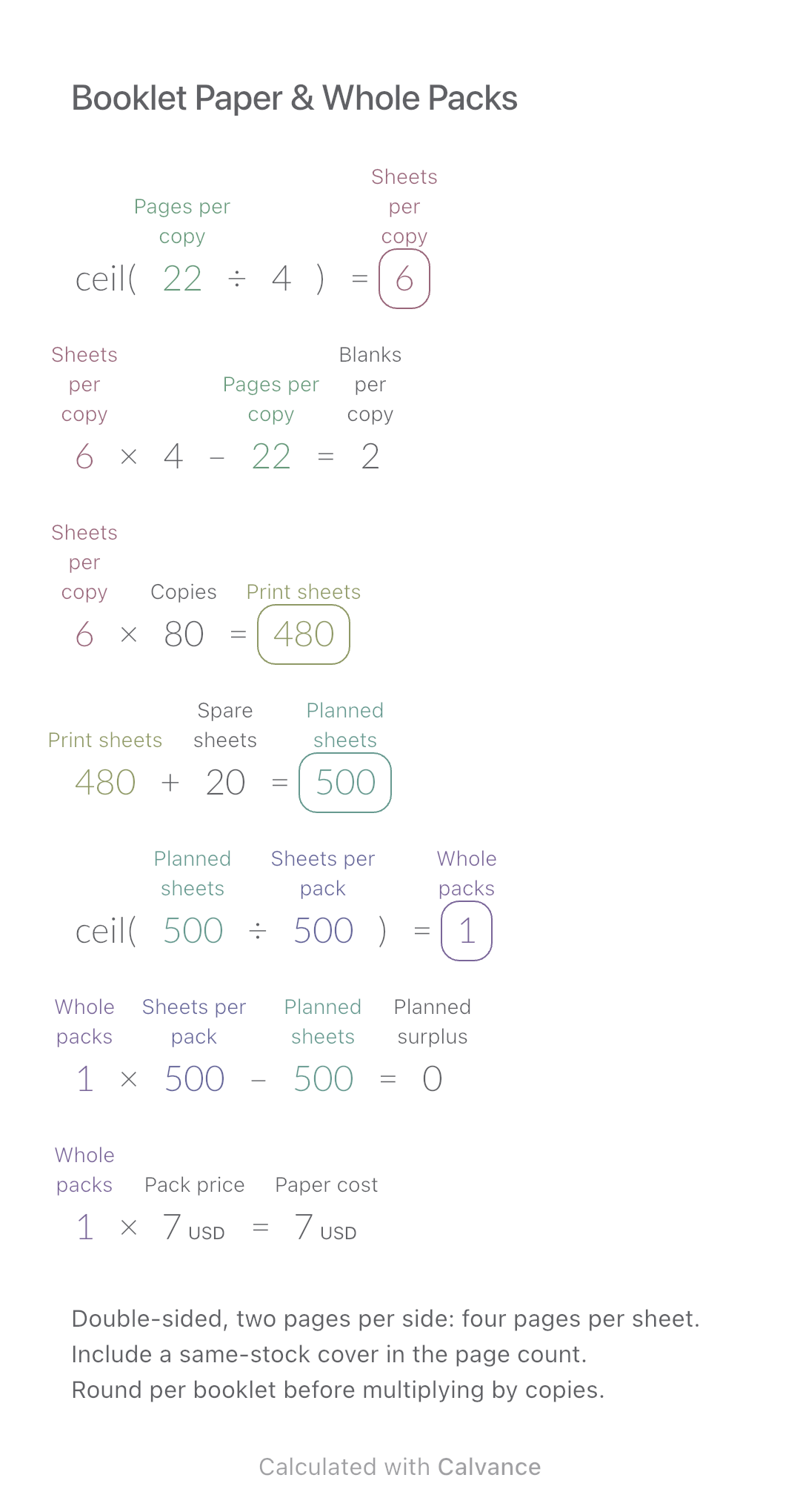
Convert booklet pages and copies into physical sheets, blank pages, whole paper packs and purchase cost.
View template and methodChoose a plan when you need more canvases, high-resolution image exports, or sync across devices.